
Table of Contents
A DDoS attack, or distributed denial of service, floods a website or server with overwhelming traffic from many sources to make it slow or unavailable. Because the traffic comes from many machines at once, it is hard to block by source, so defense relies on edge filtering, a CDN and infrastructure that can absorb and scrub the flood. This guide explains how DDoS attacks work.
Last updated: August 2026. Written by the Growth Hack Suite editorial team, with details cross-checked against provider documentation. This is general security education, not formal security advice, and this page carries affiliate links to Kinsta.
What Is a DDoS Attack?
A DDoS attack, short for distributed denial of service, floods a website or server with overwhelming traffic from many sources at once. It aims to exhaust the target’s resources and make it slow or completely unavailable to legitimate visitors, so the site effectively goes offline under the load.
“A denial-of-service attack is a cyberattack that makes a machine or network resource unavailable.”
— Wikipedia, Denial-of-service attack
The “distributed” part is what makes this threat so hard to handle: the flood comes from many machines, not one, so blocking a single source does little.
How Does a DDoS Attack Work?
A DDoS attack works by directing a huge volume of requests or data at a target from many compromised machines, often a botnet. The sheer scale overwhelms the server’s capacity, and legitimate traffic can no longer get through, so real visitors are shut out along with the attack.
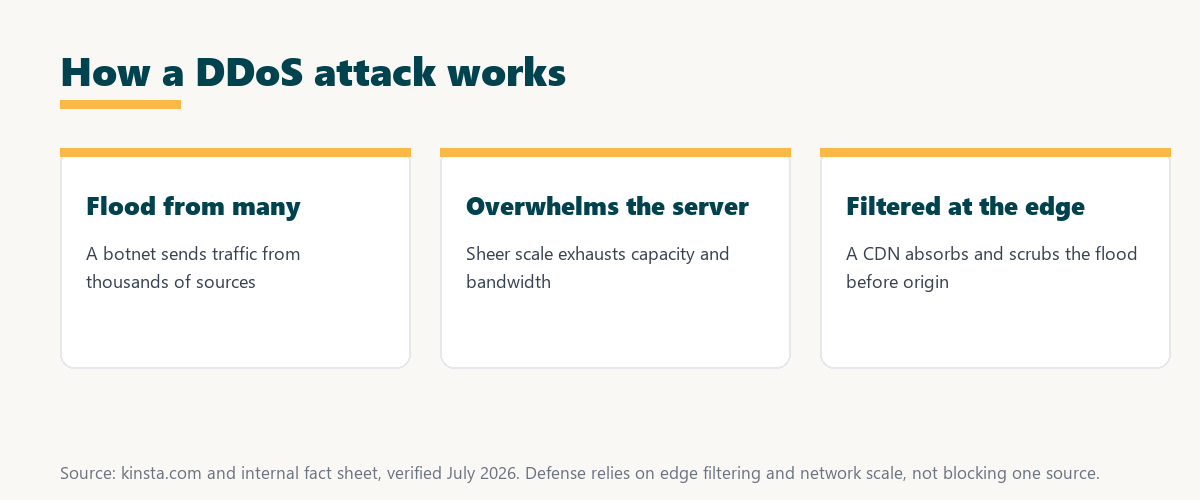
The mechanism is scale: many sources sending traffic at once is what exhausts capacity, which is why defense focuses on absorbing and filtering the flood.
What Is a Botnet?
A botnet is a network of compromised computers and devices controlled by an attacker. DDoS floods use botnets to generate traffic from many sources simultaneously, which makes the flood large and hard to block by cutting off any single source, since the traffic is spread across thousands of machines.
The practical point is that a botnet turns many hijacked devices into one weapon, which is what gives the flood its scale.
Types of DDoS Attacks
Types of DDoS attacks include volumetric attacks that saturate bandwidth, protocol attacks that exhaust server resources and application-layer attacks that target specific functions. Defenses must address different attack methods, so a single technique rarely stops every kind of flood.
Source: provider documentation, verified August 2026. Each type needs a matching defense.
Listing volumetric, protocol and application-layer attacks with how each works shows they target bandwidth, server resources and the application respectively, so full protection covers all three.
See how Kinsta absorbs DDoS at the edge
Try Kinsta →Always-on Cloudflare DDoS mitigation, with a 30-day money-back guarantee.
Why Distributed Floods Are Hard to Stop
Floods like this are hard to stop because traffic comes from many sources at once, so you cannot simply block one address. Defense relies on scale, edge filtering and services that can absorb and scrub the flood, which is why a small server cannot fend off a large distributed attack alone.
The core difficulty is distribution: because the flood is spread across countless sources, only large-scale, edge-based defenses can cope.
What Damage Can a Flood Attack Cause?
A DDoS attack can take your site offline, causing lost sales, leads and trust, and prolonged attacks strain resources and staff. The impact is measured in downtime cost and reputation as well as the effort to mitigate it, so even a short outage can be expensive.
“The first five seconds of page-load time have the highest impact on conversion rates.”
— HubSpot, page load time and conversion rates
An attack like this turns those early seconds into a timeout, so keeping the site online under attack directly protects the conversions a slow or downed site would lose.
How to Protect Against DDoS Attacks
You protect against DDoS attacks with edge-based protection, a CDN that absorbs traffic, rate limiting and infrastructure that can scale. Malicious traffic is filtered and absorbed before it overwhelms your origin server, so the defense happens away from your site rather than on it.
The practical point is that DDoS defense is about scale and location: filter early, at the edge, across a network large enough to absorb the flood.
How to Choose Flood Protection
Choose protection by favoring a host or CDN with always-on, edge-based mitigation and large network capacity. Stopping a distributed flood requires filtering close to the source and enough scale to absorb it, so a large, always-on network is the key feature to look for.
Source: provider documentation, verified August 2026. These methods work together, not alone.
Listing edge filtering, CDN absorption and rate limiting shows how a distributed flood is diluted and blocked before it reaches your origin. Anyone weighing a long hosting commitment can read our note on SaaS vendor lock-in.
How Kinsta Protects Against DDoS
Kinsta protects against DDoS attacks through its Cloudflare integration, which provides always-on, edge-based DDoS mitigation. Malicious traffic is filtered across a large global network before it can reach and overwhelm your site, so the flood is handled off-site rather than by your origin server.
Keep your site online with edge DDoS mitigation
Start With Kinsta →Free migration and a 30-day money-back guarantee.
Keeping Your Site Online Under Attack
You keep your site online under attack by relying on edge DDoS protection and a CDN that absorb and filter malicious traffic. A managed host with built-in mitigation defends your site without you configuring anything, so protection is in place before an attack ever starts.
“A tool is only worth its premium when the hours or revenue it protects exceed the invoice.”
— Growth Hack Suite, on tool ROI
Applied to DDoS, built-in mitigation earns its cost the first time it keeps a site online during an attack that would otherwise mean hours of lost revenue.
DDoS Defense and Overall Security
DDoS protection is one part of overall security alongside a firewall, SSL and updates. While DDoS defense keeps the site available under flooding, the other layers protect against the range of attacks that target web applications, so it belongs in a broader security stack.
The honest point is that DDoS protection keeps a site reachable, but a WAF, SSL and updates are still needed for the attacks it does not cover.
Choosing DDoS-Protected Hosting
You choose DDoS-protected hosting by favoring a managed host with always-on, edge-based mitigation across a large network. That combination absorbs and filters attacks before they reach your site without you managing it, so the site stays reachable even when a distributed flood hits.
The honest summary is that DDoS defense is most effective at the edge and always on, so a host that provides it is the simplest reliable protection.
Try Kinsta risk-free with DDoS protection
Try Kinsta Risk-Free →Edge DDoS mitigation and free migration, with a 30-day money-back guarantee.
DDoS Attack: Frequently Asked Questions
The 12 most-asked questions about DDoS attacks.
What is a DDoS attack in simple terms?
A DDoS attack floods a website or server with overwhelming traffic from many sources at once to exhaust its resources and make it slow or unavailable to real visitors.
How does a DDoS attack work?
A DDoS attack works by directing a huge volume of requests at a target from many compromised machines, often a botnet, so the scale overwhelms the server and blocks legitimate traffic.
What is a botnet?
A botnet is a network of compromised computers and devices controlled by an attacker, used to generate DDoS traffic from many sources at once, making the flood large and hard to block.
What are the types of DDoS attacks?
Types include volumetric attacks that saturate bandwidth, protocol attacks that exhaust server resources, and application-layer attacks that target specific functions.
Why are DDoS attacks hard to stop?
DDoS attacks are hard to stop because traffic comes from many sources at once, so you cannot block one address, requiring scale, edge filtering and services that absorb the flood.
What damage can a DDoS attack cause?
A DDoS attack can take your site offline, causing lost sales, leads and trust, and prolonged attacks strain resources, so the impact is measured in downtime cost and reputation.
How do I protect against DDoS attacks?
You protect against DDoS with edge-based protection, a CDN that absorbs traffic, rate limiting and scalable infrastructure, so malicious traffic is filtered before it overwhelms your origin.
Can a CDN stop DDoS attacks?
A CDN helps stop DDoS by absorbing and filtering traffic across its large network at the edge, so attacks are diluted and mitigated before reaching your origin server.
Does a firewall stop DDoS?
A web application firewall helps filter malicious requests, but stopping large volumetric DDoS mainly relies on edge-based mitigation and network capacity, so the two work together.
How do I know if I am under a DDoS attack?
Signs of a DDoS attack include sudden unexplained traffic spikes, a slow or unavailable site, and unusual patterns in analytics, so monitoring helps you detect and respond quickly.
Is DDoS protection included with hosting?
Some hosts include DDoS protection, especially those with a CDN integration, so a managed host with always-on edge mitigation defends your site without a separate service.
How does Kinsta protect against DDoS?
Kinsta protects against DDoS through its Cloudflare integration, providing always-on, edge-based mitigation, so malicious traffic is filtered across a large network before reaching your site.
About this guide
Written by the Growth Hack Suite editorial team, drawing on hands-on experience running WordPress sites. Details were cross-checked against provider documentation. This is general security education, not formal security advice, and this page carries affiliate links to Kinsta. The position is stated plainly: a DDoS attack floods a site from many sources to take it offline, defense relies on edge filtering and network scale, and it is one layer beside a WAF, SSL and updates. Kinsta provides always-on, edge-based DDoS mitigation through its Cloudflare integration.