Table of Contents
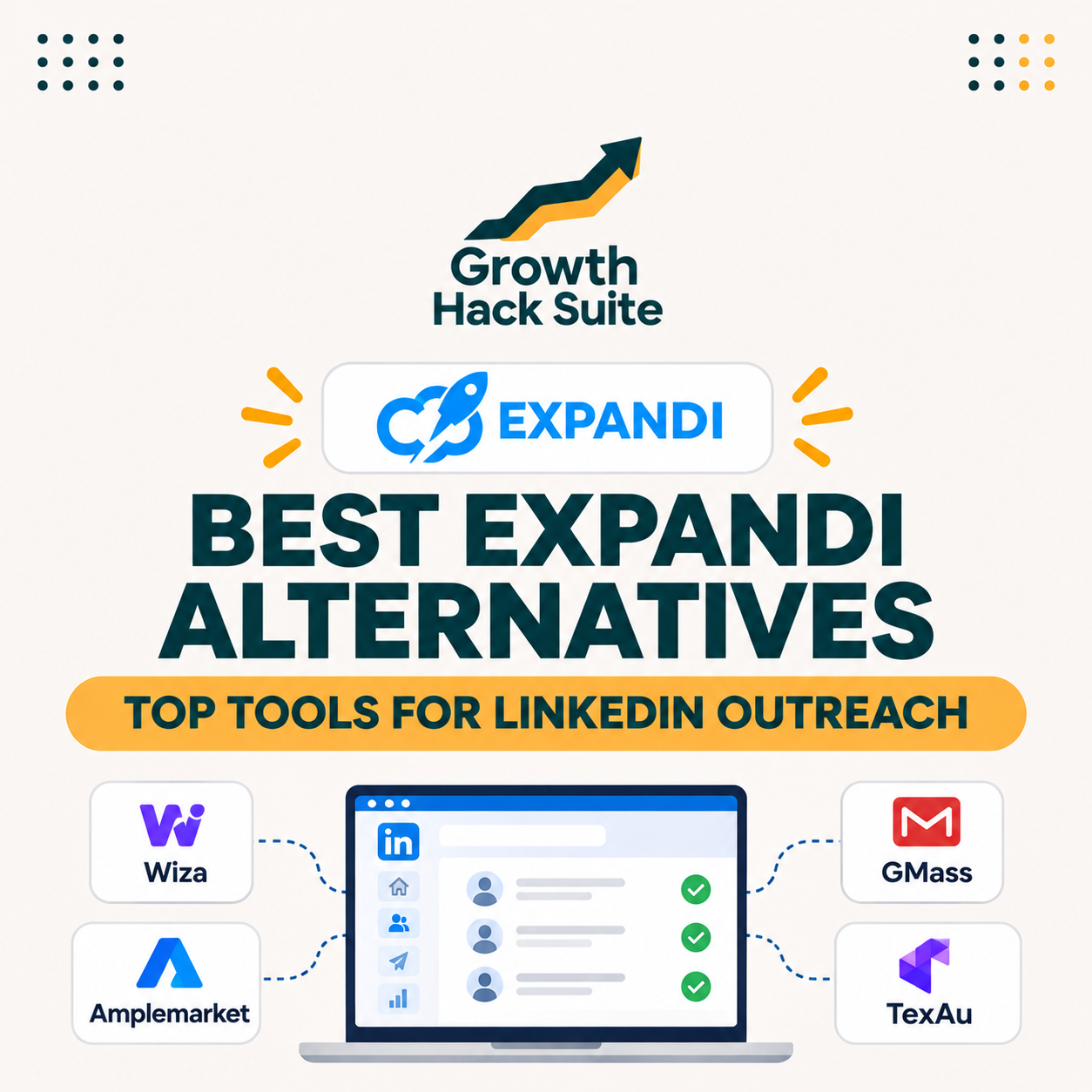
The best Expandi alternatives fall into three groups: per-user cloud tools that cost less on one profile, quota and desktop tools that suit irregular sending, and agency platforms built for many LinkedIn accounts. This comparison covers nine of them, and each entry answers two questions: what it replaces in Expandi at $99 a month for each account, and what a switcher gives up.
Last checked: October 2026. Every tool here was checked against its own pricing and feature pages, and prices are quoted only where the vendor publishes them. Tools change prices on different schedules, so confirm the current figure before switching.
Still weighing the switch? Run one account on Expandi for seven days and compare the numbers against the tool under consideration.
Try Expandi for 7 Days →Dedicated country-based IP · unlimited campaigns · cancel anytime
Why Do People Look for Expandi Alternatives?
People look for Expandi alternatives for three main reasons: the fee is charged for each connected LinkedIn account rather than for each user, there is no permanently free tier to fall back on, and paid fees are nonrefundable under the published Terms. Each reason points toward a different kind of replacement tool.
The first reason is the most common. A founder running one profile pays the same $99 a month as an agency pays for each client profile, and per-user tools look cheaper at that scale. The second reason matters to cautious buyers, since Expandi offers a seven-day trial on the first subscription and nothing permanent after it. The third reason shapes timing: Expandi’s Terms state that “the subscription fees are nonrefundable,” so people tend to look for alternatives just before a renewal rather than mid-cycle.
Naming the real reasons for leaving is what makes the rest of this list credible, and it also shows quickly which alternatives solve the problem rather than swapping it for another.
What Should an Expandi Replacement Actually Match?
A fair Expandi replacement has to cover four things the Business plan ships by default: a dedicated country-based IP for each account, automatic profile warm-up, unlimited campaigns and templates, and email steps inside the same sequence as LinkedIn actions. A tool missing one of them is cheaper for a reason.
- Dedicated IP for each account: the layer most per-user tools do not publish, and the one that matters most when several LinkedIn profiles run from one workspace at the same time.
- Automatic profile warm-up: Expandi’s help center describes a gradual ramp from 5 to 21 actions a day, which protects a new or rarely used profile during its first weeks.
- Unlimited campaigns and templates: entry tiers elsewhere sometimes cap campaigns, and Dripify’s Basic tier, for example, lists a single drip campaign on its pricing page.
- Email inside the sequence: connection requests, LinkedIn messages, and email follow-ups running in one builder remove the need for a second outreach subscription.
- Billing that follows the account: per-account pricing maps cost to sending profiles, which suits agencies, while per-user pricing maps cost to the people who log in.
These features all belong to one category, which Wikipedia defines broadly:
“software platforms and technologies designed for marketing departments and organizations to automate repetitive tasks”
Wikipedia, Marketing automation
Most switching regret comes from matching the price and missing one of these four, usually the IP layer, and discovering the gap only after a profile gets restricted.
How Do the 9 Alternatives Compare?
The table sets all nine tools against the billing unit, the published account protection, and the entry price on monthly billing where the vendor lists one. It is the fastest way to see which alternatives are genuinely cheaper once a second LinkedIn profile joins the workflow, and which ones only look cheaper.
Source: each vendor’s own pricing page (dripify.com, heyreach.io, waalaxy.com, zeekeo.com, skylead.io, phantombuster.com, linkedhelper.com, octopuscrm.io, dux-soup.com), checked between August and October 2026. Monthly list prices before tax; annual billing is cheaper on most tools. Expandi for reference: $99 for each LinkedIn account a month, from expandi.io/pricing.
Read the billing-unit column together with the entry price, because a per-user tool only stays cheaper while one person runs one profile, and the comparison changes the moment a second account joins.
The table narrows the field to two or three candidates for most readers, and the entries below explain what each of them gives up in exchange for the saving.
1. Dripify: Is It the Closest Per-User Replacement?
Dripify is the nearest like-for-like swap for a single operator: cloud sending, LinkedIn and email sequences, and built-in LinkedIn protection, billed for each user at $59 a month on Basic or $39 a month when billed annually. It replaces the campaign workflow and moves the billing unit from the account to the user.
- Replaces the workflow: cloud-based LinkedIn and email sequences for one operator, at an entry price below Expandi’s single plan on both monthly and annual billing.
- Replaces the billing unit: the fee follows the user instead of the LinkedIn profile, which helps when several teammates are not each running their own profile.
- Gives up campaign depth: the Basic tier lists one drip campaign and limited daily quotas, so unlimited campaigns require moving up to the Pro tier.
- Gives up a published IP layer: the pricing page lists built-in LinkedIn protection but does not publish a dedicated IP for each connected account.
- Trial terms: Dripify advertises a seven-day trial with no credit card, against Expandi’s seven days on the first subscription with card details at checkout.
Dripify’s own pricing FAQ states the annual-billing figures directly:
“Dripify costs $39/user/month on Basic, $59/user/month on Pro, and $79/user/month on Advanced when billed annually.”
Dripify pricing FAQ
Dripify replaces the sequence workflow at a lower entry price, and it does not publish a dedicated IP for each account, which is the layer a multi-profile operator would be giving up.
2. HeyReach: Is It Built for Running Many Client Accounts?
HeyReach is built around agencies running outreach across many connected LinkedIn profiles, the same buyer Expandi targets with its Agency tier. Its Growth tier bills $79 a month for each sender, and its Agency plan bundles 25 senders for $999 a month, so the two tools compete most directly at agency scale.
HeyReach’s pricing FAQ is explicit about the unit: “HeyReach charges only per LinkedIn senders, not per users,” and a sender is a LinkedIn account added to the organization. That makes it a per-account tool like Expandi rather than a per-user one. The Growth tier includes a dedicated residential proxy for each sender, while the Agency and Unlimited bundles ask customers to bring their own proxies. The trial runs fourteen days with up to 3 LinkedIn accounts and no card, and the Terms state that fees are non-refundable.
HeyReach replaces the agency workflow rather than the solo one, and the comparison usually comes down to how each vendor prices the tenth or the twenty-fifth connected account.
3. Waalaxy: Do Quotas Beat a Fixed Fee?
Waalaxy bills each user and meters sending through monthly invitation quotas of 300 on Pro or 800 on Advanced and Business, with a trial of fourteen days on every tier. It replaces the fixed per-account fee with a ceiling, which suits outreach that stops and starts across the year.
- Replaces the fixed fee: a per-user tier with a quota of 300 or 800 invitations a month keeps cost proportional to how much a single person actually sends.
- Replaces the short trial: fourteen days on every tier gives twice Expandi’s evaluation window, which helps buyers who need a manager’s sign-off first.
- Gives up headroom: a campaign that hits the monthly invitation quota pauses growth on that profile until the quota resets at the start of the next month.
- Gives up a published IP layer: the Waalaxy pricing page does not publish a dedicated IP for each account, so protection rests on volume limits instead.
- Price visibility: the pricing page shows different figures by currency view, so the rate has to be read on the page itself on the day of purchase.
Waalaxy replaces cost predictability with cost proportionality, and the trade is a hard monthly ceiling that an agency campaign can hit in the middle of the month.
4. Zopto: Does Cloud Sending Suit Teams and Agencies?
Zopto is a LinkedIn and email outreach platform whose zopto.com domain now redirects to Zeekeo, which sells a do-it-yourself platform at $149 a month and a done-for-you managed service starting at $600 a month. It targets teams and agencies that want help running outbound, not only software to run it.
The Zeekeo pricing FAQ describes the self-serve product in one line: “Zeekeo Launchpad is built for social and email outreach.” The platform lists CRM integrations, Zapier and API access, and image and GIF personalization, and the managed tier adds strategy, calling, and campaign management by the vendor’s team. No free trial is listed on the pricing page, and the page does not describe a dedicated IP or proxy for each account, so that layer cannot be compared directly.
Zopto replaces the agency side of Expandi rather than the solo workflow, and buyers usually compare the two on cost for each account once any managed onboarding has finished.
5. Skylead: How Deep Are Its Conditional Sequences?
Skylead is a LinkedIn and email outreach tool built around conditional sequences that branch on prospect behavior, priced at $100 a month for each seat on its All-in-one plan. A single campaign can carry several paths, and the seat includes unlimited email accounts alongside one LinkedIn account.
Skylead’s Smart Sequences page describes the builder this way: “Use 8 actions and 7 if/else conditions to create your own sequence.” Image and GIF personalization is included rather than sold as an add-on, and LinkedIn warm-up appears in the feature list. The trial runs seven days and, under Skylead’s Terms, applies only to the first account added to a subscription. The Agency offer is a first-year promotion of $999 a month for 25 seats, with later pricing not published.
The branching matters because generic connection requests underperform. HubSpot’s guide to social selling on LinkedIn makes the same point:
“When sending connection requests to prospects or individuals you don’t know personally, including a personalized message is critical.”
HubSpot, LinkedIn for Social Selling
Skylead replaces campaign logic rather than sending infrastructure, and it appeals to operators whose real bottleneck is branching sequences rather than protecting several LinkedIn accounts at once.
6. PhantomBuster: Is It Lists and Enrichment Rather Than Outreach?
PhantomBuster is an automation platform that prices by execution time, automation slots, and credits with unlimited users, starting at $69 a month on Start or $56 a month billed annually. It replaces the data side of the workflow, and LinkedIn outreach is one automation among many rather than the product itself.
- Replaces list building: the scraping and enrichment work that happens before any sequence runs, with export credits and AI credits included in each tier.
- Replaces the billing model: execution hours and automation slots replace a per-account or per-user fee, and every tier lists unlimited users in the workspace.
- Gives up outreach focus: sequences have to be assembled from separate automations, so a dedicated outreach tool is usually faster to set up for campaigns.
- Gives up published safety layers: the pricing page does not publish warm-up or a dedicated IP for each LinkedIn account, unlike Expandi’s plan.
- Usage ceiling: the Start tier includes 5 automation slots and 20 execution hours a month, and automations pause once the execution time runs out.
PhantomBuster’s FAQ is direct about the ceiling: “Your automations will pause until your execution time resets or you upgrade your plan.” That sentence is the main planning constraint for anyone moving outreach volume onto it.
PhantomBuster replaces list building and enrichment, and anyone switching for outreach alone will find the setup work heavier than a dedicated sequence tool.
7. Linked Helper: Does Desktop Control Justify the Lower Cost?
Linked Helper is desktop software rather than a cloud service: it runs on the operator’s own computer or on a VPS the operator controls. That keeps campaigns local and lowers the entry price to $15 a month for a Standard license with local storage, while tying every sending window to that machine staying on.
Linked Helper’s pricing FAQ is clear about the trade: “The automation runs from the machine you control, so that machine has to be on with the app running.” Proxies and VPS hosting are purchased separately, and one license works on one LinkedIn account at a time, although it can be switched between accounts. The trial runs fourteen days with no credit card, and when it ends campaigns pause without any charge or automatic renewal.
Comparing on price alone? Run seven days on Expandi and compare replies for each profile instead.
Try Expandi for 7 Days →No charge until the seven days are up · first subscription only
Linked Helper replaces cloud convenience with local control, and the saving arrives together with campaigns that stop running whenever the operator’s computer sleeps.
8. Octopus CRM: Is Light Pipeline Tracking Enough?
Octopus CRM is a Chrome extension that pairs LinkedIn automation with a lightweight personal CRM, aimed at solo sellers who want outreach and basic deal tracking in one subscription. Its tiers start at $9.99 a month, with the top Unlimited tier at $39.99, and Activity Control is reserved for that top tier.
The vendor describes the product as a way to build a personal LinkedIn lead generation funnel, and its home page states that “All plans come with a 7-day obligation-free trial.” The trial gives full access to the Unlimited tier without a credit card. Because it runs in the browser rather than in the cloud, the page does not describe a dedicated IP, and agencies managing 20 or more accounts are asked to contact the team for special pricing.
Octopus CRM replaces both the outreach tool and a basic CRM at once, and it is not built for the multi-account client workflow that brings most agencies to Expandi in the first place.
9. Dux-Soup: Is It the Low-Commitment Option?
Dux-Soup started as a Chrome extension and now sells STACKED in two forms: a Local desktop app at $55 a month for each seat, and a Cloud version at $99 a month for each seat that runs without a machine left on. The Local option is the low-commitment entry point, and the Cloud option competes with Expandi directly.
The pricing page lists Local as “Runs on your own machine, desktop app (Mac/Win),” while Cloud “Runs continuously, no need to keep a machine on.” Both include up to 12 LinkedIn actions and native CRM integrations, yearly billing saves 25%, and a trial of fourteen days is offered. The home page lists five built-in safety controls but does not document a dedicated IP or proxy for each account.
Dux-Soup replaces the subscription cost and the cloud layer on its Local version, which is a trade a cautious first-time sender may accept and an agency running client profiles usually cannot.
Which Alternative Should You Actually Pick?
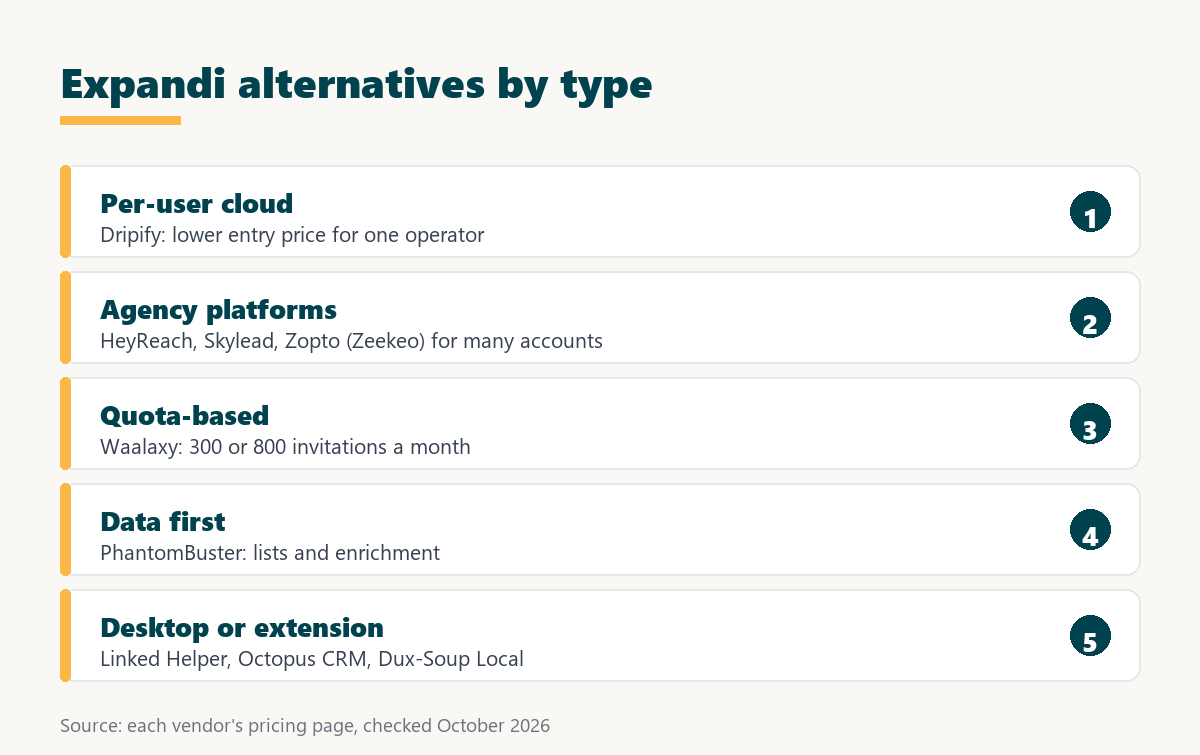
The right pick follows the reason for leaving: switch to a per-user tool if one person runs one profile, to a quota tool if sending is irregular, to an agency platform if client accounts keep multiplying, and stay put if the dedicated IP for each account is the reason the profiles are still healthy.
Source: categories derived from the four criteria in the section on what a replacement should match; prices for each tool appear in the comparison table above and come from each vendor’s pricing page, checked August to October 2026.
Matching the alternative to the reason for leaving avoids the most expensive outcome in this category, which is paying a migration cost and landing on a tool with the same problem.
- Solo operator on one profile: a per-user cloud tool such as Dripify is usually cheaper, provided its account protection story is acceptable for the profile at stake.
- Agency with many client profiles: HeyReach, Skylead, or Expandi’s own Agency tier, compared on the price of the tenth account and the proxy arrangements.
- Occasional sender: Waalaxy or a desktop tool, because cost stays low in quiet months and a monthly quota acts as a built-in brake on volume.
- Team that needs data before outreach: PhantomBuster for list building and enrichment, often paired with a dedicated outreach tool rather than replacing it.
- Profile that carries revenue: staying on Expandi often makes sense, since a dedicated country-based IP and warm-up protect the asset the pipeline depends on.
Switching also carries a structural cost that Growth Hack Suite describes in its guide to vendor lock-in:
“SaaS vendor lock-in occurs when a business becomes so dependent on a single software vendor that migrating to a competitor requires prohibitive time, cost, or operational disruption.”
Growth Hack Suite, SaaS Vendor Lock-In
Before switching, the method in this guide to calculating ROI on sales tools helps compare replies and meetings for each profile rather than sticker prices. The same comparison applies to any multichannel outreach stack that combines LinkedIn with email.
Switching tools costs a rebuild of every sequence and a fresh warm-up on the account, so the saving has to be large enough to survive that first month of lost momentum.
Expandi Alternatives: Frequently Asked Questions
The 12 most-asked questions about Expandi alternatives.
What is the best Expandi alternative?
It depends on the reason for leaving. Dripify suits one operator on a budget, HeyReach suits agencies running many profiles, and Waalaxy suits irregular senders who prefer a monthly quota.
Is any Expandi alternative cheaper?
Several are cheaper at entry level. Dripify starts at $59 for each user a month, Linked Helper at $15 a month for a local license, and Octopus CRM at $9.99, against Expandi’s $99 for each account.
Which alternatives give each account its own IP?
HeyReach’s Growth tier includes a dedicated residential proxy for each sender. Most other tools on this list do not publish a dedicated IP for each account on their pricing pages.
Does any alternative have a permanently free tier?
None of the nine publishes a permanently free tier for full outreach. Most offer trials instead, and PhantomBuster lists a Trial tier without stating how long it lasts.
Which alternative suits agencies?
HeyReach and Skylead are built for agencies, with bundles of 25 accounts, and Zopto, now Zeekeo, adds a managed service. Expandi’s own Agency tier starts at ten accounts.
Which alternative suits one person?
Dripify, Waalaxy, and Octopus CRM are the most common picks for one person running one profile, because their entry tiers cost less than Expandi’s single plan.
How does Dripify compare with Expandi on price?
Dripify’s Basic tier costs $59 for each user a month, or $39 a month billed annually. Expandi costs $99 for each LinkedIn account a month, or $79 billed annually.
How do Waalaxy quotas work?
Waalaxy caps invitations to network at 300 a month on Pro and 800 on Advanced and Business, and counts email finder credits separately.
Can campaigns be moved between tools?
Lead lists can usually move as CSV files, but sequences, message steps, and conditions have to be rebuilt by hand in the new tool.
What is lost when switching away from Expandi?
Usually the dedicated country-based IP, automatic warm-up, and unlimited campaigns on one plan, along with the warm-up progress already built up on each connected account.
How long does a migration take?
A new tool needs list imports, sequence rebuilding, and a warm-up period on each account, so most teams plan for at least one billing cycle running both tools.
Is it worth switching to save a small amount each month?
Rarely. A rebuild plus a fresh warm-up costs time and momentum, so a small monthly saving only pays off when the new tool also fixes the original reason for leaving.
Before switching, run the numbers on one account for seven days and compare replies rather than sticker prices.
Try Expandi for 7 Days →Seven-day trial on the first subscription · cancel anytime · paid fees are nonrefundable
Growth Hack Suite Editorial, Outbound Sales Team
How we compared these alternatives: each tool was measured against the four criteria in the section on what a replacement should match, using its own pricing, feature, FAQ, and Terms pages. Prices appear only where the vendor publishes them on monthly billing, and tools that hide prices behind currency views are described without a figure.
Last checked: October 2026. When a vendor changes its pricing page, this list is updated.
Affiliate disclosure: this page contains affiliate links to Expandi only. If a subscription is purchased through them, Growth Hack Suite may earn a commission at no extra cost to the buyer. It does not change the assessment.