Table of Contents
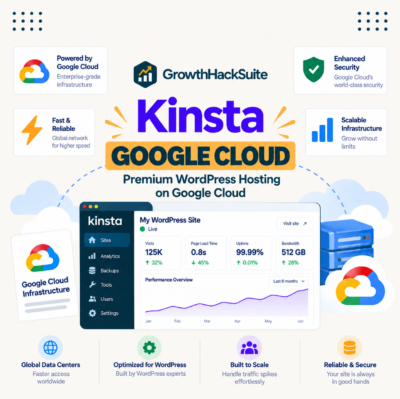
Kinsta is a premium managed WordPress host that runs every site in an isolated Google Cloud container, with a Cloudflare-powered CDN across 300+ locations, unlimited free migrations, daily backups, and an SLA-backed uptime guarantee of up to 99.99 percent. This Kinsta review covers the architecture behind the speed, the security stack, developer tooling, pricing from 35 dollars a month, and exactly who the platform fits.
Our take: Kinsta is the strongest managed WordPress host for teams that lose money when a site is slow or down.
Best for: agencies running client sites, WooCommerce stores, high-traffic publishers, and developer teams that want staging plus Git.
Skip if: the site is a hobby blog on a tight budget, or the plan needs bundled email hosting.
Editorial rating: 4.5 / 5.
Last reviewed: July 2026. This assessment is based on hands-on evaluation of the MyKinsta platform plus Kinsta’s published specifications, documentation, and third-party reviews on G2 and Trustpilot. Plans, prices, and infrastructure change, so verify current details on kinsta.com before buying.
Move your WordPress site onto Google Cloud with a free, engineer-handled migration.
See Kinsta Plans →Unlimited free migrations · 30-day money-back guarantee · no long-term contract
What Is Kinsta and How Does It Work?
Kinsta is a fully managed WordPress hosting platform built entirely on Google Cloud, where every site runs inside its own isolated software container. Kinsta operates the servers, caching layer, security, and backups, so the customer manages the website rather than the infrastructure. The deciding factor is that the stack is opinionated: one architecture, tuned for WordPress, with no cPanel to configure.
“Managed hosting is a model where a provider leases dedicated resources and administers them.”
— Wikipedia, Dedicated hosting service
Kinsta sits at the premium end of the managed WordPress hosting market, trading a higher monthly price for speed, isolation, and hands-off reliability. That trade is the theme of the whole review.
Who Should Use Kinsta, and Who Shouldn’t?
Kinsta fits teams whose website drives revenue: agencies running client sites, WooCommerce stores, developers who need staging and Git, and high-traffic publishers. It is a weaker fit for hobby blogs on a tight budget and for anyone who wants mailboxes bundled with hosting, because Kinsta does not sell email hosting at all. The list below maps each buyer type to what the platform actually delivers.
- Agencies: manage many isolated client sites under one dashboard, with company billing, user roles, and unlimited free migrations for onboarding.
- WooCommerce stores: keep carts and checkouts uncached and fast, since dedicated compute absorbs traffic spikes that break shared hosting.
- Developer teams: ship through SSH, Git, WP-CLI, PHP version switching, and one-click staging instead of FTP-and-pray workflows.
- High-traffic publishers: serve large audiences through server-level caching and the bundled CDN without buying a separate performance stack.
- Poor fit: low-traffic hobby blogs and budget projects pay premium rates for headroom the site will never use.
The practical read is that Kinsta earns its price when downtime or slow pages cost real money, and looks like overkill when they do not.
What Makes Kinsta Different From Cheap Shared Hosts?
Kinsta differs from cheap shared hosts by giving every site its own isolated container holding a private copy of Linux, NGINX, PHP, and MySQL, so no neighbouring site can consume the resources. Shared hosts pack hundreds of accounts onto one server and let them compete, which is why they slow down exactly when traffic arrives. Kinsta states that software resources are not shared even between two sites on the same account.
Isolation also changes the security model. On a shared server, one compromised neighbour is a genuine risk to every other account on the machine; with container isolation, a hacked site cannot reach across into another site’s files or database.
Isolation is the single technical reason Kinsta stays fast and contained where a busy or compromised neighbour would drag down a shared host.
What Do You Get With Kinsta? Full Feature Breakdown
Kinsta bundles compute-optimised Google Cloud machines, isolated containers, an enterprise-grade CDN, server-level caching, one-click staging, daily backups, unlimited free migrations, and free malware removal into every plan. Higher tiers add installs, visits, storage, and bandwidth rather than unlocking features. The list below breaks down what arrives on day one.
- Compute-optimised machines: Kinsta runs sites on Google Cloud C2 and C3D virtual machines across all plans, not only on top tiers.
- Premium tier network: traffic travels over Google’s premium tier backbone, which reduces hops between the visitor and the server.
- Isolated containers: every site holds its own private Linux, NGINX, PHP, and MySQL stack with no shared software resources.
- Bundled CDN: a Cloudflare-powered CDN spanning 300+ edge locations ships with every plan at no extra cost.
- Server-level caching: page caching runs at the server rather than through a plugin, which removes a common source of conflicts.
- One-click staging: each install gets a free staging environment for testing updates before they reach production.
- Daily backups: automatic daily snapshots with 14-day retention on entry plans and longer retention on higher tiers.
The mix of Google Cloud isolation plus a bundled enterprise CDN is what separates Kinsta from cheaper managed hosts that charge extra for the same pieces.
How Does Kinsta Compare to WP Engine, SiteGround, and Cloudways?
Kinsta competes against WP Engine on agency tooling, against SiteGround on price and resource limits, and against Cloudways on how much server work the customer has to do. All three rivals start cheaper; Kinsta answers with full container isolation, compute-optimised Google Cloud machines on every plan, and unlimited free migrations. The table below positions the four platforms on the specifications buyers actually compare.
Source: vendor pricing and specification pages, checked July 2026. Entry prices exclude promotional first-term discounts, which several hosts apply to the first billing cycle only.
Read across the table and one pattern stands out: Kinsta is the only option here that combines per-site container isolation, compute-optimised Google Cloud machines on every tier, a bundled enterprise CDN, and unlimited free migrations, which is exactly what the higher entry price buys.
“A tool is only worth its premium when the hours or revenue it protects exceed the invoice.”
— Growth Hack Suite, on tool ROI
For most buyers the real decision narrows to Kinsta against WP Engine on performance and support, or Kinsta against SiteGround and Cloudways on budget and how much server administration the team wants to own.
What Tools and Integrations Does Kinsta Support?
Kinsta supports the standard developer toolchain of Git, SSH, WP-CLI, Composer, and PHP version switching, plus a built-in Cloudflare integration, an application performance monitoring tool, and the free DevKinsta local development app. It runs any WordPress plugin and any page builder, including Elementor and Divi. The grouped list below shows what the platform connects to.
- Developer tooling: Git deployments, SSH access, WP-CLI, Composer support, and per-site PHP version control from the dashboard.
- DevKinsta: a free local WordPress development suite that pushes and pulls between a laptop and a live Kinsta environment.
- Cloudflare integration: enterprise firewall, DDoS mitigation, and CDN delivery configured at the platform level rather than per site.
- Kinsta APM: a built-in performance monitor that traces slow plugin calls, database queries, and external requests inside WordPress.
- Page builders and plugins: Elementor, Divi, WooCommerce, and any standard WordPress plugin run without platform-specific restrictions.
Native developer tooling is a large part of why agencies and technical teams choose Kinsta over simpler one-click hosts that hide the server entirely.
How Fast Is Kinsta? The Performance Stack Explained
Kinsta’s speed comes from four stacked layers rather than one trick: compute-optimised C2 and C3D machines, Google’s premium tier network, server-level page caching, and a CDN across 300+ locations. Together these attack the two metrics Google actually measures, time to first byte and Largest Contentful Paint. The table below maps each layer to the metric it moves.
Sources: Kinsta infrastructure documentation for the platform layers and web.dev Core Web Vitals for the threshold values, checked July 2026. Real-world results depend on the theme, plugins, and page weight of each site.

The table makes the honest point clear: Kinsta removes hosting as the bottleneck, but a bloated theme with thirty plugins will still miss Core Web Vitals on any host.
“Site speed shapes both search visibility and the share of visitors who stay to convert.”
— HubSpot, on page load time and conversion
Hosting speed is a revenue lever rather than a vanity metric, because the same delay that annoys a reader also depresses conversion on a checkout page.
How Reliable Is Kinsta’s Uptime?
Kinsta backs reliability with an SLA-backed guarantee of up to 99.99 percent uptime and monitors every site automatically, opening an incident before most owners notice a problem. The underlying Google Cloud network plus automatic resource scaling absorbs the traffic spikes that knock shared hosting offline.
Put in practical terms, a 99.99 percent ceiling allows roughly four and a half minutes of downtime per month. That number matters most for stores and lead-generation sites, where every unreachable minute is a lost order or a lost form fill.
For a business site, uptime is the difference between capturing a sale and handing the visitor an error page, which is why the SLA belongs in the buying decision rather than the footnotes.
Is Kinsta Secure? DDoS, Firewalls, and Isolation
Kinsta secures sites with two enterprise firewalls, Cloudflare DDoS protection, full container isolation, two-factor authentication on the dashboard, and free malware removal if a site is ever compromised. Free SSL certificates are standard on every plan. The list below shows what each layer covers.
- Cloudflare DDoS protection: enterprise-grade mitigation filters volumetric attacks before traffic reaches the origin container.
- Enterprise firewalls: two firewall layers screen malicious requests and known attack patterns at the platform edge.
- Container isolation: a compromised site stays inside its own container and cannot read files or databases belonging to another site.
- Two-factor authentication: MyKinsta logins support a second factor, which closes the most common route into a hosting account.
- Free malware removal: Kinsta engineers clean an infected site at no extra cost, a service most hosts sell as a paid add-on.
Security here is layered rather than bolted on, and the isolation guarantee means one compromised site cannot become an entry point to the rest of the account.
What Are Kinsta’s Backups and Staging Like?
Kinsta takes automatic daily backups with 14-day retention on entry plans, extending on higher tiers, and restores any snapshot to live or staging with one click. Every install also includes a free one-click staging environment, so updates and redesigns can be tested on a copy before they touch production.
Manual backup points can be created before a risky change, and downloadable archives are available when a site needs to leave the platform or feed an external archive. Hourly backups exist as a paid add-on for stores where a day of orders is too much to lose.
Daily backups plus free staging remove the two biggest fears of editing a live WordPress site: breaking it, and having no clean way back.
Does Kinsta Make Migration Easy?
Yes. Kinsta includes unlimited free migrations handled by its own engineers rather than a self-service plugin, and the standard process is designed to finish without downtime. A site is cloned to a temporary Kinsta URL, reviewed there, and only then does DNS point to the new host.
Because migrations are unlimited rather than one-per-account, an agency can move an entire client portfolio across without paying per site, which is a meaningful difference from hosts that include a single free move.
Free hands-off migration removes the biggest reason site owners stay on a slow host they outgrew years ago.
What Developer Tools Does Kinsta Offer?
Kinsta gives developers SSH access, Git deployment, WP-CLI, one-click staging, per-site PHP version control, and the free DevKinsta local application, all managed from the MyKinsta dashboard that replaces cPanel. The ordered list below runs from the tools used daily to the ones used at release time.
- One-click staging: spins up a full copy of the production site for testing plugin and core updates safely.
- SSH access: opens a direct shell into the container for database work, log inspection, and scripted maintenance.
- Git integration: connects a repository so theme and plugin code deploys from version control instead of FTP uploads.
- WP-CLI: runs bulk WordPress operations such as search-replace, user creation, and plugin updates from the command line.
- DevKinsta: builds sites locally on a laptop, then syncs the finished environment up to a live Kinsta install.
These tools are the reason technical teams treat Kinsta as a development platform rather than a place to park a WordPress install.
See what an isolated Google Cloud container does to your load times.
See Kinsta Pricing →Free migration handled by engineers · staging on every plan
How Much Does Kinsta Cost?
Kinsta pricing starts at 35 dollars per month for one WordPress install with 35,000 monthly visits and scales to 450 dollars for the WP 40 plan with 40 installs. Every tier carries the same Google Cloud infrastructure, CDN, staging, and free migrations; what grows is installs, visits, storage, and bandwidth. Annual billing charges ten months for twelve. The table below lists the plans buyers actually compare.
Source: kinsta.com/pricing, checked July 2026. Kinsta also sells bandwidth-based variants of the single-site plans at the same price points; verify the current line-up before purchase.
Reading the table from the top, the cheapest realistic entry for one serious site is the 35-dollar Single plan, agencies usually land on WP 10 or WP 20, and the jump to Agency 60 is about installs rather than extra features.
Pricing scales by installs and visits, so matching the plan to real traffic matters: overage charges apply once a site passes its visit allowance, and annual billing versus monthly billing changes the effective yearly cost by two months.
Is Kinsta Worth It?
Kinsta is worth it for agencies, stores, and high-traffic sites, because the speed, uptime guarantee, and expert support protect revenue that a slow or offline site would lose. For a low-traffic hobby blog, cheaper managed hosts deliver most of the practical value at a fraction of the monthly cost.
The maths is simple enough to run before buying: estimate the revenue or leads the site produces in an hour, then compare that to the monthly difference between Kinsta and the current host. Sites earning meaningful money usually clear the gap in a single avoided outage. Weighing the same question against switching effort is the core of any return-on-investment calculation for business tools.
Worth-it comes down to revenue protected per month against the price of the plan, and Kinsta wins that comparison whenever the website is the business rather than a side project.
Is Kinsta Too Expensive?
Kinsta costs more than shared hosting and less than the revenue a busy store loses in an hour of downtime, which is the comparison that actually decides the question. At 35 dollars the entry plan is roughly the price of a mid-tier shared account once caching plugins, a CDN subscription, and paid backups are counted separately.
Two costs deserve attention before signing up. Visit overages apply when a site exceeds its plan allowance, so traffic spikes carry a bill; understanding how overage billing works avoids surprises. And there is no email hosting, so mailboxes need a separate Google Workspace or Zoho subscription.
Priced against downtime risk rather than sticker value, Kinsta is affordable for any site that earns money, and genuinely expensive for one that does not.
What Do Real Users Say About Kinsta?
Users consistently praise Kinsta for raw speed, support quality, and the MyKinsta dashboard, while the recurring complaints are the premium price, per-plan visit limits, and the absence of email hosting. Ratings on G2 and Trustpilot sit high for a premium host. The list below groups the themes that repeat across reviews.
- Praised, speed: reviewers report large load-time improvements after migrating from shared or budget managed hosting.
- Praised, support: chat responses come from engineers who work the actual problem instead of routing to a knowledge-base article.
- Criticised, price: smaller sites find the entry tier expensive against budget hosts advertising heavily discounted first terms.
- Criticised, limits: visit allowances and the missing email hosting force extra planning and a second vendor for mailboxes.
- Praised, dashboard: MyKinsta draws consistent approval for grouping analytics, staging, backups, and site tools in one interface.
Honest reviews land where this one does: Kinsta is strong on speed and support, and priced for business sites rather than first blogs.
How Do You Get Started With Kinsta?
Getting started with Kinsta takes about ten minutes of active work: create the account, request a free migration or install WordPress fresh, point the domain, then switch on the CDN and caching. Most sites go live the same day. The steps below run in order.
- Create the account: choose a plan sized to current monthly visits rather than to projected growth.
- Migrate or install: request the free migration for an existing site, or install a clean WordPress in one click.
- Point the domain: update DNS records once the site checks out on its temporary Kinsta URL.
- Enable CDN and caching: switch on the bundled CDN and confirm server-level caching before removing old caching plugins.
- Verify the basics: test forms, checkout, and email delivery, then confirm the SSL certificate has issued on the live domain.
Most sites are live, cached, and served from the CDN inside a single afternoon of work.
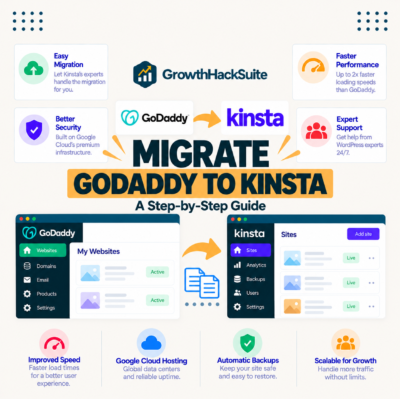
How Do You Migrate From Another Host to Kinsta?
A move to Kinsta runs without downtime because the site is copied first and the domain switches last. Kinsta engineers perform the technical work under the unlimited free migration policy, so the main task on the customer side is reviewing the copy before DNS changes. The steps below cover the standard path.
- Request the migration: submit the current host credentials through the migration form in MyKinsta.
- Review the staging copy: check pages, forms, and checkout on the temporary Kinsta URL while the old site stays live.
- Point DNS: update the A record or nameservers once the copy is verified, then wait for propagation.
- Retire the old plan: keep the previous host active for a short overlap, then cancel after traffic has fully moved.
- Clean up caching: remove legacy caching plugins that now duplicate Kinsta’s server-level cache and can serve stale pages.
A free hands-off migration lets a site switch hosts with no downtime and no lost data, which is why the policy matters more than it first appears. Keeping the old plan alive for a few days also limits any vendor lock-in risk during the handover.
Ready for a faster, more reliable WordPress site? Start on Kinsta today.
See Kinsta Plans →Unlimited free migrations · 30-day money-back guarantee · cancel anytime
Related Tools for a Faster, Busier Site
Kinsta makes a WordPress site fast and stable, but it does not bring visitors on its own. These tools in the Growth Hack Suite stack cover the demand side once the hosting is handled.
- Hunter.io: find and verify B2B contacts to build the outreach list behind the traffic — read the Hunter.io review.
- GMass: run cold outreach directly from Gmail once the list is ready — read the GMass review.
- Cold email tools: compare the Gmail-native sending options for a small team — compare the tools.
Growth Hack Suite Editorial — Web Infrastructure Team
How we reviewed Kinsta: hands-on evaluation of the MyKinsta dashboard, migration flow, and staging tools, cross-checked against Kinsta’s published infrastructure documentation, its live pricing page, and third-party reviews on G2 and Trustpilot. Plans, prices, and infrastructure change; verify current details on kinsta.com.
Last reviewed: July 2026. Kinsta does not sell email hosting, and visit allowances carry overage charges, both of which are factored into the rating above.
Affiliate disclosure: this page contains affiliate links. If a plan is purchased through them, Growth Hack Suite may earn a commission at no extra cost to the buyer. It does not change the assessment.
Kinsta Review FAQ
The 12 most-asked questions about Kinsta.
What is Kinsta?
Kinsta is a premium managed WordPress host that runs every site in an isolated Google Cloud container, with a bundled CDN across 300+ locations, daily backups, and unlimited free migrations. It manages servers, caching, and security so the customer manages the website. Plans start at 35 dollars per month.
How fast is Kinsta?
Kinsta’s speed comes from compute-optimised Google Cloud C2 and C3D machines, the Google premium tier network, server-level page caching, and a CDN spanning 300+ edge locations. That stack targets time to first byte and Largest Contentful Paint, though final results still depend on theme and plugin weight.
How much does Kinsta cost?
Kinsta costs from 35 dollars per month for one install with 35,000 monthly visits, rising to 450 dollars for WP 40 with 40 installs, and 675 dollars for Agency 60. Annual billing charges ten months for twelve. Verify current prices on kinsta.com/pricing before buying.
Does Kinsta have a free trial?
Kinsta does not advertise an open-ended free trial, but the 30-day money-back guarantee works the same way in practice: migrate a real site for free, test it fully, and request a refund inside 30 days if the platform is not the right fit.
Is Kinsta worth the price?
For agencies, WooCommerce stores, and high-traffic sites, yes: the speed, uptime guarantee, and engineer-level support protect revenue a slow or offline site would lose. For a low-traffic hobby blog on a tight budget, cheaper managed hosts deliver most of the value.
Does Kinsta include email hosting?
No. Kinsta hosts websites only and does not sell mailboxes. Most customers pair it with Google Workspace or Zoho Mail, which has the side benefit of keeping email deliverability independent of the web host.
Does Kinsta offer free migrations?
Yes. Kinsta includes unlimited free migrations performed by its own engineers, normally with no downtime. The site is cloned to a temporary Kinsta URL for review, and DNS only changes once the copy has been verified.
Kinsta vs WP Engine, which is better?
Kinsta leads on infrastructure, with compute-optimised Google Cloud machines and per-site container isolation on every plan plus unlimited free migrations. WP Engine matches it on agency tooling and starts cheaper. Choose Kinsta for performance headroom and WP Engine for a lower entry price.
What are Kinsta’s downsides?
The three real downsides are the premium price, visit allowances that trigger overage charges on traffic spikes, and the complete absence of email hosting. For the target buyer these are manageable, since overages are predictable and mailboxes run on Google Workspace.
Can Kinsta handle WooCommerce and high traffic?
Yes. Dedicated compute, server-level caching that bypasses cart and checkout pages, and the bundled CDN keep stores responsive during spikes. Higher plans raise visit allowances and resources, which is the main scaling lever for busy WooCommerce sites.
Is Kinsta secure?
Kinsta layers two enterprise firewalls, Cloudflare DDoS protection, container isolation between sites, two-factor authentication on the dashboard, and free malware removal. Because sites are isolated, one compromised install cannot reach files or databases belonging to another.
How do I cancel or downgrade Kinsta?
Plans can be cancelled or downgraded inside MyKinsta with no long-term contract, and the 30-day money-back guarantee covers new paid plans. Hosting stays active until the end of the paid billing cycle after cancellation.