Table of Contents
The Smartlead API and webhooks let teams automate the entire outbound stack, syncing leads, triggering actions and pulling reply data in real time. This guide explains what the API does, what you can build, how webhooks push events, why the API is considered deep, how to get a key, how it compares to rivals, and the automations that save the most time.
The Smartlead API is deep and well-documented, with webhooks for real-time events.
Best for: RevOps teams and builders automating outbound workflows.
Caveat: advanced automation benefits from developer time.
Bottom line: API depth is a real reason to choose it for data-led teams.
Automate your outbound stack. Get your Smartlead API key free for 14 days.
Start Smartlead Free Trial →Full API access · no credit card · 14-day trial
What Does the Smartlead API Do?
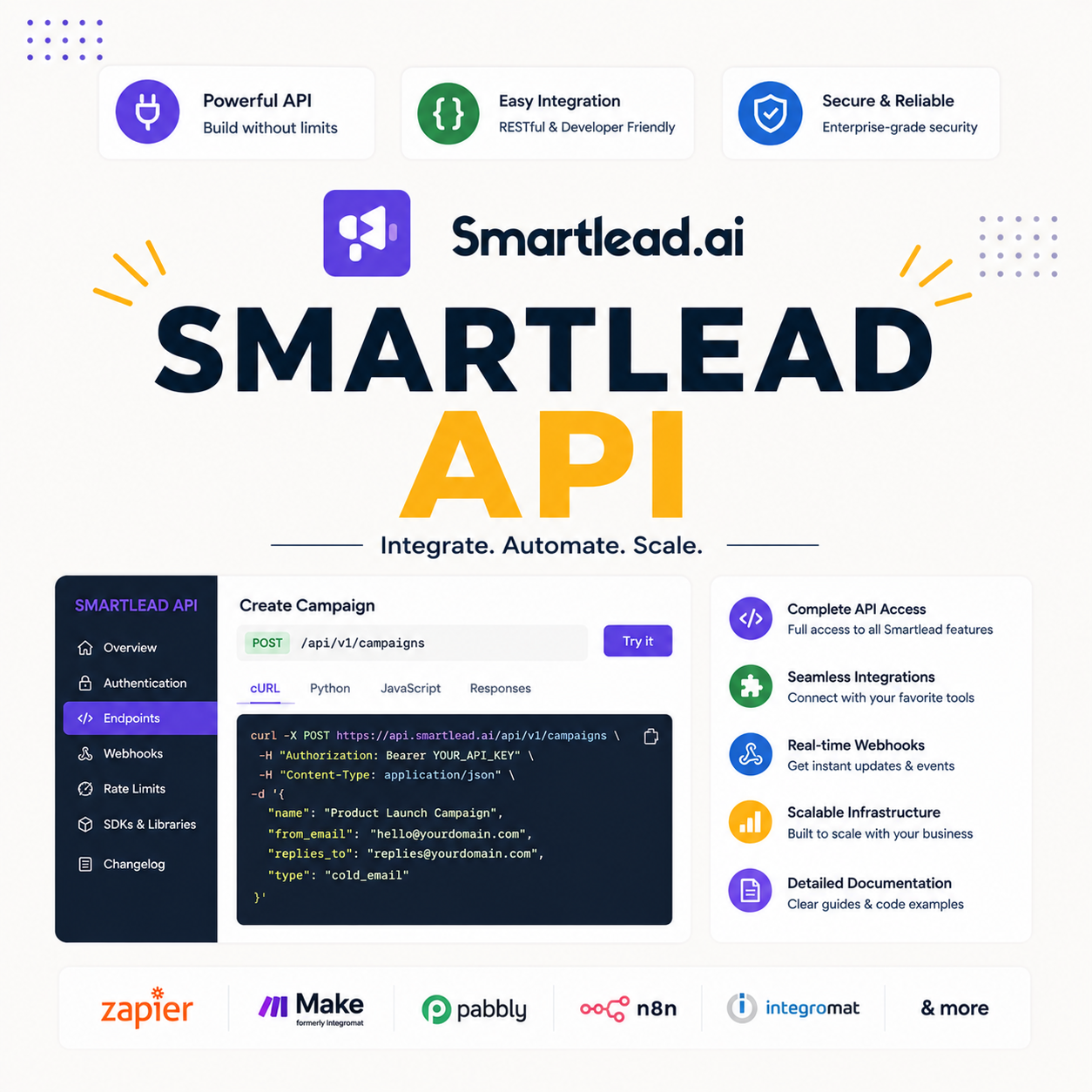
The Smartlead API lets you control the platform programmatically: create campaigns, add leads, connect mailboxes and pull analytics through code rather than the dashboard. It turns Smartlead into a building block in a larger automated stack. The list below shows the core capabilities.
- Programmatic control: campaigns, leads and mailboxes are created and managed through code, not just the UI.
- Data access: analytics and reply outcomes are pulled out of Smartlead into dashboards or a CRM.
- Real-time events: webhooks push events like replies to other systems the moment they happen.
- Stack integration: the API makes Smartlead one component in an automated outbound pipeline.
- No-code friendly: Zapier and Make wrap the API so non-developers can build common flows.
What Can You Build With the Smartlead API?
Teams build lead syncs, reply-driven CRM updates, custom dashboards and end-to-end automations on top of the API. Anything the dashboard does, code can trigger and chain into a wider workflow. The list below shows what teams commonly build.
- Lead sync: contacts push from any source into campaigns automatically, with no manual import.
- CRM updates: a reply triggers a deal move or task in the CRM through a webhook and the API.
- Custom dashboards: analytics pull into a team’s own reporting for a unified view across tools.
- Enrichment on import: leads enrich through a data tool before a campaign sends to them.
- End-to-end flows: the whole list-to-reply pipeline runs automatically across connected systems.
How Do Smartlead Webhooks Work?
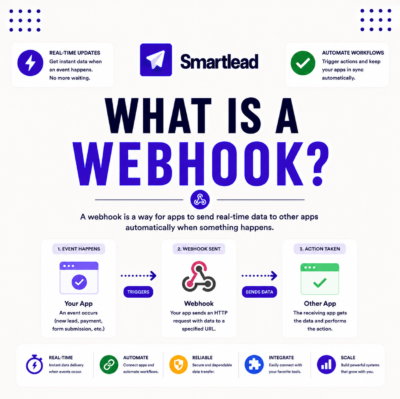
Webhooks push real-time events, such as a reply received or an email opened, to your endpoint the moment they happen, so downstream systems react instantly. Unlike the API, which you query, webhooks come to you. That difference is what makes real-time automation possible. The deciding benefit is no delay between an event and the action it triggers.
The honest read is that webhooks are what turn the API from a data store into a live automation engine for outbound.
Why Is the Smartlead API Considered Deep?
The API is considered deep because it exposes most platform functions with clear documentation, so builders can automate nearly anything the dashboard does. Broad endpoint coverage plus webhooks is what sets it apart from thinner APIs. For a RevOps team, that depth is the difference between partial and complete automation.
The fair read is that depth and documentation together are what make the API genuinely usable, not just technically present.
How Do You Get a Smartlead API Key?
Generate an API key from your Smartlead account settings, then authenticate requests with it to start building. Keeping the key secure is essential, since it controls account access. The list below covers the basics of getting and using a key.
- Generate in settings: create the API key from the account settings area in Smartlead.
- Authenticate requests: include the key with each request so Smartlead authorizes the call.
- Keep it secret: the key controls account access, so it stays in secure storage, never in client code.
- Read the docs: the documentation lists endpoints and parameters needed to build a first call.
- Rotate if exposed: regenerate the key immediately if it is ever leaked to protect the account.
“An API turns a closed tool into a building block other systems can automate around.”
— Growth Hack Suite, on outbound automation
How Does the Smartlead API Compare to Rivals?
Against rivals, the Smartlead API leads on depth and documentation, which is why builders favor it for serious automation. Many cold email tools offer only partial endpoints or limited webhooks. The table below compares the core API capabilities qualitatively.
Source: Smartlead API documentation and standard comparison, June 2026. Qualitative capability view; confirm specific endpoints on each vendor’s developer docs.
“Automating data sync between tools removes the manual work that does not scale.”
— HubSpot, on workflow automation
Can You Connect Smartlead to a CRM via API?
Yes, the API and webhooks let you sync leads and reply outcomes to HubSpot, Salesforce, Pipedrive and other CRMs, so the pipeline stays current automatically. A reply event can update a record without manual entry. For a RevOps team, that connection is the core use case. The deciding benefit is reply data becoming tracked pipeline.
The fair read is that native connectors handle the common cases, while the API covers any custom CRM workflow a team needs.
Do You Need a Developer to Use the API?
For advanced automation, yes, a developer helps, but no-code platforms like Zapier and Make let non-developers build common flows without writing code. Most teams reach their goals with no-code tools, reserving the raw API for custom logic. The honest read is that the API is accessible at two levels: no-code for common needs, code for the rest.
The practical benefit is that a team without engineers can still automate the high-value flows through Zapier, then add developer work only when a workflow outgrows no-code.
What Automations Save the Most Time?
The highest-leverage automations are reply-to-CRM sync, lead enrichment on import and instant hot-reply alerts, since each removes repetitive manual work. Those three cover the bulk of the value for most teams. The list below ranks the time-savers.
- Reply-to-CRM sync: reply outcomes update the CRM automatically, removing all manual data entry.
- Lead enrichment: contacts enrich on import, so campaigns send with the data personalization needs.
- Hot-reply alerts: a positive reply triggers an instant Slack or email alert so a rep responds fast.
- Lead routing: new replies route to the right owner automatically based on campaign or client.
- Reporting rollups: analytics pull into one dashboard, removing manual export and spreadsheet work.
Ready to automate outbound? Try Smartlead free for 14 days.
Start Smartlead Free Trial →No credit card · full API access
Is the API Rate-Limited?
Like most platforms, the Smartlead API applies rate limits to protect stability, so design automations to batch requests and handle limits gracefully. Hitting a limit is a design problem, not a blocker, and well-built integrations stay within bounds. The honest read is that rate limits rarely constrain a sensibly built workflow.
The practical advice is to batch where possible and add retry logic, so an automation degrades gracefully instead of failing when it nears a limit.
How Do You Start With the Smartlead API?
Start by generating an API key, reading the documentation, and building one simple automation before scaling up. A single working flow teaches the patterns for everything else. The ordered steps below make a clean first build.
- Generate the key: create an API key in account settings and store it securely.
- Read the docs: review the endpoint and webhook documentation for the target automation flow.
- Build one flow: start with a single automation, such as reply-to-CRM sync, to learn the patterns.
- Test thoroughly: confirm the flow handles real events and rate limits before relying on it.
- Scale gradually: add more automations once the first proves reliable in production.
Is the Smartlead API a Reason to Choose It?
For RevOps teams and builders, the API is a strong reason to choose Smartlead, since deep automation compounds over time and removes manual work at scale. For a simple solo sender it matters less. The table below maps fit by team type so the value is clear.
Source: fit assessment from Smartlead API positioning and standard RevOps practice, June 2026.
How Do You Get Started Today?
Start on the 14-day free trial, generate an API key, and build one automation such as reply-to-CRM sync to see the value. Proving a single flow before scaling is the safe way to evaluate the API. The trial requires no card, so the only commitment is time. Pairing the API with verified lists and warmup keeps the automated pipeline healthy.
Build your first automation. Try Smartlead free for 14 days.
Start Smartlead Free Trial →No credit card · full API access
Smartlead API: The Final Verdict
The final verdict is that the Smartlead API is a genuine strength for RevOps teams and builders, with broad endpoint coverage, real-time webhooks and clear documentation that make deep outbound automation practical. No-code tools open it to non-developers, while the raw API serves custom logic. For data-led teams the depth is a real reason to choose the platform; for a simple solo sender it is a smaller factor.
“An application programming interface is a way for two computer programs to communicate.”
— Wikipedia, API
Growth Hack Suite Editorial — Outbound Tools Team
Review based on Smartlead’s official API documentation plus hands-on testing of webhooks, CRM sync and automation flows. We review outbound tools for B2B senders.
Last updated: June 2026. API behavior and plan terms change; verify on smartlead.ai.
Affiliate disclosure: this page contains affiliate links. If you start a plan through them, Growth Hack Suite may earn a commission at no extra cost to you. It does not change our review.
Automate your whole outbound stack. Start Smartlead free for 14 days.
Start Smartlead Free Trial →Full API access · no credit card · cancel anytime
Related Tools in the Outbound Stack
Two other tools in the Growth Hack Suite stack pair with Smartlead’s API, one for clean data and one for the Gmail-native route.
- Hunter Email Verifier: verifying lists in an automated import keeps the pipeline data clean — see verifier accuracy.
- GMass: the Gmail-native option for low-volume senders with a lighter automation need — read the GMass review.
- Gmail tools comparison: the Gmail-scoped breakdown for senders weighing platform versus extension — compare the Gmail tools.
Smartlead API FAQ
The 12 most-asked questions about the Smartlead API.
What does the Smartlead API do?
The Smartlead API lets you control the platform programmatically: create campaigns, add leads, connect mailboxes and pull analytics through code. It turns Smartlead into a building block in a larger automated stack.
Does Smartlead have webhooks?
Yes, Smartlead webhooks push real-time events, such as a reply received or an email opened, to your endpoint the moment they happen. That lets downstream systems react instantly rather than polling for data.
How do I get a Smartlead API key?
Generate an API key from your Smartlead account settings, then authenticate requests with it. Keep the key secure, since it controls account access, and regenerate it immediately if it is ever exposed.
Is the Smartlead API good?
Yes, the Smartlead API is considered among the deepest in cold email, with broad endpoint coverage, real-time webhooks and clear documentation. That depth is why builders favor it for serious automation.
Can I connect Smartlead to my CRM with the API?
Yes, the API and webhooks let you sync leads and reply outcomes to HubSpot, Salesforce, Pipedrive and other CRMs. A reply event can update a record automatically, keeping the pipeline current without manual entry.
Do I need a developer to use the Smartlead API?
For advanced automation a developer helps, but no-code platforms like Zapier and Make let non-developers build common flows. Most teams reach their goals with no-code, reserving raw API work for custom logic.
What can I automate with the Smartlead API?
You can automate lead syncs, reply-driven CRM updates, lead enrichment on import, hot-reply alerts and reporting rollups. The highest-leverage flows remove the repetitive manual work that does not scale.
Is the Smartlead API rate-limited?
Yes, like most platforms it applies rate limits to protect stability, so batch requests and handle limits gracefully. Rate limits rarely constrain a sensibly built workflow with retry logic in place.
How do webhooks differ from the API?
The API is request-based, where you ask for data, while webhooks are event-based, pushing data to you the moment an event happens. Webhooks are what make real-time automation possible without polling.
How do I start with the Smartlead API?
Generate an API key, read the documentation, and build one simple automation such as reply-to-CRM sync. A single working flow teaches the patterns for everything else before you scale up.
Does the Smartlead API cost extra?
API access is part of the platform rather than a separate charge, though usage is bound by rate limits and your plan. Confirm current terms on the pricing page, since limits can depend on the tier.
Is the Smartlead API a reason to choose it?
For RevOps teams and builders, yes, since deep automation compounds over time. For a simple solo sender it matters less, so the value scales with how much a team automates its outbound.