Table of Contents
An isolated container is a self-contained environment that runs a single site with its own dedicated resources, separate from other sites on the same infrastructure. This isolation means one site cannot consume another’s resources or spread a compromise, making container-based hosting both safer and more consistent in performance than shared setups. This guide explains how container isolation works and why it is safer.
Last updated: August 2026. Written by the Growth Hack Suite editorial team, with details cross-checked against provider documentation. This page carries affiliate links to Kinsta.
What Is an Isolated Container?
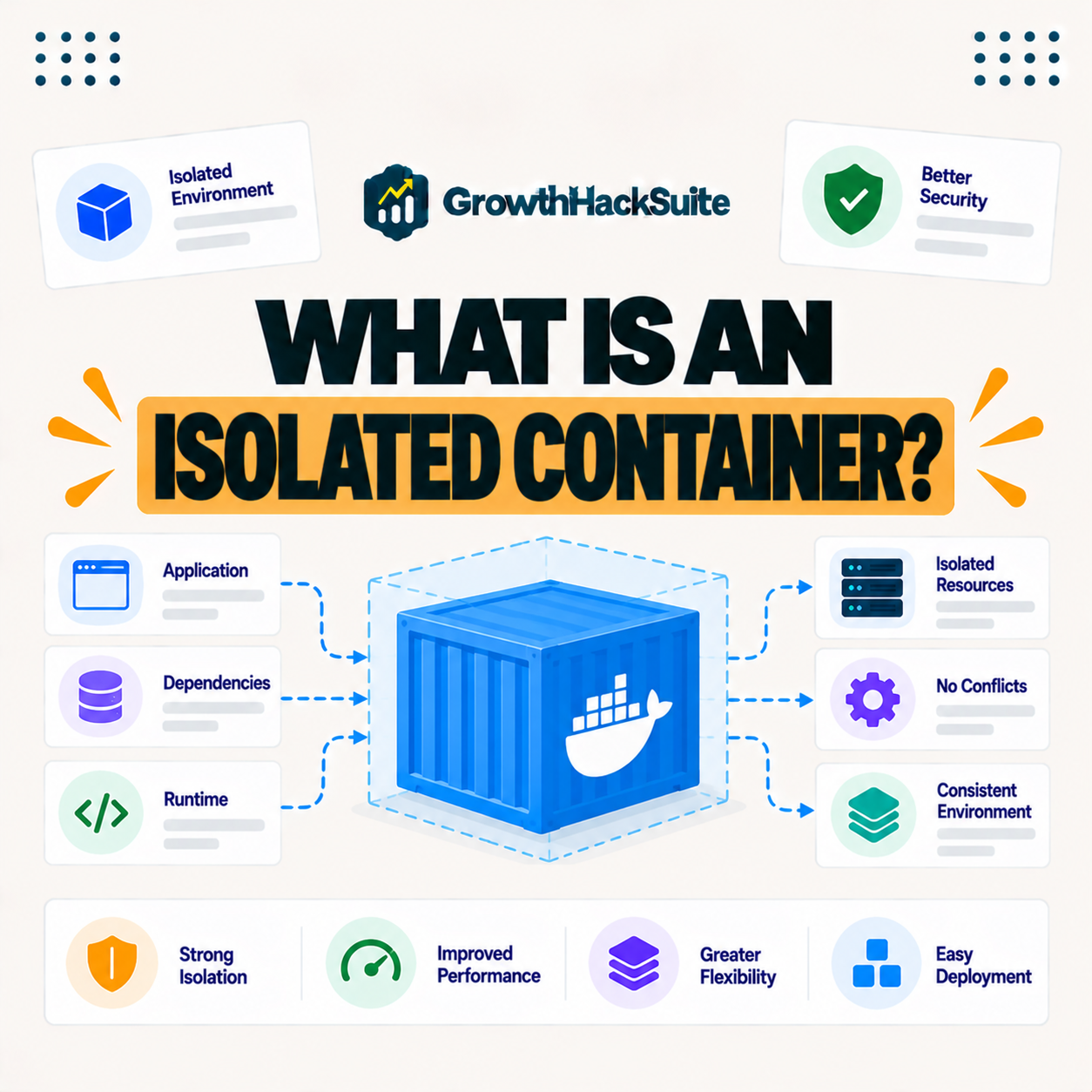
An isolated container is a self-contained environment that runs a single website with its own dedicated resources and software, kept separate from other sites on the same infrastructure. Each site operates as if it had its own private space, even though many containers share the same hardware.
“OS-level virtualization lets the kernel run multiple isolated user-space instances.”
— Wikipedia, OS-level virtualization
In hosting terms, each of those isolated instances is a container running one site, separated from its neighbors while sharing the hardware efficiently.
How Does Container Isolation Work?
Container isolation works by using operating-system-level virtualization to give each site its own isolated environment with allocated CPU, memory and software. Sites share the underlying hardware efficiently while remaining separated from one another, so resources and code stay contained within each container.
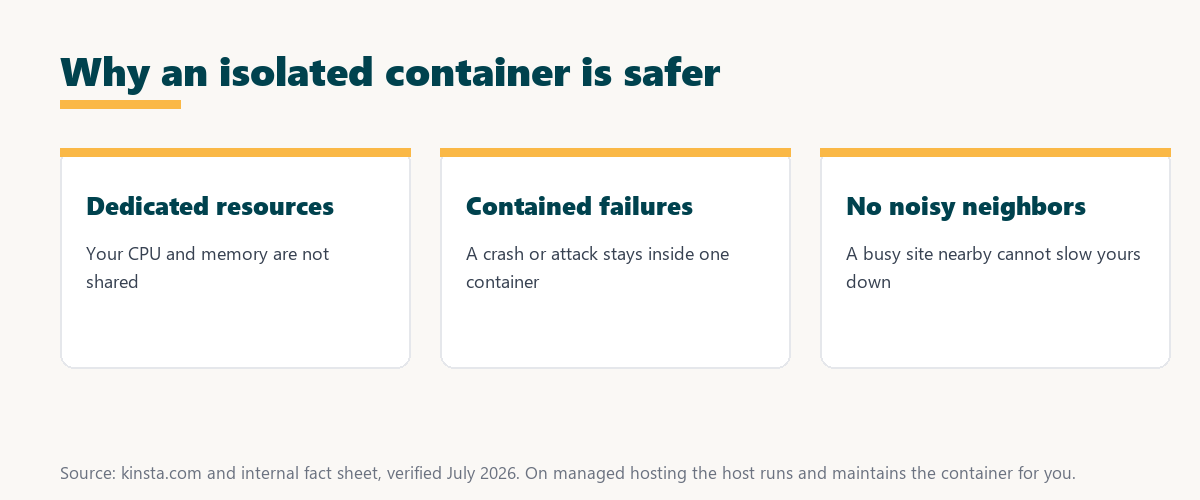
The key idea is separation with efficiency: containers keep sites apart while letting them share hardware, which is what makes the model both safe and economical.
Why Isolation Makes Hosting Safer
Isolation makes hosting safer because a security breach or malware in one container cannot spread to others. Even on shared infrastructure, a compromise of one site does not put your isolated site at risk, so the blast radius of any single incident is limited to one container.
The honest point is that isolation does not make a site unhackable, but it stops one site’s problem from becoming everyone’s problem.
Isolated Containers vs Shared Hosting
Isolated containers differ from traditional shared hosting by giving each site dedicated, separated resources, whereas shared hosting pools many sites together. Containers avoid the noisy-neighbor slowdowns and cross-site risks common on shared servers, so performance and security are more predictable.
Source: provider documentation, verified August 2026. Dedicated resources drive the difference.
Comparing resources, isolation and performance shows containers give each site its own dedicated, separated space, while shared hosting pools everything and lets neighbors affect each other.
See how Kinsta isolates every site on Google Cloud
Try Kinsta →Isolated containers, with a 30-day money-back guarantee.
Containers vs Virtual Machines
Containers differ from virtual machines by sharing the host operating system while isolating each environment. They are more lightweight and efficient than full VMs, which each run a complete separate operating system, while still providing strong separation between sites.
- Shared kernel: Containers share the host operating system, which keeps them lightweight and fast to start.
- Full OS in VMs: Each virtual machine runs its own complete operating system, using more resources.
- Efficiency: Containers pack more isolated sites onto the same hardware than heavier VMs can.
- Isolation: Both separate workloads, though the boundary and overhead differ between the two.
- Use in hosting: Managed WordPress hosts often use containers for efficient, isolated per-site environments.
The honest takeaway is that containers trade a little isolation depth for much greater efficiency, which is why they suit per-site WordPress hosting.
Why Isolation Improves Performance
Isolation improves performance because your site’s resources are not shared with unpredictable neighbors. A traffic spike or heavy process on another site cannot consume the CPU and memory your site depends on, keeping performance consistent regardless of what other sites are doing.
“The first five seconds of page-load time have the highest impact on conversion rates.”
— HubSpot, page load time and conversion rates
Because isolation keeps a noisy neighbor from stealing your resources, it protects those early seconds even when other sites on the platform are busy.
How Isolation Contains Failures
Isolation contains failures because a crash, resource exhaustion or attack in one container stays within that container. Problems on one site do not cascade to others sharing the same infrastructure, so a single failure affects one site rather than the whole platform.
The practical benefit is a smaller blast radius: whatever goes wrong is fenced inside one container instead of spreading.
What to Look for in Container-Based Hosting
Look for container-based hosting that gives each site dedicated resources and true isolation on reliable infrastructure. These ensure your site’s performance and security are not affected by other customers on the platform, so the isolation is real rather than just a marketing label.
Source: provider documentation, verified August 2026. Containers favor efficiency; VMs favor deeper separation.
Comparing efficiency, isolation and resource use shows why hosts favor containers for per-site environments. Because a host is a long-term commitment, it is worth reading our note on SaaS vendor lock-in before choosing.
How Kinsta Uses Isolated Containers
Kinsta runs each WordPress site in its own isolated Linux container on Google Cloud, so every site has dedicated resources and separation. One site cannot slow down or compromise another on the platform, since the container boundary keeps each site’s resources and code to itself.
Run your site in its own isolated container
Start With Kinsta →Free migration and a 30-day money-back guarantee.
Getting Isolated, Secure Hosting
You get isolated, secure hosting by choosing a platform that runs each site in its own container on premium infrastructure. Your site benefits from dedicated resources, contained failures and cross-site security, so the strengths of isolation reach you without managing any of it yourself.
“A tool is only worth its premium when the hours or revenue it protects exceed the invoice.”
— Growth Hack Suite, on tool ROI
Applied to hosting, isolated container hosting earns its cost when the consistent performance and contained risk it delivers exceed the price of the plan.
Isolation and Consistent Performance
Isolation delivers consistent performance because dedicated per-site resources prevent the unpredictable slowdowns of shared environments. Your site performs the same whether neighbors are quiet or busy, which matters most for revenue sites where inconsistent speed costs sales.
The honest summary is that isolation trades the low price of shared hosting for predictable speed and contained risk, which pays off on sites that earn money.
Choosing Isolated Container Hosting
You choose isolated container hosting by favoring a managed platform that gives each site a dedicated container with true isolation and premium infrastructure. That combination delivers consistent performance and cross-site security without you managing the container, so the site stays fast and protected as it grows.
The honest summary is that the value of an isolated container reaches you through a well-run managed platform, so the host that provides it matters as much as the technology.
Try Kinsta risk-free for isolated, secure hosting
Try Kinsta Risk-Free →Isolated containers and free migration, with a 30-day money-back guarantee.
Isolated Container: Frequently Asked Questions
The 12 most-asked questions about an isolated container.
What is an isolated container in simple terms?
An isolated container is a self-contained environment that runs a single site with its own dedicated resources, separate from other sites, so each site operates as if it had its own private space.
How does container isolation work?
Container isolation uses operating-system-level virtualization to give each site its own environment with allocated resources, so sites share hardware efficiently while staying separated from one another.
Why are isolated containers safer?
Isolated containers are safer because a breach or malware in one container cannot spread to others, so a compromise of one site does not put your isolated site at risk.
How do isolated containers differ from shared hosting?
Isolated containers give each site dedicated, separated resources, while shared hosting pools many sites together, so containers avoid the noisy-neighbor slowdowns and cross-site risks of shared servers.
What is the difference between a container and a virtual machine?
A container shares the host operating system while isolating each environment, making it more lightweight than a full virtual machine, which runs a complete separate operating system.
Do isolated containers improve performance?
Yes, isolated containers improve performance by giving your site dedicated resources, so a spike or heavy process on another site cannot consume the CPU and memory your site relies on.
Do containers contain security breaches?
Yes, isolation contains breaches because an attack or failure in one container stays within it, so problems on one site do not cascade to others on the same infrastructure.
Is container hosting better than shared hosting?
Container hosting is generally better than traditional shared hosting for performance and security, because dedicated per-site resources and isolation avoid the shared-pool drawbacks.
Does isolation prevent noisy neighbors?
Yes, isolation prevents noisy-neighbor issues because your resources are not shared with unpredictable sites, so a busy neighbor cannot slow your site down.
Is isolated container hosting more secure than a VPS?
Isolated containers and a VPS both provide separation, and both are more isolated than shared hosting, with the exact security depending on the platform’s implementation and management.
Do I manage the container myself?
On managed hosting you do not manage the container yourself, since the host runs and maintains it, so you get isolation and dedicated resources without administering infrastructure.
How does Kinsta use isolated containers?
Kinsta runs each WordPress site in its own isolated Linux container on Google Cloud, so every site has dedicated resources and separation, and one site cannot slow down or compromise another.
About this guide
Written by the Growth Hack Suite editorial team, drawing on hands-on experience running WordPress sites. Details were cross-checked against provider documentation. This page carries affiliate links to Kinsta, so the position is stated plainly: an isolated container gives each site dedicated resources and separation, it is safer and more consistent than shared hosting, and on managed hosting the host runs it for you. Kinsta runs each WordPress site in its own isolated Linux container on Google Cloud.