Table of Contents
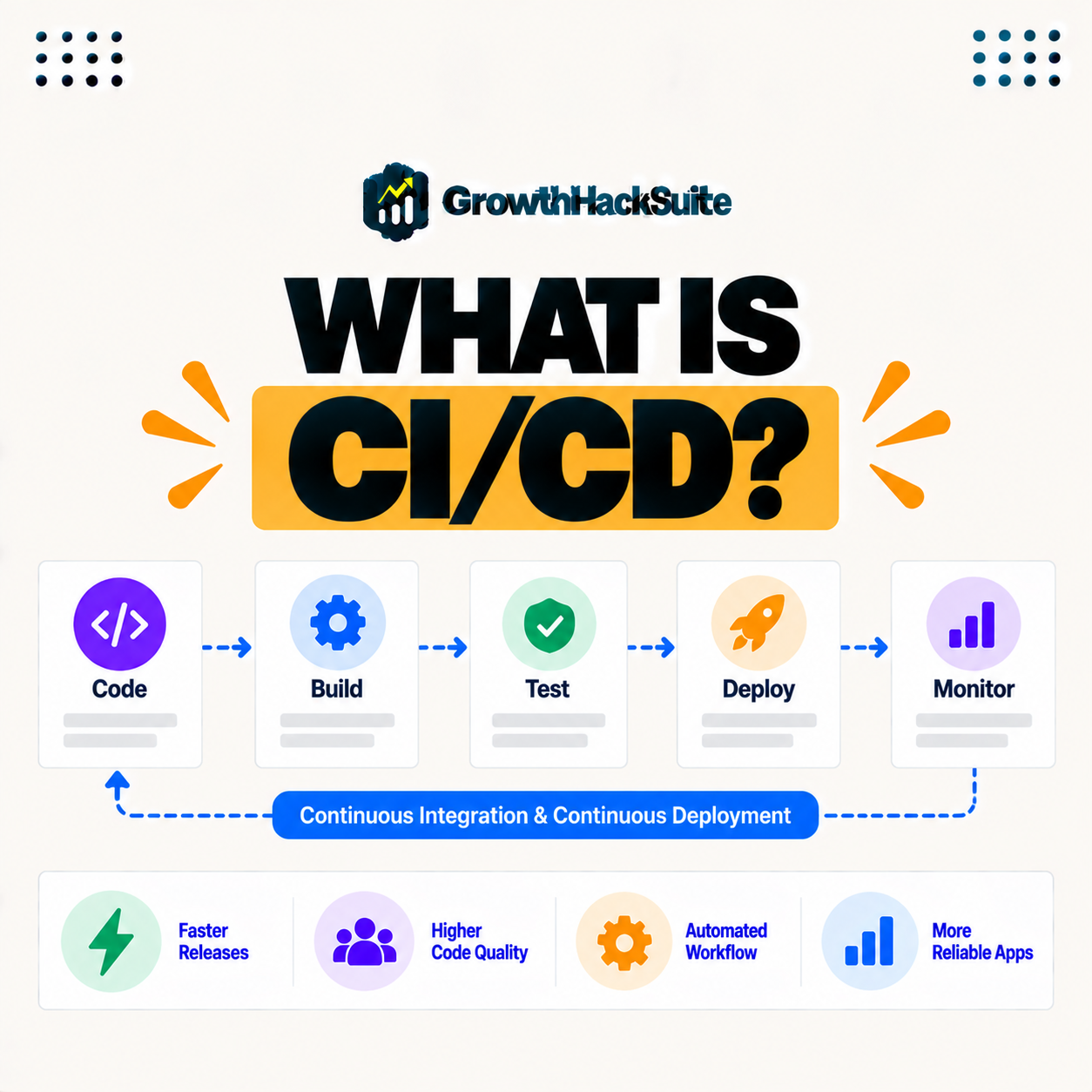
A CI/CD pipeline, also written CI-CD, automates the steps of building, testing, and deploying code, combining continuous integration, which merges and tests changes frequently, with continuous delivery or deployment, which ships them automatically. Pipelines catch problems early and release software faster and more reliably, making them a cornerstone of modern development workflows. This guide explains what continuous integration and continuous deployment mean and why teams use them.
Last updated: August 2026. Written by the Growth Hack Suite editorial team, with details cross-checked against provider documentation. This page carries affiliate links to Kinsta.
See how Kinsta deploys from Git on Google Cloud
Try Kinsta →Git-based deployment for your pipeline, and a 30-day money-back guarantee.
What Is a CI-CD Pipeline?
A CI/CD pipeline is an automated series of steps that builds, tests, and deploys code, combining continuous integration and continuous delivery or deployment, so changes move from a developer’s commit to a running application reliably and with minimal manual work. It replaces slow, error-prone manual releases.
“CI/CD is the combined practices of continuous integration and continuous delivery.”
— Wikipedia, CI/CD
In short, a CI/CD pipeline is the automated path from code to production, joining frequent integration with automated release.
What Is Continuous Integration?
Continuous integration, the CI in CI/CD, is the practice of frequently merging code changes into a shared repository and automatically building and testing them, so problems are caught early rather than piling up until a large, risky merge. Small, frequent merges keep the codebase healthy.
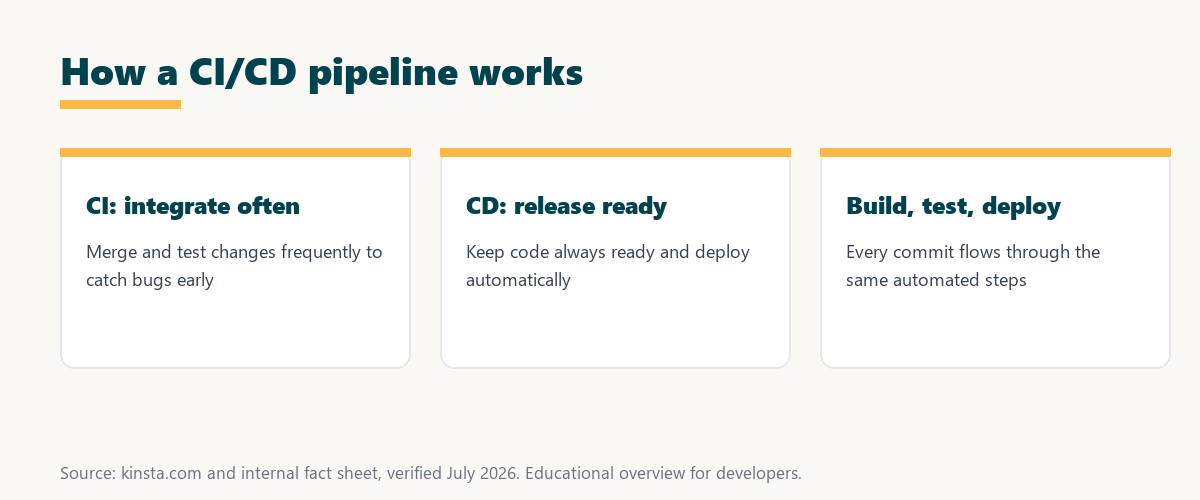
The key idea is frequency: integrating often means each change is small and tested, so bugs surface while they are still easy to fix.
What Is Continuous Delivery and Deployment?
Continuous delivery keeps code always ready to release through automated testing and preparation, while continuous deployment goes further by automatically releasing every passing change to production, so the CD in CI/CD covers both readiness and automatic release. The difference is whether release is manual or automatic.
The takeaway is that delivery keeps you ready to ship at any moment, while deployment ships for you the instant tests pass.
How Does a CI/CD Pipeline Work?
A CI/CD pipeline works by triggering on a code change, then automatically building the code, running tests, and, if they pass, deploying to a target environment, so each commit flows through consistent, repeatable steps without manual intervention. A failed step stops the pipeline before bad code ships.
Source: general overview cross-checked with public developer documentation, verified August 2026.
Reading down the table, CI keeps the codebase tested and healthy, while CD turns those tested changes into reliable releases, and together they form the pipeline.
What Are the Stages of a Pipeline?
The stages of a CI/CD pipeline typically include source, build, test, and deploy, so a change is pulled from the repository, compiled or assembled, verified by automated tests, and then released, with each stage gating the next. A failure at any stage halts the flow.
Four stages make up almost every pipeline, each gating the one after it:
- Source: A code change in the repository triggers the pipeline, so the latest commit becomes the starting point for everything that follows.
- Build: The code is compiled or assembled into a runnable artifact, so a failure here stops the pipeline before any testing begins.
- Test: Automated tests verify the build, so bugs are caught by machines before a change ever reaches production.
- Deploy: A passing build is released to a target environment, so tested code moves to staging or production through the same repeatable step.
Together these stages form a gauntlet: a change only reaches production after passing source, build, and test cleanly.
Why Teams Use CI/CD Pipelines
Teams use CI/CD pipelines to catch bugs early, release faster, reduce manual errors, and deploy more confidently, so automating the path from code to production improves both software quality and how quickly features reach users. Automation removes the risk of manual, one-off releases.
“The first five seconds of page-load time have the highest impact on conversion rates.”
— HubSpot, page load time and conversion rates
Shipping quickly and reliably is the goal, and a pipeline delivers it: automated testing and deployment let teams release fast without sacrificing the quality that keeps a site fast for its users.
What Are the Benefits of CI/CD?
Benefits of CI/CD include faster, more frequent releases, earlier bug detection, consistent deployments, and less manual work, so pipelines let teams ship reliably and often instead of infrequent, risky manual releases. The result is steadier progress and fewer surprises in production.
The honest point is that CI/CD trades one-time setup effort for lasting gains: every release afterward is faster, safer and more predictable.
How Do You Set Up a CI/CD Pipeline?
You set up a CI/CD pipeline using a CI/CD service connected to your repository, defining build, test, and deploy steps, so each push runs the pipeline, and hosting that deploys from Git integrates naturally with this workflow. The pipeline is defined once and runs automatically thereafter.
Source: general overview cross-checked with public developer documentation, verified August 2026.
Reading the table together, the four stages, source, build, test and deploy, are the backbone every CI/CD setup arranges around your repository.
How Git Deployment Fits CI/CD
Git deployment fits CI/CD because pushing to a repository can trigger the pipeline, so a host that builds and deploys from Git, like Kinsta application hosting, becomes the deployment step of your pipeline. The push you already make becomes the release trigger.
Make Git the deploy step on Kinsta’s Google Cloud platform
Start Free Migration →Git-based build and deploy, with free migration.
Deploying With a Git-Based Workflow
You deploy with a Git-based workflow by connecting your repository to a platform that builds and releases on each push, so with Kinsta application hosting, committing code triggers a build and deploy that completes your CI/CD flow. Deployment becomes a natural part of writing code.
The takeaway is that Git-based deployment closes the loop: the same commit that saves your work also ships it, safely, through the pipeline. For anyone weighing a long hosting commitment, our note on SaaS vendor lock-in is worth a read.
CI/CD and Modern Application Hosting
CI/CD and modern application hosting go together, because application platforms that deploy from Git support automated, repeatable releases, so choosing one lets your team practice continuous deployment as part of everyday development. The hosting becomes an active part of the pipeline.
“A tool is only worth its premium when the hours or revenue it protects exceed the invoice.”
— Growth Hack Suite, on tool ROI
Applied to CI/CD, the value is clear: the setup effort pays for itself in the hours saved on manual releases and the outages avoided by automated testing.
Common CI/CD Tools
Common CI/CD tools include services that run pipelines from your repository and platforms that deploy the result, so teams combine a pipeline service with Git-based hosting to cover building, testing, and releasing. The exact tools vary, but the pattern is consistent.
The honest summary is that the toolset matters less than the practice: any reliable pipeline service plus Git-deploy hosting can deliver the benefits of CI/CD.
Try Kinsta risk-free with Git-based deployment
Try Kinsta Risk-Free →Git-based build and deploy with free migration, and a 30-day money-back guarantee.
CI/CD Pipelines: Frequently Asked Questions
The 12 most-asked questions about CI/CD pipelines.
What is a CI/CD pipeline in simple terms?
A CI/CD pipeline automates building, testing, and deploying code, combining continuous integration and continuous delivery or deployment, so changes move from commit to running app reliably.
What is continuous integration?
Continuous integration is the practice of frequently merging code changes and automatically building and testing them, so problems are caught early instead of piling up until a risky merge.
What is continuous delivery and deployment?
Continuous delivery keeps code always ready to release through automation, while continuous deployment automatically releases every passing change, so CD covers readiness and automatic release.
How does a CI/CD pipeline work?
It triggers on a code change, then automatically builds, tests, and, if tests pass, deploys to a target environment, so each commit flows through consistent, repeatable steps.
What are the stages of a CI/CD pipeline?
Typical stages are source, build, test, and deploy, so a change is pulled from the repository, assembled, verified by tests, and released, with each stage gating the next.
Why do teams use CI/CD?
Teams use CI/CD to catch bugs early, release faster, reduce manual errors, and deploy confidently, so automating the path from code to production improves quality and speed.
What are the benefits of CI/CD?
Benefits include faster, more frequent releases, earlier bug detection, consistent deployments, and less manual work, letting teams ship reliably instead of risky manual releases.
What is the difference between CI and CD?
CI, continuous integration, focuses on merging and testing changes frequently, while CD, continuous delivery or deployment, focuses on releasing those tested changes automatically.
How do I set up a CI/CD pipeline?
You use a CI/CD service connected to your repository and define build, test, and deploy steps, so each push runs the pipeline, and Git-deploy hosting integrates with this workflow.
Does CI/CD require Git?
CI/CD typically centers on a Git repository as the source, so pushing to Git triggers the pipeline, making Git the starting point for most continuous integration and deployment setups.
Is CI/CD only for large teams?
No, CI/CD benefits teams of any size, because automating builds, tests, and deployments improves reliability and speed even for solo developers and small projects.
How does Kinsta fit into CI/CD?
Kinsta application hosting deploys from Git, so pushing code triggers a build and deploy, making it the deployment step of a CI/CD pipeline for your application.
About this guide
Written by the Growth Hack Suite editorial team, drawing on hands-on experience running WordPress sites. Details were cross-checked against public developer documentation. This page carries affiliate links to Kinsta. The position is stated plainly: a CI/CD pipeline automates building, testing, and deploying code, joining continuous integration with continuous delivery or deployment for faster, more reliable releases. Kinsta application hosting deploys from Git, serving as the deploy step of a pipeline.