Table of Contents
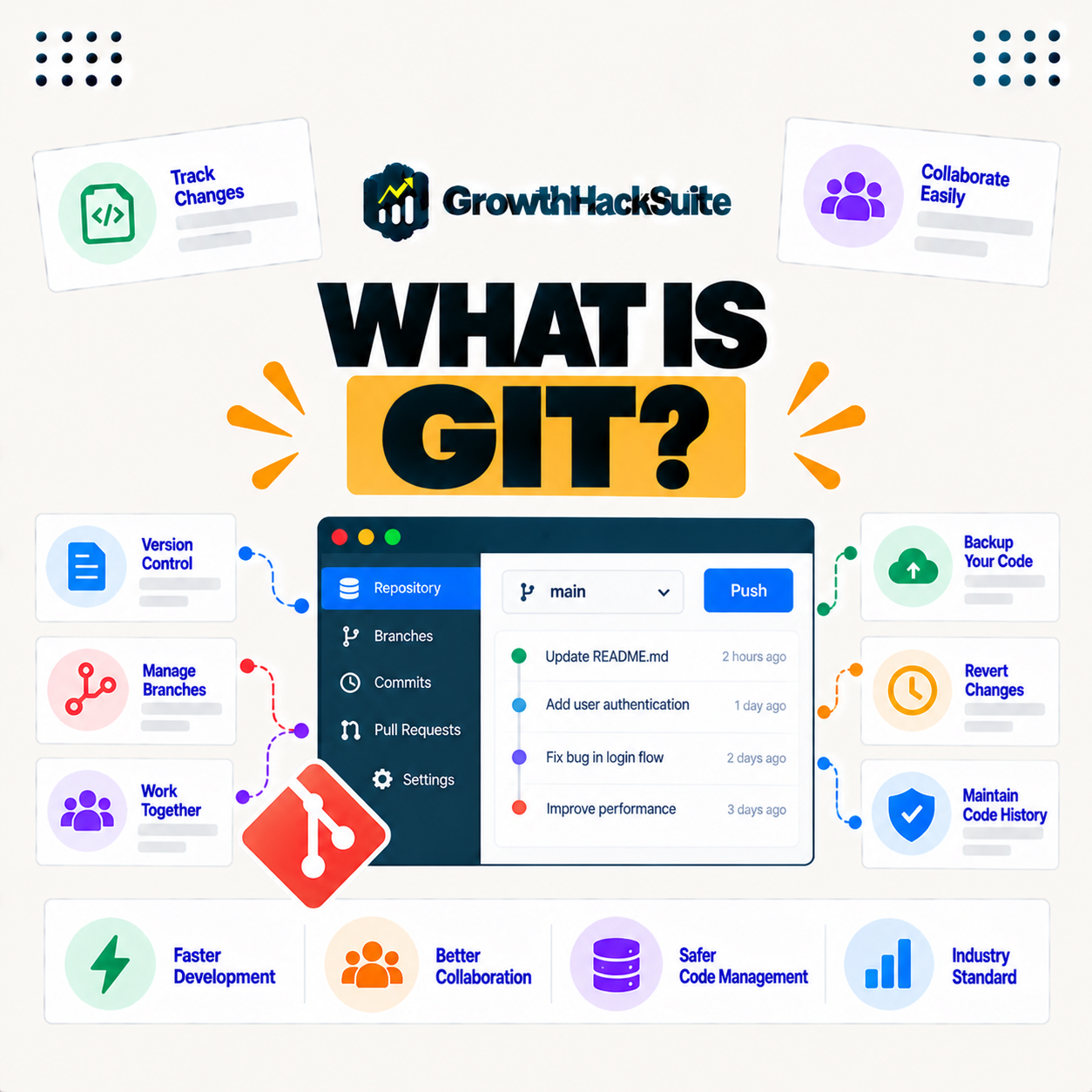
Git is a distributed version control system that tracks changes to code over time, letting developers save snapshots, work on parallel branches, and collaborate without overwriting each other’s work. It records a full history so anyone can review or revert changes, which makes it the standard tool for managing code in modern development. This guide explains how it works, its key concepts, and why developers rely on it every day.
Last updated: August 2026. Written by the Growth Hack Suite editorial team, with details cross-checked against provider documentation. This page carries affiliate links to Kinsta.
See how Kinsta handles code deployment on Google Cloud
Try Kinsta →Repository-based deployment and SSH access, with a 30-day money-back guarantee.
What Is Git?
Git is a distributed version control system that tracks changes to code and files over time, letting developers save snapshots of their work, review the history, and collaborate. It records who changed what and when across a project, so every version of the code stays recoverable rather than lost to overwrites.
“Git is a distributed version control system that tracks versions of files.”
— Wikipedia, Git
In short, this is the tool developers trust to keep a complete, reversible record of a codebase as it changes.
How Does Version Control Work?
Version control works by taking snapshots of your files each time you commit, storing the full history in a repository, so you can move between versions, compare changes, and combine work. Each developer holds a complete copy of the project’s history, which is what makes it distributed rather than dependent on one central server.
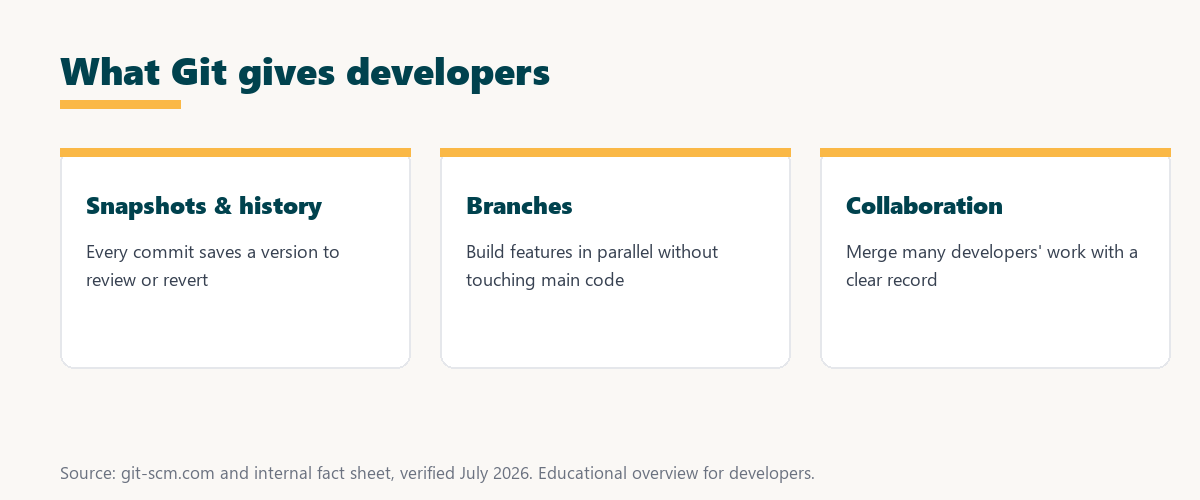
The key idea is snapshots and history: it does not just store the latest file, it stores every committed version so you can always look back or roll back.
What Are Key Version Control Concepts?
Key concepts include the repository that holds your project, commits that save snapshots, branches that let you work in parallel, and merges that combine branches. Together they let teams develop features independently and integrate them safely, which is the foundation of how modern code collaboration runs.
Four building blocks make up almost everything a developer does with this tool:
- Repository: The store that holds a project’s files and their entire change history, so a repository contains every commit and branch that makes up the project.
- Commit: A saved snapshot of changes at a point in time, tagged with a message, so the project history becomes a readable series of commits to review or revert.
- Branch: A separate line of development for a feature or fix, so work happens in isolation from the main code until it is tested and ready to combine.
- Merge: The step that combines a branch back into another, so independent work from different developers integrates into one shared version.
- Remote: A hosted copy of the repository on a platform, so a team shares one central reference while each member keeps a full local copy.
Understanding these five terms covers most day-to-day work, from saving a change to sharing it with a team.
What Is a Branch in Version Control?
A branch is a separate line of development that lets you work on a feature or fix without affecting the main code, so you can build and test in isolation, then merge the branch back when the work is ready. Branches are what make parallel development safe and organized.
Source: general overview cross-checked with public documentation, verified August 2026.
Reading down the table shows the flow: a repository holds the work, commits record each change, branches isolate new work, and merges bring it all back together.
Version Control Tool vs Hosting Platforms
It is the version control tool itself, while hosting platforms are services that host its repositories online and add collaboration features. You use it locally on your machine and a platform to share and manage repositories with a team, so the tool and the platform play different, complementary roles.
The distinction matters because it works without any platform, but a platform makes sharing, review and backup far easier for teams.
Why Developers Use Version Control
Developers use version control because it tracks every change, enables safe collaboration, allows reverting mistakes, and supports parallel work through branches, so it prevents the lost work and conflicts that plagued older ways of sharing code. It has become the default expectation on nearly every software team.
“The first five seconds of page-load time have the highest impact on conversion rates.”
— HubSpot, page load time and conversion rates
Speed matters in shipping code too: version control lets teams move quickly with confidence, and the clean history it keeps means a broken change can be traced and reverted before it ever reaches the visitors those early seconds depend on.
How Version Control Enables Collaboration
Version control enables collaboration by letting multiple developers work on their own branches and copies, then merge changes together, so a team can build different parts of a project at once and integrate them with a clear record of contributions. Everyone stays in sync without overwriting each other’s work.
The practical result is that a team of any size can move in parallel, and it keeps the history straight so contributions never collide silently.
How Do You Start Using Version Control?
You start by installing it, initializing a repository, and using commands to commit changes and create branches. Connecting to a hosting platform lets you back up and share the repository with others, so a solo project and a team project both begin from the same few first steps.
Source: general overview cross-checked with public documentation for the tool and platforms, verified August 2026.
Reading the table together, the tool is the engine that runs on every machine, while the platforms are the shared homes where teams host and manage what it tracks.
How Version Control Fits WordPress Development
It fits WordPress development by version-controlling themes, plugins, and custom code, so developers track changes and collaborate cleanly. Hosts that support this kind of deployment let you push code from a repository straight to your site, which replaces error-prone manual file uploads with a repeatable, reversible process.
Get code deployment handled on Kinsta’s Google Cloud platform
Start Free Migration →SSH access and repository-based deployment, with free migration.
Using Version Control With Managed WordPress Hosting
You use version control with managed WordPress hosting that supports repository-based deployment and provides SSH access, so you can version your code and deploy it cleanly. Tools like DevKinsta help you develop locally before pushing changes, which keeps experimental work off the live site until it is tested.
The takeaway is that managed hosting with version control support turns deployment into a controlled step, so shipping a change becomes a push rather than a risky manual upload. For anyone weighing a long hosting commitment, our note on SaaS vendor lock-in is worth a read.
Version Control and Local Development Workflows
Version control supports local development workflows by tracking changes as you build on your machine, so paired with a local environment, you can develop and version code locally, then push tested changes to staging or live. This keeps the live site stable while active work stays safely on your computer.
“A tool is only worth its premium when the hours or revenue it protects exceed the invoice.”
— Growth Hack Suite, on tool ROI
Applied to development tooling, the tool earns its place easily: it costs nothing to run yet prevents the lost work and broken deploys that cost real hours to fix.
Common Commands to Know
Common commands to know include clone, add, commit, branch, merge, push, and pull, so this handful covers copying a repository, saving changes, working in parallel, and syncing with a team. Learning these first makes the everyday workflow feel routine rather than intimidating.
The honest point is that a developer rarely needs more than a dozen commands day to day, and the ones above handle nearly every routine task.
Try Kinsta risk-free with Git deployment and SSH
Try Kinsta Risk-Free →Git-based deployment, SSH and free migration, with a 30-day money-back guarantee.
Git Version Control: Frequently Asked Questions
The 12 most-asked questions about Git version control.
What is Git in simple terms?
Git is a version control system that tracks changes to code over time, letting developers save snapshots, work on branches, and collaborate without overwriting each other’s work.
How does Git work?
Git works by taking snapshots of your files each time you commit, storing the full history in a repository, so you can move between versions, compare changes, and combine work.
What is a Git repository?
A Git repository is the storage that holds your project’s files and their complete change history, so it contains every commit and branch that makes up the project.
What is a Git branch?
A Git branch is a separate line of development that lets you work on a feature or fix without affecting the main code, then merge it back when the work is ready.
What is the difference between Git and GitHub?
Git is the version control tool itself, while GitHub is a platform that hosts Git repositories online and adds collaboration features, so you use Git locally and GitHub to share.
Why do developers use Git?
Developers use Git because it tracks every change, enables safe collaboration, allows reverting mistakes, and supports parallel work through branches, preventing lost work and conflicts.
How does Git help teams collaborate?
Git lets multiple developers work on their own branches and copies, then merge changes together, so a team can build different parts of a project at once and integrate them cleanly.
What is a commit in Git?
A commit is a saved snapshot of your changes at a point in time, with a message describing them, so the project’s history is a series of commits you can review or revert to.
Do I need Git for WordPress development?
Git is not required but is highly valuable for WordPress development, since it version-controls themes, plugins, and custom code and enables collaboration and clean deployment.
How do I start using Git?
Starting takes installing Git, initializing a repository, and committing changes, and connecting to a platform like GitHub lets you back up and share the repository with others.
Can I deploy WordPress with Git?
Yes, Hosts that support this kind of deployment let you push code from a repository to your site, so you can version your code and deploy it cleanly instead of uploading files manually.
How does Git work with DevKinsta?
DevKinsta provides a local WordPress environment where you can develop and version your code with Git, then push tested changes up to Kinsta staging and live.
About this guide
Written by the Growth Hack Suite editorial team, drawing on hands-on experience running WordPress sites. Details were cross-checked against public Git documentation. This page carries affiliate links to Kinsta. The position is stated plainly: Git is a distributed version control system that tracks code changes through commits, branches and merges, and it is the standard tool for collaborative development. Kinsta supports Git-based deployment and SSH access, with DevKinsta for local work before pushing to staging and live.