Table of Contents
Lazy loading is a technique that delays loading offscreen images, videos and iframes until a visitor scrolls near them. It speeds up the initial page load by reducing what the browser downloads upfront, improving perceived speed and Core Web Vitals, and it is built into modern WordPress by default. This guide explains how it works and when to use it.
Last updated: August 2026. Written by the Growth Hack Suite editorial team, with details cross-checked against provider documentation. This page carries affiliate links to Kinsta.
What Is Lazy Loading?
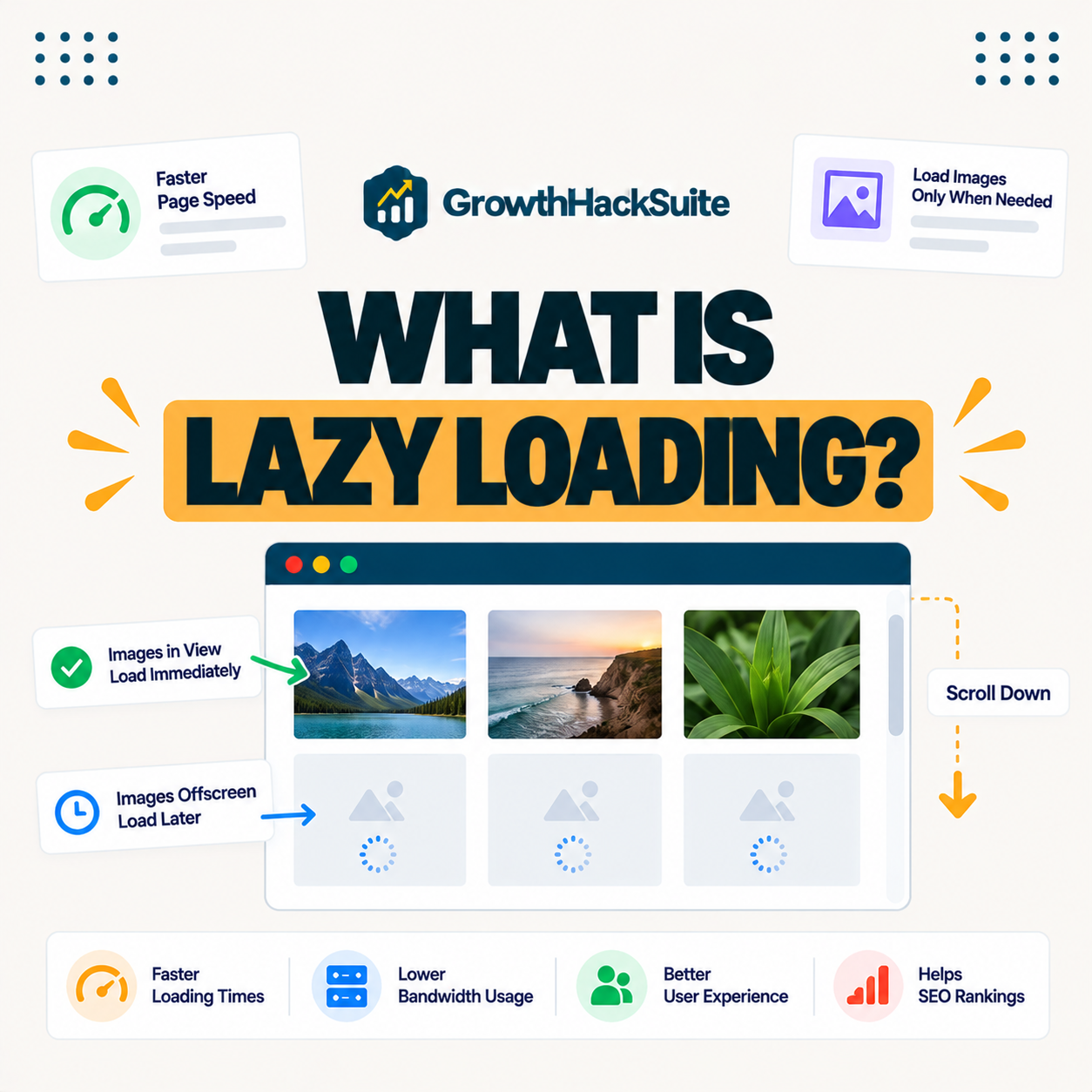
Lazy loading is a technique that delays loading offscreen images, videos and iframes until a visitor scrolls near them. The browser downloads only what is initially visible, reducing the upfront work needed to display the page and letting the first screen appear sooner.
“Lazy loading defers initialization of an object until it is needed.”
— Wikipedia, Lazy loading
Applied to a web page, that object is a media file, so it simply waits to fetch an image or video until the visitor is about to see it.
How Does Deferred Loading Work?
Lazy loading works by holding back offscreen media and loading each item just before it enters the viewport as the visitor scrolls. It uses the browser’s native loading attribute or a script to trigger the load at the right moment, so nothing is fetched until it is nearly needed.
Verdict: Lazy loading defers offscreen images, videos and iframes until a visitor scrolls to them, so the browser downloads less upfront and the page loads faster. Modern WordPress applies it to images by default. The honest rule is one exception: keep the largest above-the-fold image out of deferred loading, because deferring the LCP element can delay it and hurt Core Web Vitals rather than help.
In short, it trims the initial download by loading media on demand, with the single caveat that the hero image should load eagerly.
Why Deferred Loading Speeds Up Pages
It speeds up pages because the browser downloads and renders less content initially, lowering the initial payload. The visible part of the page appears faster, which improves both perceived speed and measured load times, especially on long or image-heavy pages.
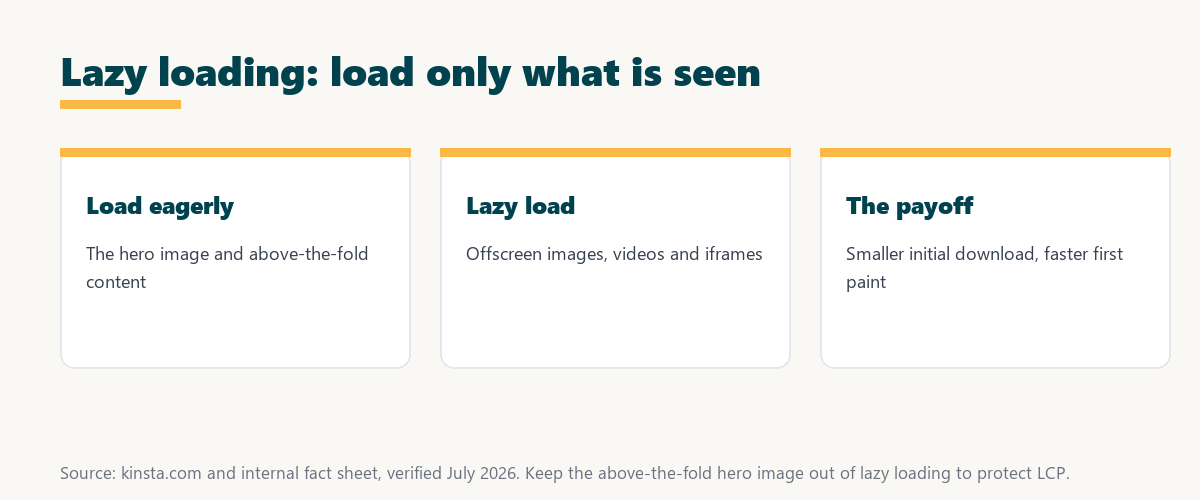
The honest point is that the gain is largest on media-rich pages, since those have the most offscreen content to defer.
Lazy vs Eager Loading
Lazy loading differs from eager loading, which downloads all resources immediately, by deferring offscreen media. It suits long or image-heavy pages, while eager loading suits critical above-the-fold elements that must appear instantly, so the two approaches complement each other.
Source: provider documentation, verified August 2026. Use lazy loading below the fold and eager loading for the hero.
Comparing when each loads resources, the effect on initial speed and the best use case shows that lazy and eager loading work together rather than as rivals.
See how Kinsta speeds up media delivery
Try Kinsta →CDN and image optimization, with a 30-day money-back guarantee.
What Should and Should Not Be Lazy Loaded
Offscreen images, videos and iframes should be lazy loaded, but the largest above-the-fold element should load eagerly. Lazy loading the main hero image can delay Largest Contentful Paint and hurt rather than help performance, so the exclusion matters as much as the technique.
- Lazy load offscreen images: Images below the fold are ideal, since a visitor may never scroll to them.
- Lazy load videos and iframes: Heavy embeds like videos and maps benefit most from deferred loading.
- Load the hero eagerly: The largest above-the-fold image should load immediately to protect Largest Contentful Paint.
- Load critical logos eagerly: A logo or key visual in the first screen should appear instantly, not on scroll.
- Test the LCP element: Confirming which element is the LCP prevents accidentally lazy loading it.
The honest takeaway is that deferring everything is a mistake, so the skill is deferring offscreen media while loading the hero eagerly.
Benefits of Loading Media on Demand
The benefits include faster initial page loads, lower bandwidth use and improved Core Web Vitals on image-heavy pages. Visitors only download the media they actually scroll to rather than everything at once, which saves both time and data.
“The first five seconds of page-load time have the highest impact on conversion rates.”
— HubSpot, page load time and conversion rates
Because deferred loading gets the first screen up faster in those early seconds, it protects the engagement and conversions a quick first paint helps secure.
Impact on Core Web Vitals
It helps Core Web Vitals by reducing the initial load, but it must be applied carefully. Deferring the LCP element can delay it, so the above-the-fold hero should be excluded from lazy loading to keep Largest Contentful Paint fast.
The honest qualifier is that it is a net positive only when the hero is excluded, since a lazy-loaded hero trades a small saving for a slower LCP.
How to Enable Lazy Loading in WordPress
You enable lazy loading in WordPress through native browser support that modern WordPress adds automatically, or with a performance plugin or host feature that extends it to more elements. The best tools also let you exclude the above-the-fold image so the hero still loads eagerly.
Source: provider documentation, verified August 2026. Defer offscreen media; load the hero eagerly.
Listing offscreen images, videos and iframes to lazy load alongside the hero element to load eagerly gives a simple rule for setting it up. Owners weighing platform commitment can also read our note on SaaS vendor lock-in.
When Should You Use It?
Use lazy loading on long, image-heavy or media-rich pages where much content sits below the fold, and avoid lazy loading critical above-the-fold visuals. This way you gain speed without delaying the main content visitors see first, which is the balance that makes it effective.
Get fast media delivery handled on Kinsta
Start With Kinsta →Free migration and a 30-day money-back guarantee.
How Kinsta Supports Fast Media Delivery
Kinsta supports fast media delivery with a Cloudflare CDN, image optimization that serves modern formats and edge caching. Lazy loading therefore combines with a fast delivery network, so the media a visitor needs loads quickly from a location near them when it is requested.
“A tool is only worth its premium when the hours or revenue it protects exceed the invoice.”
— Growth Hack Suite, on tool ROI
Applied to media, a fast CDN and image optimization earn their place when the quicker loads they enable protect engagement worth more than the cost.
Can Deferred Loading Hurt SEO?
It generally helps SEO by speeding pages, but misconfigured lazy loading that hides content from crawlers or delays the LCP element can hurt. Set up correctly, with the hero excluded and content still crawlable, it improves rather than harms search performance.
The honest qualifier is that native and reputable-plugin lazy loading is crawler-safe, so the risk comes from custom scripts that hide content rather than from the technique itself.
Using Deferred Loading Effectively on Your Site
You apply it effectively by keeping it on for offscreen media, excluding the hero image, and pairing it with a CDN and image optimization. Pages then stay fast without harming Largest Contentful Paint, which is the outcome a good lazy-loading setup aims for.
The honest summary is that it is a reliable speed win when the hero is excluded and it is paired with fast media delivery.
Speed up your media risk-free on Kinsta
Try Kinsta Risk-Free →CDN, image optimization and free migration, with a 30-day money-back guarantee.
Lazy Load: Frequently Asked Questions
The 12 most-asked questions about lazy loading.
What is lazy loading in simple terms?
Lazy loading delays loading offscreen images, videos and iframes until a visitor scrolls near them, so the browser only downloads what is initially visible and pages load faster upfront.
How does lazy loading work?
Lazy loading works by holding back offscreen media and loading each item just before it enters the viewport, using the browser’s native loading attribute or a script to trigger the load.
Does lazy loading speed up my site?
Yes, lazy loading speeds up the initial load by reducing what the browser downloads upfront, so the visible part of the page appears faster, especially on image-heavy pages.
Does WordPress lazy load images by default?
Yes, modern WordPress adds native lazy loading to images automatically, and you can extend it to more elements with a performance plugin or host feature.
Should I lazy load all images?
No, you should lazy load offscreen images but load the largest above-the-fold image eagerly, since lazy loading the main hero can delay Largest Contentful Paint and hurt performance.
Does lazy loading help Core Web Vitals?
Lazy loading helps Core Web Vitals by reducing the initial load, but you must exclude the above-the-fold LCP element, or lazy loading it can delay Largest Contentful Paint.
What is the difference between lazy and eager loading?
Lazy loading defers offscreen media until needed, while eager loading downloads everything immediately, so lazy loading suits below-the-fold content and eager loading suits critical visible elements.
Does lazy loading save bandwidth?
Yes, lazy loading saves bandwidth because visitors only download the media they actually scroll to, so images and videos they never reach are never loaded.
Can lazy loading hurt SEO?
Lazy loading generally helps SEO by speeding pages, but misconfigured lazy loading that hides content from crawlers or delays the LCP element can hurt, so it must be set up correctly.
How do I enable lazy loading in WordPress?
You enable lazy loading through the native support modern WordPress includes, or with a performance plugin or host feature that extends it while letting you exclude the hero image.
Does lazy loading work with a CDN?
Yes, lazy loading works alongside a CDN, and combining them is ideal, because the CDN delivers each media file quickly from a nearby location when lazy loading requests it.
How does Kinsta help with media speed?
Kinsta helps with a Cloudflare CDN, image optimization that serves modern formats and edge caching, so lazy loading pairs with fast delivery to load media quickly.
About this guide
Written by the Growth Hack Suite editorial team, drawing on hands-on experience optimizing media-heavy pages. Details were cross-checked against provider documentation. This page carries affiliate links to Kinsta, so the position is stated plainly: lazy loading defers offscreen media to speed up the initial load, modern WordPress applies it to images by default, and the one rule that matters is keeping the above-the-fold hero out of deferred loading to protect Largest Contentful Paint. Kinsta pairs it with a Cloudflare CDN, image optimization and edge caching for fast media delivery.