
Table of Contents
Gzip and Brotli are compression methods that shrink text-based files like HTML, CSS and JavaScript before the server sends them to a browser. They reduce transfer size and speed up loading, with Brotli usually compressing smaller, and most quality hosts enable one or both automatically. This guide explains how they work and why they matter.
Last updated: August 2026. Written by the Growth Hack Suite editorial team, with details cross-checked against provider documentation. This page carries affiliate links to Kinsta.
What Is Gzip and Brotli Compression?
Gzip and Brotli are compression algorithms that shrink text-based files such as HTML, CSS and JavaScript before the server sends them to a browser. They reduce the amount of data transferred and speed up how quickly pages download, without changing what the visitor eventually sees.
“gzip is a file format and application for file compression and decompression.”
— Wikipedia, gzip
Brotli is a newer algorithm built on the same idea, and both work invisibly, so a visitor receives a smaller file over the network and the browser reconstructs the full original page.
How Does Text Compression Work?
Text compression works by the server compressing eligible files and sending them with a header telling the browser the encoding, after which the browser decompresses them. Less data crosses the network while the visitor still sees the full uncompressed page exactly as intended.
Verdict: Gzip and Brotli shrink text files like HTML, CSS and JavaScript before they travel to the browser, often cutting their size by 70 percent or more. Brotli usually compresses smaller, while the older method stays the widely supported fallback. The honest rule is that this is a server-side win you rarely configure yourself, since most quality managed hosts and CDNs enable it automatically. The task is confirming it is on.
In short, compression happens between the server and browser, so it lowers transfer size invisibly and needs no change to the site’s actual content.
Why Compression Speeds Up Your Site
Compression speeds up your site by cutting the size of text files, often by 70 percent or more, so pages transfer faster over the network. This lowers load times and improves speed metrics, and the benefit is largest for visitors on slower or mobile connections.
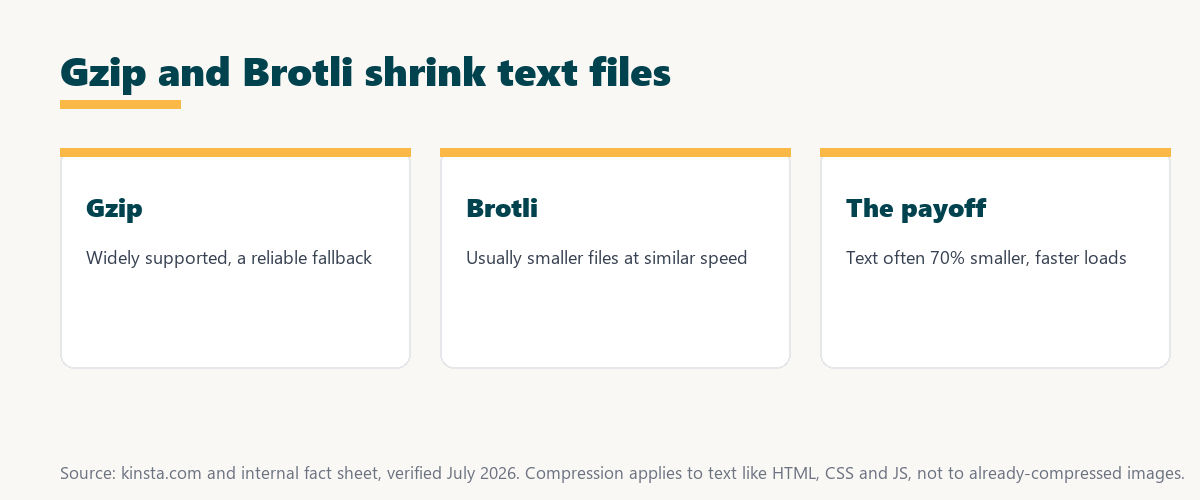
The honest point is that the gain is real but bounded to text, so compression complements image optimization and caching rather than replacing them.
Gzip vs Brotli: What Is the Difference?
They both compress text, but Brotli usually achieves a smaller file size at comparable speed. It is therefore the more modern choice, while Gzip remains widely supported and is used as a fallback for older clients that do not accept it.
Source: provider documentation, verified August 2026. The newer method is preferred; the older one is the reliable fallback.
Comparing compression ratio, speed, browser support and typical use shows Brotli usually wins on size while Gzip guarantees compatibility, so hosts serve the newer method first and fall back to the older one.
See how Kinsta handles compression automatically
Try Kinsta →Compression enabled by default, with a 30-day money-back guarantee.
Which Files Get Compressed?
Text-based files like HTML, CSS, JavaScript, SVG and JSON get compressed, while already-compressed formats such as JPEG, PNG and MP4 do not benefit. Attempting to compress those again yields little gain and wastes processing, so compression targets text and leaves media alone.
- HTML, CSS and JavaScript: The core text of a page compresses well and makes up much of the transfer.
- SVG and JSON: Vector graphics and data files are text under the hood and shrink significantly.
- Fonts (some formats): Uncompressed font formats can benefit, though modern web fonts are often already compressed.
- JPEG and PNG images: These are already compressed, so text compression adds almost nothing.
- MP4 and other media: Video and audio are pre-compressed, so they are excluded from text compression.
The honest takeaway is that compression is for text, so pairing it with image optimization covers both sides of page weight.
Benefits of Enabling Compression
Enabling compression benefits your site with smaller transfers, faster loading, lower bandwidth use and better performance scores. It is all achieved at the server level without changing your content, which makes it one of the simplest speed wins available to any site.
“The first five seconds of page-load time have the highest impact on conversion rates.”
— HubSpot, page load time and conversion rates
Because smaller text files reach the browser faster in those early seconds, compression contributes to the quick first paint that protects engagement and conversions.
Does Compression Affect Performance Scores?
Compression affects performance scores positively, because tools like PageSpeed Insights flag uncompressed text as an opportunity. Enabling compression removes that warning and reduces the transfer size that contributes to load time, so it lifts both the score and the real experience.
The honest point is that compression is often a quick, one-time fix that clears a common audit flag, so it is worth confirming early.
How to Check If Compression Is Enabled
You check whether compression is enabled using browser dev tools or online testers that show the content-encoding header. That header reports gzip or br when a file is compressed, confirming the server is shrinking text before sending it to the browser.
Source: provider documentation, verified August 2026. Compress text; skip already-compressed media.
Listing text files that compress well against media files that do not benefit gives a simple rule for what compression should cover. Owners weighing platform commitment can also read our note on SaaS vendor lock-in.
How to Turn Compression On
You enable compression at the server or host level, and most quality managed hosts turn on compression automatically. You rarely need to configure it manually beyond confirming it is active for your text files, which the content-encoding header verifies.
Get compression handled automatically on Kinsta
Start With Kinsta →Free migration and a 30-day money-back guarantee.
How Kinsta Handles Compression
Kinsta enables compression automatically at the server and CDN level, serving text files compressed through its Cloudflare integration. Your HTML, CSS and JavaScript therefore transfer efficiently without any manual setup, since the platform handles the encoding for you.
“A tool is only worth its premium when the hours or revenue it protects exceed the invoice.”
— Growth Hack Suite, on tool ROI
Applied here, automatic compression is part of what a managed platform quietly handles, so its value is the time and speed it delivers without any effort from the owner.
Does a CDN Handle Compression?
Yes, many CDNs handle compression at the edge, serving compressed text from a nearby location. Combining a CDN with compression pairs smaller files with a shorter network distance, so the two together deliver text faster than either would on its own.
The honest qualifier is that a CDN compresses cacheable text at the edge, so it complements origin-level compression rather than making it redundant.
Getting the Speed Benefit of Compression
You get the speed benefit of compression by hosting on a platform that enables compression by default and pairs it with a CDN. Compressed text files then reach visitors quickly from a nearby location, which turns the compression saving into a real-world load-time gain.
The honest summary is that compression is nearly free performance, so the main job is choosing a host that enables it and confirming it is on.
Get compression and a CDN risk-free on Kinsta
Try Kinsta Risk-Free →Compression, a CDN and free migration, with a 30-day money-back guarantee.
Compression: Frequently Asked Questions
The 12 most-asked questions about text compression.
What is Gzip and Brotli compression in simple terms?
Gzip and Brotli are methods that shrink text files like HTML, CSS and JavaScript before your server sends them to a browser, reducing transfer size and speeding up page loading.
What is the difference between Gzip and Brotli?
Both compress text, but Brotli usually produces smaller files at comparable speed, so it is the more modern choice, while Gzip is widely supported and used as a fallback.
Does compression make my site faster?
Yes, compression makes your site faster by shrinking text files, often by 70 percent or more, so pages transfer more quickly, especially for visitors on slower connections.
Which files does compression work on?
Compression works on text files like HTML, CSS, JavaScript, SVG and JSON, but not on already-compressed media such as JPEG, PNG or MP4, which do not benefit.
How do I know if compression is enabled?
You check with browser dev tools or an online tester that shows the content-encoding header, which reports gzip or br when a file is compressed by the server.
Is Brotli better than Gzip?
Brotli generally achieves a smaller file size than Gzip at similar speed, so it is preferred where supported, though the older method remains a reliable fallback for older clients.
Does compression affect PageSpeed scores?
Yes, compression improves PageSpeed scores, because tools flag uncompressed text as an opportunity, so enabling compression removes that warning and reduces transfer size.
Do I need to enable compression myself?
Usually not, since most quality managed hosts enable compression automatically, so you mainly need to confirm it is active rather than configure it manually.
Does compression affect image files?
No, compression of this kind targets text files, since images such as JPEG and PNG are already compressed and gain little from further text compression.
Can compression break my site?
No, compression does not break your site, because the browser decompresses files automatically and displays the full original content, so visitors see no difference except faster loading.
Does a CDN handle compression?
Yes, many CDNs handle compression at the edge, serving compressed text from a nearby location, which combines the benefits of smaller files and shorter network distance.
How does Kinsta handle compression?
Kinsta enables compression automatically at the server and CDN level, serving text files with Brotli or Gzip through its Cloudflare integration without any manual setup.
About this guide
Written by the Growth Hack Suite editorial team, drawing on hands-on experience tuning page performance. Details were cross-checked against provider documentation. This page carries affiliate links to Kinsta, so the position is stated plainly: Gzip and Brotli shrink text files like HTML, CSS and JavaScript before they reach the browser, often by 70 percent or more, Brotli usually compresses smaller while Gzip is the fallback, and most quality hosts enable it automatically so the task is confirming it is on. Kinsta serves text with Brotli or Gzip through its Cloudflare integration by default.


