Table of Contents
Page speed is how quickly a web page loads and becomes usable for visitors. It is measured by metrics like load time and Core Web Vitals, and it affects SEO, bounce rates and conversions, making fast hosting, caching and optimized assets essential for a successful site. This guide explains how it is measured and how to improve it.
Last updated: August 2026. Written by the Growth Hack Suite editorial team, with details cross-checked against provider documentation. This page carries affiliate links to Kinsta.
What Is Page Speed?
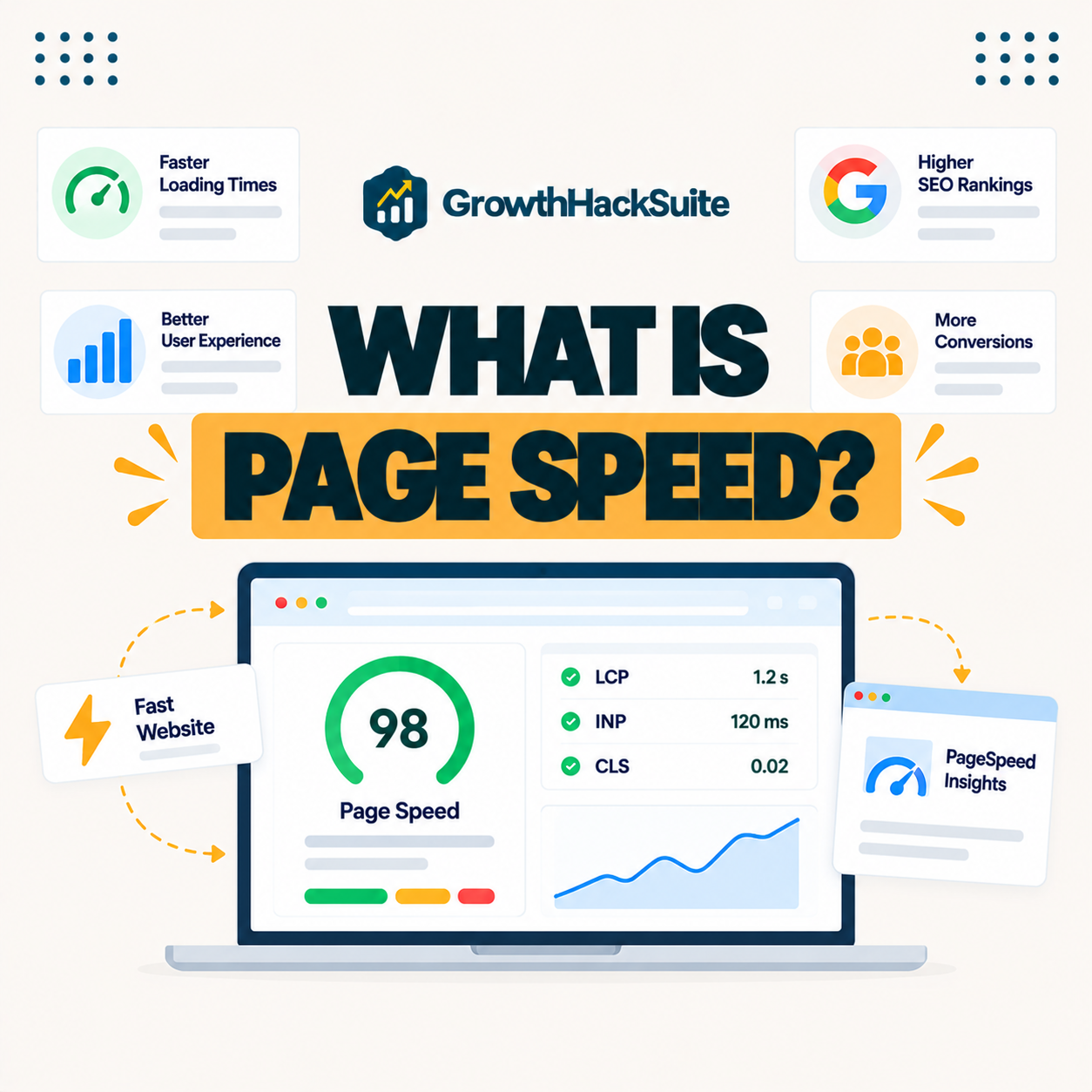
Page speed is how quickly a web page loads and becomes usable for a visitor, measured by metrics such as total load time, time to first byte and Core Web Vitals. It reflects hosting, caching, images and code efficiency together, so it is a summary of many underlying factors.
“Web performance refers to the speed in which web pages are downloaded and displayed.”
— Wikipedia, Web performance
It is the practical, visitor-facing side of that web performance, capturing how fast a page feels rather than any single technical measurement in isolation.
How Is It Measured?
It is measured with tools like Google PageSpeed Insights, GTmetrix and WebPageTest, which report metrics including load time, TTFB and Core Web Vitals. They combine lab tests with real-user field data to show how fast pages actually perform for visitors.
Verdict: Page speed is how fast a page loads and becomes usable, summarized by metrics like load time, TTFB and Core Web Vitals. A fast page shows its main content in under 2.5 seconds. The honest rule is that hosting and caching set the floor, then images, plugins and a CDN shape the rest, so the biggest, fastest wins come from a fast host with strong caching before any front-end fine-tuning.
In short, it is a composite, so improving it means combining lab and field measurement with fixes across hosting, assets and code.
What Counts as a Fast Page?
A fast page generally loads its main content in under 2.5 seconds and responds quickly to interaction, aligning with Core Web Vitals targets. This matters because visitors begin abandoning pages that take longer than a few seconds to become usable, so the target is both a metric and a behavior threshold.
The honest point is that a few-second window separates a fast page from a slow one, so small delays in that range have an outsized effect on visitor patience.
Overall Speed vs Core Web Vitals
Page speed is the broad idea of how fast a page loads, while Core Web Vitals are specific Google metrics measuring loading, interactivity and stability. Core Web Vitals are therefore a standardized way to quantify part of overall speed, not a separate concept from it.
Source: Google web.dev thresholds, verified August 2026. Core Web Vitals quantify part of overall speed.
Listing load time, TTFB, LCP and INP with what each measures shows how speed reporting breaks a single feeling of fast or slow into concrete numbers.
See how Kinsta delivers fast loads
Try Kinsta →Compute-optimized servers and caching, with a 30-day money-back guarantee.
What Affects Page Speed?
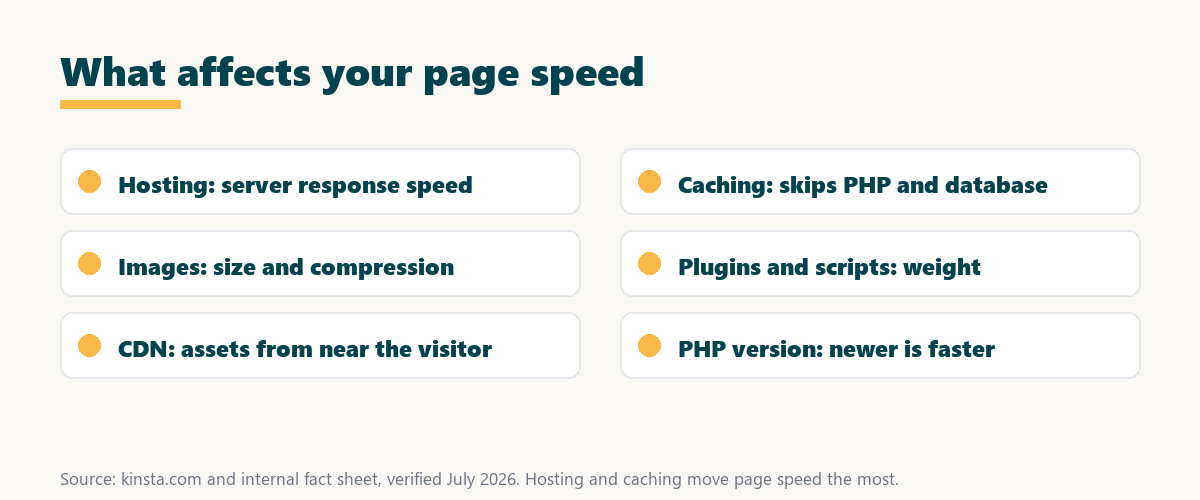
Page speed is affected by hosting quality, caching, image sizes, the number and weight of plugins and scripts, and whether a CDN is used. Improvements usually come from addressing several of these factors together rather than relying on any single change to fix a slow page.
- Hosting quality: Server speed and caching set how fast the page can respond before any asset loads.
- Image sizes: Large, uncompressed images are a common cause of slow loading on content-heavy pages.
- Plugin and script weight: Each heavy plugin or third-party script adds code that runs on every request.
- CDN use: Serving assets from near each visitor cuts the distance content travels and lowers load time.
- PHP version: A newer PHP release processes requests faster than an outdated one.
The honest takeaway is that speed comes from several factors at once, but hosting and caching are the two that move the needle most.
Why Page Speed Matters for SEO
Page speed matters for SEO because Google uses page experience signals in ranking and because faster pages reduce bounce rates and increase engagement. Speed therefore supports both the direct ranking factor and the behavior signals that follow a good experience.
“The first five seconds of page-load time have the highest impact on conversion rates.”
— HubSpot, page load time and conversion rates
Because those early seconds shape both engagement and conversions, page speed feeds the very signals search engines watch, so it protects rankings indirectly as well as directly.
Why It Affects Conversions
Page speed affects conversions because visitors abandon slow pages, and even small delays reduce the share who complete a purchase or sign-up. A faster site therefore typically converts more of the traffic it already receives, without needing any more visitors.
The honest point is that speed compounds with everything else on the page, so a faster load lifts the return on all the marketing that brought the visitor there.
How to Improve Page Speed
You improve page speed with fast hosting, server-level and edge caching, a CDN, optimized images, fewer heavy plugins and updated PHP. These address the biggest causes of slow loading rather than cosmetic tweaks, so they deliver real, measurable gains.
- Fast hosting: Compute-optimized servers lower response time, the foundation every other fix builds on.
- Caching: Server-level and edge caching serve finished pages without running PHP or the database.
- Optimize images: Compressing and correctly sizing images cuts one of the largest sources of page weight.
- Add a CDN: A content delivery network serves assets from near each visitor to reduce load time.
- Trim plugins and update PHP: Fewer heavy plugins and a newer PHP version speed up every request.
Source: provider documentation, verified August 2026. Hosting and caching deliver the largest gains.
Listing slow hosting, no caching, large images, heavy plugins and no CDN with the fix for each turns a vague slow feeling into a concrete checklist. Owners weighing platform commitment can also read our note on SaaS vendor lock-in.
How to Choose Hosting for Speed
Choose hosting for speed by favoring compute-optimized servers, built-in caching, a CDN and nearby data centers. Hosting sets the performance floor that every plugin or image optimization then builds upon, so it deserves the most weight when comparing providers on speed.
Get fast page speed handled on Kinsta
Start With Kinsta →Free migration and a 30-day money-back guarantee.
How Kinsta Delivers Fast Loads
Kinsta delivers fast page speed with Google Cloud compute-optimized machines, server-level and edge caching, a Cloudflare CDN across 300+ locations, and image optimization, with data centers in Google Cloud regions worldwide. Pages therefore load quickly for visitors around the world, close to each request.
“A tool is only worth its premium when the hours or revenue it protects exceed the invoice.”
— Growth Hack Suite, on tool ROI
Applied to page speed, a fast platform earns its premium when the faster loads it delivers protect conversions and rankings worth more than the plan.
Does a CDN Make Pages Faster?
Yes, a CDN makes pages faster for distant visitors by serving assets from a nearby location, reducing the distance content travels and lowering load times. It helps most for cacheable content and global audiences, since the benefit grows with the distance from the origin server.
The honest qualifier is that a CDN speeds up static assets and cached pages more than dynamic requests, so it complements fast hosting rather than replacing it.
Speeding Up Your WordPress Pages
You speed up WordPress pages by moving to fast managed hosting, enabling caching and a CDN, optimizing images and removing slow plugins. The goal is for the site to load within the few-second window visitors expect, which addresses page speed at its most impactful points.
The honest summary is that WordPress page speed is mostly a hosting-and-caching story, so a fast host plus disciplined assets deliver the largest, most reliable gains.
Speed up your WordPress pages risk-free
Try Kinsta Risk-Free →Compute-optimized hosting, caching and free migration, with a 30-day money-back guarantee.
Page Speed: Frequently Asked Questions
The 12 most-asked questions about page speed.
What is page speed in simple terms?
Page speed is how quickly a web page loads and becomes usable for a visitor, measured by metrics like load time and Core Web Vitals, and shaped by hosting, caching and page assets.
How is page speed measured?
Page speed is measured with tools like PageSpeed Insights, GTmetrix and WebPageTest, which report load time, TTFB and Core Web Vitals using both lab tests and real-user data.
Why does page speed matter for SEO?
Page speed matters for SEO because Google uses page experience signals in ranking and faster pages reduce bounce rates, so speed supports both direct and behavioral ranking factors.
What is a good page load time?
A good page loads its main content in under 2.5 seconds and responds quickly to interaction, since visitors begin abandoning pages that take more than a few seconds to become usable.
What affects my page speed?
Page speed is affected by hosting quality, caching, image sizes, plugin and script weight, and CDN use, so improvements usually require addressing several of these together.
How can I improve page speed?
You improve page speed with fast hosting, caching, a CDN, optimized images, fewer heavy plugins and updated PHP, which address the biggest causes of slow loading.
Does page speed affect conversions?
Yes, page speed affects conversions, because visitors abandon slow pages and even small delays reduce completed purchases and sign-ups, so a faster site converts more traffic.
Is page speed the same as Core Web Vitals?
No, page speed is the broad concept of how fast a page loads, while Core Web Vitals are specific Google metrics that quantify loading, interactivity and visual stability.
Does hosting affect page speed?
Yes, hosting strongly affects page speed, since server performance, caching and data center location set the floor that every image or plugin optimization builds upon.
How much does caching improve page speed?
Caching can improve page speed dramatically by serving finished pages without running PHP, often cutting load times substantially, especially for repeat and anonymous visitors.
Does a CDN make pages faster?
Yes, a CDN makes pages faster for distant visitors by serving assets from a nearby location, reducing the distance content travels and lowering load times.
How does Kinsta make pages fast?
Kinsta makes pages fast with Google Cloud compute-optimized servers, caching, a Cloudflare CDN and image optimization, with data centers in Google Cloud regions worldwide, so pages load quickly.
About this guide
Written by the Growth Hack Suite editorial team, drawing on hands-on experience measuring and improving site speed. Details were cross-checked against provider documentation. This page carries affiliate links to Kinsta, so the position is stated plainly: page speed is how fast a page loads and becomes usable, a fast page shows its main content in under 2.5 seconds, and hosting plus caching move it more than any single front-end change. Kinsta delivers fast page speed with Google Cloud compute-optimized machines, caching, a Cloudflare CDN across 300+ locations and image optimization.