Table of Contents
Largest Contentful Paint, or LCP, is a Core Web Vital that measures how long the largest visible element on a page takes to render. A good score is under 2.5 seconds, and improving it through fast hosting, caching and optimized images makes a page feel faster and supports SEO. This guide explains what slows it and how to fix it.
Last updated: August 2026. Written by the Growth Hack Suite editorial team, with thresholds cross-checked against Google web.dev guidance. This page carries affiliate links to Kinsta.
What Is Largest Contentful Paint (LCP)?
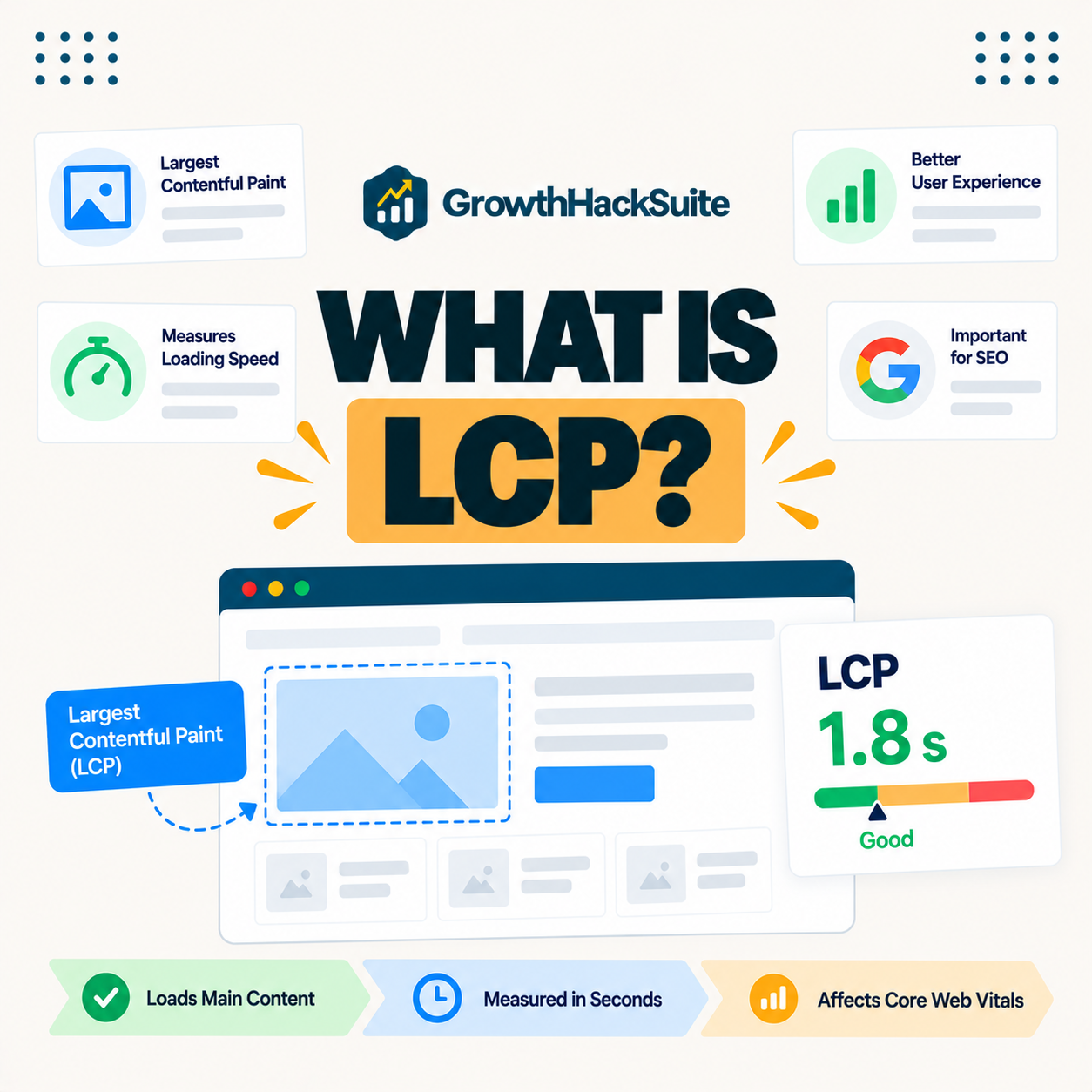
Largest Contentful Paint, or LCP, is a Core Web Vital that measures how long the largest visible element in the viewport, often a hero image or heading, takes to render. It indicates how quickly a page’s main content appears to the visitor rather than when the whole page finishes.
“Web performance refers to the speed in which web pages are downloaded and displayed.”
— Wikipedia, Web performance
It puts a number on that perceived speed, capturing the moment the biggest piece of content appears, which is what a visitor experiences as the page having loaded.
How Is It Measured?
It is measured from when the page starts loading to when the largest visible element finishes rendering. It is reported by real-user data in the Chrome User Experience Report and estimated in lab tools like PageSpeed Insights and Lighthouse, so both field and lab data guide improvement.
Verdict: LCP measures how fast a page’s largest element appears, and a good score is under 2.5 seconds at the 75th percentile of real visits. The honest rule is that server speed and caching set the floor, since a slow first byte delays everything, and after that the biggest wins come from optimizing the hero image and removing render-blocking CSS and JavaScript. Fix hosting first, then the largest element.
In short, it is a loading metric anchored to the page’s biggest element, so improving it means both a fast server and a lightweight largest element.
What Is a Good LCP Score?
A good LCP score is under 2.5 seconds, between 2.5 and 4 seconds needs improvement, and over 4 seconds is poor. It is measured at the 75th percentile of page visits, so most real users must see the largest element render quickly for the page to pass.
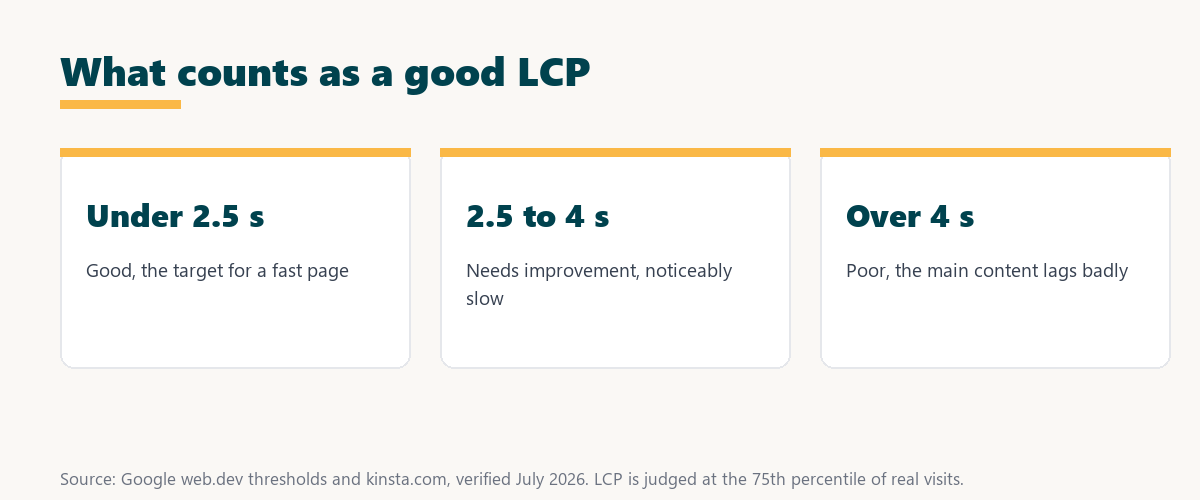
Source: Google web.dev thresholds, verified August 2026. Measured at the 75th percentile of real visits.
Showing good, needs-improvement and poor thresholds in seconds lets a site owner grade a page at a glance and see how far it is from the 2.5-second target.
Loading vs Other Core Web Vitals
This metric differs from the other Core Web Vitals by measuring loading, while INP measures interactivity and CLS measures visual stability. It is therefore the metric most directly tied to how fast the main content appears, and it is often the first vital a slow site fails.
See how Kinsta speeds up rendering on Google Cloud
Try Kinsta →Fast servers and caching that lower TTFB, with a 30-day money-back guarantee.
What Slows It Down?
It is slowed by a high server response time, render-blocking CSS and JavaScript, large unoptimized images and slow resource loading. The largest element takes longer to appear whenever any of these delays the critical rendering path between request and paint.
- Slow server response: A high TTFB delays the HTML, pushing back everything the browser renders afterward.
- Render-blocking resources: CSS and JavaScript that must load first hold up the largest element’s paint.
- Large images: An unoptimized hero image is often the largest element and takes long to download.
- No caching: Building each page with PHP and the database adds time before content can render.
- Distant server: A visitor far from the origin waits longer for the response to arrive.
The honest takeaway is that most problems trace to the server or the hero image, so those two areas deserve attention first.
Why It Matters for User Experience
It matters because it reflects when visitors feel the page has loaded. A slow score makes a site feel sluggish and increases bounce rates, while a fast one keeps visitors engaged and supports the page experience signals search engines use.
“The first five seconds of page-load time have the highest impact on conversion rates.”
— HubSpot, page load time and conversion rates
Because it lands squarely in those decisive early seconds, lowering it directly protects the engagement and conversions a page depends on.
How to Improve Your LCP
You improve LCP by using fast hosting to lower server response time, enabling caching and a CDN, optimizing and properly sizing images, preloading the largest element, and removing render-blocking resources. Each step gets the largest visible element on screen sooner.
- Fast hosting: Compute-optimized servers lower TTFB, the delay before rendering can even begin.
- Caching and CDN: Server-level caching and a CDN deliver the HTML and assets quickly from near the visitor.
- Optimize images: Compressing and correctly sizing the hero image speeds up the most common largest element.
- Preload the largest element: Preloading the largest image or font tells the browser to fetch it early.
- Remove render-blocking code: Deferring non-critical CSS and JavaScript clears the path to the first paint.
The honest takeaway is that the biggest, fastest gains come from hosting and the hero image, so start there before fine-tuning code.
How Hosting and Caching Affect the Largest Element
Hosting and caching strongly affect it because a slow TTFB delays everything that follows. Fast servers with server-level and edge caching deliver the initial HTML quickly and give the largest element more time to render within the 2.5-second budget.
Source: Google web.dev guidance, verified August 2026. Hosting and the hero image are the two biggest levers.
Listing a slow server, render-blocking resources and large images with the fix for each shows exactly where loading time is lost and how to recover it. Owners weighing platform commitment can also read our note on SaaS vendor lock-in.
How to Test and Track Your Score
Test your score with PageSpeed Insights and Search Console for field data, identify the specific element each tool reports, and track it over time. The element and score can change as content and layouts evolve, so ongoing tracking matters as much as a single test.
Get a fast platform for faster rendering
Start With Kinsta →Free migration and a 30-day money-back guarantee.
How Kinsta Helps
Kinsta helps with fast Google Cloud servers that lower TTFB, server-level and edge caching, a Cloudflare CDN and image optimization. The largest element therefore renders quickly for visitors anywhere, since the server responds fast and assets load from near each user.
“A tool is only worth its premium when the hours or revenue it protects exceed the invoice.”
— Growth Hack Suite, on tool ROI
Applied here, a fast platform earns its premium when the faster rendering it enables keeps visitors from bouncing and protects conversions worth more than the plan.
How Long Does a Fix Take to Show?
Because field LCP uses 28 days of real-user data, improvements can take several weeks to fully appear in Search Console, though lab tools reflect changes immediately. Fixing the LCP element today therefore updates the field score gradually rather than all at once.
The honest qualifier is that lab tools confirm a fix worked, but the field report needs weeks of fresh visits to catch up to the improvement.
Improving It on Your WordPress Site
You improve LCP on WordPress by combining fast managed hosting with image optimization, caching and removing render-blocking scripts. The goal is for the largest visible element to load within the 2.5-second target for most visitors, which addresses the metric at its root.
The honest summary is that WordPress LCP is mostly a hosting-plus-image story, so a fast host and a lean hero image deliver the largest, most reliable gains.
Lower your LCP risk-free on Kinsta
Try Kinsta Risk-Free →Fast hosting, image optimization and free migration, with a 30-day money-back guarantee.
LCP: Frequently Asked Questions
The 12 most-asked questions about Largest Contentful Paint.
What is Largest Contentful Paint in simple terms?
Largest Contentful Paint, or LCP, measures how long your page’s largest visible element, such as a hero image or heading, takes to render, showing how quickly the main content appears.
What is a good LCP score?
A good LCP score is under 2.5 seconds, needs improvement between 2.5 and 4 seconds, and poor above 4 seconds, measured at the 75th percentile of real page visits.
How do I find my LCP element?
You find your LCP element using PageSpeed Insights or Chrome dev tools, which identify the specific largest element, often a hero image, heading or large text block, that determines the score.
What slows down LCP?
LCP is slowed by high server response time, render-blocking CSS and JavaScript, and large unoptimized images, all of which delay when the largest visible element finishes rendering.
How can I improve my LCP?
You improve LCP with faster hosting, caching, a CDN, optimized and properly sized images, preloading the largest element, and removing render-blocking resources.
Does hosting affect LCP?
Yes, hosting affects LCP because a slow server response delays everything that follows, so fast hosting with caching lowers TTFB and helps the largest element render sooner.
Is LCP part of Core Web Vitals?
Yes, LCP is one of the three Core Web Vitals, measuring loading performance alongside INP for interactivity and CLS for visual stability.
How is LCP different from page load time?
LCP measures when the largest visible element renders, while total page load time covers everything until the page fully finishes, so LCP focuses on perceived main-content speed.
Do images affect LCP?
Yes, images often affect it because the largest element is frequently a hero image, so compressing, sizing and preloading that image can significantly improve the score.
How does caching improve LCP?
Caching improves it by serving the initial HTML quickly without running PHP, lowering TTFB so the browser can start rendering the largest element sooner.
How long does an LCP fix take to show?
Because field LCP uses 28 days of real-user data, improvements can take several weeks to fully appear in Search Console, though lab tools reflect changes immediately.
How does Kinsta help with LCP?
Kinsta helps with fast Google Cloud servers that lower TTFB, caching, a CDN and image optimization, so the largest visible element renders quickly for most visitors.
About this guide
Written by the Growth Hack Suite editorial team, drawing on hands-on experience tuning page speed. Thresholds were cross-checked against Google web.dev guidance. This page carries affiliate links to Kinsta, so the position is stated plainly: it measures how fast a page’s largest element appears, a good score is under 2.5 seconds at the 75th percentile, and server speed plus the hero image are the two biggest levers. Kinsta lowers LCP with fast Google Cloud servers, caching, a Cloudflare CDN and image optimization.