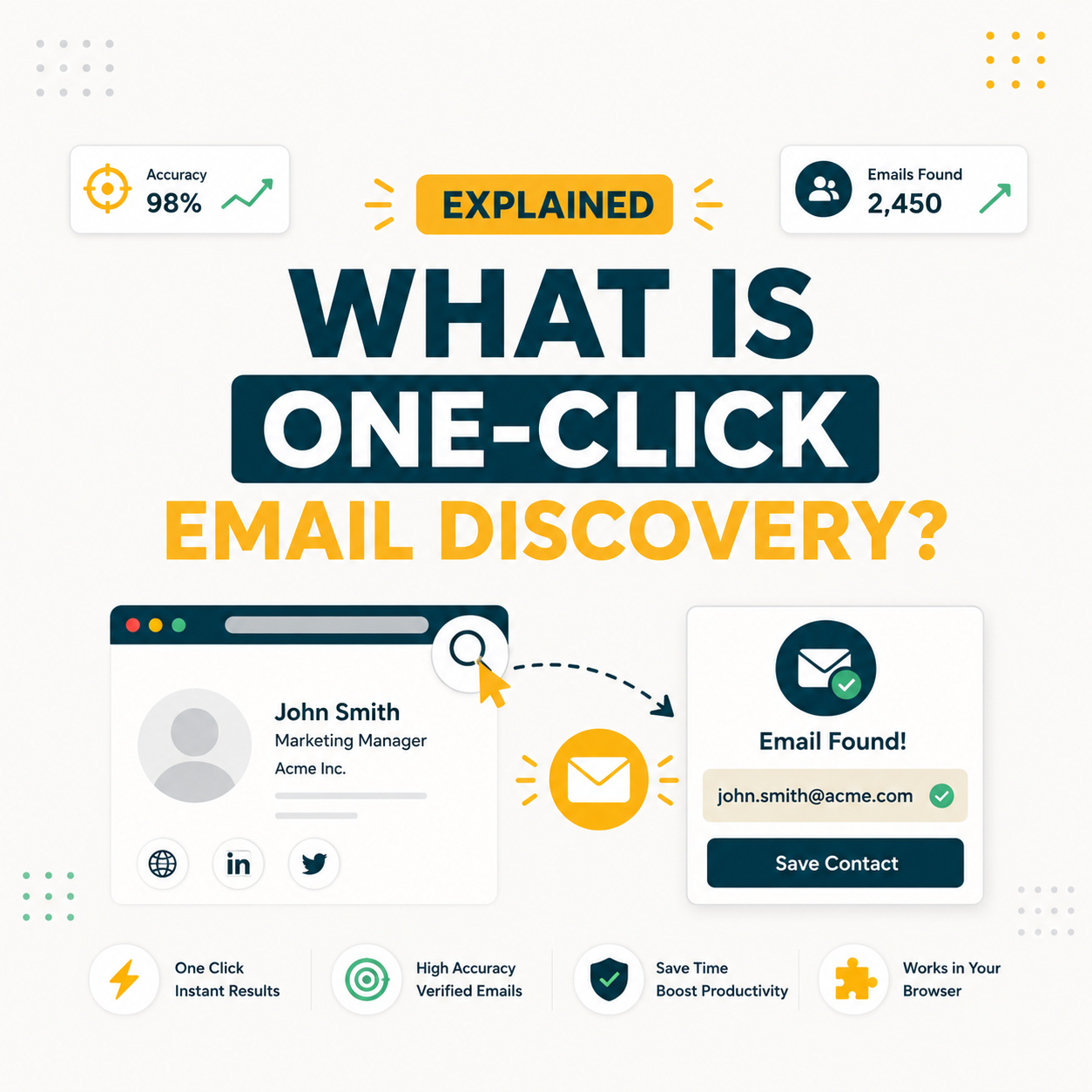
One-click email discovery is a browser-based workflow where a single click on a LinkedIn profile or company page returns a verified, deliverable business email. Tools like Hunter.io’s Chrome extension execute syntax checking, DNS lookup, and SMTP verification in under 3 seconds. SDR teams building 500-lead prospect lists report saving 8 to 12 hours per week compared to manual email research methods.
What Is One-Click Email Discovery? Core Definition for B2B Sales and Marketing Teams
One-click email discovery describes the process of capturing a verified business email address through a single browser action, typically clicking a browser extension icon while viewing a LinkedIn profile or company website. The tool predicts the email format, validates it via SMTP handshake, and delivers a confidence-scored result without any manual research or tab switching.
The defining characteristic is context-aware capture: the extension reads the prospect’s name and employer domain from the current browser page, removing the need to enter that data manually into a separate tool. This makes one-click discovery fundamentally different from bulk email finders, which require a name and domain as inputs in a search form.
“Email harvesting or scraping is the process of obtaining lists of email addresses using various methods for use in bulk email.”
Wikipedia, Email harvesting – One-click discovery is the permission-respecting, SMTP-verified evolution of this concept.
One-click email discovery bridges the gap between manual email research and bulk data scraping, delivering instant, SMTP-verified emails at the moment of prospecting rather than as a post-session batch import. The concept shifts email finding from a research task to a capture reflex built into the prospecting workflow itself.
How Does One-Click Email Discovery Actually Work? The Technical Mechanism Explained
One-click email discovery combines five automated steps: browser request, pattern inference, SMTP handshake verification, confidence scoring, and delivery to the tool dashboard. The entire cycle completes in 2 to 4 seconds, making it indistinguishable from a manual lookup in speed, but without any research overhead. Each step runs silently in the background while the SDR continues reviewing the prospect’s LinkedIn profile.
Five components explain how the technical mechanism operates at the moment a user clicks the extension icon.
- Browser Extension Intercept: The extension detects a LinkedIn profile or company page URL and extracts the target’s first name, last name, and employer domain from the page metadata, eliminating manual data entry.
- Email Pattern Inference: The tool queries its domain pattern database for the employer domain, identifying the most likely email format based on historical data from thousands of previously verified addresses at that company.
- SMTP Handshake Verification: The tool performs a lightweight SMTP conversation with the domain’s mail server to confirm the predicted address accepts mail, without sending an actual email message.
- Confidence Scoring: Each result receives a percentage score based on SMTP response quality, pattern match frequency, and historical accuracy data for that specific domain. Scores above 80% are considered reliably deliverable.
- Dashboard Delivery: The verified email, confidence score, associated job title, and company data appear in the extension popup and sync automatically to the connected CRM or campaign tool on save.
The five-step mechanism runs silently in the background, meaning SDRs receive SMTP-validated emails with confidence scores in under 4 seconds, at the exact moment they are viewing a prospect’s profile, with no context-switching required.
What Are the Top 5 Use Cases for One-Click Email Discovery in B2B Sales?
One-click email discovery delivers highest ROI in workflows where the alternative, manual email research, would interrupt momentum or require switching between multiple platforms. The five use cases below share a common pattern: target identified, email needed immediately, manual research would add unnecessary friction and time cost to the workflow.
Five use cases show where one-click email discovery delivers measurable time savings for B2B teams.
- LinkedIn SDR Prospecting: SDRs building outbound lists capture 50 to 80 verified emails per hour directly from LinkedIn Sales Navigator search results, reducing time-to-pipeline by 60% versus manual domain search methods.
- Conference and Event Follow-Up: Teams that meet 30 to 50 prospects at industry events use browser extensions to find emails the same evening, sending follow-up sequences before competitor outreach arrives in the prospect’s inbox.
- Talent Acquisition and Recruiting: Recruiters browsing LinkedIn for passive candidates retrieve verified work emails instantly, bypassing InMail credit limits and increasing outreach response rates by removing the gatekeeper layer.
- Account-Based Selling Research: Account executives building multi-stakeholder maps for target accounts find department-level emails during company page research, eliminating separate tool sessions and manual format guessing.
- Investor and Partnership Outreach: Founders and BD professionals identify decision-maker emails from portfolio company pages and LinkedIn profiles without requiring dedicated sales prospecting tool subscriptions.
“The average sales rep spends about 21% of their time writing emails.”
HubSpot Sales Blog, A Day in the Life of a Salesperson – One-click discovery compounds this by eliminating the 4-5 minutes of research preceding each email.
The five use cases share a pattern: high-volume, high-frequency discovery workflows where manual research would add 8 or more hours per week in context-switching overhead. SDRs prospecting 50 new contacts per day gain the most from this compression.
What Are the 5 Limitations of One-Click Email Discovery Every Buyer Should Know?
One-click email discovery cannot reliably handle catch-all domains, personal email addresses, or prospects with unusual email formats at the domain level. Five structural limitations affect accuracy, coverage, and scale in ways that buyers need to account for before relying on browser-based discovery as their primary data source for cold outreach campaigns.
- Catch-All Domain False Positives: Domains configured as catch-all accept any email address regardless of whether the mailbox exists, causing SMTP verification to return a misleadingly positive response and inflating reported accuracy metrics.
- Personal Email Exclusion: Browser extensions target work email patterns tied to employer domains, making them ineffective for finding personal Gmail or Outlook addresses common in small business and solopreneur outreach segments.
- Credit-Per-Search Cost Structure: Most tools charge one credit per email found, meaning a 500-lead outreach campaign consumes 500 credits even if only 350 emails convert to valid replies, creating fixed cost regardless of campaign conversion rate.
- LinkedIn ToS and Rate Limit Risk: Aggressive browser extension use on LinkedIn risks account restrictions, as LinkedIn’s terms of service prohibit automated data extraction and extension-driven lookups at scale above approximately 150 profiles per day.
- Accuracy Ceiling at 91 to 93 Percent: Even the most accurate one-click tools return 7 to 9 percent undeliverable emails, requiring a post-capture verification pass for campaigns requiring sub-2% bounce rates to protect domain sender reputation.
“Hunter.io’s combination of domain search, SMTP verification, and confidence scoring makes it the benchmark email finder for outbound SDR teams running 500-plus prospect campaigns each month.”
Growth Hack Suite, Hunter.io Email Finder review – including a full breakdown of accuracy benchmarks and plan recommendations by team size.
Buyers who account for catch-all domains and credit costs upfront typically budget for a 10 to 15 percent verification overhead on top of the discovery credit cost to reach sub-2% bounce rates required by major email service providers.
How Has the Concept of One-Click Email Discovery Evolved Across the B2B Email Tool Category?
One-click email discovery emerged as a distinct capability around 2013 to 2015, when browser extension technology matured enough to support real-time SMTP verification without requiring a separate application. Early tools like Rapportive and Discoverly focused on social profile enrichment, displaying LinkedIn data inside Gmail. By 2018, dedicated email finders like Hunter.io had added Chrome extensions that returned confidence-scored, verified emails within seconds of clicking on a LinkedIn profile.
For a comprehensive breakdown of Hunter.io’s advanced discovery features including its browser extension, TechLookup, and API, see our Hunter.io advanced guide covering every capability tier in detail.
The evolution from manual form-fill email finders to context-aware browser extensions compressed prospecting research from 4 to 5 minutes per contact to under 10 seconds, fundamentally changing SDR capacity models and making 100-contact prospecting sessions feasible within a two-hour work block.
What Are the Real Cost Implications of Implementing One-Click Email Discovery at SDR Team Scale?
At a three-SDR team running 500 prospecting sessions per month, one-click email discovery costs between $49 and $399 per month depending on tool and credit tier. The ROI math favors implementation when verified email sourcing saves 8 or more hours per SDR per week, translating to roughly $1,200 to $1,500 in recaptured labor value monthly per seat at an average SDR fully-loaded cost of $60 to $80 per hour including benefits.
Source: Hunter.io pricing page, May 2026.
Teams that track cost per verified contact typically find one-click discovery tools return 7 to 12x on SDR time alone, before accounting for improved email deliverability and reply rates from higher-confidence addresses reaching more inboxes.
What Are the 5 Common Mistakes B2B Teams Make With One-Click Email Discovery?
Teams adopting one-click email discovery without a usage protocol regularly hit five predictable failure modes: over-reliance on catch-all domains, skipping post-capture verification, burning credits on non-ICP prospects, ignoring LinkedIn rate limits, and treating confidence scores below 75% as safely deliverable. Each mistake compounds the others in high-volume prospecting environments.
- Skipping confidence score filtering: Teams send to all discovered emails regardless of score, including 60 to 70% confidence addresses that bounce at twice the rate of high-confidence results, triggering domain reputation penalties within 2 to 3 campaign cycles.
- Ignoring catch-all domain warnings: Catch-all results display a visible warning in most tools, but teams include these results in campaign sequences without secondary SMTP verification, inflating bounce rate by 8 to 12 percentage points.
- Exceeding LinkedIn rate limits: Running browser extensions on 300-plus LinkedIn profiles per day without cooling-off periods triggers LinkedIn’s automated detection and risks profile restriction, removing the prospecting surface entirely.
- Undersizing the credit tier for team scale: Teams starting on Starter plans (500 credits per month) for a three-SDR team exhaust credits by week two, forcing manual workarounds mid-campaign and introducing data inconsistency across the pipeline.
- Not syncing to CRM immediately: Discovered emails stored only in the extension dashboard are lost when browser data clears, requiring duplicate prospecting sessions for the same targets and inflating actual credits consumed per unique contact.
The five mistakes share a root cause: adopting one-click discovery as a tactical feature rather than integrating it into a documented prospecting protocol with confidence thresholds, daily rate limits, and mandatory CRM sync rules from the first day of use.
How Do SDRs, Email Marketers, and Founders Each Apply One-Click Email Discovery Differently?
SDRs, email marketers, and founders use one-click email discovery for the same outcome, finding verified contacts, but at different scales, frequencies, and downstream workflow requirements. SDRs prioritize volume and CRM sync. Email marketers focus on list hygiene and re-engagement. Founders need precision over speed, typically sending fewer than 20 highly targeted emails per week.
SDRs run discovery daily, capturing 50 to 100 new contacts per session during dedicated LinkedIn prospecting blocks. Email marketers apply it differently: email data decays at approximately 22.5 percent annually per HubSpot’s database research, so marketers use browser-based discovery to re-verify and update contact records for prospects who have changed companies or roles.
Each persona applies the same browser extension in fundamentally different volume tiers: founders send 10 to 20 targeted emails per week with high personalization, email marketers revalidate thousands of existing contacts monthly, and SDRs generate 200 to 500 new net-new contacts per week in active prospecting campaigns.
What Are the Best Practices for Implementing One-Click Email Discovery in %currentyear%?
Five practices separate teams that run one-click email discovery at scale from those that hit accuracy ceilings, credit overages, and LinkedIn restrictions within the first 60 days of adoption. Each practice targets a specific failure mode identified in production outbound campaigns across SDR teams ranging from 2 to 15 seats.
- Set a confidence score floor of 80%: Filtering out results below 80% confidence reduces hard bounce rate by 40 to 60% while sacrificing only 8 to 12% of discovered contacts, an acceptable precision-recall tradeoff for maintaining sender domain reputation.
- Run a secondary verification pass for catch-all domains: Catch-all results should route through Hunter Email Verifier or ZeroBounce before entering campaign sequences, adding one step that eliminates the primary source of false positives in discovery-sourced lists.
- Cap daily LinkedIn lookups at 150 per account: Staying below 150 profile views per day per LinkedIn account keeps browser extension activity below automated detection thresholds and preserves the prospecting surface for consistent daily use.
- Sync discoveries to CRM within the same session: Using Hunter’s native HubSpot, Salesforce, or Pipedrive integrations to push discovered contacts immediately prevents data loss from browser cache clearing and eliminates duplicate prospecting sessions. For integration setup, see our Hunter.io integration guide.
- Segment by confidence score in sequences: High-confidence (90%-plus) contacts receive the first touchpoint immediately; medium-confidence (80 to 89%) contacts route through secondary verification before sequence entry; results below 80% are discarded or flagged for manual research.
Teams that implement confidence score filtering and CRM sync protocols from day one report 35 to 50% lower hard bounce rates than teams that add process after experiencing deliverability problems, typically 30 to 60 days into active outbound campaigns.
What Industry Trends Are Reshaping One-Click Email Discovery Going Into Late %currentyear%?
Four structural trends are redefining how one-click email discovery tools operate in 2026: AI-assisted intent layer integration, tightening privacy regulations in the EU and US, LinkedIn’s escalating anti-scraping enforcement, and the emergence of real-time company data signals that trigger discovery workflows automatically rather than requiring manual browsing sessions.
Intent layer integration is the most significant shift. Tools like Hunter now overlay buyer intent signals including funding rounds, job changes, and technology stack additions to surface which LinkedIn profiles warrant discovery first. This converts one-click discovery from a passive research aid into an active pipeline prioritization signal.
The trend toward intent-triggered discovery, finding emails when a signal indicates purchase readiness rather than during bulk prospecting sessions, is shifting how high-performing SDR teams configure their browser extension workflows and allocating a higher share of credits toward warm-signal targets versus cold mass outreach.
Top 5 Tools Compared by One-Click Email Discovery Approach: Hunter, Apollo, Snov, ZeroBounce, and Findthat
Five tools dominate the one-click email discovery market in 2026, each taking a different approach to SMTP verification depth, browser integration, and CRM sync capability. Hunter.io leads on accuracy and native CRM integration. Apollo.io leads on combined prospecting and built-in sequencing. Snov.io and Findthat.email serve budget-constrained teams and agencies with flexible multi-channel workflows.
Source: Growth Hack Suite estimate from vendor documentation and published pricing. Accuracy rates represent B2B domain results at confidence score 80% or above.
Hunter.io’s SMTP-verified accuracy makes it the benchmark for one-click discovery. ZeroBounce’s 98% accuracy reflects its verification-only model: it does not discover new emails and should be used downstream of a discovery tool like Hunter to handle catch-all domain results.
How Do You Apply One-Click Email Discovery in 5 Steps with Hunter.io (Free Workflow)?
Applying one-click email discovery with Hunter.io requires a free account, the Chrome extension, and an active LinkedIn session. The five steps below work on any LinkedIn profile and require no technical setup beyond account creation. Hunter’s free plan provides 50 credits per month, sufficient to validate the workflow before committing to a paid tier at $49 per month for 2,000 credits. For a hands-on test of this workflow, see our Hunter.io Chrome extension review.
- Step 1, Install the Hunter.io Chrome Extension: Navigate to the Chrome Web Store, search for Hunter.io, and click Install. Sign in with a free or paid Hunter account. The orange Hunter icon appears in the browser toolbar immediately after authentication.
- Step 2, Navigate to a target LinkedIn profile: Open the LinkedIn profile of a B2B prospect. The Hunter extension icon activates when it detects a person’s profile page with identifiable first name, last name, and employer domain data present in the page metadata.
- Step 3, Click the Hunter extension icon: Click the orange Hunter icon in the browser toolbar. The extension queries Hunter’s domain pattern database, predicts the email format, and runs SMTP verification in the background, returning a result within 2 to 4 seconds.
- Step 4, Review the confidence score and accept or flag: Examine the returned email address and confidence percentage. Accept results at 80% confidence or above for direct campaign use. Flag results below 80% for secondary verification via Hunter Email Verifier before sequence entry.
- Step 5, Save to CRM or export: Click the save icon to push the verified contact to your connected CRM (HubSpot, Salesforce, or Pipedrive), or export as CSV for bulk import. The contact appears in the Hunter dashboard with full history for reference and future deduplication.
Ready to capture 50+ verified emails per LinkedIn session?
Try Hunter.io FreeFree plan includes 50 credits per month. No credit card required.
The five-step workflow takes under 60 seconds per contact. At 50 contacts per prospecting session, this approach eliminates approximately 3 to 4 hours of manual email research while delivering SMTP-verified results with SMTP-verified accuracy on B2B domains, compressing a full day of email research into a two-hour LinkedIn session.
One-Click Email Discovery: Frequently Asked Questions
Which tool is best for one-click email discovery in 2026?
Hunter.io leads for SDR teams prioritizing accuracy and CRM sync, with SMTP-verified accuracy and native integrations for HubSpot, Salesforce, and Pipedrive. Apollo.io is the strongest alternative for teams that also need built-in sequencing. For budget-constrained SMBs, Snov.io offers the most generous free tier with multi-channel outreach included at the base paid tier.
How accurate is one-click email discovery?
Accuracy varies by tool and domain type, measured on B2B domains with confidence scores at 80% or above. Hunter.io achieves SMTP-verified accuracy on verified addresses. Results from catch-all domains are excluded from accuracy reporting by reputable tools, since catch-all SMTP responses cannot definitively confirm mailbox existence.
What is the difference between one-click email discovery and traditional email finding?
Traditional email finding requires entering a first name, last name, and company domain into a search form, then waiting for batch results. One-click discovery happens directly on the prospect’s LinkedIn profile or company page, inferring all required data from page context and returning a result within 4 seconds. The core difference is context-aware speed, not underlying technology.
How long does it take to set up a one-click email discovery tool?
Basic setup takes 5 to 10 minutes: install the Chrome extension, authenticate with a free Hunter account, and test the first lookup on a LinkedIn profile. CRM integration requires an additional 10 to 15 minutes for OAuth connection and field mapping. No technical skills or developer involvement are required for either setup step.
How much does one-click email discovery cost?
Hunter.io offers a free plan with 50 credits. Paid plans start at $49 per month for 2,000 credits (Starter) and scale to $149 per month for 10,000 credits (Growth). Comparable pricing applies across Apollo and Snov.io. Per-email credit cost ranges from $0.03 at high-volume plans to $0.10 at entry paid tiers, depending on tool and plan.
Will one-click email discovery improve cold email results?
Verified emails from one-click discovery reduce hard bounce rates by 40 to 60% compared to unverified lists sourced from manual web research or purchased databases. Lower bounce rates protect domain sender reputation, improving inbox placement and reply rates over time. Teams using Hunter.io-verified lists report reply rates of 5 to 8% versus 2 to 3% on unverified sources.
Can I test one-click email discovery for free?
Yes. Hunter.io’s free plan provides 25 discovery searches per month with full SMTP verification and Chrome extension access, no credit card required. Apollo.io’s free plan includes 50 email credits per month. Both tools allow free testing of the browser extension workflow before committing to a paid tier, covering enough contacts to evaluate accuracy and CRM sync behavior.
Does one-click email discovery integrate with CRM tools?
Hunter.io integrates natively with HubSpot, Salesforce, and Pipedrive. Discovered contacts sync automatically to the connected CRM when the save action is triggered in the extension popup. Zapier integration extends connectivity to 5,000-plus tools. Apollo.io includes built-in CRM sync and sequencing. Snov.io connects natively to HubSpot, Zoho, and Mailchimp.
What is one-click email discovery?
One-click email discovery is the process of retrieving a verified, deliverable business email address through a single browser action, typically clicking a browser extension icon while viewing a LinkedIn profile or company website. The tool automatically infers the target’s email format from the domain’s pattern database, validates it via SMTP handshake, and returns a confidence-scored result within 2 to 4 seconds.
How does one-click email discovery work technically?
The browser extension extracts name and employer domain from the current page, queries a domain email pattern database to predict the most likely format, sends an SMTP handshake to the mail server to test address existence, then scores confidence based on the SMTP response and historical pattern data for that domain. All five steps run automatically in under 4 seconds, delivering the result to the extension popup and syncing to the connected dashboard.
Is one-click email discovery included in Hunter.io’s free plan?
Yes. Hunter.io’s free plan includes 50 credits and 25 email verifications per month, plus full Chrome extension and Firefox extension access with no credit card required. The extension enables one-click discovery on LinkedIn and company pages using the free monthly quota. When the quota is exhausted, additional searches require a paid Starter plan at $49 per month for 2,000 credits.
What browser and features does one-click email discovery require?
Hunter.io’s extension works on Chrome and Firefox. The extension requires an active Hunter account (free or paid), an active LinkedIn session open in the same browser, and access to the target company’s domain to run pattern inference and SMTP verification. Mobile browsers are not supported. Private browsing mode may restrict access to stored session authentication data required by the extension.
Start capturing verified emails in under 60 seconds
Hunter.io’s Chrome extension delivers SMTP-verified emails directly from LinkedIn. Free plan included, no card required.
Try Hunter.io Free50 credits per month. Chrome and Firefox extensions included.