Table of Contents
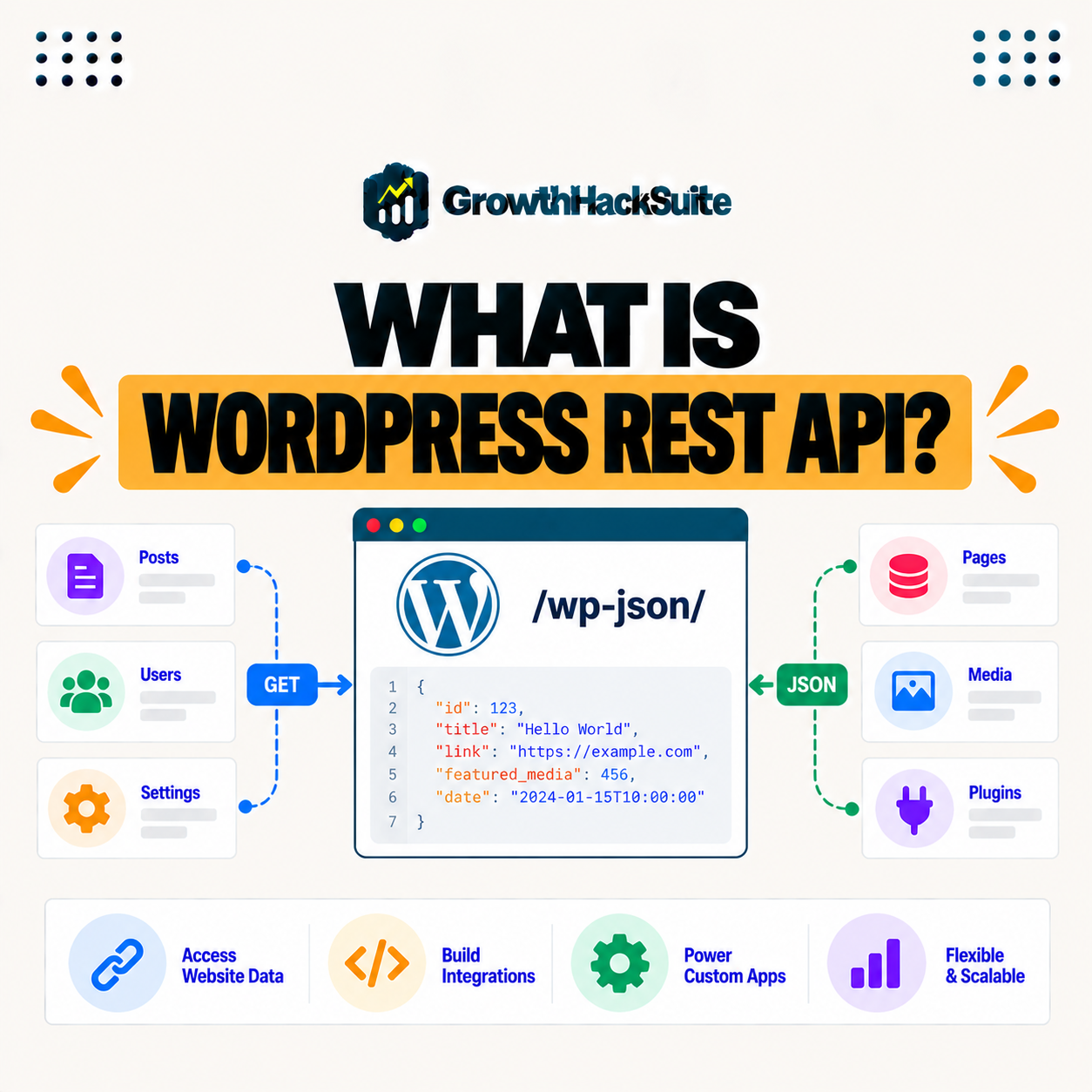
The WordPress REST API is an interface that lets applications interact with a WordPress site’s data over HTTP using JSON, so external apps, JavaScript front ends, and services can read and write posts, pages, and more. It powers headless WordPress, integrations, and custom apps by exposing WordPress content beyond the traditional theme. This guide explains what it does, how it works, and why it matters.
Last updated: August 2026. Written by the Growth Hack Suite editorial team, with details cross-checked against provider documentation. This page carries affiliate links to Kinsta.
See how Kinsta serves API-driven WordPress on Google Cloud
Try Kinsta →Fast servers and caching for API requests, and a 30-day money-back guarantee.
What Is the WordPress REST API?
The WordPress REST API is an interface that lets applications interact with a WordPress site’s data over HTTP using JSON, so external apps and services can read and write posts, pages, users, and other content programmatically rather than through the dashboard. It turns WordPress into a content source any app can query.
“REST is a software architectural style for designing networked applications.”
— Wikipedia, REST
The WordPress REST API applies that architectural style to WordPress, exposing its content through predictable web addresses that software can call.
How Does the WordPress REST API Work?
The WordPress REST API works by exposing endpoints, which are URLs that return or accept JSON data, so a request to an endpoint retrieves content like posts, and authenticated requests can create or update data. This lets software communicate with WordPress the same way it talks to any modern web service.
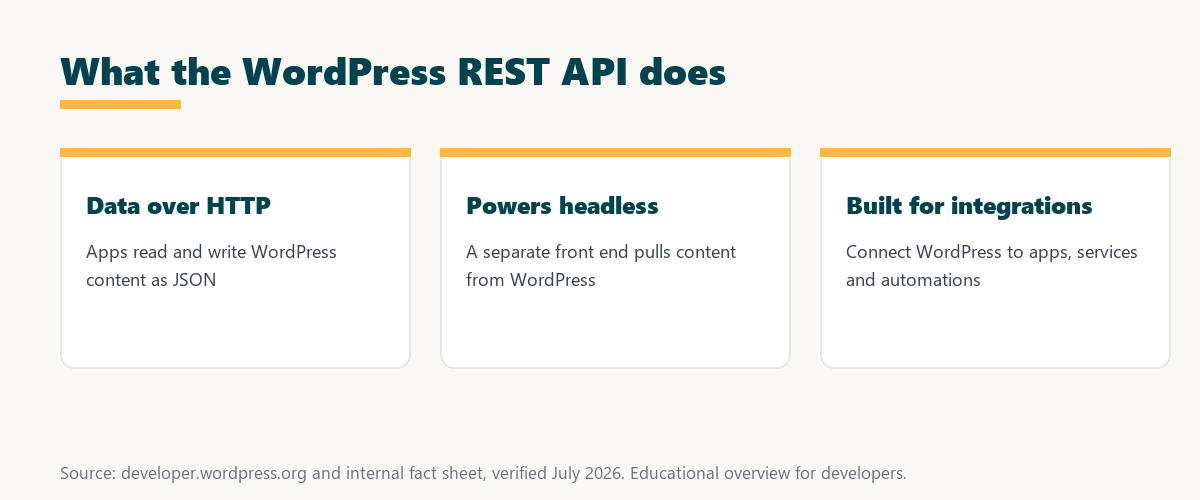
The key idea is endpoints and JSON: each URL is a doorway to a type of content, and JSON is the shared language both sides speak.
What Is a REST API?
A REST API is a standard way for software to communicate over HTTP using structured requests and responses, typically in JSON, so the WordPress REST API applies this common pattern to make WordPress data accessible to other applications. REST is the widely used convention behind most modern web services.
The takeaway is that REST is not unique to WordPress: it is a shared web standard, and WordPress simply follows it so any REST-aware app can connect.
What Can the WordPress REST API Do?
The WordPress REST API can fetch and modify posts, pages, media, users, and settings, so developers use it to build custom front ends, mobile apps, integrations, and automations that work with WordPress content. It exposes most of what the dashboard manages, but for software instead of people.
Five kinds of WordPress data are commonly reached through the API:
- Posts and pages: Core content can be read and written through the API, so an app or front end shows and updates articles without the WordPress theme.
- Media: Images and files in the media library are accessible over the API, so applications can list, fetch and attach media programmatically.
- Users: Account data can be read and, with authentication, managed, so integrations keep user information in sync across systems.
- Taxonomies: Categories and tags are available as endpoints, so a front end can organize and filter content exactly as WordPress does.
- Settings and custom data: Site settings and custom post types can be exposed, so bespoke applications work with data models built for a specific project.
Together these show the API’s reach: nearly every content type WordPress stores can be read or written by software through it.
REST API and Headless WordPress
The REST API enables headless WordPress by letting a separate front end, built with a framework like React, pull content from WordPress over the API, so WordPress acts as the content backend while the front end is decoupled. The two halves communicate purely through API requests.
Source: general overview cross-checked with public WordPress developer documentation, verified August 2026.
Reading down the table, published content is broadly readable, while writing anything, and reading sensitive data, requires authentication.
Why the WordPress REST API Matters
The WordPress REST API matters because it opens WordPress content to modern applications and integrations, so developers can build custom experiences, connect WordPress to other systems, and use it as a flexible content platform beyond themes. It extends what WordPress can be used for.
“The first five seconds of page-load time have the highest impact on conversion rates.”
— HubSpot, page load time and conversion rates
Performance is central to API-driven sites too: a headless front end is only as fast as the API behind it, so quick, reliable responses protect the early seconds that shape conversions.
Is the WordPress REST API Secure?
The WordPress REST API is secure for public read access to published content, while creating or modifying data requires authentication, so proper authentication and permissions protect against unauthorized changes through the API. Its safety depends on how those permissions are configured.
The honest point is that the API is safe by design for reading public content, but write access must be locked behind authentication. This is general guidance, and a security professional can review a specific setup.
How Do Developers Use the REST API?
Developers use the REST API by sending HTTP requests to its endpoints from an app or script, handling the JSON responses, and authenticating for write operations, so it becomes the bridge between WordPress and custom software. The workflow mirrors working with any modern web API.
Source: general overview cross-checked with public WordPress developer documentation, verified August 2026.
Reading the table together, both approaches use WordPress for content, but headless trades a simpler setup for the freedom to build any front end on top of the API.
How Hosting Supports API-Driven WordPress
Hosting supports API-driven WordPress with fast servers, caching, and reliability, so API requests respond quickly, which matters for headless sites and integrations that depend on the API performing well under load. The backend’s speed becomes the whole experience’s speed.
Get API-driven WordPress handled on Kinsta’s Google Cloud platform
Start Free Migration →Fast servers and caching for quick API responses, with free migration.
Building Modern Apps on WordPress
You build modern apps on WordPress by using the REST API with a decoupled front end or integration, so on fast hosting like Kinsta, WordPress serves as a reliable content backend for custom and headless experiences. The API is what makes WordPress a backend for apps, not just a website.
The takeaway is that the REST API reframes WordPress as a content platform: familiar to editors, yet open to any app a developer wants to build. For anyone weighing a long hosting commitment, our note on SaaS vendor lock-in is worth a read.
The REST API and Application Hosting
The REST API pairs with application hosting when you build a separate front end or service that consumes WordPress data, so hosting that runs both WordPress and custom apps supports a full headless or integrated architecture. The API links the content backend to the applications built around it.
“A tool is only worth its premium when the hours or revenue it protects exceed the invoice.”
— Growth Hack Suite, on tool ROI
Applied to API-driven builds, reliable hosting earns its cost: it keeps the API fast and available, which is exactly what a headless site or integration depends on to deliver value.
Common WordPress REST API Endpoints
Common WordPress REST API endpoints cover posts, pages, media, users, categories, and comments, so a developer can reach most core content by calling a predictable URL for each type. Learning where these endpoints live makes the API quick to explore and use.
The honest summary is that the endpoint set is consistent and well documented, so once the pattern is clear, finding the right URL for a content type is straightforward.
Try Kinsta risk-free for fast, API-ready WordPress
Try Kinsta Risk-Free →Fast servers, caching and free migration, with a 30-day money-back guarantee.
WordPress REST API: Frequently Asked Questions
The 12 most-asked questions about the WordPress REST API.
What is the WordPress REST API in simple terms?
The WordPress REST API is an interface that lets applications read and write a WordPress site’s data over HTTP using JSON, so external apps can work with posts and pages programmatically.
How does the WordPress REST API work?
It works by exposing endpoints, which are URLs that return or accept JSON, so a request retrieves content like posts, and authenticated requests can create or update data.
What is a REST API?
A REST API is a standard way for software to communicate over HTTP using structured JSON requests and responses, and the WordPress REST API applies this pattern to WordPress data.
What can the WordPress REST API do?
It can fetch and modify posts, pages, media, users, and settings, so developers build custom front ends, mobile apps, integrations, and automations with WordPress content.
What is headless WordPress?
Headless WordPress uses the REST API to let a separate front end pull content from WordPress, so WordPress acts as the content backend while the front end is decoupled.
Why does the WordPress REST API matter?
It matters because it opens WordPress content to modern apps and integrations, so developers can build custom experiences and use WordPress as a flexible content platform.
Is the WordPress REST API secure?
Public read access to published content is open, while creating or modifying data requires authentication, so proper authentication and permissions protect against unauthorized changes.
Do I need coding skills to use the REST API?
Yes, using the REST API requires development skills to send requests and handle JSON, so it is aimed at developers building apps or integrations rather than typical site owners.
What format does the REST API use?
The WordPress REST API uses JSON, a lightweight structured data format, for both requests and responses, which is standard for modern web APIs.
Does the REST API affect site performance?
The REST API itself is efficient, but heavy API use benefits from fast hosting and caching, so reliable infrastructure keeps API responses quick for headless and integrated sites.
Can I build a mobile app with the REST API?
Yes, the REST API lets a mobile app read and write WordPress content, so developers can power apps with WordPress as the backend through its endpoints.
How does hosting support the REST API?
Fast servers, caching, and reliability help API requests respond quickly, so strong hosting like Kinsta’s supports headless sites and integrations that depend on the API performing well.
About this guide
Written by the Growth Hack Suite editorial team, drawing on hands-on experience running WordPress sites. Details were cross-checked against public WordPress developer documentation. This page carries affiliate links to Kinsta. The position is stated plainly: the WordPress REST API exposes WordPress content over HTTP as JSON through endpoints, powering headless sites, mobile apps and integrations. Kinsta supports API-driven WordPress with fast Google Cloud servers and caching for quick, reliable responses.