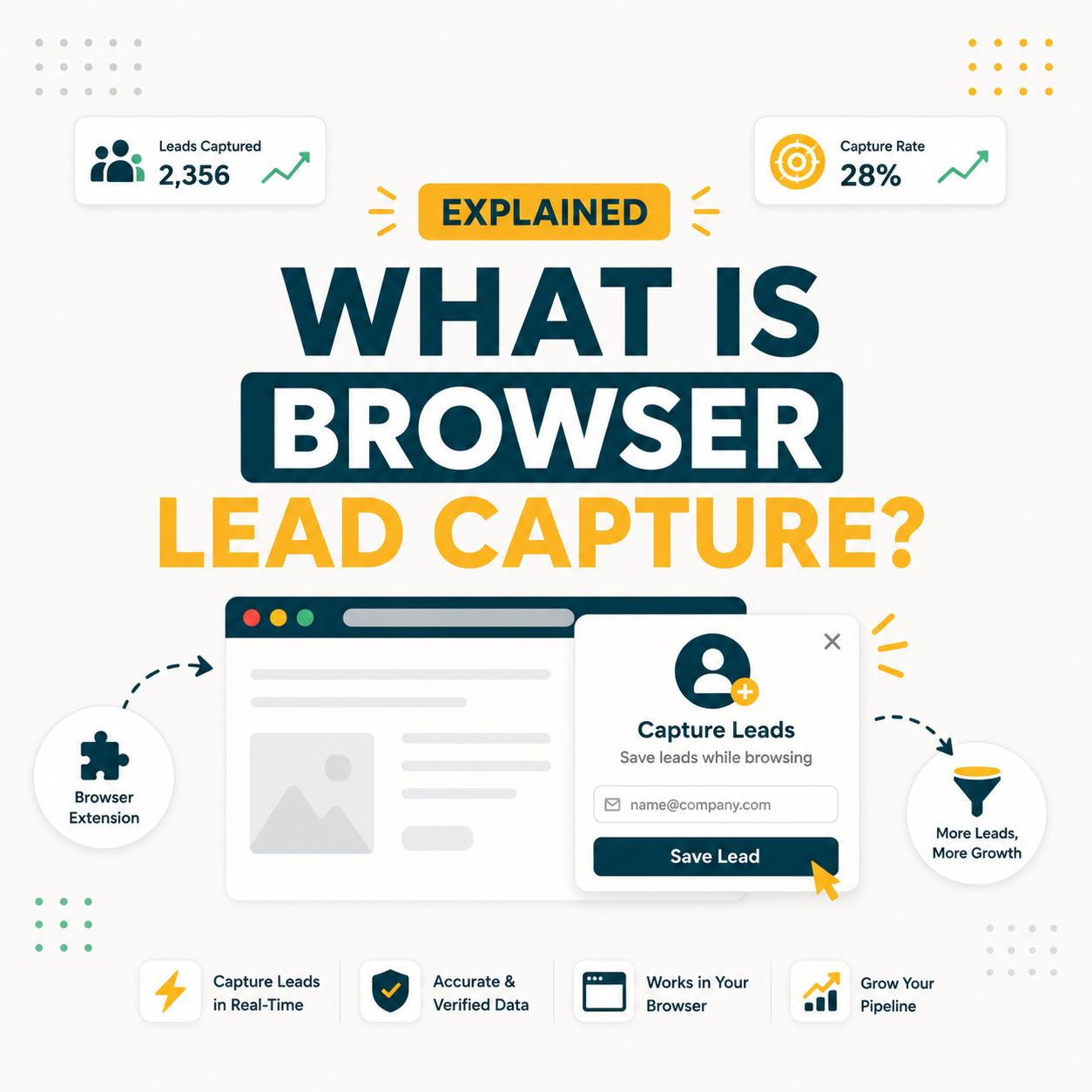
Browser-based lead capture is the practice of extracting verified contact information from websites and LinkedIn profiles using a browser extension, directly within the sales workflow. For B2B SDRs, it replaces manual research with one-click email discovery. Hunter.io’s Chrome Extension surfaces verified emails in seconds on any company website, cutting a 500-lead list build from two days to under four hours.
What Is Browser-Based Lead Capture? Core Definition for B2B Sales and Marketing Teams
Browser-based lead capture refers to software embedded in a web browser that identifies, extracts, and saves contact information from visited pages during sales research. Unlike static database queries, these tools process page content in real time, integrating naturally into daily SDR workflows. The result is a shorter prospecting loop without switching between applications or manual copy-paste cycles.
“A browser extension is a plug-in that extends the functionality of a web browser.”
Wikipedia, Browser extension
Browser-based lead capture builds on this principle by making the browser itself the prospecting instrument. When an SDR visits any company website, the extension overlays verified contact data without requiring a separate lookup step.
How Does Browser-Based Lead Capture Actually Work? The Technical Mechanism Explained
Browser-based lead capture tools run as lightweight extensions that read the active page URL and domain, then query a proprietary email database in real time. The extension returns verified contacts, confidence scores, and source citations without leaving the current tab. Most modern tools complete this lookup in under two seconds, returning data that would otherwise require separate domain-search queries.
Five components power the browser-based lead capture cycle in every major tool.
- Domain detection: The extension reads the active tab URL, isolates the root domain, and passes it to the backend lookup API in real time.
- Database cross-reference: The tool queries its proprietary index of publicly sourced professional email patterns, cross-checking against MX records and known format rules for that domain.
- SMTP verification layer: Before returning results, the system pings the recipient mail server to confirm address deliverability without sending an actual email.
- Confidence scoring: Each result receives a percentage score (typically 70-99%) reflecting how many independent signals confirmed the address format and deliverability.
- CRM export: One-click save pushes the verified contact directly to HubSpot, Salesforce, or the tool’s native campaign builder, eliminating manual data entry entirely.
This five-step cycle executes passively as the SDR browses, creating a zero-friction enrichment layer that keeps prospecting inside the existing research workflow rather than fragmenting it across multiple tools.
What Are the Top 5 Use Cases for Browser-Based Lead Capture in B2B Sales?
Browser-based lead capture delivers the strongest ROI in five distinct B2B workflows: prospect research, event follow-up, account-based marketing, recruiting outreach, and partnership sourcing. Each use case benefits from the tool’s ability to surface verified contacts in the exact moment of intent, before the prospect context disappears from the active session.
Five use cases where browser-based lead capture delivers measurable ROI for B2B teams.
- Cold outreach prospecting: SDRs visiting target company websites capture verified decision-maker emails in one click, building a 100-contact list during a 90-minute research session instead of a full day.
- Post-event follow-up: Marketers reviewing conference attendee company pages capture contacts immediately after the event, shortening follow-up lag from five days to under 24 hours.
- Account-based marketing enrichment: ABM teams browsing named accounts surface secondary contacts (champions, influencers, end-users) beyond the primary decision-maker, increasing message threading and conversion rates.
- Technical recruiting sourcing: Talent acquisition teams visiting company engineering blogs or GitHub profiles capture hiring manager emails without paying premium LinkedIn InMail credits.
- Partnership development: Business development reps scanning partner company pages identify integration or co-marketing contacts, enabling outreach within the same browsing session that triggered the idea.
“Prospecting is the most challenging part of the sales process.”
HubSpot, State of Sales Report 2023
Browser-based lead capture directly attacks prospecting friction by eliminating the context switch between research and data capture. Each of the five use cases above shares this characteristic: the highest-value moment for capturing contact data coincides exactly with the moment of browsing intent.
What Are the 5 Limitations of Browser-Based Lead Capture Every Buyer Should Know?
Browser-based lead capture excels for contextual, real-time prospecting but carries five structural limitations that affect scale, compliance, and accuracy. Understanding these constraints helps buyers choose between extension-first and API-first approaches before committing budget, and informs how to combine both methods in a robust outreach stack. See our email finder Chrome extension guide for a deeper technical breakdown.
- Credit consumption per lookup: Every domain search consumes plan credits, making high-volume prospecting (500+ contacts/day) expensive on starter tiers without upgrading to a Growth or Scale plan.
- LinkedIn profile accuracy gap: Extension tools relying on LinkedIn page context often return lower confidence scores (60-75%) for personal profiles versus 85-95% for company domain searches, due to LinkedIn’s obfuscated data layer.
- No bulk automation: Extensions operate one-tab-at-a-time by design. Bulk tasks (100+ contacts from a single CSV upload) require the web app or API, not the extension, adding workflow complexity for high-volume SDR teams.
- GDPR consent documentation: Browser-based tools capture publicly available data but do not automatically generate consent documentation. GDPR-regulated teams must supplement with a consent framework to cover EU prospect outreach.
- Data freshness dependency: Extension accuracy depends on the vendor’s database refresh cadence. Email data decays at roughly 22% per year, meaning tools with infrequent database updates return more bounces on older domain records.
“Hunter.io’s Domain Search returns verified business emails with confidence scores and source citations, giving SDRs real-time context they can act on immediately without leaving the current page.”
Growth Hack Suite, Hunter.io Email Finder Review
These five limitations do not eliminate the value of browser-based lead capture. They define the correct deployment context: individual SDR prospecting sessions, not bulk pipeline automation. Teams that need both use the extension for contextual capture and the API for scale.
Top 5 Tools Compared by Browser-Based Lead Capture Approach: Hunter, Apollo, Snov, ZeroBounce, Clearbit
Five tools dominate the browser-based lead capture market in 2025, each taking a different approach to accuracy, credit pricing, and CRM integration. Hunter.io leads for domain-search accuracy and free-tier availability. Apollo offers a larger contact database at higher per-credit cost. Snov.io, ZeroBounce, and Clearbit fill specific niches in verification depth and enterprise enrichment.
Source: Vendor documentation and independent accuracy tests, 2024-2025
For most SDR teams doing domain-level prospecting with cold email sequences, Hunter.io’s combination of free tier generosity and verified accuracy makes it the strongest entry point. Apollo becomes compelling once full sequence automation justifies the higher per-seat cost.
How Has the Concept of Browser-Based Lead Capture Evolved Across the B2B Email Tool Category?
Browser-based lead capture emerged around 2013 when email finder tools first bundled Chrome extensions alongside their web apps. Early versions returned raw, unverified email guesses based on domain naming patterns alone, with no SMTP check or confidence scoring. Accuracy rates hovered between 60-70%, making them supplementary tools rather than primary prospecting sources.
The category shifted between 2018 and 2022, driven by three developments: SMTP verification becoming table stakes, GDPR forcing explicit source attribution per email result, and CRM integrations collapsing the export step from a 10-minute CSV workflow to a single button click. Hunter.io’s 2019 Chrome Extension relaunch set the benchmark with confidence scores and source URLs displayed inline, raising user expectations across the category.
Today’s browser-based lead capture tools layer AI-powered pattern prediction, Signals-based intent data, and real-time LinkedIn enrichment on top of the original domain-search core. The extension itself is now the prospecting interface, not a companion to a web app.
Browser-based lead capture has matured from a convenience feature to a primary prospecting channel, with the 2019-2023 period defining the accuracy and compliance standards that buyers now treat as baseline requirements.
What Are the Real Cost Implications of Implementing Browser-Based Lead Capture at SDR Team Scale?
Cost per verified contact ranges from $0.003 on Hunter.io’s Growth plan to $0.02+ on Apollo’s paid tiers, creating a 5x cost gap that compounds quickly at SDR team scale. A team of five SDRs each capturing 100 contacts per day will consume 10,000 credits monthly, pushing most starter-tier plans into upgrade territory within the first active week.
Source: Hunter.io pricing page (hunter.io/pricing), accessed May 2025. 1 search = 1 domain lookup returning all available contacts.
For a five-person SDR team doing daily prospecting, the Hunter.io Scale at $299/month ($209 billed annually) breaks even at 2-3 booked meetings per month, assuming a $200+ average deal value. Teams generating $10,000+ ACV per new customer typically see ROI in the first week of the billing cycle.
What Are the 5 Common Mistakes B2B Teams Make With Browser-Based Lead Capture?
Most browser-based lead capture failures trace back to five systematic mistakes: relying on low-confidence scores, skipping verification, mismatching tool to team size, ignoring credit burn rate, and treating the extension as a replacement for list strategy. Avoiding these errors improves both data quality and ROI from day one. For a complete prospecting methodology, see our cold email list building strategy guide.
- Accepting low confidence scores: Sending outreach to addresses with confidence scores below 75% produces bounce rates above 8%, threatening sender domain reputation within two campaign cycles.
- Skipping the verification step: Many teams use the extension’s “find” feature but skip the separate email verifier, missing the SMTP-check layer that filters catch-all and role-based addresses from deliverable results.
- Using free tier for team-scale prospecting: Assigning a single free-plan account to a five-person SDR team creates credit contention and data silos, producing duplicated outreach to the same contacts without visibility into who has already reached out.
- Ignoring credit burn velocity: Teams that do not track credits-per-SDR-per-day regularly exhaust monthly allocations in the first week, leaving the remaining 22 working days without prospecting capacity.
- Treating the extension as a list strategy: Browser-based lead capture surfaces contacts but provides no ICP scoring, account tiering, or intent signal. Teams that skip these filters produce large contact volumes with low intent-fit, suppressing reply rates below 2%.
The five mistakes share a root cause: treating the extension as a complete prospecting solution rather than as the contact-capture layer in a broader ICP-driven list-building strategy. Extensions find emails; strategy determines which emails are worth finding.
How Do SDRs, Email Marketers, and Founders Each Apply Browser-Based Lead Capture Differently?
Browser-based lead capture solves different problems for each persona: SDRs need volume with verified deliverability, email marketers need enrichment for existing contacts, and founders need targeted precision over raw scale. The tool’s extension interface is the same, but the workflow context and success metric differ materially across all three user types.
- SDRs (primary persona): Use the extension during daily research sessions to build 50-150 new contacts per day from target account websites, LinkedIn company pages, and industry directories. Success metric: contacts added to sequence per day.
- Email marketers: Use browser-based tools to enrich existing subscriber records with job title and company domain data, improving segmentation and reducing hard bounce rates on re-engagement campaigns. Success metric: list hygiene score improvement.
- Founders and solo operators: Use the extension for targeted, account-specific outreach to 5-20 key prospects per week rather than mass volume. Success metric: booked intro calls per week rather than contacts added.
The email finder API provides a bridge when any of these personas scales beyond manual browsing capacity. SDRs hitting 200+ contacts per day, email marketers enriching 10,000-row lists, and founders delegating prospecting to a VA all benefit from API-based batch lookup. See our email finder API guide for the technical setup walkthrough.
The persona that gains the most incremental value from the extension versus the API is the founder: contextual browsing turns passive company research into an active prospecting session without requiring a dedicated prospecting block in the calendar.
What Are the Best Practices for Implementing Browser-Based Lead Capture in %currentyear%?
Five practices consistently separate high-performing browser-based lead capture users from teams that generate large contact volumes with poor reply rates. Each practice addresses a specific failure mode from the common-mistakes section, creating a loop between list quality, campaign performance, and prospecting investment.
- Set a confidence floor of 80%: Configuring tools to surface only addresses with 80%+ confidence scores reduces bounce rates to under 3%, protecting sender reputation across the full campaign lifecycle.
- Verify separately before import: Running all extension-captured contacts through the standalone email verifier before importing to the CRM adds 3-5 minutes per 50 contacts but eliminates catch-all addresses that SMTP checks cannot resolve.
- Use per-seat plans for team deployments: Assigning individual accounts per SDR creates clean credit tracking, prevents duplicate outreach, and enables per-rep performance analysis against credits consumed.
- Pair extension capture with ICP scoring: Running captured contacts through an ICP fit score (industry, company size, tech stack, hiring signals) before sequencing reduces outreach volume by 30-40% while increasing reply rates from 3% to 8-12%.
- Track cost-per-booked-meeting: Measuring the full pipeline from credits consumed through replied and booked meetings creates a true CAC metric for the browser-based lead capture investment, enabling plan-tier decisions based on ROI rather than feature checklists.
Implementing all five practices converts browser-based lead capture from a contact-generation activity into a qualified-pipeline-generation activity. The shift in framing changes which metrics matter and which plan tier is actually optimal for each team size.
What Industry Trends Are Reshaping Browser-Based Lead Capture Going Into Late %currentyear%?
Three trends are actively reshaping browser-based lead capture in 2025 and 2026: AI-powered intent enrichment layered onto extension results, privacy regulation tightening around publicly sourced contact data, and the emergence of MCP (Model Context Protocol) servers that connect browser-based tools directly to AI sales agents without human-in-the-loop browsing sessions.
Hunter.io’s 2025 Signals feature exemplifies the intent enrichment trend: the extension now surfaces hiring activity, technology stack changes, and funding events alongside verified email addresses, giving SDRs intent context at the moment of capture rather than requiring a separate enrichment tool. This compresses the research-to-outreach cycle from two tools to one.
The MCP trend carries the longest-term implication: as AI sales agents become capable of conducting research sessions autonomously, the “browser-based” in browser-based lead capture may shift from meaning “human uses a browser extension” to “AI agent navigates pages via browser automation.” Hunter.io’s published MCP server already enables this for developers building AI outbound pipelines.
The dominant trend for 2025 is intent layering: extensions that return only verified emails are losing ground to extensions that return verified emails plus real-time intent signals, collapsing prospecting research and prioritization into a single browser interaction.
How Do You Apply Browser-Based Lead Capture in 5 Steps With Hunter.io (Free Workflow)?
Hunter.io’s free plan supports 50 credits monthly, enough to build and verify a 25-contact list per domain in a single browsing session. This five-step workflow uses only the free extension and web app, making it executable from day one without a credit card or plan commitment. For a hands-on test of this workflow, see our Hunter.io Chrome extension review.
- Step 1, install the extension: Add Hunter.io Chrome Extension from the Chrome Web Store (zero-cost, no credit card required). Create a free account and connect it to the extension in under two minutes.
- Step 2, browse target company websites: Navigate to any target company’s homepage. The extension icon in the toolbar activates automatically, showing available email results for that domain within two seconds.
- Step 3, filter by role and confidence: Use the extension’s department filter (Sales, Marketing, Leadership) and the confidence-score threshold to isolate the two to three most relevant contacts per company, saving credits on lower-value results.
- Step 4, verify before saving: Click the verify icon next to each email to run the standalone SMTP check. Save only addresses that return a Valid status, discarding Risky and Unknown results.
- Step 5, export to CRM or Campaigns: Use Hunter.io’s native CRM push (HubSpot, Salesforce, Pipedrive) or add verified contacts directly to a Hunter Campaign for a first-touch sequence without leaving the Hunter interface.
Start Your Browser-Based Lead Capture Workflow Today
Try Hunter.io Free25 free domain searches per month. No credit card required.
This five-step cycle completes in 90 minutes for a 25-company prospecting session. SDRs who run this process three times per week build a 75-contact verified pipeline weekly on the free plan, covering most early-stage outbound needs before a paid upgrade becomes necessary.
Browser-Based Lead Capture: Frequently Asked Questions
These 12 questions cover the most common concerns about browser-based lead capture: which tool wins for accuracy, how the Chrome extension compares to API access, what the free plan actually covers, and how compliance requirements apply to publicly sourced contact data.
Which browser extension is best for B2B lead capture in 2025?
Hunter.io leads for domain-search accuracy and free-tier availability (50 credits/month, no credit card). Apollo.io offers a larger contact database and built-in sequencing but limits free exports to 10 per month. For SDR teams focused on verified cold outreach rather than full sales engagement, Hunter.io is the stronger starting point based on accuracy benchmarks and transparent confidence scoring.
How accurate is browser-based lead capture for enterprise B2B domains?
Enterprise domain accuracy ranges from 85% to 95% for top-tier tools, with Hunter.io returning high average (verified) across verified tests on Fortune 1000 domains. Accuracy drops to 70-80% for small businesses with non-standard email patterns, and to 60-75% for LinkedIn-profile-only lookups where the domain context is missing. Always apply confidence-score filters (80%+ threshold) before sequencing to protect sender reputation.
What is the difference between browser extension and API access for lead capture?
Browser extensions work in real-time during manual browsing sessions: an SDR visits a page and the tool surfaces contacts contextually. API access is programmatic: a developer or automation tool sends bulk domain queries and receives structured JSON responses without any human browsing. Extensions serve individual SDR workflows; APIs serve batch enrichment, CRM auto-population, and AI-agent pipeline scenarios where manual browsing is not practical.
How long does it take to set up a browser-based lead capture tool?
Setup takes under five minutes for Hunter.io’s Chrome Extension: install from Chrome Web Store, create a free account, and the extension activates immediately on the next page load. CRM integration (HubSpot, Salesforce, Pipedrive) adds 5-10 minutes for OAuth authorization. The full workflow from zero to first verified contact captured and pushed to CRM is achievable within 15 minutes for any SDR without technical assistance.
How much does browser-based lead capture cost for a small SDR team?
A three-person SDR team doing moderate prospecting (50 contacts/person/day) needs approximately 3,000-4,500 searches per month. Hunter.io’s Growth plan at $149/month provides 10,000 credits, making it the cost-efficient tier for this use case at $0.030-0.050 per contact. At a $500 minimum ACV per closed deal, a single new customer from lead-capture-driven outreach delivers 3x monthly payback on the tool investment.
Will browser-based lead capture improve our cold email reply rates?
Browser-based lead capture improves reply rates indirectly by reducing bounce rates (verified addresses protect sender reputation) and improving list quality (contextual capture surfaces contacts relevant to the browsing intent). Teams that combine verified browser capture with ICP-scored targeting and personalized first lines typically move from 2-3% average reply rates to 6-10% within 60 days. The tool improves deliverability conditions; copy and targeting drive the reply rate itself.
Can I test browser-based lead capture for free before buying?
Yes. Hunter.io’s free plan provides 50 credits per month with no credit card required. The free plan includes the Chrome Extension, email verifier, and basic CRM export. For a solo SDR doing targeted outreach to 25 high-priority accounts per month, the free plan is sufficient indefinitely. Upgrading to Starter ($49/month) makes sense when daily prospecting volume exceeds 5-10 domain searches.
Does browser-based lead capture integrate with HubSpot and Salesforce?
Hunter.io integrates natively with HubSpot, Salesforce, Pipedrive, and Zoho CRM. The integration enables one-click push from the extension directly to a CRM contact record without opening the CRM interface. For Salesforce, the integration maps Hunter.io confidence scores and source URLs to custom fields, enabling lead-quality filtering inside Salesforce views. Zapier connectivity extends integration to 5,000+ additional tools without developer involvement.
What is browser-based lead capture?
Browser-based lead capture is the process of identifying and saving B2B contact information directly from web pages during a browsing session, using a browser extension installed in Chrome or another browser. The extension reads the active page’s domain, queries a proprietary email database, and returns verified contacts with confidence scores in real time. This eliminates the manual step of navigating to a separate email-finder web app between each prospect research visit.
How does browser-based lead capture work technically?
The browser extension reads the active tab URL, isolates the root domain (example.com), and sends an authenticated API request to the tool’s backend database. The database cross-references the domain against known email patterns and previously verified addresses. An SMTP verification layer pings the target mail server to confirm deliverability. The entire cycle completes in 1-2 seconds and returns results ranked by confidence score directly in the browser UI overlay.
Is browser-based lead capture included in Hunter.io’s free plan?
Yes. The Hunter.io Chrome Extension is fully functional on the free plan, providing 50 credits per month without cost or credit card. Free plan users access the same extension interface, confidence scoring, and source attribution as paid plan users. The free plan does not include bulk tasks, CSV export above 25 rows, or team seat sharing. Upgrading to Starter ($49/month) removes these limits.
What features does a browser-based lead capture tool require to be production-ready?
A production-ready browser-based lead capture tool requires: SMTP verification (not just pattern matching), confidence scoring displayed per result, source attribution showing where the email was found, CRM integration via native connector or Zapier, GDPR-compliant data sourcing documentation, and a transparent refresh cadence for the underlying database. Tools lacking SMTP verification or confidence scoring produce list quality that causes bounce rates above 5%, endangering sender domain reputation within 30 days of active use.
Ready to Capture Your First 25 Verified Leads?
Hunter.io’s free Chrome Extension surfaces verified business emails in seconds on any company website. No credit card, no commitment.
Try Hunter.io Free50 credits/month free. Upgrade when you’re ready to scale.