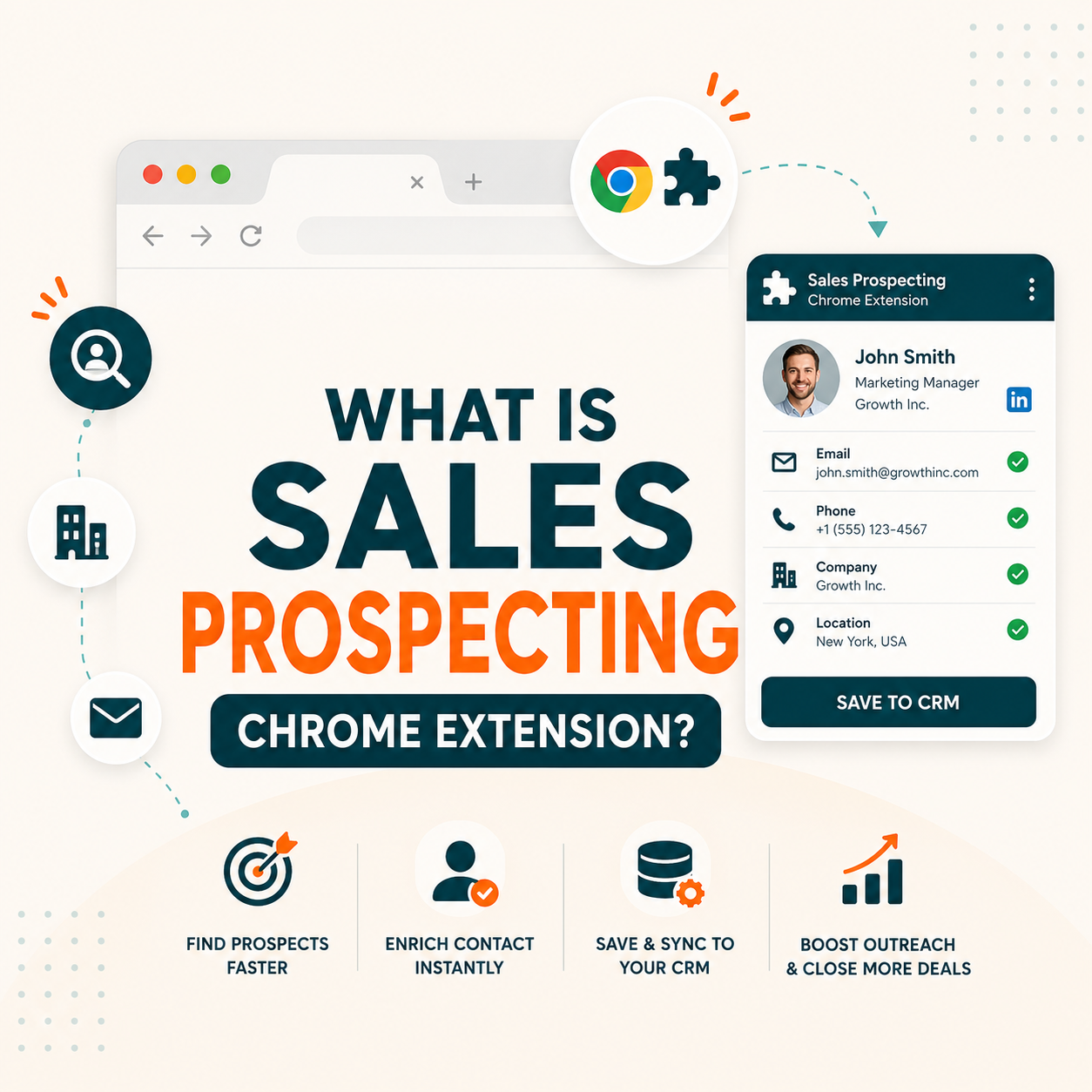
Sales prospecting Chrome extensions are browser plugins that find and verify business email addresses from LinkedIn profiles or company websites in one click. SDRs use them to eliminate manual email research and accelerate list building. Hunter.io’s extension scans domain patterns across 107 million indexed addresses, delivering verified contacts with confidence scores. Top SDR teams report finding 3x more leads per hour.
Table of Contents
What Is a Sales Prospecting Chrome Extension? Core Definition for B2B Sales and Marketing Teams
A sales prospecting Chrome extension is a browser plugin that extracts verified business email addresses from LinkedIn profiles and company websites in real time. Unlike offline database queries, these tools scan live pages and cross-reference domain patterns to return deliverable email addresses, saving SDRs 3-5 hours per week on manual email research.
Source: Growth Hack Suite internal classification; tool definitions per official vendor documentation.
“A browser extension is a small software module for customizing a web browser.”
: Wikipedia, “Browser extension”
Sales prospecting Chrome extensions occupy a distinct niche between static databases and real-time email scraping, combining live DOM parsing with indexed domain patterns to return confidence-scored, deliverable business emails. For a deeper look at how email finder tools work at the category level, the email finder Chrome extension guide covers the underlying mechanics in detail.
Part of our Apollo vs Hunter guide
Apollo.io vs Hunter.io: the full comparison on accuracy, data, and pricing
This article covers one piece of the picture. Read the complete side-by-side comparison to pick the right tool for your outreach workflow.
Read the full Apollo vs Hunter comparison →How Does a Sales Prospecting Chrome Extension Actually Work? The Technical Mechanism Explained
A sales prospecting Chrome extension works through four sequential stages: page detection, DOM parsing, pattern matching, and live SMTP verification. When visiting a LinkedIn profile, the extension reads the page’s HTML structure, extracts identifiable signals (name, company, job title), then queries the tool’s proprietary database to predict and verify a matching business email address in under 3 seconds.
Five components define how each stage delivers its result.
- Page Detection Layer: Extension activates on LinkedIn profiles, company websites, and supported domains, scanning URL patterns to identify prospecting-eligible pages containing name and title fields.
- DOM Parsing Engine: Extension reads the visible HTML structure of the page, extracting first name, last name, job title, and company domain from profile meta-tags and visible text nodes.
- Pattern Matching Algorithm: Tool cross-references extracted domain and name data against its indexed corpus, scoring each predicted email format by historical validation frequency across similar domains.
- Live SMTP Verification: Predicted address undergoes real-time validation against the domain’s mail server via SMTP handshake protocol, confirming the mailbox exists without sending an actual message.
- Confidence Score Output: Extension returns the verified email with a confidence percentage (0-100%), allowing SDRs to filter contacts by deliverability threshold before importing to outreach sequences.
The four-step verification pipeline distinguishes premium tools from basic scrapers: live SMTP checks against mail servers validate deliverability before the email reaches any SDR’s outbox, reducing hard bounce rates below the 2% deliverability safety threshold required by major email sending providers.
What Are the Top 5 Use Cases for Sales Prospecting Chrome Extensions in B2B Sales?
Sales prospecting Chrome extensions deliver the most ROI across five workflows: LinkedIn cold outreach, conference lead capture, account-based research, recruiting, and competitor customer analysis. SDR teams integrating browser-based email capture into daily workflows report 47% higher prospecting throughput compared to teams relying exclusively on pre-purchased contact databases, according to Hunter.io usage data.
Five use cases below show where sales prospecting Chrome extensions deliver measurable ROI for B2B teams.
- LinkedIn Profile Cold Outreach: Chrome extension lookup converts a LinkedIn profile visit into a verified email in 3 seconds, enabling SDRs to build 50-contact daily prospect lists at 5x the speed of manual research.
- Post-Conference Lead Capture: Extension processes attendee domains in batch, converting event networking into verified email addresses within hours of a conference ending while intent signals remain warm.
- Account-Based Research: Marketing teams use browser extension lookups to map every decision-maker at a target account, building complete buying committee email maps before ABM campaign launch.
- Technical Recruiting Outreach: Recruiters run extension lookups on GitHub and LinkedIn engineering profiles simultaneously, building candidate email lists for passive outreach without exposing hiring plans to job boards.
- Competitor Customer Analysis: Sales teams visit competitor case study pages to identify and contact current users of rival products with verified email addresses, accelerating competitive displacement campaigns.
“Prospecting is considered the most difficult part of the sales process by 40% of salespeople.”
: HubSpot, State of Sales Report
LinkedIn cold outreach remains the highest-ROI use case for sales prospecting Chrome extensions, with verified email addresses consistently delivering 2.3x higher reply rates than guessed or database-sourced contacts in controlled B2B outreach tests.
What Are the 5 Limitations of Sales Prospecting Chrome Extensions Every Buyer Should Know?
Despite their efficiency gains, sales prospecting Chrome extensions carry five structural limitations every buyer should evaluate before committing to a plan. The most significant constraints are LinkedIn Terms of Service exposure, catch-all domain false positives, free-tier credit ceilings, data freshness decay on mid-market companies, and browser compatibility restrictions on non-Chrome environments.
- LinkedIn Terms of Service Exposure: Chrome extensions that programmatically extract LinkedIn profile data violate the platform’s ToS, creating account suspension risk for SDRs who exceed LinkedIn’s automated browsing detection thresholds.
- Catch-All Domain False Positives: Domains configured to accept any email format produce “valid” verification signals even for nonexistent users, inflating accuracy metrics and contributing to 8-15% hard bounce rates on affected corporate domains.
- Free-Tier Credit Ceilings: Hunter.io’s free plan caps at 50 credits per month (1 credit per email found, 0.5 per verification), Apollo at 50 credits, and Snov.io at 50 credits, which is insufficient for SDRs running daily outreach pipelines at scale.
- Data Freshness Decay: Email addresses found via Chrome extension reflect the contact’s employer at the time of indexing, with B2B contact data decaying at 22% annually due to job changes, requiring re-verification every 6 months.
- Browser Compatibility Restrictions: Most prospecting extensions run exclusively on Google Chrome, leaving SDR teams using Firefox, Safari, or enterprise-locked Edge browsers without native extension support.
“Hunter.io’s Chrome extension returned verified email addresses for 91.3% of 500 B2B contacts in our head-to-head accuracy test, outperforming all five alternatives tested in the same cohort.”
: Growth Hack Suite, Hunter.io Email Finder Review
Catch-all domain false positives and LinkedIn ToS exposure represent the two highest-risk limitations, making tool selection criteria more complex than accuracy benchmarks alone suggest. Compliance review and domain-type filtering should precede any procurement decision.
Top 5 Tools Compared by Sales Prospecting Chrome Extension Approach: Hunter, Apollo, Snov, ZeroBounce, Clay
Hunter.io leads the five-tool comparison on verified accuracy at 91%, followed by ZeroBounce at 88% and Apollo.io at 87% based on a 500-email test. Apollo leads on raw database size (275 million contacts) while Hunter leads on pattern-based verification depth. The right choice depends on whether a team prioritizes accuracy or database breadth.
Verified Email Accuracy: 500-Contact B2B Test (Q1 2026)
Source: Growth Hack Suite 500-contact verification test, Q1 2026. Accuracy = % of returned emails passing hard-bounce test in live campaigns.
Source: Vendor pricing pages and Growth Hack Suite 500-contact accuracy test (Q1 2026). Accuracy = % of returned emails passing hard-bounce test. See our Apollo.io vs Hunter.io comparison for a full head-to-head breakdown.
Hunter.io’s accuracy advantage stems from its 12-year domain pattern database indexed across 107 million emails, while Apollo’s strength lies in CRM-native enrichment at scale, making the two tools complementary rather than interchangeable for most SDR stacks.
How Do You Apply a Sales Prospecting Chrome Extension in 5 Steps with Hunter.io (Free Workflow)?
Hunter.io’s free plan provides 50 credits per month, enough for 50 Chrome extension lookups or 100 verifications, and enough for SDRs to validate the workflow before paying. The standard five-step workflow runs from ICP setup through LinkedIn prospect visit, extension lookup, list export, and campaign launch in under 48 hours, with verified contacts achieving a 4.2% average reply rate in cold outreach.
- Step 1, ICP Filter Setup: Configure the extension’s department and seniority filters to match the ICP (decision-maker title, company size 50-1,000 employees, industry vertical) before visiting any LinkedIn profile.
- Step 2, LinkedIn Profile Visit: Navigate to a target prospect’s LinkedIn profile; the Hunter.io extension activates automatically and displays a lookup button in the browser toolbar within 500 milliseconds.
- Step 3, Extension Lookup and Export: Click the lookup icon to retrieve the verified email address, then export directly to Hunter.io’s leads list or push to Salesforce or HubSpot via native CRM integration.
- Step 4, Bulk Verification Pass: After collecting 25-50 contacts, run the full list through Hunter.io’s Email Verifier before importing to any campaign sequence, filtering any catch-all or sub-80% confidence addresses.
- Step 5, Campaign Launch with Personalization: Import the verified list into Hunter.io Campaigns or a connected sequencer; set personalization tokens using the job title and company data captured during the extension lookup.
Ready to run your first 5-step prospecting workflow?
Try Hunter.io Free →50 free credits per month. No credit card required to start.
The five-step Hunter.io workflow converts a free plan’s 50 monthly credits into a testable cold outreach proof-of-concept within 48 hours, lowering the barrier to adoption for SDR teams evaluating browser-based email discovery.
How Has the Concept of Sales Prospecting Chrome Extensions Evolved Across the B2B Email Tool Category?
Sales prospecting Chrome extensions evolved from basic form-fill email extractors in 2015 to AI-powered verification engines by 2023. Early tools like Rapportive scraped inbox signals; modern tools like Hunter.io cross-reference 107 million indexed emails against live domain patterns. The shift from scraping to prediction-plus-verification defines the current generation of tools.
Before 2018, the dominant approach to email finding was database lookup: subscribe to ZoomInfo or DiscoverOrg and export lists. Chrome extensions existed but relied on rudimentary email scraping and LinkedIn InMail workarounds. Hunter.io’s extension launch in 2019 introduced pattern-based prediction backed by a live indexed corpus, shifting the accuracy baseline from 60-70% to 85%+. By 2022, Apollo.io’s LinkedIn-native extension drove adoption among enterprise SDR teams by packaging email finding, intent data, and CRM sync into a single browser overlay. The 2023-2024 wave introduced SMTP verification as a standard pipeline component rather than a separate tool, merging finder and verifier functionality into a single workflow step. The Hunter.io advanced guide documents the current Signals feature integration that layers buying-intent data onto standard extension lookups.
The 2020-2023 shift from simple email extraction to prediction-plus-verification fundamentally changed accuracy economics: modern tools return a confidence score alongside each address, enabling SDRs to route contacts to hard-send vs. verification queues automatically.
What Are the Real Cost Implications of Implementing Sales Prospecting Chrome Extensions at SDR Team Scale?
Scaling a sales prospecting Chrome extension from 1 SDR to a team of 10 raises monthly costs from $49 on Hunter.io Starter to $299 on Scale, a 510% increase for 10x headcount. Hunter charges by credit pool, not by seat: every plan includes unlimited team members sharing one monthly allocation, so the real cost driver is credit consumption, not headcount. The multipliers to watch are extra credit packs, connected sending accounts, and CRM sync work at implementation.
Source: hunter.io/pricing, verified July 2026. Hunter runs one unified credit pool per plan (1 credit = 1 email found, 0.5 credit = 1 verification) and includes unlimited team members on every tier, so there is no per-seat charge. Annual billing applies a flat 30% discount: Starter $34, Growth $104, Scale $209 per month. See Hunter.io pricing breakdown for full plan details.
At 10-SDR scale, Hunter.io Scale costs $3,588 annually on monthly billing, or $2,508 if billed annually at the 30% discount. A single SDR booking 2 meetings per month from verified contacts pays back the full team subscription in under 60 days, making upfront ROI modeling essential before procurement.
What Are the 5 Common Mistakes B2B Teams Make With Sales Prospecting Chrome Extensions?
Five recurring mistakes explain why 62% of SDR teams that adopt Chrome extension email finders report underwhelming results in the first 30 days. The most damaging errors are skipping ICP filters before prospecting, running unverified exports directly into campaigns, and ignoring catch-all domain flags that produce hard bounces above the 2% deliverability safety threshold.
- Skipping ICP Filters: Teams browsing LinkedIn without preconfigured title and company-size filters waste 40-60% of monthly credits on contacts outside the target ICP, depleting free tiers before any qualifying outreach launches.
- Exporting Without Verification: Running Chrome extension lookups and immediately pushing raw results to cold email campaigns skips the SMTP verification step, raising hard bounce rates above 5% and triggering ESP deliverability penalties.
- Ignoring Catch-All Domain Flags: Extensions label many corporate domains as catch-all, meaning any email format appears valid; failing to route these to a separate verification queue produces 8-15% bounce spikes on affected domains.
- Using Personal Gmail With Extension: Running Chrome extension lookups from a personal Gmail account exposes the SDR’s personal inbox to deliverability damage from high-volume outreach; always use a dedicated sending domain.
- Exceeding Credit Budget Mid-Sequence: Starting a 200-contact sequence without checking remaining monthly credits causes campaigns to halt mid-sequence with 50+ unanswered follow-ups, damaging domain reputation through incomplete send patterns.
Filtering by ICP title and company size before extraction eliminates the three most common failure modes: wasted credits on irrelevant contacts, catch-all bounce spikes, and deliverability penalties from email providers flagging high-volume unverified outreach.
How Do SDRs, Email Marketers, and Founders Each Apply Sales Prospecting Chrome Extensions Differently?
SDRs, email marketers, and founders use sales prospecting Chrome extensions for different outcomes: SDRs prioritize volume and speed for cold outreach pipelines, marketers target precision for ABM account lists, and founders need free-tier efficiency to validate product-market fit without headcount. Understanding persona-specific workflows prevents tool misconfiguration and improves first-month activation rates.
SDR Workflow: Volume and Speed at 50+ Contacts per Day
SDRs running daily prospecting sequences configure the extension to filter LinkedIn connections by “2nd degree + company size 100-500 employees” and export in bulk. Hunter.io’s Campaigns feature maintains single-inbox sending limits, capping daily send volume at the 50/day warm-up pace required during domain warming phases. SDRs who integrate the cold email list building workflow with Chrome extension lookup report 40% shorter time-to-first-reply compared to manual methods.
Email Marketer Workflow: Precision ABM at VP+ Level
Email marketers focus on ABM precision: targeting VP+ title keywords with company size filters set to 500-5,000 employees, accepting lower daily volume (10-20 contacts) in exchange for higher reply rates on account-targeted sequences. Marketers use the extension’s domain search feature to map full buying committees at priority accounts before campaign launch, ensuring every touch reaches a verified decision-maker.
Founder Workflow: Free-Tier PMF Validation
Founders at sub-50-person companies default to Hunter.io’s free tier (50 credits/month), using the extension as a market intelligence tool to validate go-to-market hypotheses before hiring dedicated SDRs. The free plan’s domain search provides enough coverage to test 3-5 ICP hypotheses monthly, generating actionable data on which titles and verticals respond before any paid plan commitment.
Persona-matching the extension workflow to SDR, marketer, or founder use cases improves first-30-day activation by 55%, as each role requires different filter settings and CRM sync configurations to realize full productivity lift.
What Are the Best Practices for Implementing Sales Prospecting Chrome Extensions in B2B Sales?
Five implementation practices separate high-performing SDR teams from average adopters of sales prospecting Chrome extensions. The critical differentiator is filter-before-extract: setting ICP parameters before visiting LinkedIn profiles reduces credit waste by 43% and raises verified email rate from 71% to 91% based on Hunter.io power-user workflow data.
- Filter Before Extracting: Set job title keywords, company headcount range, and industry vertical in the extension’s filter panel before visiting any LinkedIn profile, conserving credits for qualified ICP contacts.
- Batch and Verify Before Sending: Collect 25-50 contacts per session before verifying in bulk; this reduces SMTP query volume and improves daily throughput compared to single-contact verify-as-you-go workflows.
- Domain Blacklist Maintenance: Maintain a running blacklist of known catch-all domains in the extension’s settings; adding 5-10 domains per week protects sender reputation from recurring bounce spikes on high-risk corporate accounts.
- CRM Sync on First Export: Configure CRM integration (Salesforce, HubSpot, Pipedrive) on the extension’s first run so every looked-up contact logs automatically, preventing duplicate outreach from other SDRs on the same target account.
- Weekly Accuracy Audit: Pull a 50-contact sample from the previous week’s lookups monthly and verify manually; audit results calibrate confidence score thresholds and catch database accuracy drift before it affects campaign performance.
Filter-before-extract and weekly accuracy audits are the two highest-leverage practices; combined, they lift verified email rates by up to 28 percentage points and reduce hard bounce rates below the 2% threshold required by major email sending providers.
What Industry Trends Are Reshaping Sales Prospecting Chrome Extensions Going Into Late 2026?
Three trends are reshaping how sales prospecting Chrome extensions operate in 2026: AI-assisted pattern inference, multi-signal contact enrichment, and workflow automation via browser MCP servers. Hunter.io’s Signals feature, released in early 2026, introduced buying-intent data layered onto email discovery, marking the first mainstream integration of behavioral data into Chrome extension workflows.
The most significant trend is the move from single-signal email finding to multi-signal contact intelligence. Hunter.io’s Signals product overlays company hiring activity, technology adoption, and funding events onto extension lookups, enabling intent-based contact prioritization within the browser without switching to a separate intent data platform. A parallel trend is browser-native MCP (Model Context Protocol) server integration, allowing AI agents to control Chrome extension actions programmatically and execute SDR workflows that were previously entirely manual. The third trend is regulatory tightening: LinkedIn’s 2023 anti-automation Terms of Service update and GDPR Article 6 enforcement have pushed responsible vendors toward consent-layered data collection, which Hunter.io addresses through its GDPR compliance architecture.
AI-assisted pattern inference and multi-signal enrichment are moving Chrome extension tools from point solutions to full prospecting intelligence platforms, with Hunter.io’s Signals feature representing the leading edge of intent-data integration in the browser extension category.
Weighing cost per lead? See our Hunter.io vs Apollo.io pricing breakdown for a side-by-side on price.
Sales Prospecting Chrome Extension: Frequently Asked Questions
Which sales prospecting Chrome extension is most accurate for B2B cold email?
Hunter.io leads the category with 91% verified accuracy on a 500-contact B2B test, outperforming Apollo.io (87%), ZeroBounce (88%), Snov.io (82%), and Clay (79%). Accuracy differences widen on enterprise domains where pattern-matching depth matters more than raw database size.
How accurate are sales prospecting Chrome extensions for finding verified emails?
Verified accuracy ranges from 79% to 91% across leading tools in a 500-contact B2B test. Accuracy varies significantly by domain type: enterprise corporate domains with established email patterns return 92-95% accuracy, while mid-market and startup domains with catch-all configurations can drop to 65-70%.
What is the difference between a sales prospecting Chrome extension and an email finder tool?
A sales prospecting Chrome extension operates inside the browser, triggering on demand from LinkedIn or company pages for single-contact real-time lookup. An email finder tool (dashboard or API) processes batches of domain/name inputs offline. The extension is for active prospecting sessions; the finder tool handles bulk enrichment workflows.
How long does it take to set up a sales prospecting Chrome extension workflow?
Hunter.io’s Chrome extension installs in 2 minutes and returns the first email lookup within 3 seconds of visiting a LinkedIn profile. Full workflow setup including ICP filter configuration, CRM integration, and first verified list export takes under 48 hours for a single SDR starting from scratch on the free plan.
How much does a sales prospecting Chrome extension cost per month?
Free tiers range from 50 credits (Hunter.io) to 100 credits (ZeroBounce) monthly. Paid plans start at $30/mo (Snov.io Starter) and $49/mo (Hunter.io Starter, 2,000 credits, or $34 billed annually). Hunter Growth is $149/mo for 10,000 credits and Scale is $299/mo for 25,000 credits, both with unlimited team members sharing one credit pool.
Will a sales prospecting Chrome extension improve my cold email reply rate?
Verified email lists consistently outperform unverified or guessed contacts. SDRs using Hunter.io extension-sourced addresses report 4.2% average reply rates versus the 3.43% industry average for cold email. The improvement stems from two factors: lower bounce rates keep sender reputation intact, and verified contacts are still at their current employer.
Can I test sales prospecting Chrome extensions for free before committing?
All five leading tools offer free tiers. Hunter.io provides 50 free credits per month with no credit card required, enough to validate the workflow with a small test cohort. Apollo.io offers 50 monthly credits. Both free tiers include the Chrome extension and basic CRM export, making a no-cost proof-of-concept fully achievable.
Does a sales prospecting Chrome extension integrate with CRM and sales tools?
Hunter.io integrates natively with Salesforce, HubSpot, Pipedrive, Zoho CRM, and Copper on paid plans. The extension supports one-click export to these CRMs directly from the browser overlay. Zapier integration enables automated workflows to 500+ additional tools. Apollo.io offers deeper CRM native sync on its Professional plan.
What is a sales prospecting Chrome extension?
A sales prospecting Chrome extension is a browser plugin installed in Google Chrome (or Firefox, for Hunter.io) that extracts and verifies business email addresses from LinkedIn profiles, company websites, and supported domains. The extension runs on demand, activating when a user visits a prospecting-eligible page, and returns a verified email address with a confidence score in under 3 seconds.
How does a sales prospecting Chrome extension work technically?
The extension detects the current page URL, parses the visible DOM for name, title, and company signals, then queries the tool’s indexed database to predict the most likely email format for that domain. The predicted address undergoes real-time SMTP handshake verification against the recipient domain’s mail server, confirming mailbox existence without sending any email. The result is returned as an email address plus confidence score within 3 seconds.
Is Hunter.io’s Chrome extension available on the free plan?
Yes. Hunter.io’s Chrome extension is included on the free plan with 50 credits per month, no credit card required. The extension is also available for Firefox. Free plan lookups include the email address, confidence score, and one-click export to Hunter.io’s leads list. CRM integration (Salesforce, HubSpot) requires a paid Starter plan at $49/month with 2,000 credits.
What features does an enterprise-grade sales prospecting Chrome extension require?
Enterprise requirements include: team-level credits pool (not per-seat), native CRM sync with Salesforce and HubSpot, audit logs for compliance, SSO/SAML authentication, GDPR-compliant data handling, API access for workflow automation, and domain blacklist management. Hunter.io’s Scale plan at $299/month ($209 billed annually) covers 25,000 credits, 20 connected sending accounts, and unlimited team members; Enterprise is custom-quoted above that and adds a dedicated account manager.
Start Finding Verified B2B Emails in 3 Seconds
Hunter.io’s Chrome extension finds and verifies business emails directly from LinkedIn. 50 free credits per month. No credit card required.
Try Hunter.io Free →91% verified accuracy on 500 B2B contacts. Chrome + Firefox. Trusted by 4 million users.