Table of Contents
WooCommerce is a free, open-source WordPress plugin that turns a website into a fully functional online store, handling products, carts, checkout and payments. Because store pages are dynamic and cannot be fully cached, WooCommerce needs performant hosting with isolated resources and object caching to stay fast under shopping load. This guide explains how it works and how to host it.
Last updated: August 2026. Written by the Growth Hack Suite editorial team, with details cross-checked against provider documentation. This page carries affiliate links to Kinsta.
What Is WooCommerce?
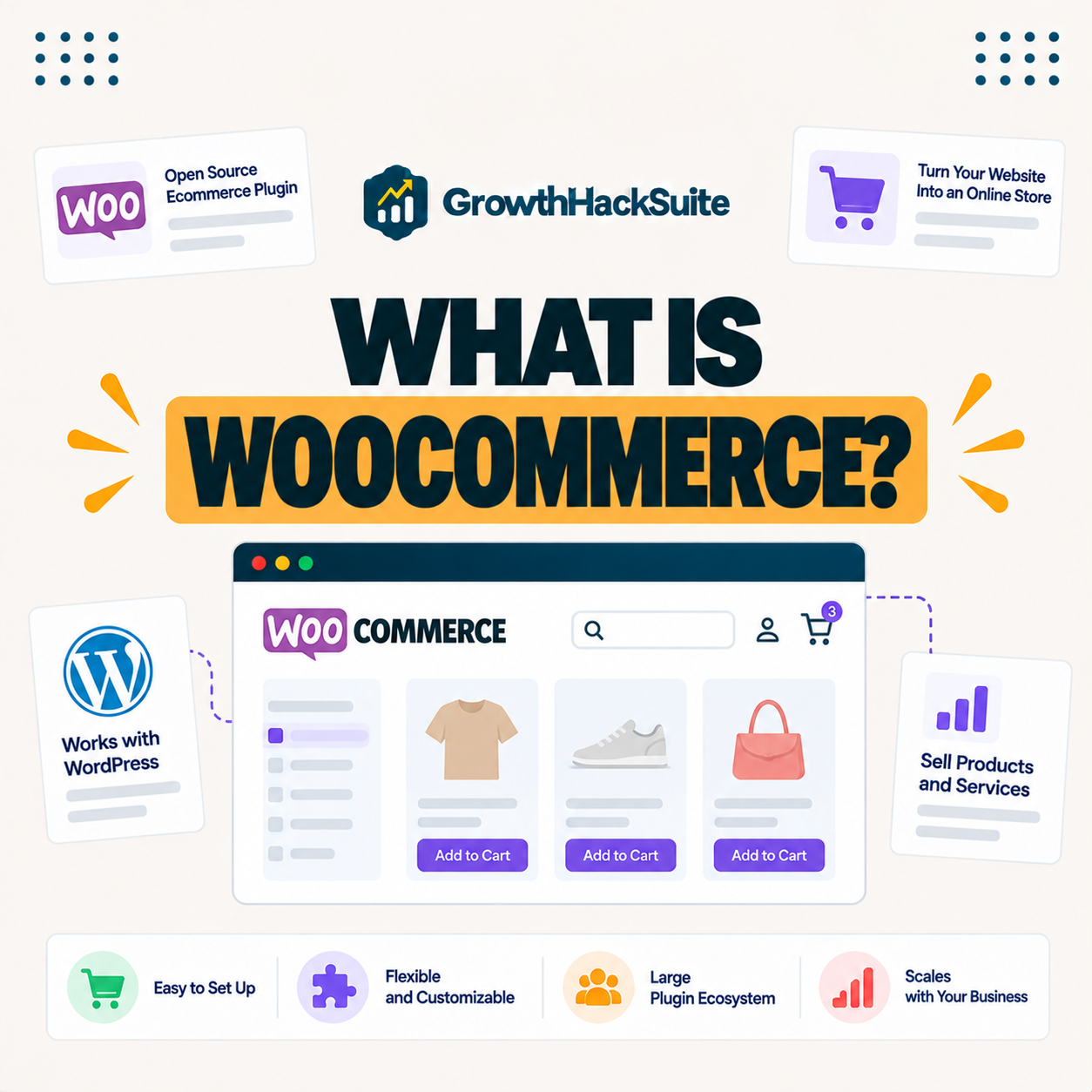
WooCommerce is a free, open-source WordPress plugin that turns a website into a fully functional online store. It adds products, a shopping cart, checkout, payments, shipping and tax handling to any WordPress site while keeping full ownership of your store data with you.
“WooCommerce is an open-source e-commerce plugin for WordPress.”
— Wikipedia, WooCommerce
Being a plugin rather than a separate platform means it runs on your own WordPress hosting, so the store’s speed and reliability depend directly on the host you choose.
How Does WooCommerce Work?
WooCommerce works by extending WordPress with store features, so you add products as posts and configure payment and shipping methods. Customers browse, add to cart and check out, while the plugin manages orders, inventory and customer accounts inside your WordPress dashboard.
Verdict: The plugin is the free WordPress option that turns a site into a store you fully own, with no sales-based platform fees and thousands of extensions. The tradeoff is that you manage the hosting. Cart, checkout and account pages are dynamic and cannot be cached, so each shopper uses server resources, which is why a store needs isolated resources, object caching and enough PHP workers, not the cheap shared hosting that suits a static blog.
In short, the plugin gives control and ownership, and the price of that is choosing hosting built for dynamic store traffic.
What Do You Need to Run an Online Store on WordPress?
To run an online store on WordPress you need a WordPress site, the free plugin, a compatible theme, a payment gateway, an SSL certificate for secure checkout, and hosting powerful enough to handle the dynamic, uncacheable pages a store generates. Each piece supports either selling or performance.
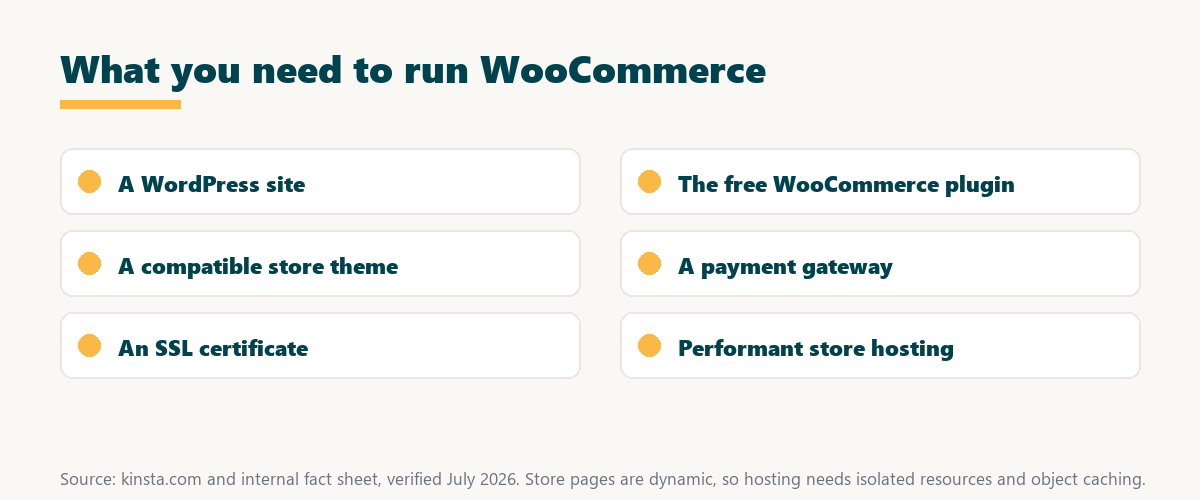
The honest point is that the plugin is free, so the real investment is in a theme, extensions and hosting sized for a store rather than a blog.
WooCommerce vs Hosted Store Platforms
WooCommerce differs from hosted platforms like Shopify by giving you full control and ownership on your own hosting, without monthly platform fees on sales. In exchange, you manage your own hosting, security and updates, so the choice is control versus convenience.
Source: provider documentation, verified August 2026. The plugin trades convenience for control and ownership.
Comparing ownership, fees, control and maintenance shows the plugin suits owners who want control and no sales fees, while hosted platforms suit those who prefer everything managed.
See how Kinsta hosts an online store
Try Kinsta →Isolated resources, with Redis object caching as a paid add-on, with a 30-day money-back guarantee.
Why WooCommerce Needs Special Hosting
WooCommerce needs performant hosting because cart, checkout and account pages are dynamic and cannot be cached, so each shopper consumes server resources. Isolated resources, with Redis object caching as a paid add-on therefore matter far more for a store than for a simple, heavily cached blog.
The honest point is that a blog can run on almost anything because its pages cache, while a store’s uncacheable checkout exposes weak hosting immediately under load.
Key Benefits for Online Store Owners
The plugin benefits store owners with no sales-based platform fees, full data ownership, thousands of extensions and deep customization. This makes it a flexible foundation for stores that want control over design, features and costs rather than accepting a platform’s fixed limits.
- No sales fees: The plugin takes no cut of sales, so growth does not raise a platform bill.
- Full data ownership: The store and its customer data live on the owner’s hosting, fully under their control.
- Thousands of extensions: A large ecosystem adds subscriptions, bookings and payment options as needed.
- Deep customization: Open-source code and themes allow design and functionality beyond a hosted platform.
- WordPress integration: The store shares one dashboard with content, SEO and marketing tools.
“The first five seconds of page-load time have the highest impact on conversion rates.”
— HubSpot, page load time and conversion rates
Because a store’s conversions hinge on those fast early seconds, the flexibility of the plugin pays off only when it runs on hosting quick enough to keep checkout snappy.
Common Store Performance Issues
Common store performance issues include slow checkout under load, shared hosting resource limits, unoptimized images and heavy plugins. All of these can be addressed with better hosting, object caching and careful extension choices, so most slowness is fixable rather than inherent.
- Slow checkout under load: Uncacheable checkout queues on weak hosting when many shoppers arrive at once.
- Shared resource limits: Shared hosting caps CPU and memory, which a busy store quickly exhausts.
- Unoptimized images: Large product images bloat pages and slow both loading and checkout.
- Heavy plugins: Extensions that run on every request add processing time to dynamic pages.
- Missing object caching: Without object caching, repeated database queries slow the dynamic store pages.
The honest takeaway is that most store slowness traces to hosting and caching, so fixing those two solves the majority of store performance problems.
How to Choose WooCommerce Hosting
Choose WooCommerce hosting by prioritizing isolated resources, object caching, adequate PHP workers and hourly backups. A store’s dynamic traffic and order data demand more than the cheap shared hosting that suits a static blog, so these features matter more than a low price.
Source: provider documentation, verified August 2026. A store needs more than a static blog.
Listing isolated resources, object caching, PHP workers, SSL and backups a store needs gives a clear checklist for picking store hosting. Store owners weighing platform commitment can also read our note on SaaS vendor lock-in.
How Kinsta Hosts Online Stores
Kinsta hosts online stores on isolated Google Cloud resources, with Redis object caching available as a 100-dollar per site monthly add-on, smart cache rules that keep checkout dynamic, hourly backups as a paid add-on, at 20 dollars per site a month for six-hourly or 100 for hourly and a CDN. Stores therefore stay fast and reliable even during busy sales periods, since the platform is tuned for dynamic store traffic.
Get store hosting handled on Kinsta
Start With Kinsta →Free migration and a 30-day money-back guarantee.
Extensions and Payment Options for Your Store
The plugin supports thousands of extensions and multiple payment gateways, so you can add subscriptions, bookings or specific processors. Each extension adds code that affects performance, though, which makes quality hosting and careful plugin choices important for keeping a store fast.
“A tool is only worth its premium when the hours or revenue it protects exceed the invoice.”
— Growth Hack Suite, on tool ROI
Applied to a store, both an extension and its hosting earn their cost when the sales and speed they enable outweigh the performance and price they add.
Can I Run WooCommerce on Shared Hosting?
You can run a small WooCommerce store on shared hosting, but as traffic and orders grow the shared, uncacheable load often causes slow checkout. Managed store hosting performs far better, so shared hosting suits only a new store with very light traffic and few orders.
The honest qualifier is that shared hosting is fine to start, but a store that begins earning usually outgrows it faster than a blog would.
Getting Your Online Store Running Fast
You get a WooCommerce store running fast by pairing the plugin with performant managed hosting like Kinsta, enabling object caching, optimizing images and choosing a plan sized for your store’s traffic and order volume. Together these keep the dynamic store pages quick.
The honest summary is that WooCommerce speed is mostly a hosting-and-caching story, with lean extensions and optimized images handling the rest.
Run a fast WooCommerce store risk-free
Try Kinsta Risk-Free →A bundled CDN and free migration, with object caching as a paid add-on, with a 30-day money-back guarantee.
Store Owner FAQ: Hosting, Costs and Setup
The 12 most-asked questions about WooCommerce.
What is WooCommerce in simple terms?
WooCommerce is a free WordPress plugin that turns your website into an online store, adding products, a cart, checkout and payments so you can sell directly from your own WordPress site.
Is WooCommerce free?
Yes, the core WooCommerce plugin is free and open-source, though you may pay for premium extensions, a theme, payment processing fees and hosting to run your store.
What do I need to run WooCommerce?
You need a WordPress site, the WooCommerce plugin, a compatible theme, a payment gateway, an SSL certificate for secure checkout, and hosting powerful enough for dynamic store pages.
How is WooCommerce different from Shopify?
WooCommerce gives you full control and ownership on your own hosting with no sales-based platform fees, while Shopify is a hosted platform that manages hosting for you in exchange for monthly and transaction fees.
Why does WooCommerce need special hosting?
WooCommerce needs performant hosting because cart, checkout and account pages are dynamic and cannot be cached, so each shopper uses server resources, demanding isolation and object caching.
Can I run WooCommerce on shared hosting?
You can run a small WooCommerce store on shared hosting, but as traffic and orders grow the shared, uncacheable load often causes slow checkout, so managed store hosting performs far better.
Does WooCommerce need SSL?
Yes, WooCommerce needs an SSL certificate to secure checkout and protect customer data, and HTTPS is also required for PCI compliance when handling card payments.
What makes WooCommerce slow?
WooCommerce can be slowed by weak hosting, missing object caching, large images and heavy plugins, since dynamic store pages put more load on the server than cached content.
Does object caching help WooCommerce?
Yes, object caching helps WooCommerce by storing database query results, which speeds up the dynamic cart, checkout and account pages that cannot be served from full-page cache.
How much does a WooCommerce store cost to run?
A WooCommerce store’s cost includes hosting, a domain, possibly premium extensions and a theme, and payment processing fees, but it avoids the sales-based platform fees of hosted alternatives.
Can WooCommerce handle a high-traffic store?
Yes, WooCommerce can handle a high-traffic store on the right hosting, since isolated resources, enough PHP workers and object caching let it process many simultaneous shoppers reliably.
How does Kinsta host WooCommerce?
Kinsta hosts WooCommerce on isolated Google Cloud resources with object caching, cache rules that keep checkout dynamic, hourly backups as a paid add-on, at 20 dollars per site a month for six-hourly or 100 for hourly and a CDN, so stores stay fast during busy periods.
About this guide
Written by the Growth Hack Suite editorial team, drawing on hands-on experience running WooCommerce stores. Details were cross-checked against provider documentation. This page carries affiliate links to Kinsta, so the position is stated plainly: WooCommerce is the free WordPress plugin that turns a site into a store you fully own with no sales-based platform fees, and its tradeoff is that you manage hosting. Because checkout is dynamic and uncacheable, a store needs isolated resources, object caching and enough application capacity, which Kinsta runs on Google Cloud, though object caching is a paid Redis add-on at 100 dollars per site a month and Kinsta does not publish a PHP worker count.