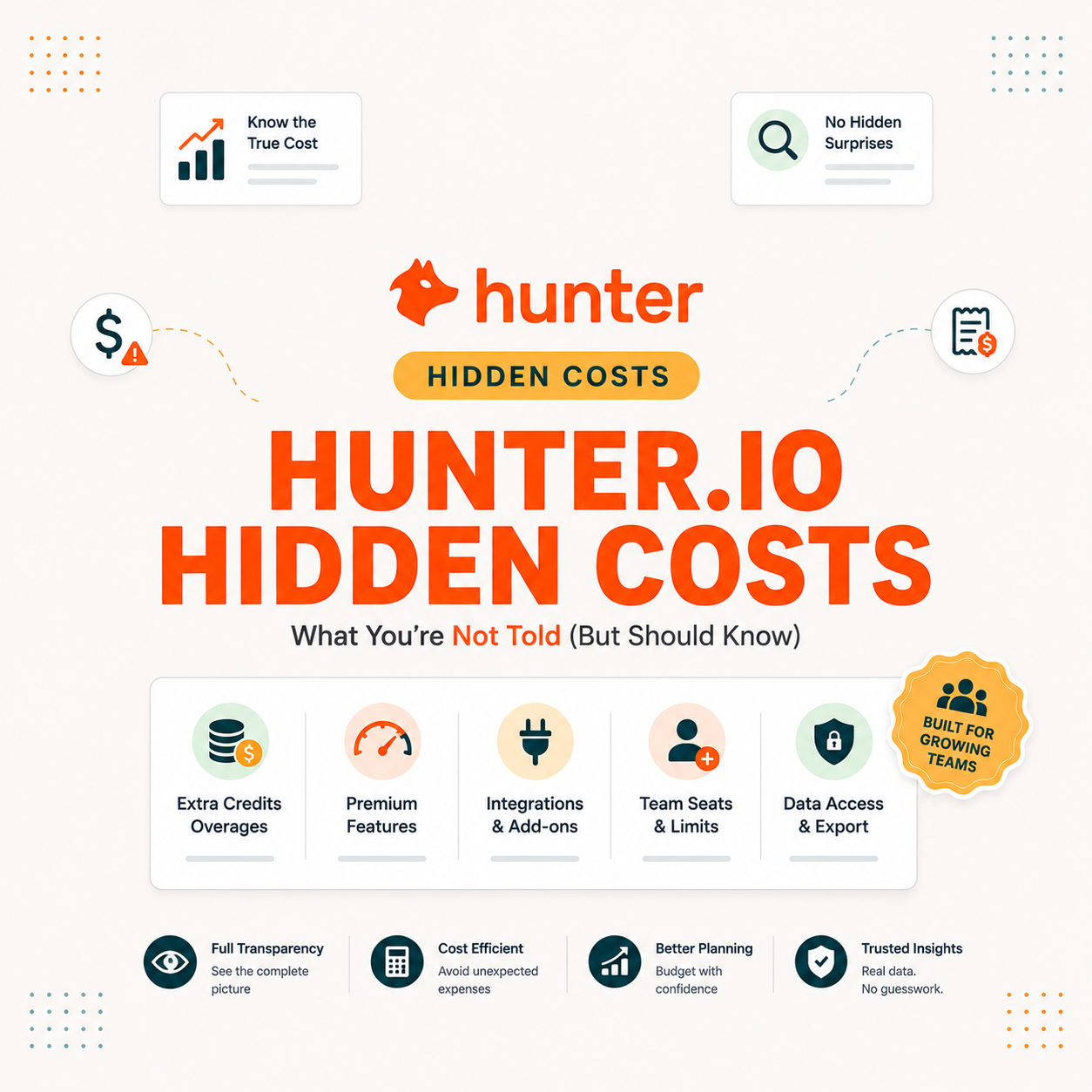
Hunter.io hidden costs are not really hidden fees but five usage patterns that quietly inflate the real bill: fast credit burn on Domain Search and bulk runs, no rollover on unused credits, pricey one-time credit packs, upgrade pressure as teams grow, and the twelve-month annual lock-in. Left unmanaged, those traps can push real spend 20 to 50 percent above the sticker price.
Table of Contents
Does Hunter.io Have Hidden Fees?
Hunter.io has no hidden fees in the traditional add-on sense. The pricing page lists every published cost, and Hunter does not bill for support, onboarding, or basic feature access beyond the chosen tier. What buyers describe as hidden costs are usage patterns rather than secret charges, which makes the real bill different from the sticker price even when both are technically accurate.
The distinction matters because the fix for hidden fees is contractual, while the fix for hidden usage is workflow discipline. Hunter buyers who understand the difference rarely overpay; buyers who treat it as a fee problem usually overbuy a tier instead of fixing the workflow.
What Are the 5 Hidden Costs of Hunter.io?
Five usage patterns reliably push Hunter.io spend above the sticker price: fast credit burn from Domain Search and bulk runs, no rollover on unused credits, expensive one-time credit packs, scaling pressure that forces tier upgrades, and the twelve-month lock-in on annual billing. Each one is visible in the pricing rules but easy to miss before purchase.
- Fast credit burn: Domain Search, bulk uploads, and verifying purchased lists consume credits much faster than single Email Finder lookups, which is the single biggest hidden cost driver.
- No credit rollover: Unused credits expire at the end of every billing cycle, so paying for capacity that goes unspent is genuinely lost budget rather than banked headroom.
- Expensive credit packs: One-time top-up packs cost more per credit than upgrading a tier, so repeated pack purchases quietly raise effective price above the cleaner tier-upgrade path.
- Upgrade pressure as you scale: Adding sender accounts, increasing recipients, or hitting credit limits pushes the team into the next tier, raising monthly cost as the workflow expands.
- Annual lock-in: Annual billing saves 30 percent but commits twelve months upfront with no pause, which becomes a real cost when usage drops or the team switches tools mid-term.
None of these are secrets; they are simply the parts of pricing buyers often ignore until the first surprise invoice arrives.
Credit Burn: The Biggest Hidden Cost
Credit burn is the largest source of hidden cost on Hunter.io because the same plan can deliver wildly different cost per lead depending on workflow choices. Domain Search charges per email returned, bulk runs apply the full per-action rate at scale, and verifying purchased lists eats through verifications at half a credit each. Together these patterns can drain a monthly allowance in days rather than weeks.
- Domain Search per email: Each company-wide search returns multiple addresses and charges credits for each result, so wide queries on enterprise domains can spend dozens of credits per call.
- Large bulk CSV uploads: Multi-thousand-row bulk runs apply the full per-action rate at once, which absorbs a meaningful share of any monthly allowance in a single afternoon.
- Verifying bought lists: Cleaning thousands of purchased addresses at half a credit each consumes verifications quickly, especially when the same list is re-verified before different campaigns.
- Duplicate re-searches: Looking up the same prospects repeatedly because results live outside the CRM wastes credits without producing new contacts, the most preventable form of burn.
- Background API jobs: Always-on enrichment pipelines steadily consume credits on every CRM event, so monthly cost depends on lead volume rather than active user count.
One credit allows you to perform an action: find an email address, verify an email address, or perform a domain search. The credit cost depends on the action and the result.
Hunter, Hunter credits explained
Workflow shape, not plan size, decides how fast credits drain; teams that recognize burn early avoid both pack purchases and unnecessary tier upgrades.
No Credit Rollover: Paying for Unused Capacity
Hunter.io credits do not roll over between cycles, so any allowance unused at the end of the month expires rather than banking into the next cycle. That rule turns plan sizing into a true monthly exercise: buying more credits than the team actually uses is genuine waste, and a quiet sales week becomes a real cost rather than a future credit bank.
The rollover rule penalizes plans bought for peak rather than average usage. Right-sizing the tier to typical monthly consumption is almost always cheaper than buying for the busiest expected month, since peak-sizing pays for capacity that simply expires during slower weeks.
Extra Credit Packs: When You End Up Paying More
Running out of credits mid-cycle pushes buyers toward one-time credit packs, which usually cost more per credit than upgrading the plan tier. Packs make sense for occasional spikes but turn expensive fast when shortages happen monthly, because the unit cost of each pack credit sits above what the next tier would charge for the same volume.
Source: hunter.io/pricing verified June 2026.
Two packs in a row is the practical signal that the current plan is undersized; upgrading or going annual almost always beats a third pack purchase.
Plan Upgrade Pressure as You Scale
Hunter.io tiers each cap sender accounts, recipients per campaign, and monthly credits. Hitting any one of those ceilings forces the team into the next tier, raising monthly cost in step changes rather than gradually. The cost is predictable once a buyer knows the triggers, and surprising when they do not.
- More sender accounts needed: Adding a second domain or backup mailbox past the tier limit forces the upgrade to the plan that supports the new account count.
- Higher recipients per campaign: Growing sequence sizes past the current tier’s recipient cap pushes the team to the next plan to fit the campaign in one sequence.
- Credit shortfall every cycle: Monthly consumption that breaches the credit ceiling repeatedly is the cleanest signal that the next tier already pays for itself.
- Faster bulk processing required: When bulk runs start blocking time-sensitive launches, higher-tier priority processing becomes the real reason for the upgrade.
- Compliance and SLA needs: Buyers whose procurement requires DPAs or SLAs are pushed past published tiers into custom Enterprise, which is the largest cost step of all.
Upgrade pressure is a feature of credit-based pricing, not a flaw. Mapping the triggers in advance keeps the cost step intentional rather than reactive.
Domain Search and Bulk: Silent Credit Drains
Domain Search charges per email returned and bulk runs apply per-action pricing at scale, which together produce the silent drain that surprises new Hunter buyers. Both features are documented, both are valuable, and both will burn a monthly allowance faster than most teams expect until they apply workflow caps.
- Limit Domain Search filters: Narrow searches by role, department, or seniority so the call returns fewer emails and charges fewer credits per query, rather than running open searches.
- Dedupe before bulk uploads: Remove duplicate rows and contacts already in the CRM before uploading CSVs, which prevents paying credits twice for the same lead.
- Verify selectively: Run verification only on addresses about to receive a campaign rather than on full historical lists, which often halves verification spend.
- Track usage weekly: Watch credit consumption against monthly allowance every week, catching drift before it turns into a forced credit pack purchase.
- Set a credit budget: Allocate a per-team or per-campaign credit ceiling so high-volume actions get explicit approval rather than draining the pool by default.
Silent drain becomes loud once usage is measured weekly; the same plan supports far more outreach when the burn rate is visible to the team running it.
Annual Lock-In: The Cost of Commitment
Annual billing saves 30 percent but commits the buyer to twelve months upfront with no mid-term pause. That lock becomes a real cost if outreach stops, the team switches tools, or volume drops below the chosen plan, since the prepaid annual fee becomes a sunk cost rather than recoverable budget.
For mechanics on mid-term cancellations and the limited refund pathways available, see the full Hunter.io refund policy breakdown.
How Much Do Hidden Costs Add in Practice?
With real-world usage, hidden cost patterns can push Hunter.io spend 20 to 50 percent above the sticker price if left unmanaged. Each trap contributes independently: credit burn raises monthly consumption, no-rollover wastes unused allowance, packs cost more per credit, upgrade pressure jumps the tier, and annual lock-in extends spend past the point of actual use.
Source: hunter.io/pricing verified June 2026; impact ranges based on typical workflow audits.
Verdict: Unmanaged credit burn and pack purchases can push real spend 20 to 50 percent above the sticker price.
The traps stack rather than compete; teams that fix only one usually see real spend climb anyway because the others remain active.
How Do You Avoid Hunter.io’s Hidden Costs?
Avoiding Hunter.io’s hidden costs comes down to five moves: map real monthly usage before buying, pick a tier with credit buffer, verify selectively, switch to annual only when commitment is certain, and avoid one-off credit packs whenever a tier upgrade is the cheaper alternative.
- Map monthly usage: Track actions per cycle on the free plan or current tier, building a credit-consumption picture before committing to a longer contract.
- Pick a plan with buffer: Choose the tier whose credit ceiling sits comfortably above average monthly usage, leaving headroom for spike weeks rather than peak months.
- Verify selectively: Run verification only on the addresses about to be sent, not the full historical list, which preserves the credit pool for actual prospecting.
- Go annual only when committed: Switch to annual billing after several months of confirmed steady use, never as the default choice for a tool still being evaluated.
- Avoid one-off credit packs: Treat a credit shortfall as a sizing problem, not a pack purchase, since the next tier almost always costs less per credit than repeated top-ups.
None of these moves cost money; they protect the budget from being inflated by workflow drift that the credit model rewards.
How Do You Forecast Your True Monthly Cost?
A clean forecast estimates monthly actions, converts them to credits, adds a buffer for Domain Search overhead, picks the matching tier, and compares annual against monthly billing on that tier. Doing the math before purchase usually saves more than the discount on any one tier ever does.
- Estimate monthly actions: Count expected Email Finder lookups, verifications, and Domain Searches based on real campaign volume rather than aspirational targets.
- Convert actions to credits: Apply Hunter’s per-action rates (1 credit per find, 0.5 per verification, per-email on Domain Search) to translate workflow into a credit total.
- Add a 20 percent buffer: Allow extra credits on top of the base estimate for spike weeks and Domain Search variance, since real usage rarely matches a flat projection.
- Pick the matching tier: Choose the Hunter.io plan whose credit ceiling sits just above the buffered total, avoiding both undersizing and overbuying in one step.
- Compare annual vs monthly: Run the 30 percent annual saving against the risk of mid-year cancellation; commit annual only when the use case is certain to continue.
Forecast first, then start free to validate the real number.
Try Hunter.io Free →50 free credits per month, no credit card required
Five minutes with the calculator before signing up beats a year of pack purchases for almost every buyer.
Is Hunter.io Still Worth It Despite Hidden Costs?
Hunter.io is still worth it for teams that manage usage and commit only when sure. Its credit rules are transparent compared to tools with opaque pricing, and the workflow discipline that controls hidden cost also produces better cost per lead. The hidden traps exist on every credit-based platform; Hunter is one of the cleanest at letting buyers see and manage them.
The right Hunter.io tier is the one whose credit ceiling sits just above real monthly usage, and the hidden-cost traps disappear when that match is correct.
Growth Hack Suite, Hunter.io pricing guide
See the full pricing breakdown and pick the right tier.
Start Hunter.io Free →No card · Validate your burn rate before committing
Hidden costs are a managed risk on Hunter, not a hidden trap; the workflow choices that control them are the same ones that maximize value at any tier.
Related: Cost and Credit Guides
Hidden cost management ties directly to credit math and tier choice, which is why these decisions live together rather than as separate workstreams. Teams that work through the full pricing context tend to land on the right plan within one billing cycle rather than after a year of corrections.
Total cost of ownership is a financial estimate that aims to help buyers and owners determine the direct and indirect costs of a product or system.
Wikipedia, Total cost of ownership
Hunter.io is a clean SaaS example of total cost of ownership: the sticker price is honest, but the real bill depends on how the platform actually gets used.
Hunter.io Hidden Costs: Frequently Asked Questions
Does Hunter.io have hidden fees?
No traditional hidden fees, but five hidden usage patterns inflate the bill: fast credit burn, no rollover, expensive credit packs, upgrade pressure, and the twelve-month annual lock-in.
What is the biggest hidden cost of Hunter.io?
Credit burn. Domain searches, large bulk uploads, and verifying bought lists consume credits far faster than single Email Finder lookups, which surprises most new buyers.
Do Hunter.io credits roll over?
No. Unused credits expire at the end of every billing cycle, so paying for capacity that goes unspent is a real hidden cost rather than banked headroom.
Are Hunter.io credit packs expensive?
One-time credit packs cost more per credit than upgrading the tier, so they only suit occasional spikes. Recurring shortages signal the tier is undersized rather than the pack is needed.
How much can hidden costs add to my bill?
Unmanaged credit burn, pack purchases, and forced upgrades can push real spend 20 to 50 percent above the sticker price across the year.
How do I avoid Hunter.io hidden costs?
Map monthly usage before buying, pick a tier with credit buffer, verify selectively, switch to annual only when commitment is certain, and avoid one-off packs.
Does a domain search cost extra?
It charges per email returned, so a broad domain search can quietly spend several credits at once, which is why it tops the list of silent credit drains.
Is annual billing a hidden cost or a saving?
It saves 30 percent but locks twelve months of budget with no pause, a trade-off rather than a fee. See the annual vs monthly breakdown for the math.
What forces a plan upgrade on Hunter.io?
Needing more sender accounts, higher campaign recipients, or more credits than the current tier allows pushes the team to the next plan, raising monthly cost in step changes.
Can I cap my Hunter.io spending?
Yes. Track usage weekly, set a per-campaign credit budget, narrow Domain Search filters, and avoid broad bulk runs to keep costs predictable through the cycle.
Is Hunter.io still worth it with these costs?
Yes when usage is managed. Hunter’s pricing is transparent compared to opaque platforms; the verdict in Is Hunter.io worth it covers when it pays off.
How do I forecast my true Hunter.io cost?
Estimate monthly actions, convert to credits, add 20 percent buffer, choose a tier, then compare annual against monthly. The full Hunter.io pricing guide walks the math.
Forecast Your True Cost, Then Start Free
The cleanest defense against Hunter.io’s hidden costs is to forecast monthly credits, validate the estimate on the free plan, then pick the tier whose credit ceiling matches real usage with modest buffer. That sequence keeps the sticker price honest and prevents the most common ways buyers end up paying more than they expected.
Forecast your true monthly cost, start free, then commit confidently.
50 free credits a month is enough to test workflow burn before any paid commitment.
Start Hunter.io Free →No card · See the full Hunter.io pricing breakdown
Affiliate disclosure: links to Hunter.io on this page are affiliate links. The price is the same for you, and Growth Hack Suite may earn a commission if you sign up through them.