Table of Contents
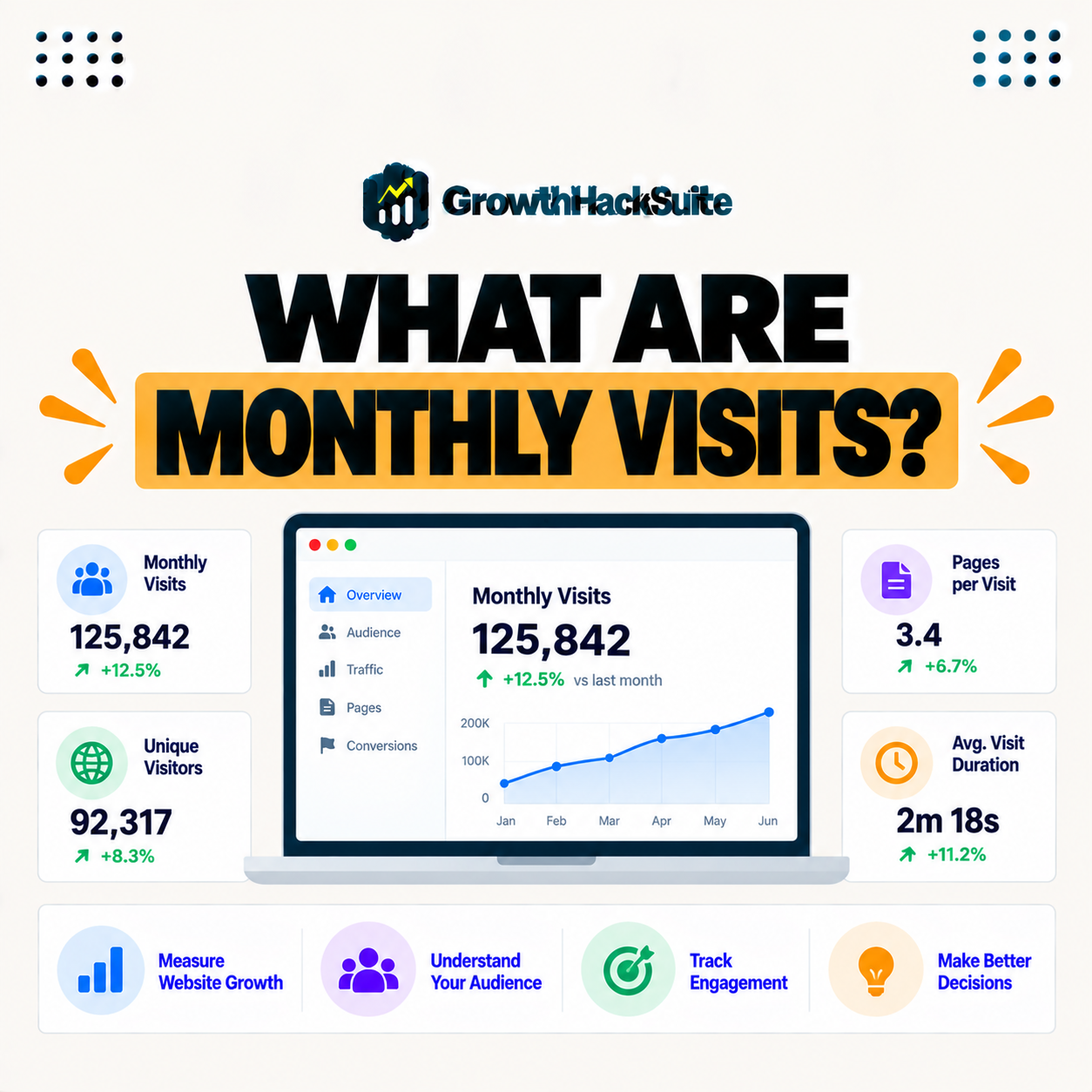
Monthly visits are a metric some hosts use to define plan limits, counting how many unique visitors a site receives in a month. Because managed hosts often price by visits rather than raw resources, understanding what counts as a visit and how overage works helps you choose the right plan and avoid unexpected charges. This guide explains what counts as a visit and how limits work.
Last updated: August 2026. Written by the Growth Hack Suite editorial team, with details cross-checked against provider documentation. This page carries affiliate links to Kinsta.
See how Kinsta prices plans by monthly visits on Google Cloud
Try Kinsta →Clear per-tier visit allowances and usage in the dashboard, with a 30-day money-back guarantee.
What Are Monthly Visits in Hosting?
Monthly visits are a metric some hosts use to set plan limits, counting how many visitors a site receives in a month, so instead of pricing purely by storage or bandwidth, these hosts base your plan tier on how much traffic you get. Traffic, not disk space, defines the plan.
“Web analytics is the collection and analysis of web data to understand usage.”
— Wikipedia, Web analytics
Monthly visits apply that idea to pricing: the host measures your traffic and matches your plan tier to how many visitors you actually get.
How Do Hosts Count a Visit?
Hosts typically count a visit as a unique visitor within a time window, often defined by their analytics, so repeated page views by the same person in a short period usually count as one visit rather than many. A single person is one visit, not several.
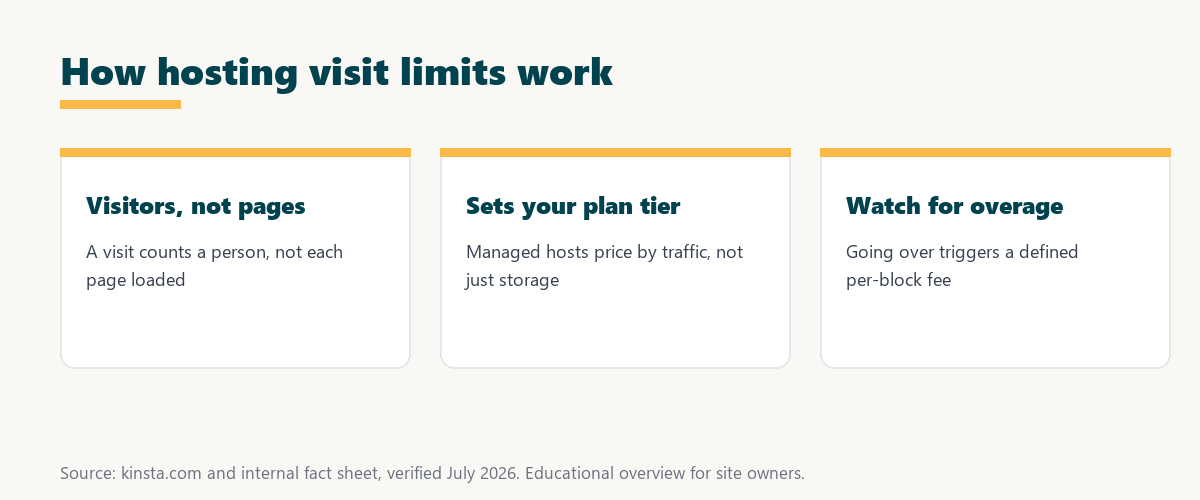
The key point is uniqueness: a visit counts a person within a window, so browsing several pages does not multiply your visit count.
Visits vs Pageviews vs Bandwidth
A visit counts a visitor, a pageview counts each page loaded, and bandwidth measures data transferred, so these metrics differ, and a plan limited by monthly visits is measuring visitors rather than pages or gigabytes. Confusing them can lead to picking the wrong plan.
Source: general overview cross-checked with public hosting documentation, verified August 2026.
Reading down the table, visits count people, pageviews count pages, and bandwidth counts data, so a visit-based plan is measured differently from the others.
Why Do Hosts Use Monthly Visits?
Hosts use monthly visits because traffic correlates with the server resources a site consumes, so pricing by visits is a simple, understandable way to match a plan’s cost to how demanding a site is. It is easier to grasp than raw resource metrics.
The takeaway is that visits are a proxy for load: more visitors usually means more work for the server, so pricing by visits keeps plans intuitive.
What Happens If You Exceed Your Visit Limit?
If you exceed your plan’s monthly visit limit, hosts typically charge a defined overage fee per additional block of visits or prompt you to upgrade, so going over costs a predictable amount rather than breaking your site. The site keeps running; the cost is just higher.
The honest point is that exceeding the limit is not a shutdown, but a charge, so the risk is a surprise on the bill rather than downtime.
How to Estimate Your Monthly Visits
You estimate your monthly visits using an analytics tool like Google Analytics, so checking your recent unique visitor counts helps you pick a plan tier with enough allowance plus headroom for growth and spikes. Your own analytics are the best starting point.
“The first five seconds of page-load time have the highest impact on conversion rates.”
— HubSpot, page load time and conversion rates
Understanding your traffic serves speed too: knowing your visit numbers helps you pick a plan with enough resources to keep pages fast during the busy periods those early seconds matter most.
How to Avoid Surprise Overage Fees
You avoid surprise overage fees by choosing a plan with headroom above your current visits, monitoring usage in your host’s dashboard, and using caching and a CDN, since cached and bot traffic handling can affect counted visits. A few habits keep the bill predictable.
Four practices keep visit-based billing free of surprises:
- Headroom: A plan with an allowance above current traffic absorbs normal growth and spikes, so a busy month does not trigger overage.
- Monitoring: Checking usage in the host’s dashboard shows how close a site is to its limit, so an upgrade happens before charges do.
- Caching: Serving pages efficiently reduces server load, so strong caching helps traffic use resources without inflating the bill.
- A CDN: Offloading cached content to the edge eases the origin, so a CDN supports a site during traffic peaks that would otherwise strain the plan.
Together these practices turn visit-based pricing from a risk into a predictable, manageable cost.
How to Choose a Plan by Monthly Visits
You choose a plan by monthly visits by comparing your actual visitor numbers to each tier’s allowance, adding a buffer for growth, so you pick a plan that covers your traffic without paying for far more than you need. The right tier balances headroom and cost.
Source: general overview cross-checked with public hosting documentation, verified August 2026.
Reading the table together, headroom, monitoring, caching, and a CDN are the practical levers for keeping visit-based billing predictable.
How Kinsta Uses Monthly Visits
Kinsta prices plans by monthly visits, with clear allowances per tier and defined overage rates, and its dashboard shows your usage, so you can see where you stand and upgrade before overages occur. The transparency is what keeps the pricing predictable.
Track your visits transparently on Kinsta’s Google Cloud platform
Start Free Migration →Usage visible in the dashboard, with free migration.
Managing Your Traffic and Plan Together
You manage your traffic and plan together by monitoring visits in your host’s dashboard and choosing a tier with headroom, so with a host like Kinsta you match your plan to real traffic and avoid unexpected charges. The plan and the traffic stay in step.
The takeaway is that visit-based pricing is easy to manage when you watch usage and keep a buffer, so surprises become rare. For anyone weighing a long hosting commitment, our note on SaaS vendor lock-in is worth a read.
Monthly Visits, Caching, and Bots
Monthly visits can be affected by how a host counts cached requests and bot traffic, so hosts that exclude certain bots or count efficiently give a fairer measure, which is worth checking when comparing visit-based plans. Not all visit counts are measured the same way.
“A tool is only worth its premium when the hours or revenue it protects exceed the invoice.”
— Growth Hack Suite, on tool ROI
Applied to visit-based plans, the value is clarity: a host that counts fairly and shows usage helps you pay for the traffic that actually earns, not inflated bot counts.
Monthly Visits and Traffic Spikes
Monthly visits and traffic spikes interact because a sudden surge can push a site over its allowance, so a plan with headroom and strong caching handles campaigns or viral moments without triggering large overage charges. Planning for peaks avoids nasty surprises.
The honest summary is that spikes are when visit limits bite hardest, so a buffer and good caching are the cheapest insurance against overage.
Try Kinsta risk-free with transparent visit-based pricing
Try Kinsta Risk-Free →Clear allowances, usage tracking and free migration, with a 30-day money-back guarantee.
Monthly Visits: Frequently Asked Questions
The 12 most-asked questions about monthly visits in hosting.
What are monthly visits in hosting?
Monthly visits are a metric some hosts use to set plan limits, counting how many visitors a site receives in a month, so your plan tier is based on traffic rather than only resources.
How do hosts count a visit?
Hosts typically count a visit as a unique visitor within a time window defined by their analytics, so repeated page views by the same person in a short period count as one visit.
What is the difference between visits and pageviews?
A visit counts a visitor while a pageview counts each page loaded, so a single visitor can generate many pageviews but usually counts as one visit for plan limits.
Why do hosts use monthly visits for pricing?
Hosts use monthly visits because traffic correlates with resource use, so pricing by visits is a simple, understandable way to match a plan’s cost to how demanding a site is.
What happens if I exceed my visit limit?
If you exceed your monthly visit limit, hosts typically charge a defined overage fee per extra block of visits or prompt an upgrade, so going over costs a predictable amount.
How do I estimate my monthly visits?
You estimate monthly visits using an analytics tool like Google Analytics, checking recent unique visitor counts to pick a plan tier with enough allowance plus headroom.
How do I avoid overage fees?
You avoid overage fees by choosing a plan with headroom, monitoring usage in your host’s dashboard, and using caching and a CDN that affect how traffic is counted.
Are bots counted in monthly visits?
How bots are counted varies by host, so some exclude certain bots for a fairer measure, which is worth checking when comparing visit-based plans.
Is a visit the same as a session?
A visit is generally similar to a session, counting a visitor within a time window, though exact definitions vary by host and analytics tool, so check how your host measures it.
How many monthly visits do I need?
You need a plan whose visit allowance covers your actual traffic plus a buffer for growth and spikes, so checking your analytics helps you choose the right tier.
Does caching affect my visit count?
Caching serves pages efficiently and, combined with how a host counts requests, can influence measured visits, so strong caching helps your traffic use resources efficiently.
How does Kinsta count monthly visits?
Kinsta prices plans by monthly visits with clear per-tier allowances and defined overage rates, and its dashboard shows your usage so you can upgrade before overages occur.
About this guide
Written by the Growth Hack Suite editorial team, drawing on hands-on experience running WordPress sites. Details were cross-checked against public hosting documentation. This page carries affiliate links to Kinsta. The position is stated plainly: monthly visits are a traffic metric some hosts use to set plan limits, counting unique visitors, with overage fees if you exceed the allowance. Kinsta prices plans by monthly visits with clear per-tier allowances and usage shown in the dashboard.