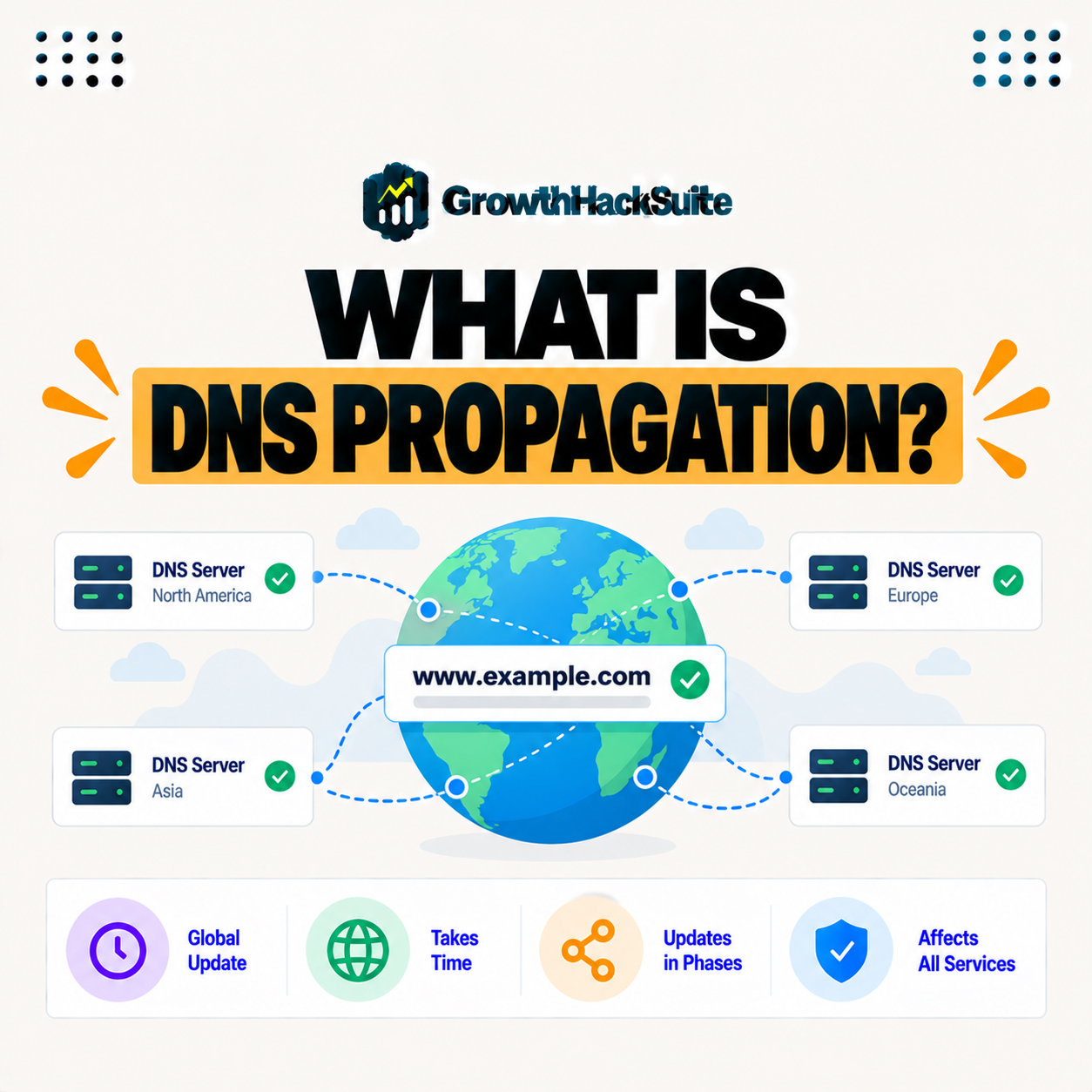
Table of Contents
DNS propagation is the time it takes for changes to your DNS records to spread across the internet’s network of servers and caches. Because DNS information is cached at many points, updates like pointing your domain to a new host are not instant, so propagation can take from minutes to a couple of days to complete everywhere. This guide explains why it happens and how long it takes.
Last updated: August 2026. Written by the Growth Hack Suite editorial team, with details cross-checked against provider documentation. This page carries affiliate links to Kinsta.
See how Kinsta guides DNS changes during migration on Google Cloud
Try Kinsta →Free migration with guided DNS steps, and a 30-day money-back guarantee.
What Is DNS Propagation?
DNS propagation is the time it takes for changes to your DNS records to spread across the internet’s network of DNS servers and caches, so after you update a record, the new information gradually reaches everyone rather than taking effect instantly. It is why a change is not seen worldwide at once.
“The Domain Name System is a hierarchical naming system for computers and services.”
— Wikipedia, Domain Name System
When you change where your domain points, propagation is the delay before that update reaches every part of that naming system.
Why Does DNS Propagation Happen?
DNS propagation happens because DNS information is cached at many points, from your internet provider to local devices, so those caches hold the old record until they expire, delaying when the change is seen everywhere. Caching speeds up browsing but slows updates.
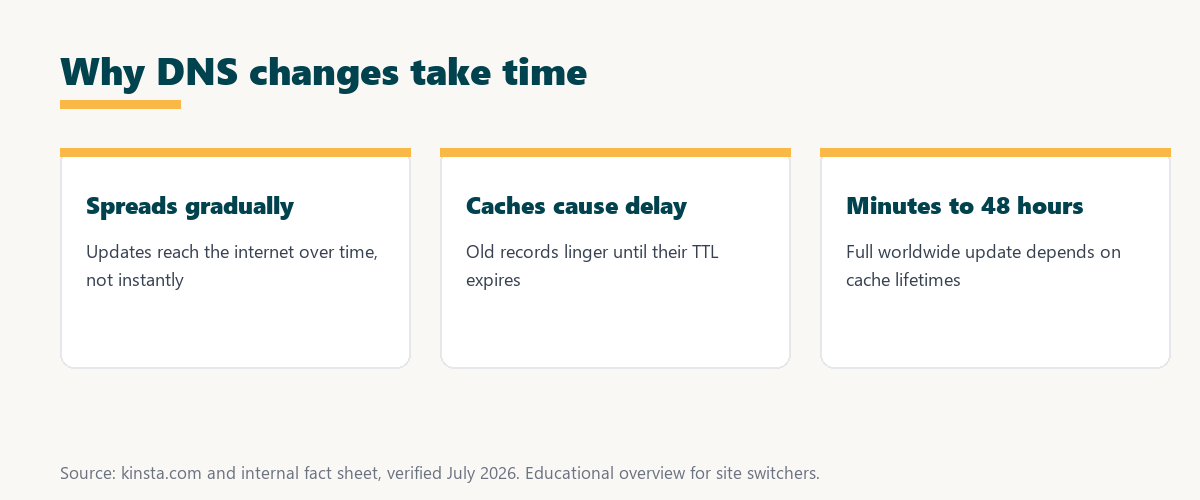
The key cause is caching: many servers store your record to answer faster, and each keeps the old value until its cache expires.
How Long Does DNS Propagation Take?
DNS propagation can take from a few minutes to a couple of days, so while many changes appear within hours, the full worldwide update depends on cache lifetimes, meaning you should allow time before assuming a change failed. Patience is usually the right response.
Source: standard DNS caching behavior, verified August 2026. Actual times vary by network and TTL.
Reading down the table, a change reaches your own device in minutes, your region in hours, and the whole world in up to a day or two, all shaped by TTL.
What Is TTL and How Does It Affect Propagation?
TTL, or time to live, is a setting on DNS records that tells caches how long to keep them, so a lower TTL means caches refresh sooner and changes propagate faster, while a high TTL slows propagation. TTL is the main dial for propagation speed.
The takeaway is that TTL is your lever: lowering it before a change is the single best way to speed propagation.
Why Do Some Visitors See the Change Before Others?
Some visitors see a DNS change before others because their DNS caches expire at different times, so people whose caches have refreshed reach the new destination while those with older cached records still reach the old one. The update is uneven by nature.
The honest point is that a split view during propagation is normal, not a bug: caches simply expire on their own schedules.
What Happens During a Site Migration?
During a site migration, DNS propagation is why you keep the old site running until the change spreads, so some visitors reach the new host while others still see the old one until propagation completes, avoiding downtime if handled correctly. Both sites stay live during the switch.
“The first five seconds of page-load time have the highest impact on conversion rates.”
— HubSpot, page load time and conversion rates
Managing propagation protects that experience: keeping both sites live means no visitor hits an error during the switch, so the fast first impression is preserved whichever host they reach.
How to Make DNS Changes Propagate Faster
You can help DNS changes propagate faster by lowering the record’s TTL before making the change, so caches refresh more quickly, though you cannot force every cache to update instantly. Preparation, not force, is what speeds propagation.
The practical point is to plan ahead: lower the TTL a day before the change, and the update will spread much faster when you make it.
How to Handle DNS Changes Safely
You handle DNS changes safely by lowering TTL in advance, keeping the old site available during migration, and verifying the change with DNS lookup tools, so the transition is smooth and no visitors hit a broken destination. A careful order prevents downtime.
Four steps make a DNS change safe and predictable:
- Lower the TTL first: Reducing TTL a day ahead means caches expire sooner, so the later change propagates quickly instead of lingering.
- Prepare the new host: Getting the site fully working on the new host before switching means visitors reach a ready destination the moment they arrive.
- Keep the old site live: Leaving the old host running during propagation means anyone on an old cache still reaches a working site.
- Verify with lookup tools: Checking propagation with DNS lookup tools confirms the new record is spreading before you retire the old host.
Together these steps turn a nerve-wracking DNS switch into a smooth, downtime-free transition.
Source: standard DNS caching behavior, verified August 2026. Actual times vary by network.
Reading the table together, TTL, cache lifetimes, provider behavior, and the type of change all shape how quickly a DNS update spreads.
How Kinsta Handles DNS During Migration
Kinsta migrates your site to a staging copy first and guides the DNS change, so you point your domain to Kinsta only after verifying the site works, and the old host keeps serving visitors until propagation completes. The order is designed to avoid downtime.
Switch hosts with guided DNS on Kinsta’s Google Cloud platform
Start Free Migration →Free migration and staged DNS changes.
Switching Hosts Without Downtime
You switch hosts without downtime by preparing the site on the new host, lowering TTL, and only changing DNS once verified, so with a managed host like Kinsta guiding the process, propagation happens smoothly in the background. The switch feels seamless to visitors.
The takeaway is that a downtime-free move is mostly about order and timing, which a managed migration handles for you. For anyone weighing a long hosting commitment, our note on SaaS vendor lock-in is worth a read.
DNS Propagation, Nameservers, and Records
DNS propagation involves your nameservers and records, so changing where your domain points, whether records or nameservers, triggers propagation, which is why understanding these together helps you plan changes and migrations. Both kinds of change spread the same way.
“A tool is only worth its premium when the hours or revenue it protects exceed the invoice.”
— Growth Hack Suite, on tool ROI
Applied to migrations, a guided, downtime-free move earns its value: the sales and trust it protects during the switch far outweigh the effort of planning propagation well.
DNS Propagation and Your Email
DNS propagation also affects email, because email routing relies on MX records that live in your DNS, so during a migration you should leave your existing email records intact unless you are deliberately changing your mail provider. Touching MX records carelessly can disrupt mail.
The honest summary is that a hosting migration usually should not change your email: keep your MX records as they are so mail keeps flowing while the site moves.
Try Kinsta risk-free with a guided, downtime-free migration
Try Kinsta Risk-Free →Free migration and guided DNS steps, with a 30-day money-back guarantee.
DNS Propagation: Frequently Asked Questions
The 12 most-asked questions about DNS propagation.
What is DNS propagation in simple terms?
DNS propagation is the time it takes for changes to your DNS records to spread across the internet’s servers and caches, so an update reaches everyone gradually rather than instantly.
Why does DNS propagation happen?
DNS propagation happens because DNS information is cached at many points, so those caches hold the old record until they expire, delaying when the change is seen everywhere.
How long does DNS propagation take?
DNS propagation can take from a few minutes to a couple of days, so while many changes appear within hours, full worldwide updates depend on cache lifetimes.
What is TTL in DNS?
TTL, or time to live, tells caches how long to keep a DNS record, so a lower TTL makes changes propagate faster while a higher TTL slows propagation.
Why do some visitors see a change before others?
Visitors see a change at different times because their DNS caches expire separately, so some reach the new destination while others still reach the old cached one.
Can I make DNS propagate faster?
You can help by lowering the record’s TTL before the change so caches refresh sooner, though you cannot force every cache on the internet to update instantly.
Does DNS propagation cause downtime?
Handled correctly it does not, because keeping the old site running during propagation means some visitors reach the new host and others the old one until it completes.
How do I check if DNS has propagated?
You check with DNS lookup or propagation-checking tools that query servers in different locations, so you can see whether the new record has spread to various regions.
What should I do during DNS propagation?
During propagation you keep the old site available and avoid further changes, so visitors reach a working site whether their cache points to the old or new host.
Does lowering TTL help before migration?
Yes, lowering TTL before a migration makes caches refresh sooner, so when you change DNS the update propagates faster and visitors reach the new host more quickly.
Why is my DNS change not showing yet?
Your DNS change may not show because caches still hold the old record until their TTL expires, so waiting out propagation usually resolves it if the record is correct.
How does Kinsta handle DNS during migration?
Kinsta migrates to a staging copy first and guides the DNS change, so you point your domain over only after verifying the site, while the old host serves visitors until propagation finishes.
About this guide
Written by the Growth Hack Suite editorial team, drawing on hands-on experience running WordPress sites. Details were cross-checked against public DNS documentation. This page carries affiliate links to Kinsta. The position is stated plainly: DNS propagation is the delay before DNS changes spread across cached servers worldwide, taking minutes to about 48 hours depending on TTL. Kinsta guides DNS changes during a free migration so the switch happens without downtime.