Table of Contents
A WordPress migration is the process of moving a WordPress site from one host or location to another, transferring its files and database so the site runs in its new home. Because WordPress stores content in a database and files on the server, a migration must move both correctly, which is why many hosts offer free expert migrations. This guide explains how a WordPress migration works.
Last updated: August 2026. Written by the Growth Hack Suite editorial team, with details cross-checked against provider documentation. This page carries affiliate links to Kinsta.
See how Kinsta migrates WordPress sites for free on Google Cloud
Try Kinsta →Free expert migration by the Kinsta team, with a 30-day money-back guarantee.
What Is a WordPress Migration?
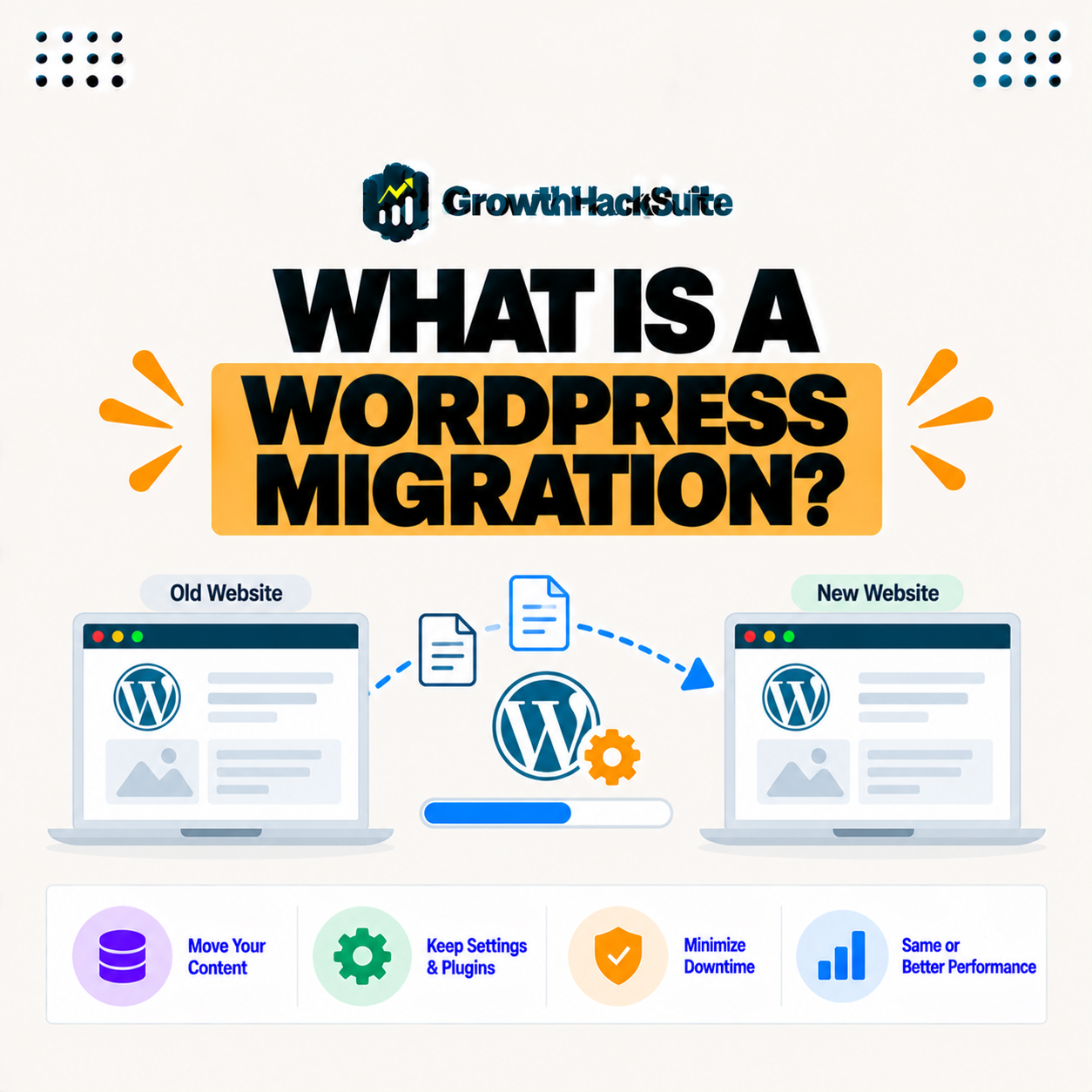
A WordPress migration is the process of moving a WordPress site from one host or location to another, transferring its files and database so the same site runs in its new home, whether you are changing hosts or moving to a new server. The site stays the same; only its home changes.
“Data migration is the process of transferring data between storage types or systems.”
— Wikipedia, Data migration
A WordPress migration applies that idea to a website: it moves your site’s data, files and database together, from one host to another.
What Does a WordPress Migration Involve?
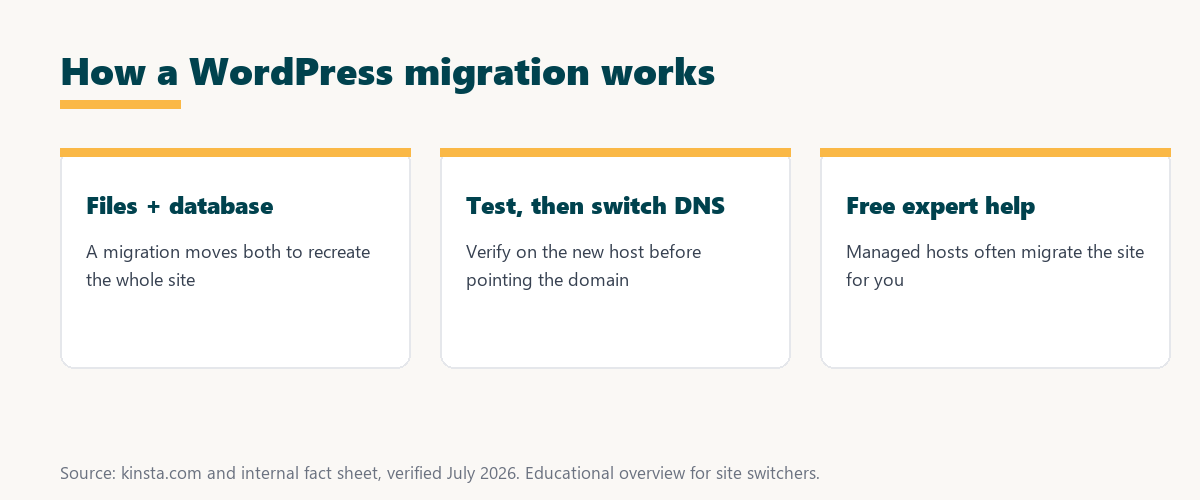
A WordPress migration involves copying your site’s files, such as themes, plugins, and media, along with the database that holds your content and settings, so the new host recreates the complete site rather than just part of it. Both halves must move for the site to work.
Four parts of a site must travel together for the migration to be complete:
- Themes: The active and installed themes move so the new site looks and behaves exactly as it did before.
- Plugins: All plugins and their settings transfer so the site’s features keep working on the new host.
- Media: Images and uploaded files move so the media library stays intact and no images break.
- The database: Posts, pages, and settings live in the database, so moving it correctly is what keeps the content in place.
Together these show why both files and database must move: leave one behind and the migrated site is incomplete or broken.
How Does a WordPress Migration Work?
A WordPress migration works by exporting the files and database from the old host, importing them to the new one, testing the result, and then pointing your domain’s DNS to the new host, so the site moves without losing content. The order keeps the site safe throughout.
The key sequence is export, import, test, then switch: the DNS change comes last, only after the new site is confirmed working.
Manual vs Managed WordPress Migration
A manual migration means moving files and the database yourself or with a plugin, while a managed migration has the host’s team do it, so managed migration reduces the risk of errors that can break a site during a manual move. The difference is who does the work and carries the risk.
Source: general overview cross-checked with public migration documentation, verified August 2026.
Reading down the table, a manual migration gives control at the cost of effort and risk, while a managed migration trades that for a safer, hands-off move.
How to Migrate WordPress Without Downtime
You migrate WordPress without downtime by building the site on the new host first, testing it, and only switching DNS once verified, so the old host keeps serving visitors until the new site is confirmed working. Both sites stay live during the transition.
The practical rule is to switch DNS last: as long as the old site runs until propagation completes, visitors never hit a broken page.
Why Do People Migrate WordPress Sites?
People migrate WordPress sites to get better performance, reliability, support, or pricing, so switching to a faster or more capable host is a common reason, especially when a growing site outgrows its current hosting. The move is usually about outgrowing the old host.
“The first five seconds of page-load time have the highest impact on conversion rates.”
— HubSpot, page load time and conversion rates
Speed is often the reason to migrate: moving to a faster host protects the early seconds that shape conversions, so a well-planned migration pays off in performance.
What Can Go Wrong in a Migration?
A WordPress migration can go wrong through missing files, a broken database, mismatched URLs, or email and DNS issues, so careful transfer and testing, or a managed migration, prevent these common problems. Most failures come from an incomplete or untested move.
The honest point is that migrations fail in predictable ways, so testing on the new host before switching DNS catches most problems early.
How to Prepare for a WordPress Migration
You prepare for a WordPress migration by taking a fresh backup, noting custom configurations, and choosing a good time, so if you handle it yourself the risk is lower, and a managed migration handles the preparation for you. Good preparation is what makes a move smooth.
Source: general overview cross-checked with public migration documentation, verified August 2026.
Reading the table together, the four steps, export, import, test, and switch DNS, are the backbone of every WordPress migration.
How Kinsta Migrates WordPress Sites
Kinsta migrates WordPress sites for free through its expert team, copying your files and database into a staging copy, testing it, and guiding the DNS switch, so your site moves to Kinsta without the risk of doing it yourself. The experts handle the technical steps.
Get a free expert migration on Kinsta’s Google Cloud platform
Start Free Migration →Free expert migration and staged DNS.
Moving Your WordPress Site Smoothly
You move your WordPress site smoothly by using a host that offers free expert migration, so with Kinsta the team handles the transfer and testing while you avoid the technical steps and downtime of a manual move. Letting experts do it removes most of the risk.
The takeaway is that a smooth migration is mostly about who does it: an expert-led move is safer and easier than doing it alone. For anyone weighing a long hosting commitment, our note on SaaS vendor lock-in is worth a read.
WordPress Migration and DNS Propagation
A WordPress migration ends with a DNS change that must propagate, so understanding DNS propagation explains why the old and new sites both serve visitors briefly until the change spreads, which is how migration avoids downtime. The DNS switch is the final, gradual step.
“A tool is only worth its premium when the hours or revenue it protects exceed the invoice.”
— Growth Hack Suite, on tool ROI
Applied to migration, a free, expert-led move earns its value: the downtime and lost sales it prevents far outweigh the effort of switching, especially for a busy site.
After a WordPress Migration: What to Check
After a WordPress migration, you check that pages, images, forms, and links work, that SSL is active, and that the site is fast on the new host, so any small issues from the move are caught and fixed quickly. A short review confirms the move succeeded.
The honest summary is that a quick post-migration check, pages, media, SSL, and speed, is the final safeguard that the site moved cleanly.
Try Kinsta risk-free with a free, expert-led migration
Try Kinsta Risk-Free →Free expert migration and staged DNS, with a 30-day money-back guarantee.
WordPress Migration: Frequently Asked Questions
The 12 most-asked questions about WordPress migration.
What is a WordPress migration in simple terms?
A WordPress migration is the process of moving a WordPress site from one host to another, transferring its files and database so the same site runs in its new home.
What does a WordPress migration involve?
A migration involves copying your files, such as themes, plugins, and media, and the database with your content and settings, so the new host recreates the complete site.
How does a WordPress migration work?
It works by exporting files and the database from the old host, importing them to the new one, testing, and pointing DNS to the new host, so the site moves without losing content.
What is the difference between manual and managed migration?
Manual migration means moving files and the database yourself or with a plugin, while managed migration has the host’s team do it, reducing the risk of errors that break a site.
How do I migrate WordPress without downtime?
You build the site on the new host first, test it, and switch DNS only once verified, so the old host keeps serving visitors until the new site is confirmed working.
Why do people migrate WordPress sites?
People migrate for better performance, reliability, support, or pricing, so switching to a faster host is common, especially when a growing site outgrows its current hosting.
What can go wrong in a WordPress migration?
A migration can go wrong through missing files, a broken database, mismatched URLs, or email and DNS issues, so careful transfer and testing prevent these problems.
Can I migrate WordPress with a plugin?
Yes, migration plugins exist, but they can struggle with large sites, so a managed migration by the host’s team is often more reliable for complex or important sites.
How long does a WordPress migration take?
A straightforward WordPress site often migrates within a day or two, while larger or complex sites take longer and are usually scheduled with the migration team.
Do I lose content during a WordPress migration?
A correct migration copies all content, so you should not lose anything, and taking a backup first plus testing on the new host protects against mistakes.
Is WordPress migration free?
Many managed hosts include free expert migrations, so moving your WordPress site can cost nothing, with premium migration available for very complex or high-volume sites.
How does Kinsta migrate WordPress sites?
Kinsta migrates for free through its expert team, copying files and the database into a tested staging copy and guiding the DNS switch, so your site moves without risk.
About this guide
Written by the Growth Hack Suite editorial team, drawing on hands-on experience running WordPress sites. Details were cross-checked against public migration documentation. This page carries affiliate links to Kinsta. The position is stated plainly: a WordPress migration moves a site’s files and database to a new host, and switching DNS last keeps it downtime-free. Kinsta migrates WordPress sites for free through its expert team, testing on a staging copy before the DNS switch.