Table of Contents
A data center is a facility that houses the servers, storage, and networking equipment that run websites, applications, and online services. For hosting, its location matters because a server closer to your visitors reduces latency and load time, so choosing a location near your audience improves your site’s real-world performance. This guide explains what data centers do and why location matters.
Last updated: August 2026. Written by the Growth Hack Suite editorial team, with details cross-checked against provider documentation. This page carries affiliate links to Kinsta.
See how Kinsta places sites near their audience on Google Cloud
Try Kinsta →Many Google Cloud regions and a global CDN, with a 30-day money-back guarantee.
What Is a Data Center?
A data center is a facility that houses the servers, storage, and networking equipment that run websites, applications, and online services, so it is the physical location where your hosted site actually lives and is served from. Every site is running in one somewhere.
“A data center is a building used to house computer systems and equipment.”
— Wikipedia, Data center
For a website owner, that building is where your site physically lives, and its location shapes how fast the site feels to your visitors.
What Does a Data Center Do?
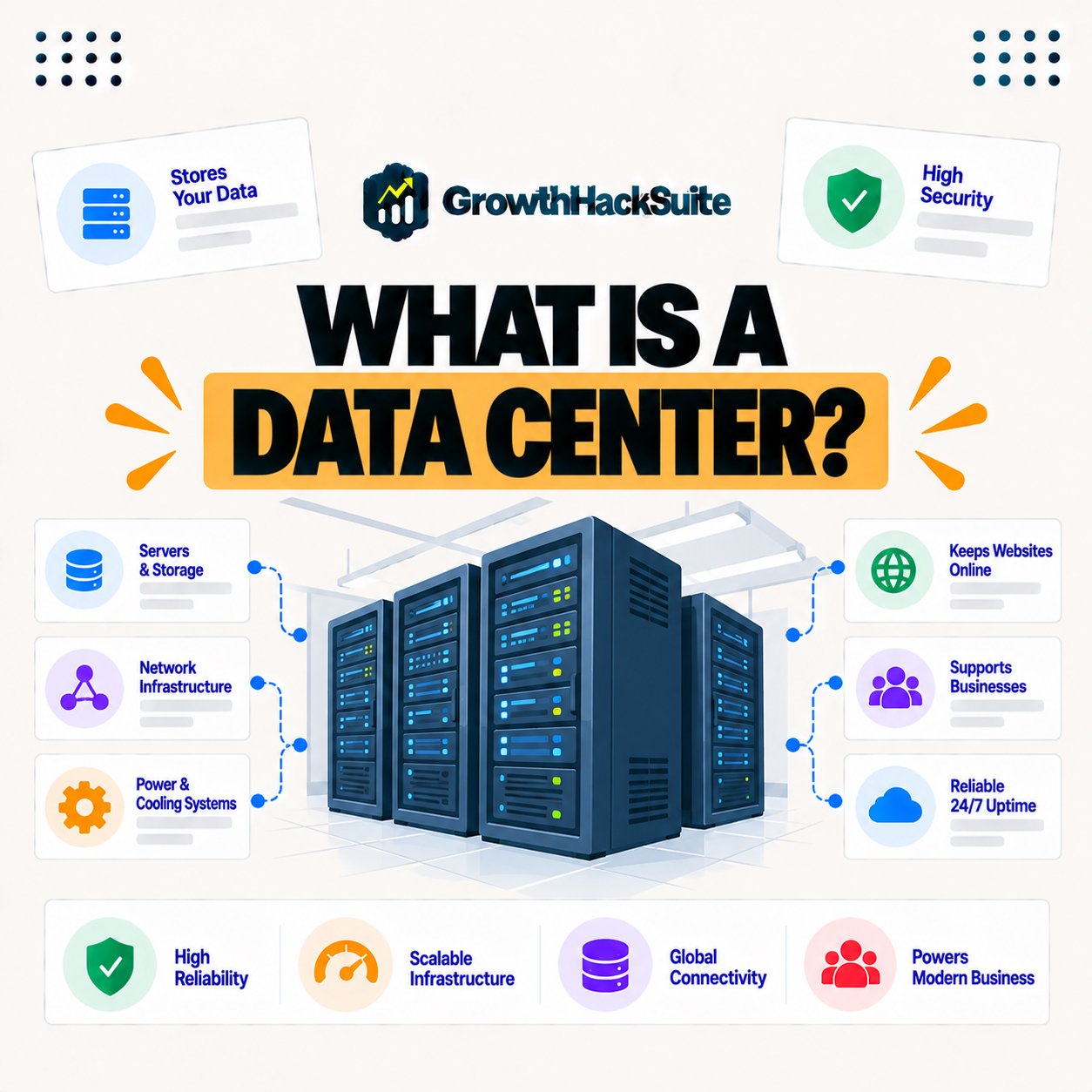
A data center provides the power, cooling, network connectivity, and physical security that servers need to run reliably, so it keeps the machines hosting your site running continuously and connected to the internet. It is the infrastructure behind every online service.
Four essentials keep a data center’s servers online around the clock:
- Power: Redundant power feeds and backup generators keep servers running, so a single outage does not take a hosted site offline.
- Cooling: Climate control removes the heat servers generate, so hardware stays within safe temperatures and avoids failure.
- Networking: High-capacity, redundant connections link the servers to the internet, so a site stays reachable at consistent speed.
- Security: Physical access controls and monitoring protect the equipment, so the hardware running a site is guarded around the clock.
Together these show the facility’s job: to keep servers powered, cool, connected and secure so the sites on them never miss a beat.
Why Does Data Center Location Matter?
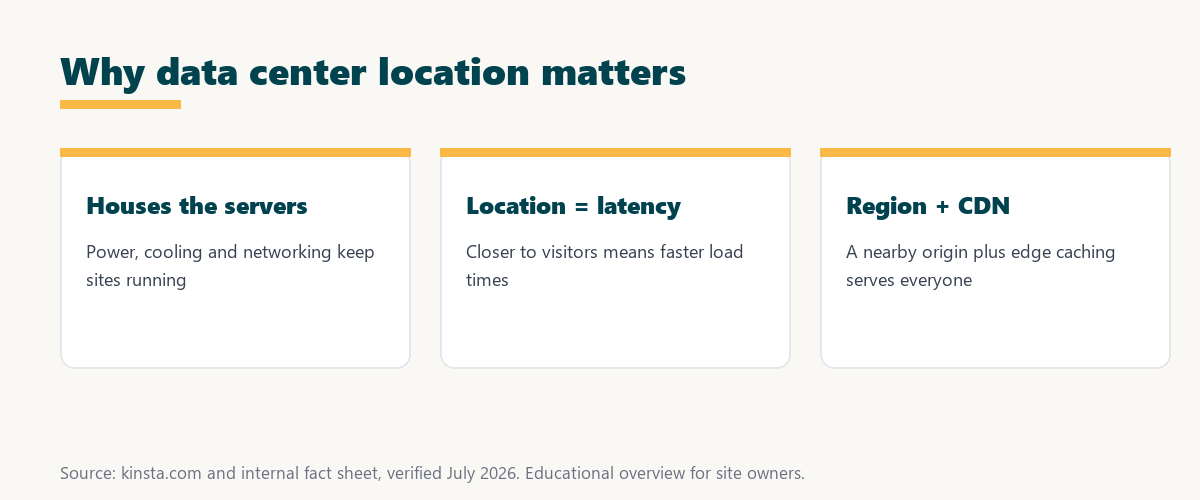
Data center location matters because the physical distance between the server and a visitor affects how long data takes to travel, so a facility closer to your audience reduces latency and speeds up how quickly your site responds. Distance is measured in milliseconds that add up.
The takeaway is that geography is performance: the closer your server is to your visitors, the faster your site feels to them.
How Location Affects Site Speed
Location affects site speed because a request to a distant server takes longer to make the round trip, so hosting near your main audience lowers time to first byte, while a CDN further reduces distance for cached content. Both the origin and the edge matter for speed.
Source: general overview cross-checked with public hosting documentation, verified August 2026.
Reading down the table, power and cooling keep servers alive, while networking and security keep a site fast and protected, all of which the facility provides.
Data Center Location and Compliance
Data center location also affects data residency, since where your data physically sits can matter for privacy rules and compliance, so choosing a region can help meet requirements about where personal data is stored. Location is not only about speed. This is a general educational overview, not legal advice.
The practical point is that region choice can serve two goals at once: faster performance for local visitors and easier alignment with data residency preferences.
Why Choosing the Right Region Matters
Choosing the right region matters because it directly improves performance for your primary audience, so placing your site near where most visitors are keeps uncached, dynamic responses fast for the people who matter most to your business. The origin location shapes the core experience.
“The first five seconds of page-load time have the highest impact on conversion rates.”
— HubSpot, page load time and conversion rates
Placement is one of the levers behind those early seconds: a nearby server shaves latency off every dynamic request, keeping the site fast for the audience that drives conversions.
What If My Audience Is Global?
If your audience is global, you pick the data center nearest your largest segment and rely on a CDN and edge caching to serve everyone else quickly, so a nearby origin plus edge delivery covers a worldwide audience. No single location serves the whole world alone.
The honest point is that a global audience is served by a combination: a well-placed origin for dynamic requests and a CDN to bring cached content close to everyone.
How to Choose a Data Center Location
Choose a data center location by identifying where most of your visitors are and selecting the nearest region, so your origin server responds quickly to your main audience while a CDN handles distant visitors. Start from your analytics, not a guess.
Source: general overview cross-checked with public hosting documentation, verified August 2026. Not legal advice.
Reading the table together, latency and audience proximity drive the core choice, while compliance and a CDN round out a location decision for a real-world site.
How Kinsta Offers Global Regions
Kinsta offers many Google Cloud regions worldwide, so you can place each site in the region closest to its audience, and combined with a global CDN, your site loads quickly for visitors wherever they are. The choice of region is made per site.
Choose a data center region on Kinsta’s Google Cloud platform
Start Free Migration →Many regions plus a global CDN, with free migration.
Placing Your Site Close to Your Audience
You place your site close to your audience by choosing the nearest region when you set it up, so with a host like Kinsta offering many regions plus a CDN, your site is fast both locally and globally. The setup choice pays off on every visit.
The takeaway is that a good region choice plus a CDN is the practical recipe for a site that feels fast everywhere it is visited. For anyone weighing a long hosting commitment, our note on SaaS vendor lock-in is worth a read.
Facilities, Reliability, and Redundancy
Facilities underpin reliability through redundant power, cooling, and networking, so quality facilities, especially those from major cloud providers, keep your site available by absorbing hardware and infrastructure failures. Redundancy is what turns fragile hardware into dependable uptime.
“A tool is only worth its premium when the hours or revenue it protects exceed the invoice.”
— Growth Hack Suite, on tool ROI
Applied to hosting, the value of quality facilities is the downtime they prevent: the uptime and speed they protect are worth far more than the difference in price.
Facility Tiers Explained
Facility tiers are a rating system from Tier I to Tier IV that describes a facility’s redundancy and expected uptime, so a higher tier means more backup systems and greater resilience against failures. The tier signals how dependable a facility is.
The honest summary is that tiers are a shorthand for reliability: the higher the tier, the more redundancy a facility has, and the less likely an outage becomes.
Try Kinsta risk-free and place your site near its audience
Try Kinsta Risk-Free →Google Cloud regions, a global CDN and free migration, with a 30-day money-back guarantee.
Data Centers: Frequently Asked Questions
The 12 most-asked questions about data centers and their location.
What is a data center in simple terms?
A data center is a facility that houses the servers, storage, and networking equipment that run websites and applications, so it is the physical place your hosted site lives and is served from.
What does a data center do?
A data center provides the power, cooling, network connectivity, and security that servers need, so it keeps the machines hosting your site running continuously and connected.
Why does data center location matter?
Location matters because the distance between the server and a visitor affects how long data takes to travel, so a nearby data center reduces latency and speeds up your site.
How does data center location affect speed?
A request to a distant server takes longer to make the round trip, so hosting near your audience lowers time to first byte, while a CDN reduces distance for cached content.
Does data center location affect compliance?
Yes, where your data physically sits can matter for privacy rules, so choosing a region can help meet data residency requirements about where personal data is stored.
Which data center location should I choose?
Choose the region nearest most of your visitors, so your origin server responds quickly to your main audience while a CDN handles visitors located elsewhere.
What if my audience is global?
For a global audience, pick the data center nearest your largest segment and rely on a CDN and edge caching to serve everyone else quickly from nearby locations.
Can I change my data center location?
With some hosts you can move your site to a different region if your audience shifts, so choosing a location is not always permanent, though it is best set correctly at the start.
Does a CDN replace a nearby data center?
A CDN speeds cached content globally but dynamic, uncached requests still hit the origin, so a nearby data center keeps those responses fast alongside the CDN.
How many data center locations should a host have?
More regions let you place sites closer to more audiences, so a host with many global data centers gives better placement options for diverse or international visitors.
Are cloud data centers more reliable?
Major cloud data centers offer strong redundancy in power, cooling, and networking, so hosts built on them can keep sites available by absorbing hardware and infrastructure failures.
How many data centers does Kinsta offer?
Kinsta offers many Google Cloud data center regions worldwide, so you can place each site near its audience and, with a global CDN, load quickly for visitors anywhere.
About this guide
Written by the Growth Hack Suite editorial team, drawing on hands-on experience running WordPress sites. Details were cross-checked against public data center documentation. This page carries affiliate links to Kinsta. The position is stated plainly: a data center is the facility that houses the servers running your site, and its location shapes latency, speed, and data residency. Kinsta runs on Google Cloud with many regions worldwide plus a global CDN, so sites can be placed near their audience.