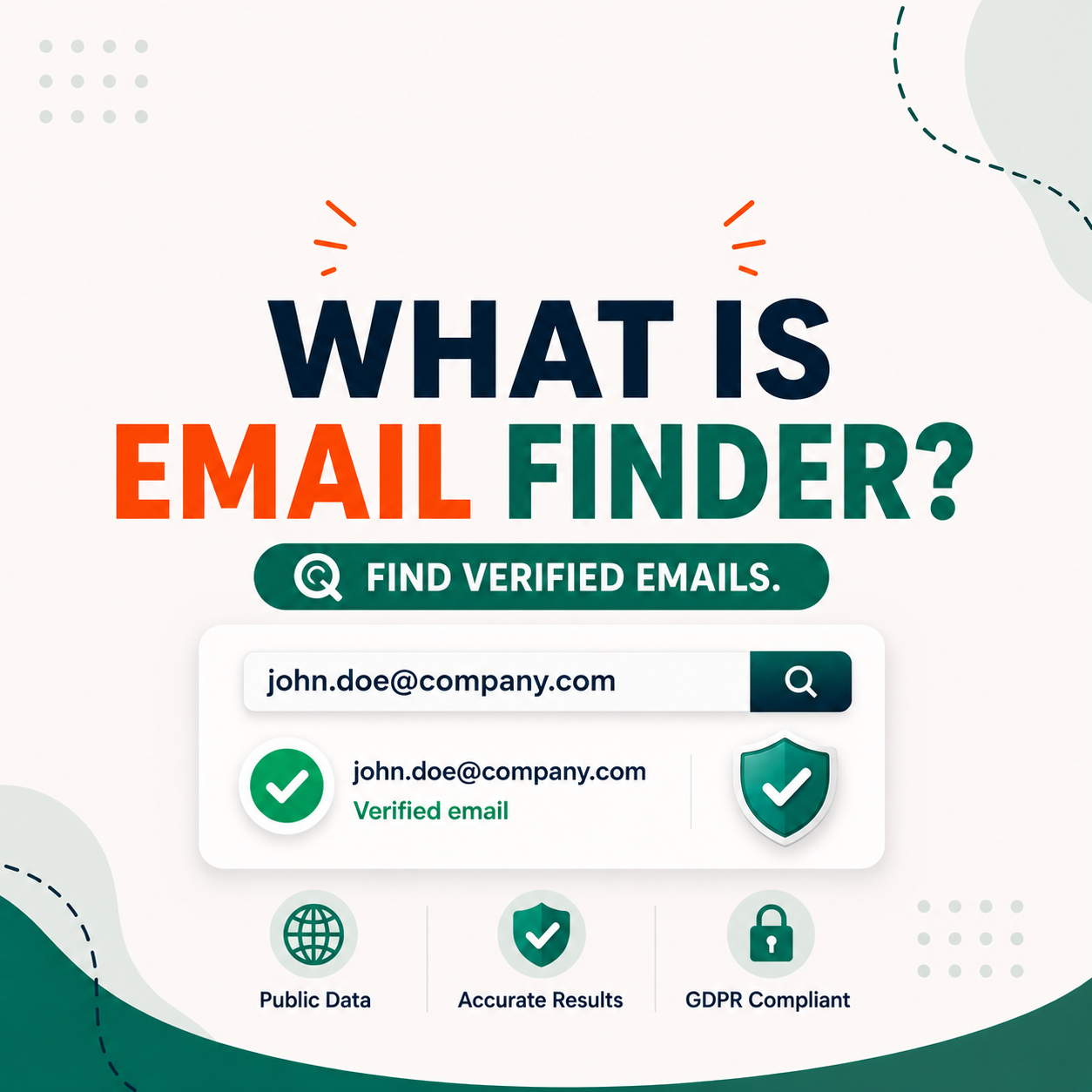
An email finder is a software tool that locates verified professional email addresses using a person’s name, company name, or website domain. Used primarily by sales teams, marketers, and founders to build targeted B2B contact lists without manually guessing or searching. If you do outbound prospecting, an email finder is the fastest way to get accurate contact data before you send a single message.
Table of Contents
What Is an Email Finder?
An email finder is a software tool that locates verified professional email addresses using a person’s name, company name, or website domain. It is the first step in any B2B outreach workflow — sitting between identifying a target and sending the first message. The tool queries public web sources, MX records, and proprietary email pattern databases simultaneously, then runs SMTP verification to confirm the specific mailbox is active before returning a result. Most tools return a confidence score from 0 to 100 alongside the address so users can assess deliverability before adding the contact to a sequence.
Finding emails is only the first step. Verifying them before sending protects your domain from bounce damage. For a ready-to-use verification process, read our step-by-step guide to reducing email bounce rate with Hunter.io.
What an Email Finder Is NOT
Understanding what an email finder does not do is just as important as knowing what it does. An email finder is not an email marketing tool — it does not send campaigns, manage lists, or track opens. It is not a CRM and does not store contact history or manage deal pipelines. It cannot locate personal Gmail, Yahoo, or Hotmail accounts. And while some overlap exists with web scrapers, an email finder specifically targets professional domain-based addresses — not arbitrary public data.
- NOT an email marketing tool — no campaigns, no list management, no tracking
- NOT a CRM — no contact history, no deal pipeline
- NOT a personal email finder — cannot locate Gmail, Yahoo, or Hotmail accounts
- NOT a web scraper — targets professional domain-based addresses only
To understand the full scope of what Hunter.io covers as a combined finder and verifier, read our Hunter.io Email Finder — Full Review 2026.
“An email address identifies an email box to which messages are delivered. A wide variety of formats were used in early email systems, but only a single format is used today, following the standards developed for Internet mail systems since the 1980s.”
— Wikipedia, Email address
How Does an Email Finder Work?
An email finder queries multiple data sources simultaneously — public web pages, WHOIS records, MX records, and proprietary email pattern databases — then runs verification checks to confirm the address is active before returning a result. The entire process typically completes in under three seconds.
The 4-Step Process Inside an Email Finder
Every major email finder follows a four-step verification process. Step one takes a domain or full name as input. Step two tests common email format patterns such as first@, first.last@, and flast@ against the domain’s known pattern. Step three checks MX records to confirm the domain’s mail server exists and is configured to receive email. Step four performs SMTP verification — pinging the mail server to confirm the specific mailbox is active without sending a real email. The result is returned with a confidence score from 0 to 100.
What Is a Confidence Score?
A confidence score is a percentage from 0 to 100 showing how likely an email address is valid and active. Hunter.io assigns this score based on the outcome of its four verification steps. Scores of 90 and above are generally safe to send directly. Scores between 50 and 89 should be verified further before adding to a sequence. Scores below 50 carry a high bounce risk and are best skipped or re-verified through a dedicated tool.
To see confidence scores applied to real B2B domain tests, visit our Hunter.io Email Checker section.
Email Finder vs Manual Search — Why Speed and Accuracy Matter
Finding emails manually — scrolling LinkedIn, guessing formats, checking contact pages — takes 10 to 20 minutes per contact. An email finder returns a verified result in under three seconds. For any team sending 50 or more cold emails per week, that gap is not marginal. It is the difference between a scalable outbound channel and a time sink that never produces consistent results.
Speed and Accuracy Comparison
The table below compares four common prospecting methods across time per contact, accuracy, and cost. Email finder tools are 200 to 400 times faster than manual search while delivering 88 to 95 percent accuracy on B2B domains, compared to 60 to 70 percent for manual guessing. To compare the leading options side by side, see our guide to the best email finder tools.
| Method | Time per Contact | Accuracy | Cost |
|---|---|---|---|
| Manual search (LinkedIn + website) | 10–20 min | ~60–70% | Free (time cost) |
| Email finder tool (e.g., Hunter.io) Recommended | <3 seconds | ~88–95% B2B | From $0 (free plan) |
| Buying a static database | Instant | ~50–60% (outdated) | $100–$1,000+ |
| Asking a mutual contact | Variable (days) | ~100% | Free (network cost) |
How an Email Finder Fits Into the B2B Prospecting Workflow
An email finder sits at step three of a standard B2B outreach workflow — after defining your ideal customer profile and identifying a target domain, and before verifying the result and sending the cold email. The diagram below illustrates the full five-step sequence from ICP definition to first outreach.
This workflow applies whether you are an SDR building a new account list, a founder reaching out to investors, or a marketer running PR outreach. The email finder handles the contact discovery step so the rest of the sequence can run at scale.
Who Needs an Email Finder?
Email finders are used by anyone who needs to reach a specific professional by email without direct access to their contact details. The most common users are sales teams, marketers, founders, and recruiters — each with a slightly different use case but the same core need: a verified email address for a named person at a known company.
Sales Teams and SDRs
Sales development reps and account executives use email finders as a daily prospecting tool. The most frequent use cases are building a targeted prospect list by domain before a cold email sequence, finding decision-maker emails without knowing the address in advance, and enriching CRM records automatically before launching a new outbound campaign.
- Build a targeted prospect list by domain before a cold email sequence
- Find decision-maker email without knowing the address in advance
- Enrich CRM records automatically before a new outbound campaign
If you are evaluating which email finder fits your outbound workflow — particularly between the two tools that dominate this category in 2026 — the Apollo.io vs Hunter.io full comparison breaks down accuracy, pricing, CRM integration, and use-case fit with real test data across 2,000+ contacts.
For a real-world example of cold email performance with Hunter.io, see our Hunter.io cold email case study — 41% open rate and 6.2% reply rate across 1,200 sends.
Marketers and Growth Teams
Email marketers and growth teams use finders primarily for list hygiene and outreach expansion. Verifying subscriber lists before a campaign send reduces bounce rates and protects domain reputation. Finding press contacts and bloggers by domain supports PR and link-building outreach. Building partner and affiliate contact lists at scale is a common secondary use for growth teams at Series A and beyond.
- Verify email lists before sending campaigns to reduce bounce rate
- Find press contacts and bloggers for PR and link-building outreach
- Build partner and affiliate contact lists at scale
Founders and Solopreneurs
For early-stage founders and solopreneurs, an email finder replaces a prospecting team. Finding investor emails directly by fund domain, reaching potential partners or journalists without a PR agency, and building a hyper-targeted cold list without paying for a full CRM are the three most common use cases. Most founders at this stage need fewer than 50 contacts per month, which fits within the free plan of most tools.
- Find investor emails directly by fund domain
- Reach potential partners, journalists, or media contacts without a PR agency
- Build a hyper-targeted cold list without paying for a full CRM or sales tool
Wondering if the free plan covers your volume? Read our breakdown: Hunter.io Free Plan vs Starter — Upgrade Guide.
“In our full Hunter.io review, we verified 1,000 B2B emails across 50 domains and recorded a 91% valid rate — the highest accuracy we have tested among free email finders in 2026.”
— Growth Hack Suite, Hunter.io Email Finder Review 2026
Read the full Hunter.io review →
How to Use an Email Finder — Step by Step
Using an email finder takes under 60 seconds once your account is set up. The basic workflow is to enter a domain or name, run the search, check the confidence score, then copy or export the result. No technical setup is required — the tool runs in a browser or as a Chrome extension directly on LinkedIn.
Using Hunter.io — Domain Search Walkthrough
Hunter.io’s Domain Search is the fastest way to pull all publicly available email addresses for a given company. The free plan allows 25 searches and 50 verifications per month with no credit card required.
- Step 1: Go to hunter.io and click Domain Search in the top navigation.
- Step 2: Type the target company’s domain (e.g., stripe.com) and press Enter.
- Step 3: Review the list of email addresses, formats, and sources Hunter.io returns.
- Step 4: Click any email to see its confidence score (0–100) and the public sources that confirmed it.
- Step 5: Copy the email directly, export to CSV, or push to your CRM via integration.
Want to see what these results look like in a real campaign? We ran 1,200 cold email sends using Hunter.io-verified contacts and documented every metric — open rate, reply rate, and bounce rate. Read the full breakdown: Hunter.io Cold Email Case Study — 41% Open Rate, 6.2% Reply Rate.
Once you understand how email finders work, the next practical question is cost. Hunter.io, Apollo.io, and Snov.io each use a completely different pricing model — per search, per seat, and per credit pack — which means the cheapest option depends entirely on your team size and monthly volume. The email finder pricing comparison breaks down the real cost-per-email at 100, 500, and 2,000 searches per month across all three tools.
Try Hunter.io Free — No Credit Card Required
25 Domain Searches + 50 Email Verifications per month. Resets monthly. Start testing accuracy on your real prospect domains today.
Start Free — No Credit CardSponsored · Resets monthly · Cancel anytime
The 2 Best Email Finder Tools in 2026 — Hunter.io vs Apollo.io
After testing multiple tools, two email finders stand out in 2026 for B2B prospecting: Hunter.io for accuracy-first workflows and Apollo.io for volume-first teams. Hunter.io delivers approximately 91 percent valid rate on B2B domains with a transparent four-step verification process. Apollo.io offers a database of 275 million contacts with phone numbers and intent signals included. Which one to choose depends on your monthly contact volume and whether you need phone numbers alongside email.
For a complete head-to-head breakdown with real accuracy test data and pricing by persona, see our full Apollo.io vs Hunter.io comparison.
Hunter.io — Best for Email Accuracy and Verification
Hunter.io leads the category for teams where deliverability and precision matter more than volume. It delivers approximately 91 percent valid rate on B2B domains, verified through a four-step process covering syntax, MX records, SMTP, and confidence scoring. The free plan includes 25 searches and 50 verifications monthly with no credit card required. The Chrome Extension works directly on LinkedIn profiles and company websites, making it the fastest single-contact lookup tool available at any price point.
- Approximately 91% valid rate on B2B domains in independent testing
- Four-step verification: syntax check, MX record, SMTP ping, confidence scoring
- Free plan: 25 searches and 50 verifications monthly — no credit card required
- Chrome Extension works directly on LinkedIn profiles and company websites
“Hunter collects and indexes publicly available professional email addresses on the web, along with all the sources where it found them. Any time an email is publicly linked to a domain, Hunter is likely to find it.”
— Hunter.io, How Hunter Works
Read the full Hunter.io review →
Apollo.io — Best for Volume and B2B Database Access
Apollo.io suits teams that need higher contact volume and phone numbers alongside email. Its database covers 275 million contacts across 73 million companies. Phone numbers are included alongside email addresses — a key advantage for teams running multi-channel outreach. Intent signals help time outreach to accounts that are actively researching relevant solutions. Native CRM integration covers Salesforce, HubSpot, and Outreach out of the box.
- 275 million+ contacts across 73 million companies
- Phone numbers included alongside email addresses
- Intent signals to help time outreach to active buyers
- Native CRM integration: Salesforce, HubSpot, Outreach
Hunter.io vs Apollo.io — Side-by-Side Comparison
The table below covers the seven criteria that matter most when choosing between these two tools: best use case, free plan limits, email accuracy, database size, phone number availability, starting price, and overall verdict.
| Criteria | Hunter.io Accuracy | Apollo.io |
|---|---|---|
| Best for | Email accuracy + verification | Volume + database + phone |
| Free plan | 25 searches + 50 verifications, no card | 50 export credits/month |
| Email accuracy (B2B) | ~91% valid rate | ~85–88% mixed database |
| Database size | Smaller, higher B2B precision | 275M+ contacts, 73M companies |
| Phone numbers | No | Yes |
| Starts at | $34/month (annual) | $49/month |
| Verdict | Best for accuracy-first B2B outreach | Best for volume + phone + CRM teams |
See the full breakdown: Apollo.io vs Hunter.io — Full Comparison 2026
For a full breakdown including real accuracy tests and workflow recommendations, read our Apollo.io vs Hunter.io — Full Comparison 2026.
Is Using an Email Finder Legal?
Yes. Email finders that source publicly available business email addresses are legal in most jurisdictions, including under GDPR in the EU and CAN-SPAM in the US, as long as outreach follows consent and opt-out rules. The key compliance requirements are a clear sender identity, a working opt-out mechanism in every email, and relevant messaging targeted at professional recipients.
GDPR, CAN-SPAM, and Email Finder Compliance
Under GDPR, legitimate interest allows B2B cold email to professional addresses provided recipients can easily opt out. CAN-SPAM requires clear sender identification and a working opt-out link in every commercial email. CASL in Canada requires implied or express consent before any commercial email is sent. Best practice across all regions is to use business domain addresses only, never personal email accounts, and to include an unsubscribe option in every message.
- GDPR (EU): legitimate interest applies to B2B cold email — easy opt-out required
- CAN-SPAM (US): clear sender ID and working opt-out link in every email
- CASL (Canada): implied or express consent required before commercial email
- Best practice: business addresses only — always include an unsubscribe option
For detailed GDPR guidance on email, refer to gdpr.eu — Email Encryption and Compliance. Note: this section provides general information only and does not constitute legal advice. Consult qualified legal counsel for your specific jurisdiction.
Email Finder FAQs
The six most common questions from sales reps, marketers, and founders evaluating email finder tools in 2026.
Email Finder FAQs
Is an email finder free to use?
Yes. Most email finder tools offer a free plan with limited monthly credits. Hunter.io provides 25 searches and 50 verifications per month at no cost and no credit card required. This is enough to test accuracy on your real prospect domains before committing to a paid plan. For higher volumes, paid plans start at $34 per month.How accurate are email finder tools?
Accuracy varies by tool and domain type. Hunter.io achieves approximately 91% valid rate on standard B2B corporate domains based on real-world testing across 1,000 emails. Accuracy drops to 60 to 70% on catch-all domains where the server accepts all addresses regardless of validity. Tools that combine pattern matching with SMTP verification consistently deliver higher accuracy than database-only tools.Is it legal to use an email finder for business purposes?
Yes, using an email finder is legal when used for legitimate B2B outreach. Email finders collect publicly available professional email addresses from company websites, press pages, and public directories. However, you must comply with GDPR (for EU contacts), CAN-SPAM (for US recipients), and local data protection laws. Always include an unsubscribe option in your outreach and avoid sending to personal email addresses without consent.Can an email finder locate personal Gmail or Yahoo addresses?
No. Email finders are designed specifically for professional domain-based addresses (such as name@company.com). They do not search for or return personal email addresses from Gmail, Yahoo, Hotmail, or other free email providers. If your target audience uses personal email addresses, an email finder is not the right tool.What is the difference between an email finder and an email verifier?
An email finder locates a professional email address using a name and company domain. An email verifier checks whether an email address you already have is valid and safe to send to. Hunter.io does both in one platform: find the email first, then verify it before sending. Using both steps in sequence reduces bounce rates and protects your sender reputation. For the exact verification workflow, see our guide to reducing email bounce rate with Hunter.io.Which email finder tool is best for beginners?
Hunter.io is the best starting point for beginners because of its simple interface, generous free plan, and combined find-plus-verify workflow. There is no learning curve: enter a domain, get results with confidence scores, and verify before sending. For a complete review of features, accuracy data, and pricing, read our Hunter.io Email Finder full review.Verdict — Start With These 2 Email Finders in 2026
If you are new to email prospecting, start with Hunter.io. The free plan gives 25 searches and 50 verifications per month with no credit card. For teams needing higher volume, phone numbers alongside email, or native CRM sync, Apollo.io is the stronger choice. For a full head-to-head breakdown with real accuracy data, pricing by persona, and a final verdict, read our Apollo.io vs Hunter.io comparison. If you have already decided on Hunter.io, our full Hunter.io review covers everything from setup to pricing to real-world test results.
Sponsored · No credit card · Resets monthly · Cancel anytime