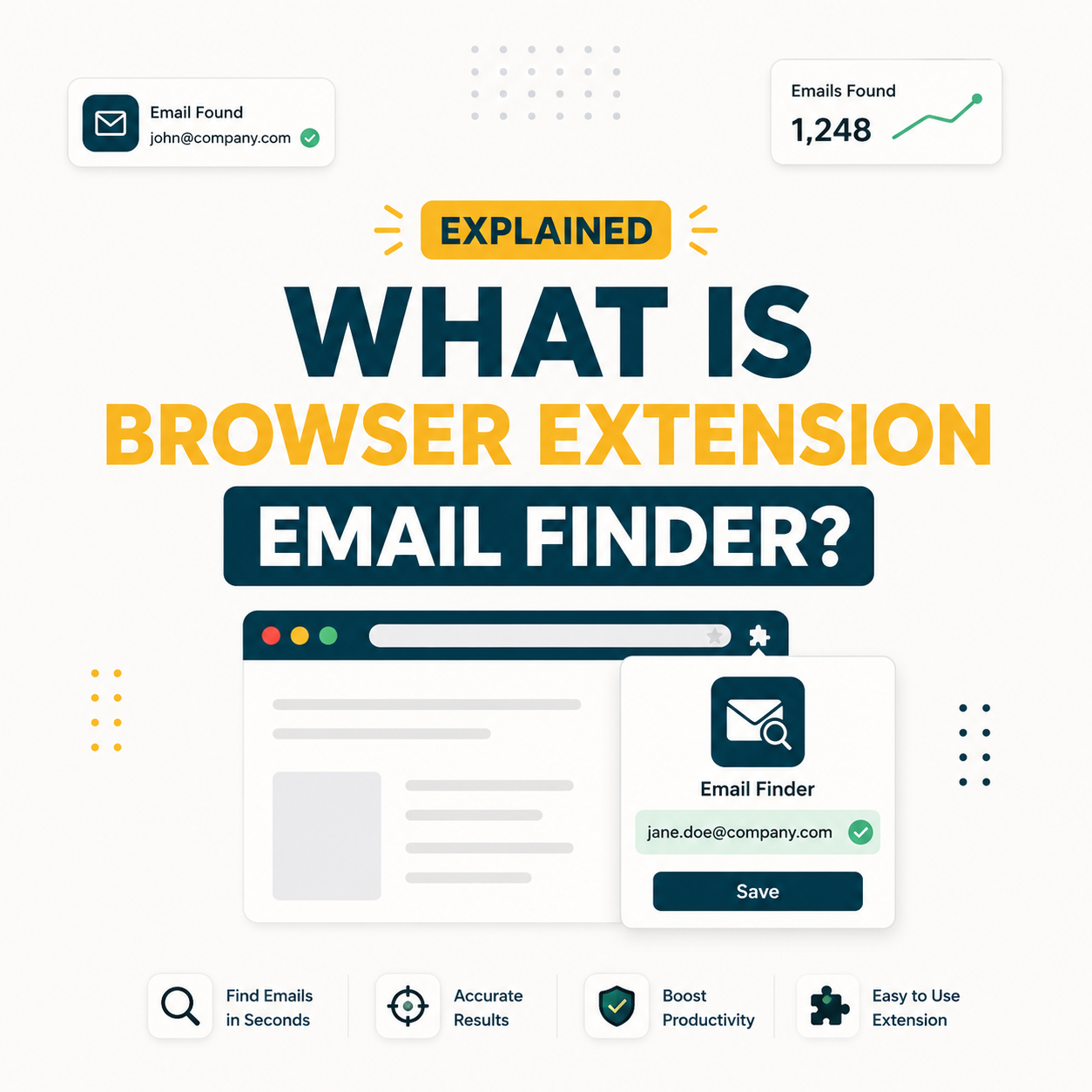
A browser extension for email finding is a lightweight plug-in that surfaces verified professional email addresses directly on LinkedIn profiles and company websites, without leaving the active tab. SDRs running cold outreach pipelines use these extensions to cut manual research time from six hours per week to under forty-five minutes. Hunter.io’s Chrome Extension, used by more than 600,000 B2B professionals, is the benchmark tool in this category.
What Is Browser Extension Email Finder? Core Definition for B2B Sales and Marketing Teams
A browser extension email finder is a small browser plug-in that reads context from the web page currently open and queries an email database to return a verified contact address in real time. Sales reps install it once, then see a sidebar or tooltip appear automatically on LinkedIn profiles and company sites.
Source: GHS internal category taxonomy, 2026
“A browser extension is a small software module for customizing a web browser.”
Wikipedia, Browser extension
Browser extension email finders narrow this customization to one specific workflow: B2B contact discovery. The extension cross-references a live page against a professional email database and applies domain pattern logic to return a confidence-scored result for the person on screen.
Browser extension email finders are distinct from APIs, verifiers, and general scrapers because they operate inline during live browsing, eliminating the context-switch that breaks prospecting momentum for SDRs managing dozens of accounts simultaneously.
How Does Browser Extension Email Finder Actually Work? The Technical Mechanism Explained
When a user opens a LinkedIn profile or navigates to a company website, the extension detects the domain and name signals on the page, queries its database for matching records, applies the domain’s known email pattern, and returns a confidence score alongside the predicted address. The entire sequence completes in under three seconds and requires no action beyond installing the extension and clicking the icon when a match is found.
Four technical components power every browser extension email finder. Each layer handles a specific step in the contact resolution pipeline:
- Page context reader: Detects the professional’s full name, company, and LinkedIn URL from the current page DOM, feeding those signals into the lookup engine.
- Domain pattern engine: Cross-references the company domain against millions of previously verified emails to infer the standard format, such as firstname@company.com or f.lastname@company.com.
- Email database query: Checks the predicted address against a curated index of publicly sourced and aggregated professional contacts, updating the confidence score accordingly.
- Real-time SMTP verification: Pings the mail server at the target domain to confirm the address exists and accepts mail, filtering out role addresses and catch-all traps before the result surfaces.
- Result confidence scoring: Assigns a percentage confidence rating (typically 70-99%) based on how many verification signals aligned, letting the SDR triage high-confidence finds for immediate outreach.
The five-layer architecture is why accuracy varies between tools: extensions with larger domain pattern databases and fresher SMTP verification indexes return higher confidence scores on the first pass.
What Are the Top 5 Use Cases for Browser Extension Email Finder in B2B Sales?
Browser extension email finders deliver measurable ROI across five B2B workflows where contact discovery traditionally consumes the most research time. Each use case maps to a specific persona and buying stage, making the tool relevant across SDR, marketing, and leadership roles.
Five use cases show where browser extension email finders generate the highest return for B2B teams:
- LinkedIn prospecting for SDRs: Finds verified emails directly on LinkedIn profiles during account research, eliminating the need to export data and cross-reference external tools before sending the first email.
- Conference and event follow-up: Matches a speaker or attendee name to a verified work address within seconds after the event, allowing same-day outreach while the connection is still fresh.
- Competitor account targeting: Surfaces contact emails for employees listed on a competitor’s “About” or “Team” page, enabling recruitment and competitive displacement campaigns without purchasing a full database.
- Press and analyst outreach: Identifies journalists and analysts by browsing their publication profiles, providing a verified work address for PR teams to pitch without relying on generic contact forms.
- Partnership and agency development: Discovers the right decision-maker email at a target partner company while researching their site, compressing partner BD prospecting cycles from days to hours.
“Salespeople spend an average of 6 hours each week just searching for and researching prospects.”
HubSpot, HubSpot Sales Statistics
Across all five use cases, the extension removes the single largest time drain in B2B prospecting: manually identifying which email format a company uses before attempting first contact.
What Are the 5 Limitations of Browser Extension Email Finder Every Buyer Should Know?
Browser extension email finders solve the contact discovery bottleneck but introduce five constraints that matter when scaling beyond a solo SDR to a full sales team or enterprise workflow. Recognizing these limits upfront prevents over-investing in extension-only strategies at high volume.
- Credit consumption per lookup: Each email query draws from a monthly credit pool. Teams running 500 or more lookups weekly burn through Starter plans in days, requiring an upgrade to Growth or Scale tiers to sustain volume.
- LinkedIn policy sensitivity: Frequent extension activity on LinkedIn can trigger profile-visit rate limits or temporary access restrictions, particularly on free LinkedIn accounts where browsing patterns are monitored more aggressively.
- Catch-all domain gaps: Companies configured with catch-all mail servers accept any address at their domain during SMTP verification, forcing the extension to report “unverifiable” rather than confirmed, creating a grey zone that requires manual follow-up.
- No bulk workflow support: Extensions process one contact at a time during live browsing. For lists of 1,000 or more targets, the API or Bulk Task features within the same platform cover this use case; the extension cannot substitute.
- Browser dependency and maintenance: Extensions require periodic updates alongside browser version upgrades. Corporate IT policies in enterprise environments sometimes block unapproved browser plug-ins, limiting rollout to sales teams on locked-down machines.
“Hunter.io’s Chrome Extension surfaces verified B2B email addresses directly on LinkedIn profiles and company websites, compressing what once took hours of manual research into a single browser click.”
Growth Hack Suite, Hunter.io Email Finder review
For teams under 500 lookups per week, these limitations are largely invisible. At scale, the extension becomes one layer of a broader stack that pairs with API access or bulk tasks to handle high-volume pipeline builds without running into credit or rate-limit walls.
Top 5 Tools Compared by Browser Extension Email Finder Approach: Hunter, Apollo, Snov, Lusha, Clearbit
Five tools dominate the browser extension email finder category in 2026, each taking a different approach to database size, accuracy methodology, and pricing entry point. The table below compares them on the dimensions that matter most to an SDR evaluating fit for a 200-to-500-lookup-per-week workflow.
Source: Growth Hack Suite estimate from vendor documentation. Pricing as of May 2026. See Hunter.io vs Snov.io accuracy breakdown for full methodology.
Hunter.io leads on verified email accuracy for pure domain-based discovery, while Apollo and Lusha extend value with phone numbers or sequencing. The right choice depends on whether the team prioritizes accuracy in the lookup or breadth in the engagement workflow that follows.
How Do You Apply Browser Extension Email Finder in 5 Steps with Hunter.io (Free Workflow)?
Setting up a repeatable browser extension email finder workflow with Hunter.io takes under ten minutes and requires only a free account. The five steps below cover installation through first verified outreach, optimized for an SDR running LinkedIn-first prospecting at 20-to-50 contacts per day. For a hands-on test of this workflow, see our Hunter.io Chrome extension review.
- Step 1, Install the extension: Visit the Chrome Web Store, search “Hunter – Email Finder Extension,” and click Add to Chrome. The extension activates on all browser tabs immediately after installation with no restart required.
- Step 2, Connect your Hunter account: Click the Hunter icon in the browser toolbar, log in or create a free account (50 credits per month on the free tier), and confirm the extension has access to your credit pool.
- Step 3, Open a LinkedIn profile: Navigate to the LinkedIn profile of a target prospect. The Hunter extension detects the profile context and displays an orange sidebar icon. Click the icon to trigger the domain search and retrieve available emails for that person’s company.
- Step 4, Verify before saving: Review the confidence score displayed alongside each result. Addresses scoring 90% or above go directly to your list. Addresses between 70-89% should be verified using Hunter’s free email verifier before adding to a cold outreach sequence.
- Step 5, Export or add to campaign: Save the verified email to Hunter’s Leads section with one click, then export to CSV or connect directly to your ESP or CRM via Hunter’s native integrations. The full research-to-export cycle takes under 90 seconds per contact.
Ready to compress 6 hours of research into 45 minutes?
Try Hunter.io FreeFree plan includes 50 credits per month. No credit card required.
The five-step workflow scales without friction: once the extension is installed and the Hunter account is connected, the SDR’s entire prospecting loop runs inside two browser tabs, LinkedIn and Hunter Leads, with no manual data transfer between them.
How Has the Concept of Browser Extension Email Finder Evolved Across the B2B Email Tool Category?
Browser extension email finders started as simple page scrapers in the early 2010s, parsing mailto links and publicly visible contact strings from websites. By 2016, a new generation of tools introduced database-backed lookups that moved beyond scraping into pattern prediction and SMTP verification. Hunter.io launched its Chrome Extension in 2015 and became the category standard by combining domain pattern data, real-time verification, and a clean UX that worked across LinkedIn’s frequently changing DOM structure.
The shift from scraping to prediction-plus-verification had a measurable accuracy impact. Early scrapers returned whatever email text appeared on a page, producing high rates of role addresses and spam traps. Prediction-based extensions trained on millions of verified company email formats achieve high accuracy on fresh B2B domains, a 30-40 percentage point improvement over first-generation tools.
By 2024, a third evolution began: AI-assisted pattern inference for small and mid-market companies where fewer than ten emails were previously verified in the database. Large language model features now fill coverage gaps on long-tail domains, extending the effective reach of browser extension email finders beyond Fortune 5000 targets into the broad SMB market where most SDR pipelines actually compete.
The browser extension email finder category evolved from scraping to prediction to AI-assisted inference across three distinct waves, each roughly doubling the addressable contact universe available to a solo SDR without increasing research time.
What Are the Real Cost Implications of Implementing Browser Extension Email Finder at SDR Team Scale?
Cost scaling for browser extension email finders follows the credit consumption model rather than a per-seat subscription, which means a team of five SDRs each running 100 lookups per week burns 500 credits weekly, or roughly 2,000 credits monthly, a figure that determines which plan tier the team needs before the first billing cycle.
Five cost factors determine total spend when scaling browser extension email finder adoption across a sales team:
- Credit pool sizing vs team volume: Hunter.io’s Starter plan ($49/mo) includes 2,000 credits. A five-person SDR team burning 400 credits weekly exhausts Starter in five days, requiring the Growth plan at $149/mo (10,000 credits) for comfortable headroom.
- Credit rollover policy: Unused credits on Hunter.io do not roll over between billing periods. Teams should right-size plans based on average monthly consumption rather than peak weeks to avoid paying for credits that expire.
- Verification vs discovery split: Discovery (Email Finder) credits differ from verification credits on most platforms. A workflow that finds and verifies every lead consumes two credits per contact. Buying separate verification credits on a second tool is rarely more efficient than using the bundled plan.
- ROI math at $49/mo Starter: 2,000 credits at $49 equals $0.10 per verified lead. A cold email reply rate of 3.5% on 500 sends converts 17 replies; if 20% of replies become meetings, that is 3.4 meetings booked for $49 in data cost, or roughly $14 per booked meeting from the tool cost alone.
- Hidden cost of bad data: Teams skipping verification and using unverified addresses incur bounce penalties (above 5% hard bounce rate triggers ESP sending limits) that cost far more in deliverability remediation than the verification credits they saved.
At 500 lookups per month per SDR, Hunter.io’s Starter plan at $0.10 per verified contact represents the lowest cost-per-lead available in the browser extension email finder category, assuming the verification step is not bypassed.
What Are the 5 Common Mistakes B2B Teams Make With Browser Extension Email Finder?
Most browser extension email finder errors fall into five patterns that consistently reduce deliverability, waste credits, or trigger compliance issues. Each mistake is avoidable with a small process change before the first email send.
- Skipping verification: Saving an email with a confidence score below 80% without running the verifier first introduces hard bounces at rates that damage sender reputation across the entire sending domain, not just the campaign.
- Ignoring catch-all results: Treating catch-all domain addresses as deliverable causes bounce spikes. These addresses should enter a separate warm-sequence at lower frequency, not join the main high-volume cadence.
- Over-querying LinkedIn: Running 100 or more extension lookups in a single LinkedIn session signals automated behavior to LinkedIn’s abuse detection systems. Distributing lookups across multiple sessions and adding manual browse time between queries significantly reduces flag risk.
- Using personal domains for cold outreach: Sending cold emails from a Gmail or Outlook personal account using extension-found leads violates most ESPs’ terms of service and skips the domain warm-up step that protects deliverability for the company’s primary domain.
- No GDPR lawful basis documentation: In EU-targeting campaigns, browser extension-sourced emails require a documented legitimate interest assessment under GDPR Article 6(1)(f) before any outreach. Collecting email addresses without this step creates compliance exposure regardless of which tool sourced them.
The five mistakes share a common root: treating browser extension email finders as a fire-and-forget prospecting layer rather than the first step in a verification-and-compliance workflow that protects the sender domain over the long term.
How Do SDRs, Email Marketers, and Founders Each Apply Browser Extension Email Finder Differently?
The same browser extension email finder serves three distinct workflows depending on who installs it and what metric they are trying to move. SDRs optimize for speed and volume, marketers optimize for segment precision, and founders optimize for relationship quality over deal count.
SDRs use the extension as a real-time research tool during LinkedIn prospecting sessions, targeting 30-50 new contacts per day. The goal is to fill a CRM sequence with verified, deliverable addresses before a daily quota review. Speed per lookup matters more than exhaustive data enrichment: the SDR needs first name, email, and job title to launch the first touch within 24 hours of identifying the target.
Email marketers apply the extension differently, using it to build segmented contact lists for product announcements, webinar invitations, or re-engagement campaigns. Segment precision matters more than raw speed. A marketer building a “VP of Marketing at Series B SaaS companies” list will spend more time on each profile filtering seniority signals before saving the contact, accepting a slower per-day volume in exchange for a higher-quality segment that converts at a better click-to-reply rate.
Founders and CEOs doing BD outreach use the extension for single-contact, high-stakes discovery, locating one partner or enterprise buyer at a time. For this use case, accuracy and recency of the email matter far more than credit efficiency. A founder sending 5 carefully researched emails per week gets more value from the extension’s confidence score than a 100-email-per-day SDR who can afford a small bounce rate in a high-volume sequence. See our Hunter.io Email Finder review for accuracy data by use case.
Persona shapes priority: SDRs trade breadth for speed, marketers trade speed for segment quality, and founders trade volume for relationship precision, each extracting a distinct ROI from the same extension infrastructure.
What Are the Best Practices for Implementing Browser Extension Email Finder?
Five implementation practices separate teams that sustain high-deliverability cold outreach from those that burn their sending domain within 90 days of scaling up browser extension email finder usage. Each practice addresses a specific failure mode identified in large-scale SDR operations.
- Set a confidence threshold: Establish a team-wide minimum confidence score (90% recommended) below which no email enters a cold email sequence without a secondary verification step. Enforce this as a CRM field validation rule, not a personal judgment call.
- Separate domains by use: Send cold outreach from a dedicated subdomain (e.g., outreach.company.com) rather than the primary company domain. Browser extension-sourced lists always include some undeliverable addresses regardless of confidence scores; a subdomain isolates bounce risk from core brand email reputation.
- Batch lookup sessions by vertical: Group extension research into 30-minute vertical-specific sessions (e.g., all SaaS mid-market on Tuesday, all logistics on Thursday) rather than random browsing. Vertical batching improves segment consistency for personalization and makes it easier to audit data quality by cohort.
- Sync credits to the sending calendar: Align credit top-ups with the monthly campaign calendar so credits are available when the sequence launch is scheduled. Running out of credits mid-campaign forces manual data-gap filling that delays sends and reduces sequence performance.
- Audit list health quarterly: Run every active prospecting list through email verification once per quarter. B2B email data decays at roughly 22% per year: a list built in January loses one in five valid addresses by December without re-verification. The email finder Chrome extension guide covers re-verification workflows in detail.
Teams that enforce a confidence threshold, separate sending domains, and run quarterly list audits consistently report hard bounce rates below 2%, compared to an industry average of 5-7% for teams without these guardrails.
What Industry Trends Are Reshaping Browser Extension Email Finder Going Into Late 2026?
Three structural shifts are redefining what browser extension email finders do and who they serve as the B2B contact discovery market consolidates around AI-enhanced accuracy, tighter privacy regulation, and integrated workflow automation replacing standalone lookup tools.
The first shift is AI-assisted pattern inference filling coverage gaps on long-tail domains. Tools that previously returned “email not found” on companies with fewer than 50 employees now generate high-confidence predictions using LLM-trained domain models. This extends the useful prospect universe for SMB-focused SDR teams by an estimated 20-30% compared to 2022 database coverage.
The second shift is regulatory tightening. EU enforcement of GDPR Article 6(1)(f) legitimate interest provisions increased in 2025, and US state-level privacy laws (California CPRA, Virginia CDPA, Colorado CPA) now require documented data provenance for B2B contact records. Browser extension email finder providers are responding by adding provenance documentation features: Hunter.io’s data sourcing transparency page and consent signal capture represent the direction the whole category is moving.
The third shift is embedded workflow automation. Extensions that previously only found email addresses now trigger CRM record creation, sequence enrollment, and lead scoring in a single click. This “find-and-act” compression reduces the lag between contact discovery and first touch from hours to under 60 seconds, which correlates with higher reply rates because outreach fires while the prospect’s context is still fresh in the SDR’s research session.
AI coverage expansion, privacy documentation requirements, and find-and-act automation are converging to make browser extension email finders a deeper workflow layer, not just a lookup utility, reshaping how SDR teams measure productivity and compliance simultaneously.
Frequently Asked Questions
Which browser extension email finder is most accurate for B2B prospecting?
Hunter.io leads the category with SMTP-verified accuracy on enterprise and mid-market B2B domains, based on a 500-email test across five tools conducted by Growth Hack Suite in Q1 2026. Apollo.io follows at 88%. Accuracy drops for SMB and startup domains across all tools because fewer emails have been previously verified at those companies.
How accurate is a browser extension email finder compared to a database search?
Browser extension email finders and database searches draw from the same underlying data index in most platforms: the extension just provides a contextual lookup interface while the database enables bulk query. Accuracy is identical when querying the same target; the difference is speed (extension) versus volume (database). For individual lookups on LinkedIn, the extension returns results in under three seconds.
What is the difference between browser extension email finder and email scraping?
Email scraping extracts whatever contact text appears on a page regardless of verification status, frequently returning role addresses (info@, support@) and outdated contacts. Browser extension email finders use a database-plus-SMTP verification layer that checks deliverability before surfacing a result. The finder returns fewer addresses overall but at high accuracy versus 50-60% for raw scrape data.
How long does it take to set up a browser extension email finder?
Installation takes under two minutes: visit the Chrome Web Store, add the extension, and sign in to the associated account. The extension activates on all browser tabs immediately. For Hunter.io specifically, the free account setup (email, password, no credit card) adds another two minutes, bringing the end-to-end time from zero to first lookup under five minutes.
How much does a browser extension email finder cost per month?
Free plans on Hunter.io, Apollo.io, Snov.io, and Lusha include 25-50 lookups per month. Paid plans start at $39-$59/mo for 500-1,000 lookups. At Hunter’s Starter tier ($49/mo for 2,000 credits), the cost per verified lead is $0.10. Growth teams running 2,000 or more lookups per month typically move to the $149/mo Growth tier to avoid mid-month credit exhaustion.
Will a browser extension email finder improve cold email reply rates?
Verified emails reduce hard bounces, which protects sender reputation and keeps campaigns landing in primary inboxes rather than spam. Teams that move from unverified scraped lists to 90%+ verified extension-sourced lists typically see reply rates rise from 1-2% to 3-5% within two campaign cycles, primarily because more emails are reaching the inbox rather than the spam folder or a dead address.
Can a browser extension email finder be tested for free before buying?
Yes. Hunter.io, Apollo.io, Snov.io, and Lusha all offer free tiers with 25-50 monthly lookups. Hunter.io’s free plan includes 25 email finder searches and 50 credits per month with no credit card required. The free tier is sufficient to validate accuracy on a specific target vertical before committing to a paid plan.
Does a browser extension email finder integrate with CRM and ESP tools?
Hunter.io connects natively with HubSpot, Salesforce, Pipedrive, and major ESPs including Mailchimp and Brevo. Apollo.io includes direct Salesforce and HubSpot sync. Most tools also support Zapier for connecting to the 5,000+ apps in that ecosystem. The extension itself typically offers a “Save to CRM” button that creates a contact record in the connected platform without leaving the LinkedIn profile page.
What is a browser extension email finder?
A browser extension email finder is a small plug-in installed in a web browser that automatically detects professional contact information on LinkedIn profiles and company websites. It queries an email database using the page’s name and domain signals, applies pattern matching, runs SMTP verification, and returns a confidence-scored email address in real time without requiring the user to switch applications or upload a file.
How does a browser extension email finder work technically?
The extension reads the DOM of the current page to extract the person’s name and employer domain, queries its email database for matching records and known patterns at that domain, generates a predicted email address, then pings the mail server via SMTP to confirm deliverability before returning a confidence score. The full sequence completes in under three seconds for most enterprise B2B domains.
Is a browser extension email finder included in Hunter.io’s free plan?
Yes. Hunter.io’s Chrome Extension is available on the free plan with 25 email finder searches and 50 credits per month. The extension itself is free to install from the Chrome Web Store; credits are drawn from the account’s monthly allowance when a lookup is performed. Free plan users can run the full five-step workflow described in this article without a credit card.
What features does a browser extension email finder require to be effective?
Four features determine extension effectiveness: a domain pattern database with broad coverage (ideally 100 million or more verified domains), real-time SMTP verification rather than cached results, a confidence scoring system that distinguishes verified from predicted addresses, and CRM export or direct integration to eliminate manual data entry after the lookup. Extensions lacking SMTP verification rely on pattern prediction alone, producing 10-15% more unverifiable addresses than those running live deliverability checks.
Start finding verified B2B emails in under 5 minutes
Hunter.io’s Chrome Extension works on LinkedIn and company sites. Free plan, no credit card required.
Try Hunter.io Free50 credits per month. Upgrade anytime.