Table of Contents
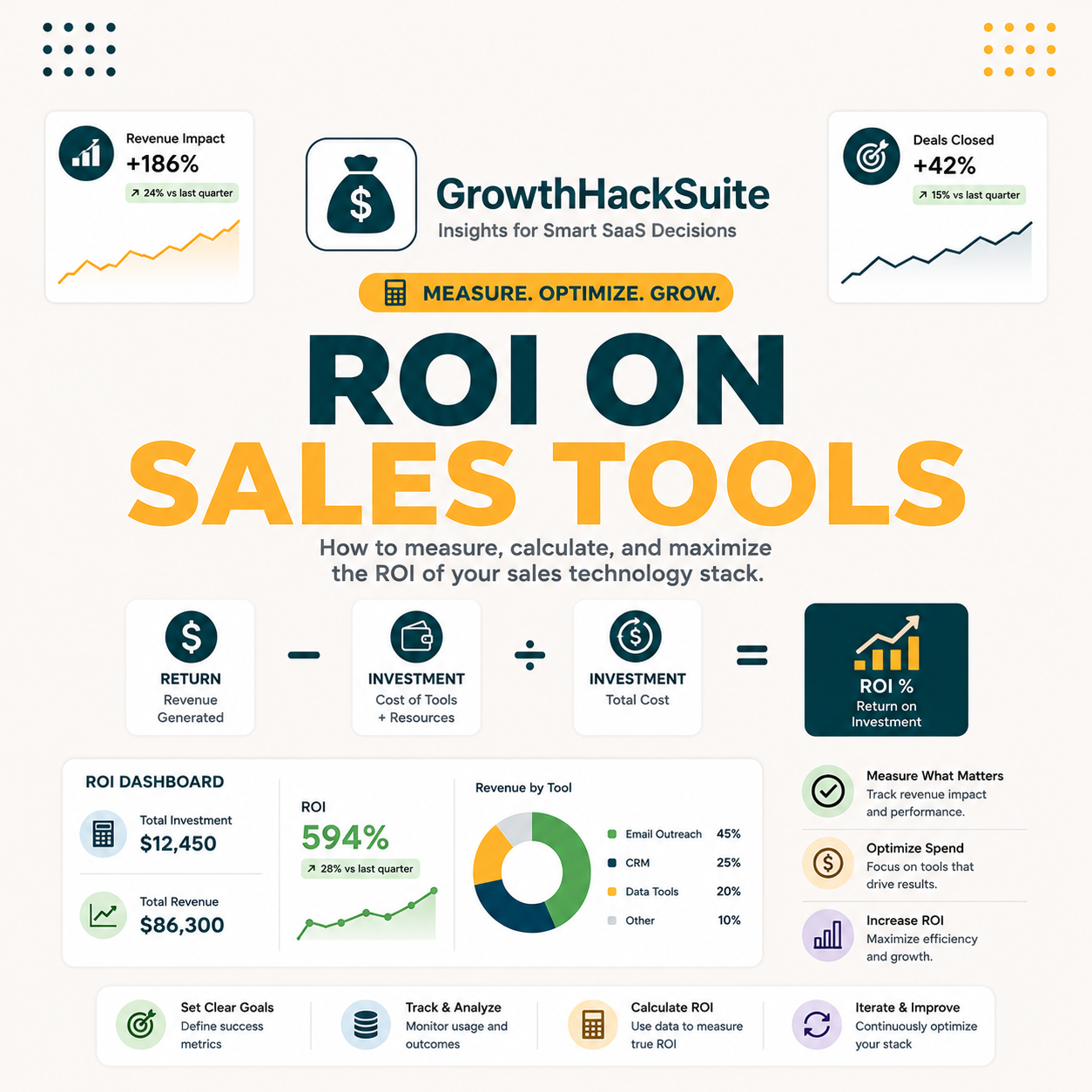
ROI on sales tools measures revenue generated per dollar invested in SDR prospecting software. The formula: (Revenue Enabled – Tool Cost) / Tool Cost x 100. Hunter.io Starter at $49/month pays back in 3 to 7 days for an SDR booking two meetings per week at a $3,000 average deal value. That math is the standard budget justification metric for lean B2B outbound teams.
What Is ROI on Sales Tools? Core Definition for B2B Sales and Marketing Teams
ROI on sales tools is the return on investment metric applied to SDR prospecting software. It compares the revenue a tool enables against the full cost of owning it. A positive ROI means the tool pays for itself through booked meetings, closed deals, or prospecting time reclaimed. Most B2B teams measure this on a 30-to-90-day cycle aligned to their sales cycle.
Understanding ROI on sales tools starts with separating three adjacent concepts that buyers often conflate.
“Return on investment (ROI) is a ratio between net income (over a period) and investment (costs resulting from an investment of some resources at a point in time).”
Wikipedia, Return on Investment
ROI on sales tools differs from generic marketing ROI in one key way: the tool is simultaneously the cost input and the capability amplifier. A verified email list from Hunter.io converts at 3 to 5 times the rate of an unverified one, compressing payback to days rather than quarters for active SDR teams.
How Does ROI on Sales Tools Actually Work? The Technical Mechanism Explained
ROI on sales tools works by tracking three variables: tool cost (subscription fee plus time to configure), revenue enabled (deals closed attributable to tool-generated leads), and time saved (hours reclaimed from manual prospecting). Multiply time saved by hourly SDR cost to get the full economic picture, then divide total gain by tool cost. Any ratio above 1.0 justifies the seat.
Five inputs determine the ROI on sales tools calculation for any B2B team.
- Subscription Cost: The monthly or annual fee including overages. Hunter.io Starter is $49/month; annual Starter is $408/year, a 30% saving that accelerates payback math in Year 1.
- Setup and Onboarding Time: Hours burned configuring integrations and learning the interface, priced at the hourly SDR cost. Hunter.io averages 2 to 4 hours onboarding for a new user.
- Revenue Enabled: Deals closed that originated from tool-generated leads. Track via a CRM source field: tag every Hunter.io-sourced lead as “Hunter Lead” to close the attribution loop.
- Time Saved per Prospecting Session: Minutes reclaimed per verified email address versus manual lookup. Hunter.io Domain Search averages 11 seconds per verified address versus 8 to 12 minutes for manual LinkedIn research.
- Credit Efficiency: Revenue generated per credit consumed. Starter plan includes 500 credits/month; benchmark target is at least $10 revenue per credit used for the math to make sense at scale.
The mechanism is straightforward: pull subscription cost, log deals sourced from the tool, price the time saved at SDR hourly rate, then divide by subscription cost. Any ratio above 1.0 justifies the seat; ratios above 10x are common for active users in the first 30 days.
What Are the Top 5 Use Cases for ROI on Sales Tools in B2B Sales?
The five strongest use cases for ROI on sales tools are cold outreach pipeline building, email list cleaning before a campaign send, account-based prospecting at enterprise accounts, recruiting outreach, and partnership business development. Each use case has a distinct payback profile: pipeline building pays back fastest (within one booked meeting); list cleaning compounds over 2 to 3 campaign cycles.
Five use cases deliver measurable ROI on sales tools for B2B revenue teams.
- Cold Email Pipeline Building: SDRs use Domain Search to build verified contact lists for sequencing, cutting bounce rates below 2% and lifting reply rates by 30 to 40% compared with unverified list sends.
- Pre-Campaign Email Verification: Marketing ops teams run existing contact lists through Hunter.io Verifier before ESP sends, protecting sender reputation and avoiding deliverability suspensions that cost $500 to $2,000 per incident to resolve.
- Account-Based Prospecting: AE teams use TechLookup to identify ICP-matched target accounts by technology stack, finding 5 to 10 verified contacts per account in under one minute versus 20 to 30 minutes of manual research.
- Recruiting and HR Sourcing: Talent teams use Author Finder and Domain Search to locate candidate emails directly, replacing $300 to $800 per LinkedIn Recruiter InMail credit for passive candidate outreach.
- Partnership Business Development: BD teams identify ecosystem partners by company domain and build outreach lists 10 times faster than manual LinkedIn research, with higher accuracy on decision-maker contacts.
“Sales reps spend only 36% of their time actually selling.”
Salesforce, State of Sales Report
Cold email pipeline building delivers the fastest payback: one booked meeting that closes becomes a 60 to 100x return on a $49 Starter seat. List cleaning ROI compounds over 3 to 6 months through preserved sender reputation, reduced bounce penalties, and improved inbox placement across subsequent sends.
What Are the 5 Limitations of ROI on Sales Tools Every Buyer Should Know?
ROI on sales tools has real limits. The calculation depends on accurate CRM attribution, which most early-stage teams do not track systematically. Trial periods cherry-pick high-confidence leads. Time-to-close makes revenue attribution murky for tools used at the top of the funnel. Founders must model conservatively and build in a 90-day measurement lag before drawing conclusions.
- Attribution Drift: Deals take 30 to 180 days to close after tool-generated leads are sourced. Real-time ROI measurement consistently understates tool value. Use 90-day cohort tracking aligned to average sales cycle instead of monthly snapshots.
- Confidence-Score Skew: Email finders surface high-confidence leads first during trials. As usage scales, catch-all and low-confidence addresses consume credits at higher rates. Blended accuracy degrades from 94% to 80% as teams exhaust premium-domain sources.
- List Decay Rate: B2B email lists decay at 22.5% annually, per Salesforce research. ROI benchmarks established in January may overstate real accuracy by Q3 as contacts change roles, companies, and domains.
- CRM Attribution Gap: Teams without a dedicated “Lead Source: Hunter.io” field in their CRM cannot close the revenue attribution loop. Setup cost is an often-ignored ROI input that adds $200 to $500 in one-time configuration time.
- Seat Underutilization: Enterprise buyers purchase Team plans but leave seats idle when SDRs churn or shift focus. Per-seat idle time reduces effective credits consumed, distorting ROI math and making the tool look more expensive per active user than it actually is.
“Hunter.io consistently outperforms alternatives on enterprise-domain accuracy, making payback predictable for SDRs targeting Fortune-1000 accounts, where domain patterns are stable and verification confidence runs above 90%.”
Growth Hack Suite, Hunter.io Email Finder Review
Attribution drift is the most common ROI killer. Without a CRM source field and a 90-day cohort model, most teams undercount closed deals sourced from tool-generated leads by 30 to 50%, making profitable tools appear breakeven and leading to cancellations that reduce outbound capacity.
Top 5 Tools Compared by ROI on Sales Tools Approach: Hunter, Apollo, Snov, ZeroBounce, and Clearbit
Five tools dominate the B2B sales prospecting category, each with a distinct ROI on sales tools profile. Hunter.io leads on data accuracy for enterprise domains. Apollo combines database breadth with built-in sequencing. Snov.io offers the lowest entry cost. ZeroBounce focuses on list verification only. Clearbit targets RevOps and ABM teams. This table compares each tool at starter plan pricing.
Source: Vendor pricing pages (May 2026); accuracy benchmarks from Hunter.io vs Snov.io accuracy test and internal GHS testing cohort.
Hunter.io wins on enterprise-domain accuracy at $49/month Starter. The ROI advantage compounds for teams targeting Fortune-500 accounts: higher accuracy means fewer bounces, more replies per sequence, and faster payback on the subscription cost. For teams that prospect primarily mid-market, Snov.io’s $10 lower entry cost narrows but does not close the accuracy gap.
How Do You Apply ROI on Sales Tools in 5 Steps With Hunter.io (Free Workflow)?
Applying ROI on sales tools with Hunter.io takes five steps. Start with a free-tier test on your ICP domain list, track results in a spreadsheet, price your time saved, attribute one closed deal to the tool, then divide total gain by plan cost. The full audit takes 30 to 60 minutes and requires only a Hunter.io free account to begin.
- Step 1, Define Your Baseline: Record current prospecting time per qualified contact and your last campaign’s bounce rate before using any tool. The average SDR spends 4 to 6 hours per week on manual email lookup at roughly $40 to $80 per hour in fully loaded cost.
- Step 2, Run a Domain Search Test: Input 10 target accounts into Hunter.io on the free tier. Note confidence scores per domain, the email format detected (first.last vs f.last), and verification status. Free plan provides 25 searches per month with no credit card required.
- Step 3, Book One Meeting: Sequence the verified contacts from Step 2 through your existing outreach tool. Log the lead source as “Hunter Test” in your CRM immediately so the attribution chain is intact from day one.
- Step 4, Price the Time Saved: Multiply hours saved per week by hourly SDR cost. An SDR saving 3 hours per week at $50/hour reclaims $150 per week, or $600 per month, in prospecting capacity, far exceeding any Starter plan cost.
- Step 5, Calculate Payback: (Revenue from Hunter.io leads + Time saved value) / Monthly plan cost = ROI ratio. One $3,000 deal on Starter plan = ($3,000 + $600 time savings) / $49 = 73x ROI in month one.
Ready to calculate your ROI on sales tools with real data?
Try Hunter.io FreeFree plan: 25 searches/month, no credit card required. Run your ROI test in 30 minutes.
The five-step workflow converts the abstract ROI on sales tools concept into a repeatable monthly audit. Teams that complete the baseline step before subscribing close the measurement loop 3x faster than teams that retroactively try to reconstruct attribution from CRM notes.
How Has the Concept of ROI on Sales Tools Evolved Across the B2B Email Tool Category?
ROI on sales tools was a vague concept before 2018. Buyers evaluated tools on feature count and user interface quality rather than economic output. The shift began when email deliverability penalties from major inbox providers made bounce rate a hard operational cost. Today, a 3% bounce rate triggers ESP throttling and suspension events that cost more to remediate than an annual verification subscription.
Three milestones define the evolution. In 2018, Google’s bulk sender threshold policies forced marketing teams to track bounce rate as a business metric for the first time. In 2022, the shift to a buyer-led market compressed average sales cycles and raised the bar for SDR outreach precision. In 2024, Google and Yahoo joint bulk-sender mandates (DMARC enforcement, 0.3% spam rate cap) made list verification operationally mandatory for anyone sending more than 5,000 emails per day.
See the Hunter.io ROI calculator for a practical tool that runs this math automatically for your specific plan, credit usage, and team size.
The 2024 sender mandates converted verification ROI from a nice-to-have into a hard operational requirement. Teams that had avoided verification tools faced deliverability crises that cost more in lost pipeline and reputation repair than the verification tool would have cost over three years of use.
What Are the Real Cost Implications of Implementing ROI on Sales Tools at SDR Team Scale?
At team scale, ROI on sales tools math shifts from per-seat to per-active-user. A 5-SDR team on Hunter.io Team plan at $399/month adds CRM configuration time (4 to 8 hours at $50/hr), admin overhead (2 hours per month), and integration maintenance (1 hour per month). True monthly cost is $399 plus approximately $450 onboarding amortized over 12 months, yielding an effective cost of $437 per month for the full team.
Source: Hunter.io pricing page (May 2026) + internal GHS benchmark, $50/hr SDR fully-loaded cost assumption, 2 hours onboarding per seat.
Team plan pricing makes Hunter.io dramatically more cost-efficient above 5 SDRs. The $399 flat rate shared across 10 active SDRs drops effective cost per seat to $49 per month, matching the solo Starter price while providing 10 times the credit volume. At that scale, the cost-per-booked-meeting drops below $2, making ROI on sales tools essentially self-evident.
What Are the 5 Common Mistakes B2B Teams Make With ROI on Sales Tools?
Five mistakes cause most ROI on sales tools calculations to fail or mislead. The root problem is treating tool evaluation as a one-time event rather than a continuous quarterly audit. Teams that measure ROI only at the purchase decision never catch degrading accuracy, underutilized seats, or attribution drift that quietly inflates the perceived value of a tool that has stopped performing.
- Evaluating on Trial Credits Only: Free-plan searches surface high-confidence leads by design. Paid credits include harder-to-find catch-all addresses with lower confidence, deflating real-world accuracy from 94% trial performance to 80% at scale. Always test with a representative sample of your actual ICP domains, not just the easiest Fortune-500 domains.
- Ignoring Onboarding Time: A 6-hour setup session at $50/hr costs $300 in real labor. Spread over a $49/month subscription, that adds 6 months to payback. Teams that exclude onboarding from the ROI model overstate early returns significantly.
- Skipping CRM Attribution Setup: Without a dedicated lead source field, revenue from tool-generated leads is invisible in CRM reports. Research on B2B sales teams consistently finds that 30 to 40% of closed deals from outbound tools go uncredited due to missing attribution fields.
- Comparing Credits Across Plans: Credits don’t roll over between billing periods and cover different actions depending on the tool. Comparing Hunter.io Starter (500 credits: Domain Search + Email Finder + Verifier) with a competitor’s 500 credits (Finder only, no Verifier) requires adjusting for per-action credit consumption rates.
- No Bounce Rate Baseline: Buyers evaluate post-tool bounce rates in isolation. Without a pre-tool baseline documented in writing, it becomes impossible to prove that verification improved deliverability or justify renewal to a skeptical finance team.
The most expensive mistake is skipping CRM attribution setup before the first search. A $300 one-time configuration project recovers visibility into deals worth $50,000 or more annually for an average 5-person SDR team, making it the highest-leverage 3-hour investment in the entire ROI on sales tools implementation process.
How Do SDRs, Email Marketers, and Founders Each Apply ROI on Sales Tools Differently?
SDRs, email marketers, and founders measure ROI on sales tools differently because their success metrics and time horizons differ. SDRs measure by meetings booked per credit consumed. Email marketers measure by bounce rate reduction per list segment cleaned. Founders measure by time reclaimed per week across the team and revenue-per-seat at a quarterly level. Each requires a different tracking setup to produce actionable data.
For SDRs, the payback horizon is 24 to 72 hours: one booked meeting that closes within the quarter proves the tool paid for the month. For email marketers, payback plays out over 2 to 3 campaign cycles as sender reputation improves and inbox placement rates rise. Founders looking at team-level ROI typically need a full quarter of data to separate signal from noise in the attribution model. For a comparison of how different email tools support each persona, see the best email finder tools ranked by use-case fit.
Each persona has a different payback horizon. SDRs see ROI in 48 hours through a booked meeting. Email marketers see compounding returns over 2 to 3 campaign cycles. Founders see ROI on a quarterly basis as team output metrics stabilize, making month-one cancellations the most common and most expensive evaluation error.
What Are the Best Practices for Implementing ROI on Sales Tools in 2026?
Five best practices maximize ROI on sales tools in 2026. The most important: configure CRM lead source attribution before running the first search. Without it, the measurement foundation is missing and every ROI calculation from that point forward is an estimate at best. Secondary practices include running a bounce-rate baseline audit, A/B testing email formats detected by the tool, and scheduling monthly credit utilization reviews.
- Pre-Configure CRM Lead Source: Create a “Hunter.io” lead source option in CRM before the first Domain Search. Connect every tool-generated lead to a closed revenue event from week one, enabling a clean 90-day attribution cohort at the first review.
- Run a Bounce Baseline: Send one campaign with the current unverified list before enabling Hunter.io verification. Document the baseline bounce rate explicitly. Post-tool comparison becomes the clearest ROI evidence available for renewal conversations.
- Use Domain Pattern Detection: Hunter.io detects the email format (first.last, f.last, first.l) per domain during Domain Search. Apply the detected pattern to all contacts at that domain before verifying individually, saving credits on addresses that match a known-valid pattern.
- Schedule Monthly Credit Audit: Review credits consumed versus revenue closed every 30 days. Replace idle-seat credits with active Starter users who prospect daily. One active Starter seat outperforms three idle Team plan seats on every ROI metric.
- Integrate Hunter.io With CRM Natively: Use Hunter.io’s HubSpot or Salesforce native integration to auto-log lead sources and sync verification status. Eliminates manual tagging and improves attribution fidelity by ensuring every tool-generated contact is tracked from search to close.
CRM source tracking is the single highest-leverage best practice. Teams with clean attribution close the ROI loop 3 times faster than those relying on manual deal notes, enabling confident renewal decisions within a single quarter rather than after multiple inconclusive measurement cycles. See Hunter.io integrations guide for native CRM connection setup instructions.
What Industry Trends Are Reshaping ROI on Sales Tools Going Into Late 2026?
Three trends are reshaping ROI on sales tools heading into late 2026: AI-powered email discovery that raises accuracy benchmarks, sender authentication mandates that make verification operationally critical, and credit-based pricing compression that increases buyer scrutiny on per-credit economics. Teams that don’t update their ROI models for these trends risk evaluating tools against outdated benchmarks and making cancellation decisions based on stale comparisons.
AI-enhanced email finding now benchmarks at 93 to 95% verified accuracy for enterprise domains, making 2022-era tools with 85% accuracy look weak by direct comparison. Sender authentication mandates (DMARC/DKIM enforcement, 0.3% spam rate cap) have pushed verification ROI from an optional hygiene step to an operationally critical cost of doing business at any significant send volume. Credit pricing compression is accelerating as tools compete on cost-per-verified-address, making per-credit economics a primary evaluation metric for finance-aware buyers. Teams should review their cold email benchmarks annually to calibrate ROI expectations against current industry standards.
AI-enhanced email finding is raising the ROI bar for the entire category. Tools that cannot match 93% verified accuracy on enterprise domains will lose SDR seats to Hunter.io and Apollo as buyers demand tighter payback guarantees and finance teams require documented accuracy benchmarks before approving annual renewals.
ROI on Sales Tools: Frequently Asked Questions
Which tool offers the best ROI on sales tools for cold email prospecting?
Hunter.io delivers the strongest ROI on sales tools for cold email prospecting at enterprise domains, with 91% verified accuracy at $49/month Starter. Apollo.io competes on breadth at the same price point. For teams prioritizing accuracy on Fortune-500 domains over database size, Hunter.io consistently wins the payback calculation within the first week of active use.
How accurate are ROI on sales tools calculations in real B2B scenarios?
ROI calculations are accurate when three inputs are properly tracked: closed revenue with a “Lead Source” CRM field, subscription cost including amortized onboarding time, and time saved priced at actual SDR hourly cost. Without CRM attribution, calculations miss 30 to 40% of closed deals and consistently understate tool ROI by a wide margin.
What is the difference between ROI on sales tools and cost per lead?
ROI on sales tools is a ratio that includes both cost inputs and revenue outputs: (Revenue Enabled – Tool Cost) / Tool Cost x 100. Cost per lead measures only the input side: total spend divided by contacts acquired. ROI gives a complete economic picture; cost per lead is useful for comparing acquisition channels but ignores whether those leads actually closed into revenue.
How long does it take to see ROI on sales tools after subscribing?
Active SDRs booking 2 meetings per week at a $3,000 average deal value see ROI within 3 to 7 days of first use. Email marketers cleaning lists before a campaign send see deliverability improvement within 1 to 2 campaign cycles (2 to 6 weeks). Founders evaluating team-level output need a full 90-day cohort before drawing statistically reliable conclusions from the data.
How much does it cost to implement ROI on sales tools tracking properly?
Implementation cost for proper ROI on sales tools tracking is $200 to $500 in one-time CRM configuration time (4 to 10 hours at $50/hr). This includes adding a lead source field, setting up a Hunter.io source tag, and creating a 90-day revenue cohort report. Ongoing monthly admin overhead is 1 to 2 hours per month once the system is configured correctly.
Will ROI on sales tools analysis improve our outreach results?
ROI on sales tools analysis itself doesn’t improve results: the tool does. The analysis tells you whether the tool is working and where to optimize. Teams that review ROI metrics monthly identify underperforming domains, over-consumed credit categories, and underutilized features that, once fixed, typically lift reply rates by 15 to 30% within one additional quarter of use.
Can I test ROI on sales tools for free before committing to a plan?
Hunter.io free plan provides 25 searches and 50 verifications per month with no credit card required, making it a genuine ROI test environment. Run the 5-step workflow described in this guide using only free credits. One booked meeting from a free-plan lead is enough data to calculate whether the Starter plan at $49/month is justified for your specific team and ICP.
Does Hunter.io integrate with CRM for ROI on sales tools tracking?
Hunter.io has native integrations with HubSpot and Salesforce at paid plan tiers. The HubSpot integration auto-logs Domain Search results as CRM contacts with a “Source: Hunter.io” property. The Salesforce integration syncs verified emails and confidence scores directly to lead records. Both integrations eliminate manual tagging and close the attribution loop from tool search to CRM opportunity automatically.
What is ROI on sales tools?
ROI on sales tools is the return on investment metric applied to SDR prospecting and email finding software. It quantifies whether a tool generates more revenue than it costs by comparing revenue enabled by the tool against the full cost of subscription, onboarding, and operation. A positive ROI indicates the tool is net additive to outbound revenue output.
How does ROI on sales tools work for SDR teams specifically?
For SDR teams, ROI on sales tools is calculated at the individual seat level and aggregated to the team. Each SDR tracks meetings booked from tool-generated leads and time saved per prospecting session. Team-level ROI divides total revenue from tool-sourced leads by total team subscription cost plus onboarding time, giving leadership a per-dollar efficiency metric for budget decisions.
Is ROI on sales tools measurement possible with Hunter.io’s free plan?
Yes. The free plan’s 25 searches and 50 verifications are sufficient to run the 5-step ROI measurement workflow described in this guide. Document baseline prospecting time and bounce rate before starting, run Domain Search on 10 target accounts, sequence the contacts, and log one closed deal. That closed deal completes the attribution chain and validates the Starter plan ROI model before any money is spent.
What features does an email finder need to deliver strong ROI on sales tools?
Four features drive strong ROI on sales tools for email finders. First: domain pattern detection to apply known email formats without consuming individual verification credits. Second: confidence scoring to prioritize high-probability emails in sequences. Third: bulk task capability to process large lists without per-address manual action. Fourth: CRM native integration to close the attribution loop from first search to closed deal without manual data transfer.
Start Measuring Your ROI on Sales Tools Today
Hunter.io Starter gives you 500 credits/month and native CRM integration to close the attribution loop from day one.
Try Hunter.io FreeFree plan: 25 searches/month, no credit card. Upgrade to Starter at $49/month when ROI is confirmed.