Table of Contents
Learning how to clean your email list keeps deliverability high without throwing away reachable contacts. The process is four steps: verify and remove invalids, handle catch-all and risky addresses carefully, dedupe and drop role accounts, then re-engage or suppress inactives. Done in order, this guide shows each step safely so the harm is removed while every good address stays on the list.
Clean your list free — verify and remove invalids in minutes.
Clean Your List Free →Free plan included · No credit card · Full status and scoring
What Does It Mean to Clean an Email List?
Cleaning an email list means removing addresses that will bounce or harm deliverability, while keeping every reachable contact. It covers verifying for invalids, flagging catch-all and risky addresses, removing duplicates and role accounts, and deciding what to do with inactive subscribers. The aim is a healthier list, not a smaller one, so each removal is deliberate rather than blanket.
Cleaning is subtraction with care: remove the harmful, keep the reachable, and never prune blindly. For the broader concept, see what email list cleaning is.
How Do You Clean Your Email List Step by Step?
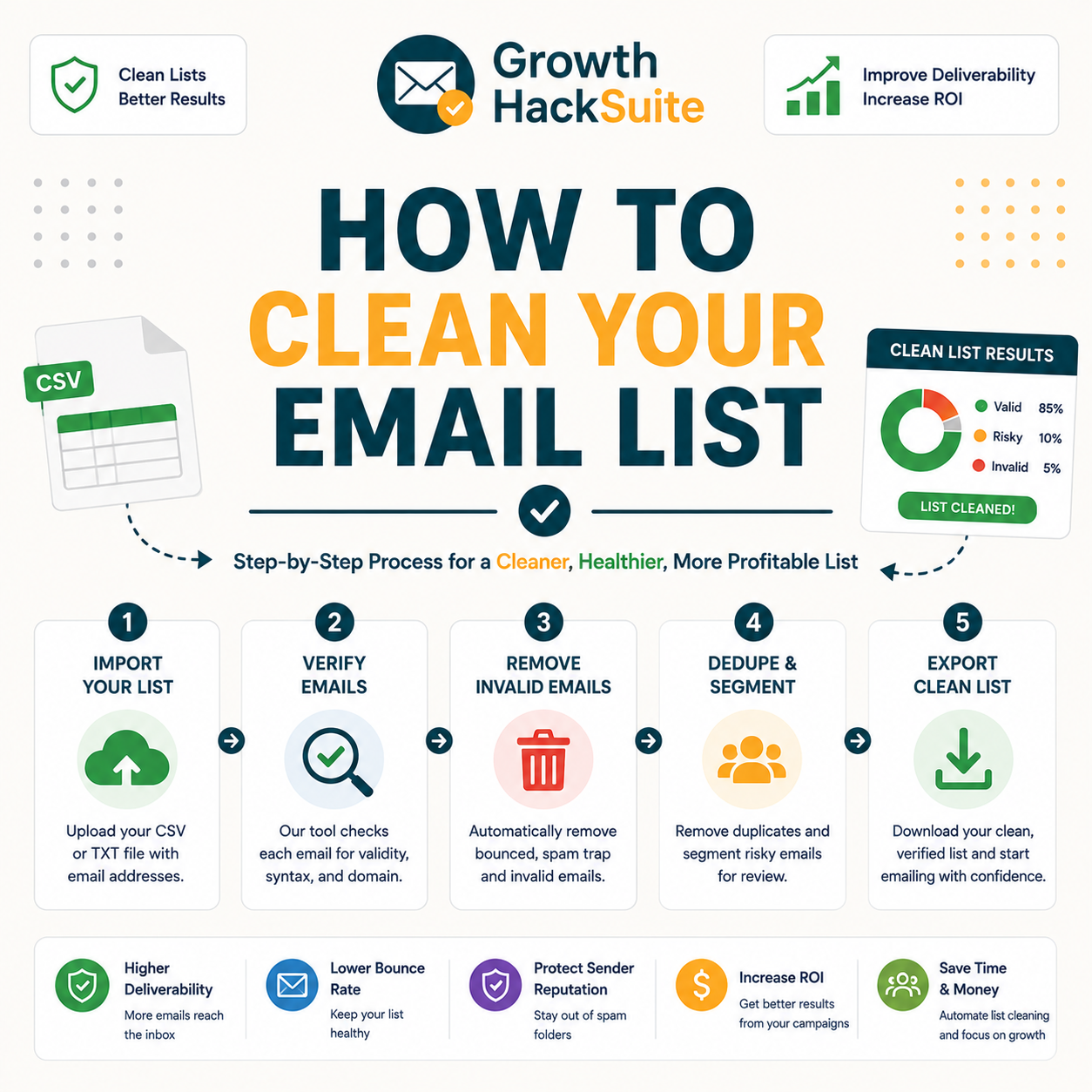
Clean in four steps: verify the list and remove invalids, handle catch-all and risky addresses by segmenting not deleting, remove duplicates and role accounts, then re-engage or suppress long-inactive subscribers. Done in order, this sequence removes the harm without losing reach, because each step targets a different kind of risk on the list.
- Verify and remove invalids: Bulk-verification confirms which addresses can receive mail and which will bounce, and every invalid result leaves the active list immediately. This single step prevents the largest share of bounces and delivers the biggest deliverability gain.
- Segment catch-all and risky: Catch-all and low-confidence addresses get scored and grouped rather than deleted, since many remain reachable. High-confidence addresses move to a warm-up batch while uncertain ones wait, preserving usable contacts a blunt clean would discard.
- Dedupe and drop role accounts: Duplicate records merge so no contact receives a message twice, and role accounts such as info@ or sales@ get reviewed for marketing value. Low-engagement role addresses move to suppression, tidying both structure and metrics.
- Re-engage or suppress inactives: Long-inactive but still deliverable contacts receive a re-engagement campaign, and the ones who never respond move to suppression rather than deletion. Suppression protects engagement signals while keeping the contact record intact.
Start step one free — verify and remove invalids.
Clean Your List Free →Free plan included · No credit card · Bulk verification
Four ordered steps clean a list safely, and the order matters as much as the steps themselves. The sections below break down each one in turn.
Step 1: How Do You Verify and Remove Invalid Addresses?
Run the list through a verifier and remove everything marked invalid, because these addresses will bounce. Bulk verification processes a whole list at once, exporting only the addresses confirmed deliverable. Removing invalids first delivers the biggest deliverability gain for the least effort, which is why it leads the sequence.
- Bulk verify: A CSV of every address uploads to the verifier in one batch, and the tool returns a deliverability status for each row in minutes. Bulk processing replaces slow one-by-one checks and scales to lists of any size on a single run.
- Read the status: Each row comes back labelled valid, invalid, or accept-all, alongside a confidence score that grades uncertain results. Reading the status column turns a raw list into a graded one ready for confident removal decisions.
- Drop invalids: Addresses flagged invalid represent confirmed bounces, so they leave the active sending list straight away. Removing them before send protects the bounce rate that inbox providers watch when deciding placement for the whole list.
- Flag disposables: Temporary and disposable domains surface during the same pass and move out with the invalids, since they rarely belong to real long-term contacts. Filtering them early prevents wasted sends to addresses designed to expire.
- Export clean: Only addresses confirmed deliverable carry forward into the cleaned file, which becomes the base for the remaining steps. Keeping a separate export preserves the original record while the working list stays lean and send-ready.
Removing invalids is the highest-leverage step, the one that prevents most bounces. The deeper mechanics live in what email verification is.
Step 2: How Do You Handle Catch-All and Risky Addresses?
Do not delete catch-all addresses outright, because many are reachable. Segment them by confidence score, send a warm-up batch to the high-confidence ones, and hold the rest for later review. This keeps usable contacts a blunt clean would discard, which is the key to not losing good addresses.
- Score by confidence: Catch-all and accept-all addresses receive a confidence score instead of a hard invalid verdict, since the mailbox cannot be confirmed without sending. Scoring turns an all-or-nothing decision into a graded one that preserves probable-good contacts.
- Separate the segment: Catch-all addresses move into their own group, kept apart from confirmed-valid contacts so a single bulk send never mixes certain and uncertain addresses. Isolation contains the risk while the rest of the list ships safely.
- Warm-up high-confidence: Addresses with strong confidence scores join a small warm-up batch sent at low volume to test real response. Positive engagement promotes them back to the main list, recovering reachable contacts a bulk delete would have erased.
- Hold low-confidence: Addresses with weak scores wait in a separate segment rather than receiving mail immediately. Holding them avoids both the bounce risk of sending and the data loss of deleting, leaving room to re-verify them later.
- Re-verify later: Held addresses run through the verifier again on the next cleaning cycle, since confidence can shift as domain records change. Periodic re-checking gradually resolves uncertain contacts into clear keep-or-drop decisions over time.
Segmenting catch-alls instead of deleting them is what separates careful cleaning from over-pruning. Understanding how email data decay works explains why some of these addresses turn risky over time.
The Four Cleaning Steps at a Glance
Step 3: How Do You Remove Duplicates and Role Accounts?
Deduplicate to avoid sending twice and skewing metrics, then decide on role accounts such as info@ and sales@. Role addresses route to teams and often lower engagement, so suppression for marketing suits most of them, while any known to convert stay. This cleans structure, not just bad addresses.
- Deduplicate: Matching records merge into a single entry so no contact receives the same message twice and engagement metrics stay accurate. Duplicate sends waste credits and irritate recipients, making dedupe a quiet but real deliverability gain.
- Normalise formatting: Trailing spaces, mixed capitalisation and stray characters get standardised so near-duplicate variants of the same address collapse into one. Clean formatting prevents the same person slipping back in under a slightly different spelling.
- Review role accounts: Generic addresses such as info@, sales@ and support@ route to shared inboxes rather than individuals, which usually dampens open and reply rates. Each role address gets judged on whether it has ever driven a meaningful response.
- Keep proven converters: Role addresses with a real engagement or revenue history stay on the active list, since a blanket role-account purge would discard contacts that demonstrably respond. Evidence, not the address format, decides whether each one remains.
- Suppress low-value: Role and duplicate addresses with no engagement history move to suppression for marketing sends while remaining in the record. Suppression trims the active list without erasing data that transactional or service messages may still need.
Dedupe and role review tidy the list structure, small fixes that improve metric accuracy and engagement. They prepare a clean base for the inactive-subscriber decision that follows.
Step 4: How Do You Re-Engage or Suppress Inactive Subscribers?
Inactives are not invalid, so verify before deciding anything. Send a re-engagement campaign to those still deliverable, and suppress rather than delete the ones who never respond. Suppression keeps the record while protecting the engagement metrics that drive inbox placement, so the list stays both honest and effective.
- Verify inactives: Long-silent addresses run through the verifier first, separating ones that still receive mail from ones that have gone invalid. Verification prevents deleting a deliverable contact who simply stopped opening, which a blind inactivity purge would lose.
- Re-engage deliverable: Still-deliverable inactives receive a short re-engagement sequence offering a reason to return or update preferences. Responders rejoin the active list, recovering value from contacts already on the file rather than chasing new sign-ups.
- Suppress unresponsive: Contacts who ignore re-engagement move to a suppression list instead of deletion, which removes them from sends while preserving consent and history. Suppression protects engagement rates without destroying the underlying record.
Suppress rather than delete inactives, because it protects engagement signals without losing the contact record. That preserved record matters whenever a contact returns or a re-verification cycle revisits the list.
How Often Should You Clean Your Email List?
Clean before every major campaign and on a regular cadence, roughly quarterly for active lists and more often for fast-growing or cold-heavy ones. Because data decays continuously, a list cleaned months ago is already partly stale, so timing the clean to the send matters more than fixing a date on the calendar.
Source: B2B email data decays at roughly 2.1% per month, compounding to about 22–30% per year (RevenueBase, Cleanlist B2B data-decay statistics, 2026; HubSpot Database Decay), so cadence is matched to how fast each list type ages.
Clean to the send, not the calendar, because decay means freshness fades fast after each clean. The right interval tracks how quickly a given list ages.
What Does Cleaning Do for Deliverability?
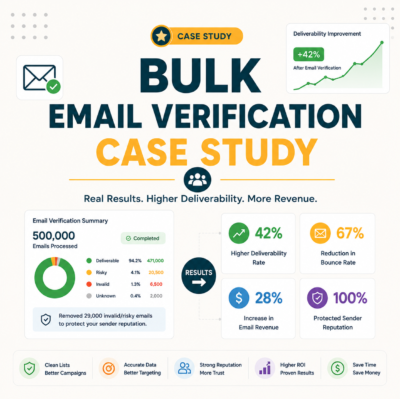
A clean list keeps the bounce rate under the safe threshold, which preserves sender reputation and inbox placement. The effect is measurable: lower bounces, higher open rates, and fewer spam-folder placements across the whole list, not only the removed addresses. Cleaning lifts performance for everyone who stays on the file.
High bounce rates and spam complaints damage a sender’s reputation and inbox placement.
— Hunter.io, Email Verifier API documentation
Cleaning’s payoff is collective: a low bounce rate lifts placement for every address on the list. The same reputation logic appears in how sender reputation works.
What Are the Best Tools to Clean an Email List?
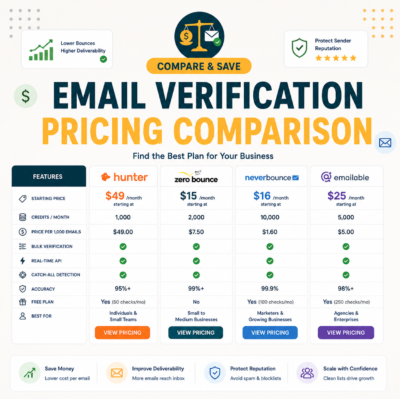
List cleaning needs a verifier with bulk processing, clear status and confidence scoring, and ideally a free tier to start. Hunter covers all three plus email finding, while dedicated verifiers compete on bulk price per thousand. The table below compares the top options on the features that matter for cleaning a list.
Source: hunter.io/pricing, neverbounce.com/pricing, zerobounce.net/pricing and usebouncer.com, verified 2026-06-27. Free-tier sizes and features change; confirm current terms on each provider’s site before buying.
The best cleaning tool combines bulk, scoring and a free tier, and Hunter is a strong all-round starting point. The right pick depends on how much volume and how much finding a team needs alongside verification.
How Do You Clean Without Losing Good Contacts?
Avoid over-pruning: never delete catch-all or inactive addresses without verifying first, segment by confidence instead of removing in bulk, and suppress rather than delete so records survive. The goal is removing harm, not shrinking the list for its own sake, so every removal answers to a clear deliverability reason.
- Verify before deleting: Every uncertain address runs through the verifier before any removal decision, so deletion only ever follows a confirmed invalid result. Verifying first stops a hasty purge from discarding reachable contacts that merely looked risky on the surface.
- Segment, don’t bulk-delete: Catch-all and low-confidence addresses move into graded segments rather than a single delete action, keeping probable-good contacts in play. Segmentation replaces an irreversible bulk delete with a reversible holding decision.
- Trust the score, not the guess: Removal decisions follow the verifier’s confidence score rather than an assumption about how an address looks, since plausible-looking addresses bounce and odd-looking ones deliver. Data-led decisions retain reachable contacts that intuition would wrongly cut.
- Re-engage before removing: Long-silent but deliverable contacts get a re-engagement attempt before any suppression, so a single quiet stretch never costs a reachable subscriber. Removal becomes the last resort after a genuine chance to return.
- Suppress, don’t erase: Unresponsive contacts shift to a suppression list that removes them from sends while preserving consent and history. Suppression protects engagement metrics and leaves the door open if a contact re-engages later.
Hunter’s own verifier review found accuracy holds strong on standard domains, with valid-status addresses bouncing under 2% across a 2,000-email benchmark, the confidence needed to clean safely without losing reachable contacts.
Clean to remove harm, not to shrink the list, because verify-then-segment keeps every reachable contact. That honest approach is what separates list hygiene from blunt list reduction.
Manual vs Automated List Cleaning: Which Is Better?
Manual cleaning works for tiny lists but does not scale and misses catch-all nuance. Automated verification handles any size accurately and repeatably, returning a status and confidence score per address. For all but the smallest lists, an automated verifier is faster, cheaper in time, and more accurate than manual review.
- Manual: Eyeballing addresses and sending test messages can work for a list of a few dozen contacts, but the approach collapses at scale, cannot read catch-all behaviour, and wastes hours that a tool would compress into minutes. It suits only the smallest, simplest lists.
- Automated: A verifier checks syntax, domain records and mailbox response for every address at once, returning consistent status and confidence scores. Automation scales from hundreds to millions of rows, repeats identically each run, and catches risk patterns no manual review reliably spots.
Automated cleaning wins on scale and accuracy; manual only suits the smallest lists. The volume and decay of most real lists make automation the practical default.
Verdict: The Safe Way to Clean an Email List
Clean by verifying first, segmenting catch-alls by confidence, deduping, and suppressing rather than deleting inactives. Done this way, cleaning lifts deliverability without losing reachable contacts. Automate it before every major send and the list stays a healthy asset rather than a slowly decaying liability that drags down inbox placement.
Verdict: Four steps, in order — verify and remove invalids, segment catch-alls by confidence, dedupe and drop role accounts, then suppress not delete inactives. Verify before deleting, clean before each major send, and a decaying list of ~2% a month stays a healthy, high-deliverability asset.
List hygiene removes invalid, inactive, and unengaged addresses to protect deliverability.
— Wikipedia, Email marketing
Clean your list free without losing good contacts.
Clean Your List Free →Free plan · No credit card · Verify before you delete
Related Tools in the Hunter Stack
Cleaning a list pairs with verifying single addresses and protecting deliverability. The Hunter verifier review covers the full product, the accuracy benchmark shows how well it scores addresses, and the finder covers building the lists worth cleaning in the first place.
- Hunter Email Verifier: The validation layer covered in depth, including accuracy on catch-all and standard domains — see the Hunter Email Verifier accuracy benchmark.
- Hunter Email Finder: The other half of the bundle that builds the lists worth verifying — read the Hunter.io email finder review.
How to Clean Your Email List: Frequently Asked Questions
The 12 most-asked questions about how to clean your email list.
How do I clean my email list?
Clean in four ordered steps. First bulk-verify the list and remove every invalid address. Next segment catch-all and risky addresses by confidence rather than deleting them. Then deduplicate and review role accounts. Finally re-engage deliverable inactives and suppress the unresponsive ones instead of erasing them.
How do I clean a list without losing good contacts?
Verify every uncertain address before deleting it, so removal only follows a confirmed invalid result. Segment catch-alls and inactives by confidence rather than bulk-deleting, and move unresponsive contacts to a suppression list instead of erasing them. This removes harmful addresses while keeping every reachable one on the file.
How often should I clean my email list?
Clean before every major campaign and on a regular cadence: roughly quarterly for active lists, monthly for fast-growing ones, and before each send for cold-heavy lists. Because B2B data decays around 2% a month, freshness fades quickly, so the clean is best timed close to the actual send.
What does cleaning do for deliverability?
Cleaning keeps the bounce rate below the threshold inbox providers watch, which protects sender reputation and inbox placement. The benefit is shared: lower bounces and stronger engagement lift open rates and reduce spam-folder placement across the entire list, not only the addresses that were removed during the clean.
Should I delete catch-all addresses?
No, not outright. Catch-all domains accept mail for every address, so a verifier cannot confirm the specific mailbox, but many catch-all contacts are still reachable. Score them by confidence, send a warm-up batch to the high-confidence ones, and hold the rest. Deleting them in bulk discards usable contacts.
What do I do with inactive subscribers?
Verify inactives first, since silence does not mean an address is invalid. Send a re-engagement campaign to those still deliverable, and move contacts who never respond to a suppression list rather than deleting them. Suppression removes them from sends while protecting engagement metrics and preserving the consent record.
What are the best tools to clean an email list?
The best cleaning tool combines bulk processing, clear status and confidence scoring, and a free tier to start. Hunter covers all three plus email finding on one credit pool; NeverBounce, ZeroBounce and Bouncer are strong dedicated verifiers competing mainly on bulk price per thousand at high volume.
How do I remove invalid emails?
Upload the list to a bulk verifier, run the batch, and export only the addresses marked deliverable. Every invalid result is a confirmed bounce and leaves the active sending list immediately. Removing invalids first is the highest-leverage cleaning step, since it prevents the largest share of bounces with the least effort.
Is manual or automated cleaning better?
Automated cleaning is better for all but the smallest lists. A verifier checks syntax, domain records and mailbox response for every address at once, returning consistent scores and scaling from hundreds to millions of rows. Manual review cannot read catch-all behaviour, does not scale, and wastes hours a tool compresses into minutes.
Should I delete or suppress inactive contacts?
Suppress rather than delete. Suppression removes a contact from active sends while keeping the consent record and history intact, which protects engagement metrics without destroying data. Deletion erases everything, so if a contact re-engages later there is no record left. Suppression is the safer, reversible choice for cleaning.
How do I clean a purchased list?
Purchased lists carry high bounce and complaint risk, so bulk-verify the whole file before any send and remove every invalid. Even after cleaning, consent and anti-spam rules such as GDPR and CAN-SPAM still apply, so verification reduces bounce risk but does not grant permission to email addresses that never opted in.
What’s the safe way to clean a list?
The safe way is verify-first cleaning: bulk-verify and remove invalids, segment catch-alls by confidence rather than deleting, deduplicate and review role accounts, then re-engage deliverable inactives and suppress the unresponsive. Every removal follows a confirmed reason, so deliverability rises while reachable contacts stay on the list.