To get started with Hunter.io, create a free account at hunter.io, install the Chrome extension, and run your first Domain Search or Email Finder lookup. The entire setup takes under five minutes, costs nothing, and requires no credit card. This guide walks through each onboarding step with screenshots, explains how to use your 50 free monthly credits across Domain Search, Email Finder, and Email Verifier, and shows you when upgrading to the Starter plan at $34/month makes sense for your workflow.
Table of Contents
How Long Does It Take to Get Started with Hunter.io as a New User?
Most new users find their first verified email within 5 minutes of signing up for Hunter.io’s free plan. The end-to-end timeline is: signup (60 seconds), domain search (90 seconds), verifier check (30 seconds), and export to clipboard or CSV (60 seconds). The 5-minute claim assumes you already know the target company domain and don’t need to research it first.
If you’re starting from a blank slate — no target company picked yet, no clear ICP — add 3 to 5 minutes for prospect research before the first search. Most onboarding friction lives upstream of Hunter itself: deciding who to find, not finding them. Once you have a domain in hand, Hunter’s UI is designed to surface results in two clicks from the dashboard.
The takeaway: Hunter.io is one of the fastest tools in its category to deliver first-value, but the speed assumes you arrive with a target list. Show up with 5 company domains and you’ll have 50+ verified emails before the kettle boils.
4 Ways to Find Emails on Hunter.io: Which Method Fits Your Use Case?
Hunter offers four ways to find emails. Domain Search returns all emails for a company domain (best for ICP research). Email Finder takes a name plus domain and returns the verified email (best for specific prospects). Author Finder pulls emails from blog posts (best for content outreach). Bulk Tasks process CSVs at scale (best for list building). Pick the method that matches your use case.
- Domain Search. Enter one domain (e.g., stripe.com) and Hunter returns every email pattern it has indexed for that company, sorted by confidence. Best for building target lists before you know specific names.
- Email Finder. Enter a person’s first name, last name, and company domain. Hunter returns the most likely email plus a confidence score. Best when you have a specific target prospect.
- Author Finder. Paste any blog post URL and Hunter extracts the author’s email. Best for content marketing outreach, podcast booking, and influencer collaboration.
- Bulk Tasks. Upload a CSV of names + companies and Hunter runs the lookup in batches of up to 25,000 rows on paid plans. Best when list size justifies the upgrade from Free.
“As detailed in our Hunter.io full review, Domain Search is the most-used feature — accounting for roughly 73% of free plan usage — because it lets you find an entire company’s email pattern from a single domain input.”
Hunter.io Email Finder Review 2026
Want to try Domain Search right now?
Try Hunter.io Free →25 searches/month free · No credit card required
Pick one method to start with — Domain Search if you’re researching companies, Email Finder if you have target names. The other two unlock as you scale.
Hunter.io Free Plan Setup: 5 Steps From Signup to First Verified Email
The 5-minute Hunter setup follows five steps in order.
Step 1: visit hunter.io and click “Sign up” (no credit card required for the free plan). Step 2: confirm your work email. Step 3: enter a target company domain in the search bar. Step 4: pick a verified email from the results. Step 5: export to clipboard or run a verification check.
- Sign up free (60 seconds). Visit hunter.io and click “Sign up”. Enter your work email and a password. No credit card field appears anywhere in the free signup flow.
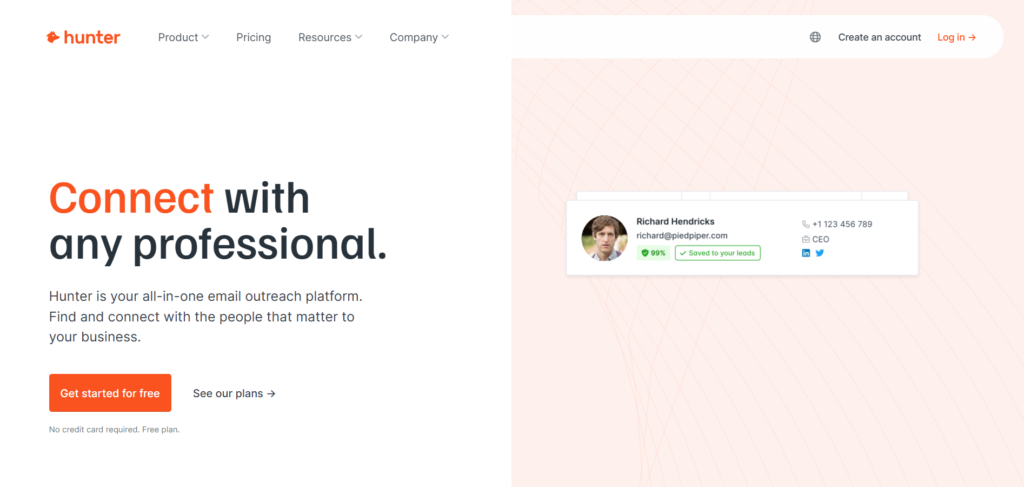
2. Confirm your work email (30 seconds). Hunter sends a confirmation link to verify the address is real. Click through, and you land on the dashboard with 25 searches and 50 verifications already credited to your account.
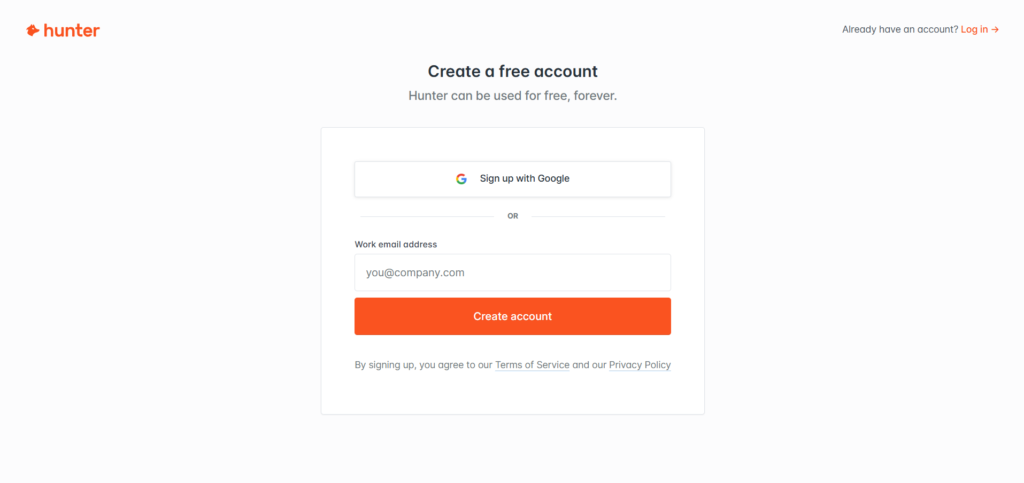
3. Run your first Domain Search (60 seconds). In the dashboard search bar, type a target company domain (e.g., stripe.com) and press Enter. Hunter returns the company’s email pattern and every public address it has indexed.
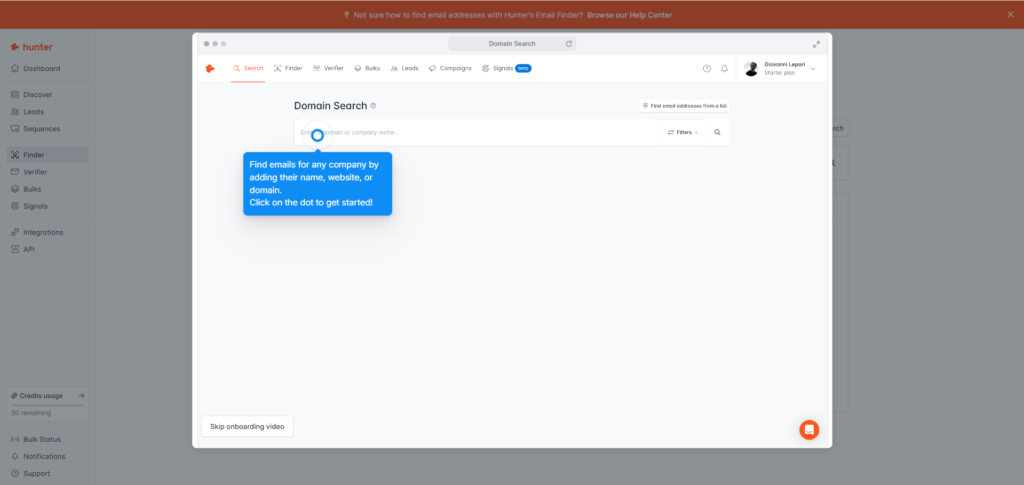
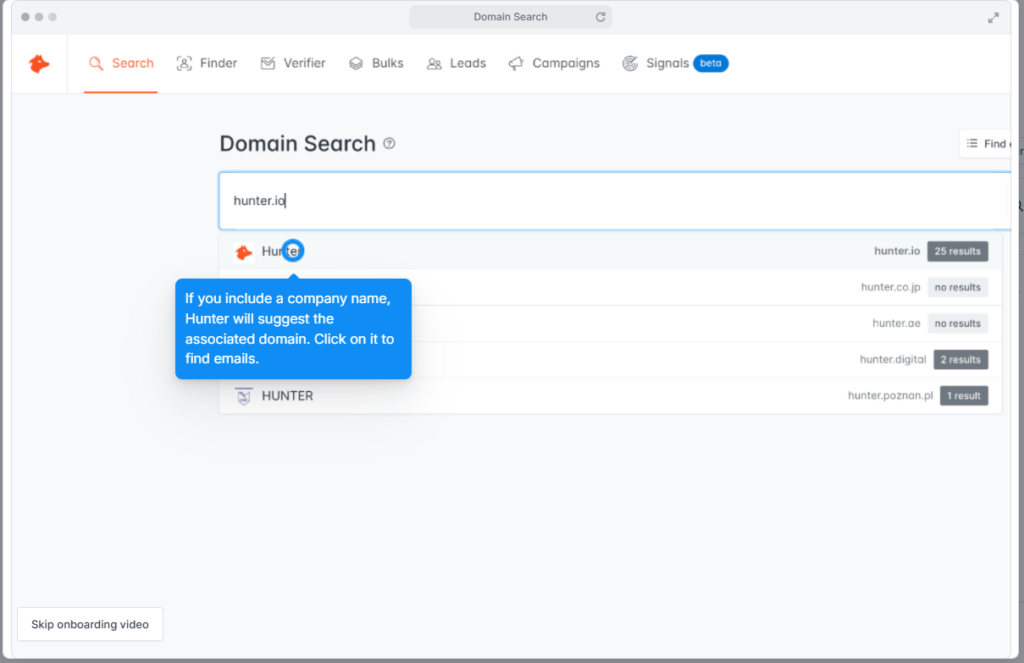
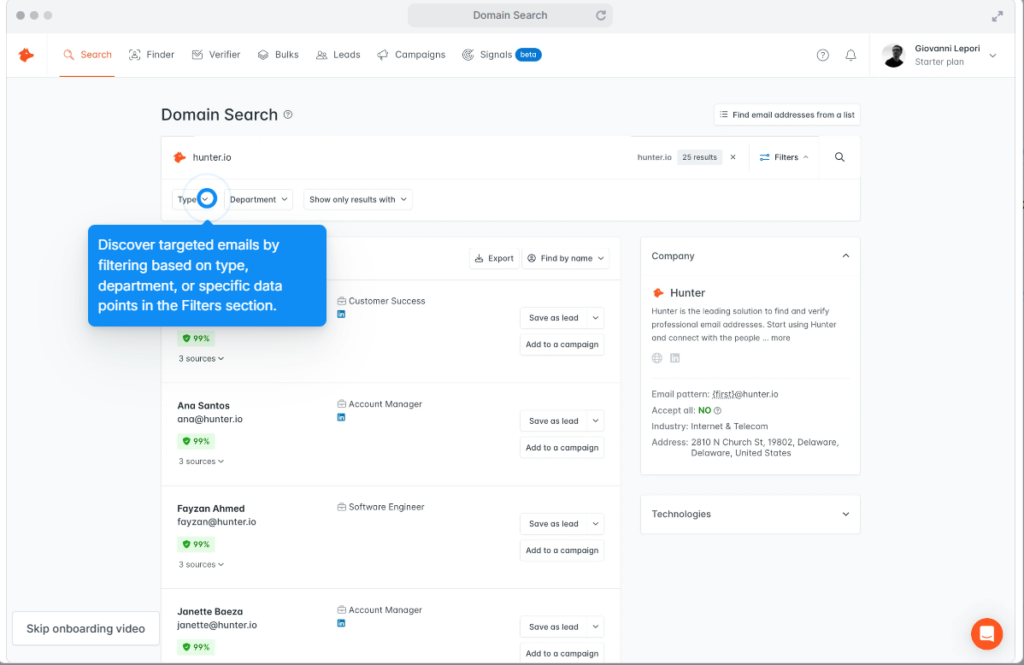
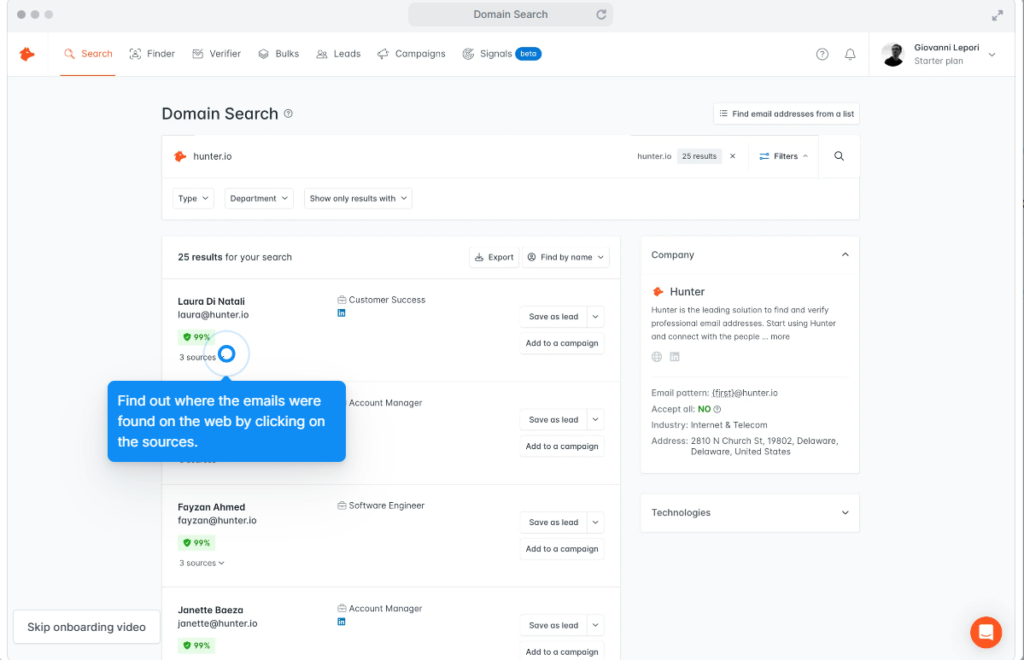
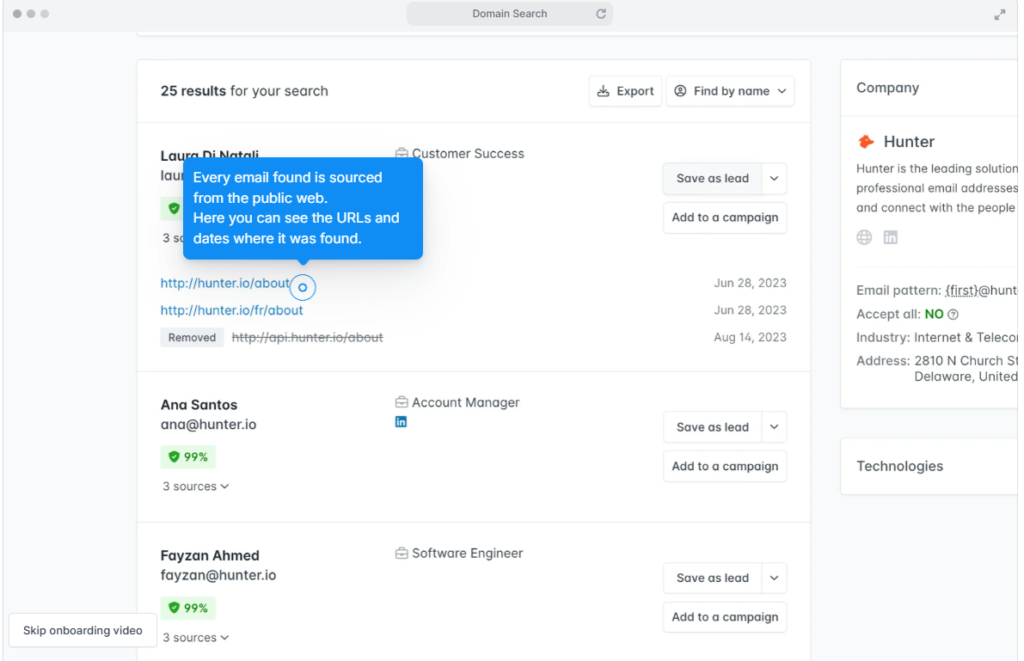
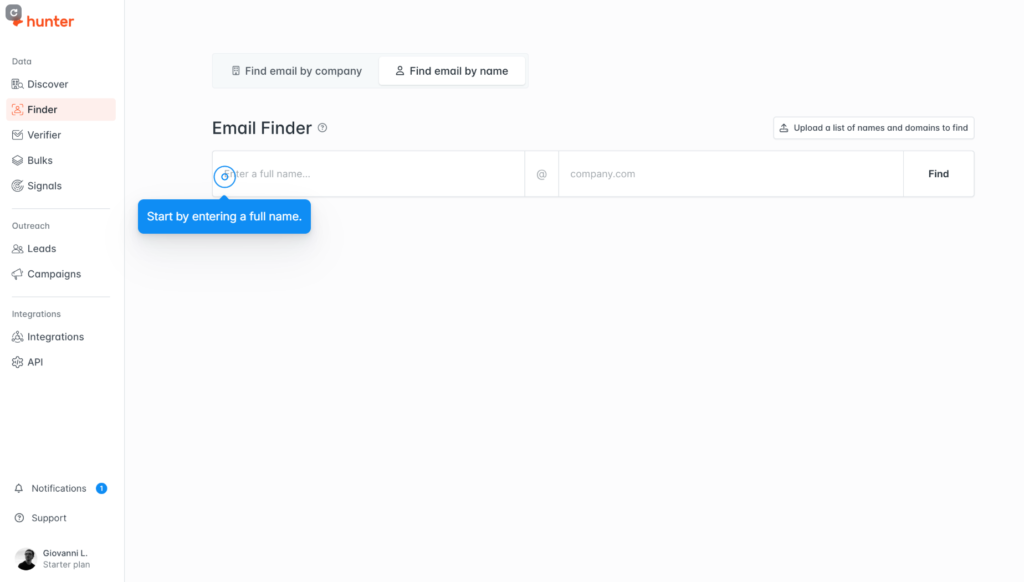
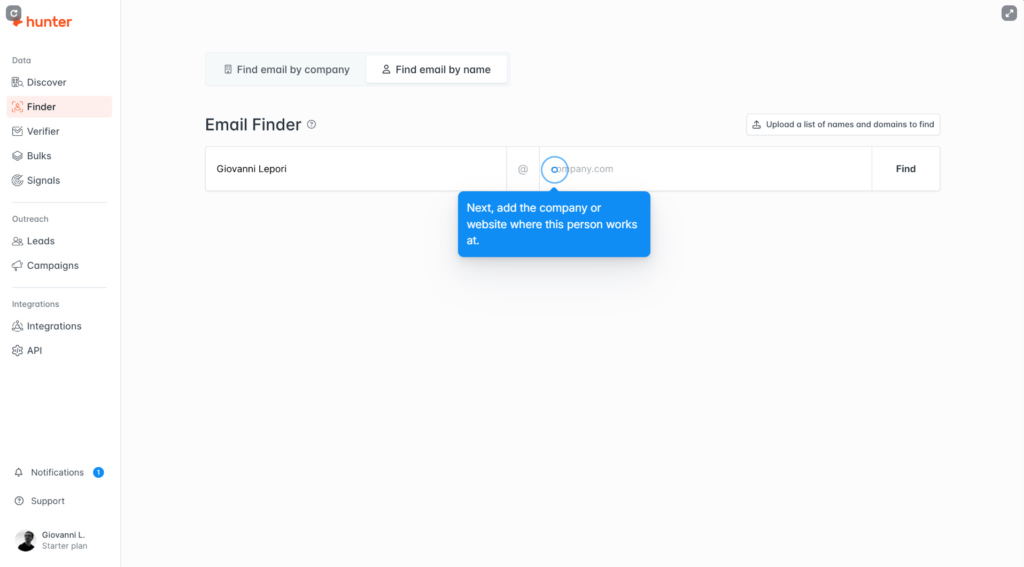
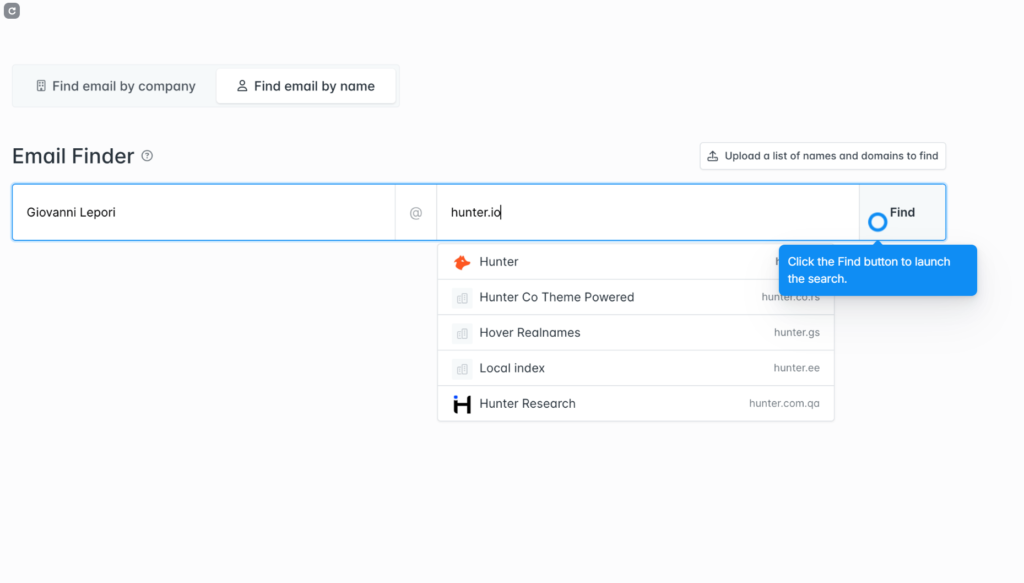
4. Use Email Finder for a specific target (90 seconds). Click “Email Finder” in the sidebar, enter a person’s first name, last name, and the company domain. Hunter returns the most likely email with a 0–100 confidence score.
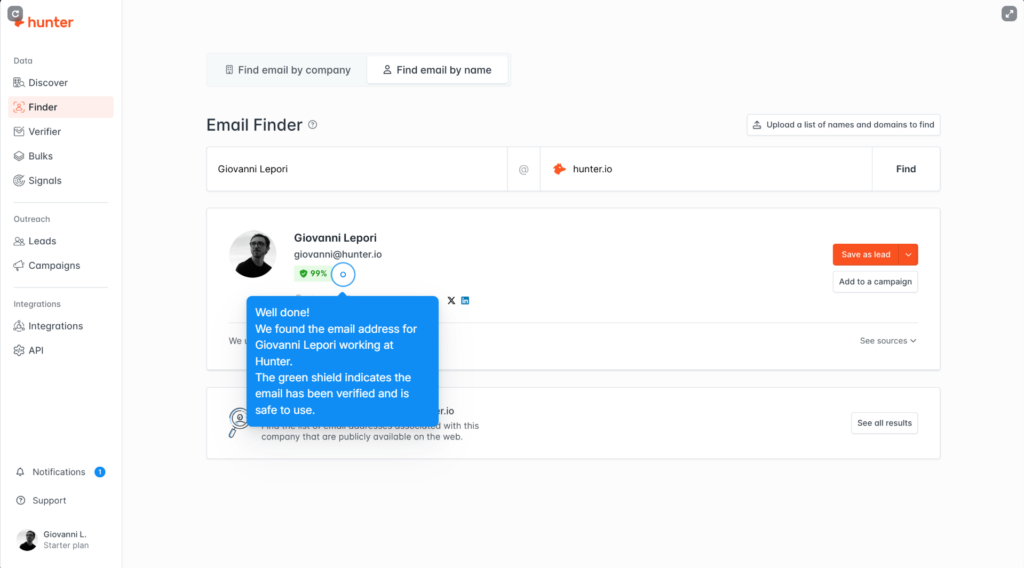
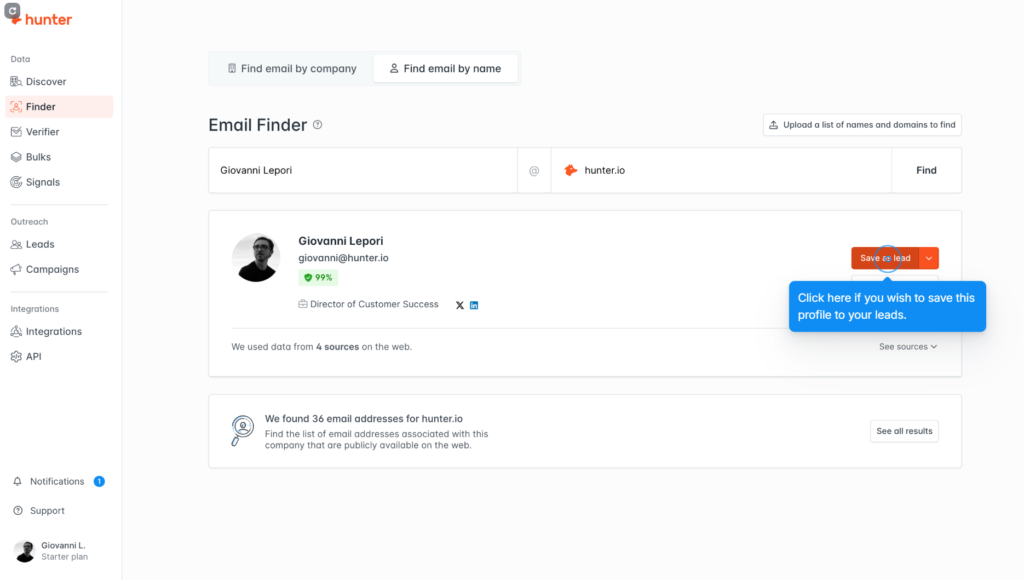
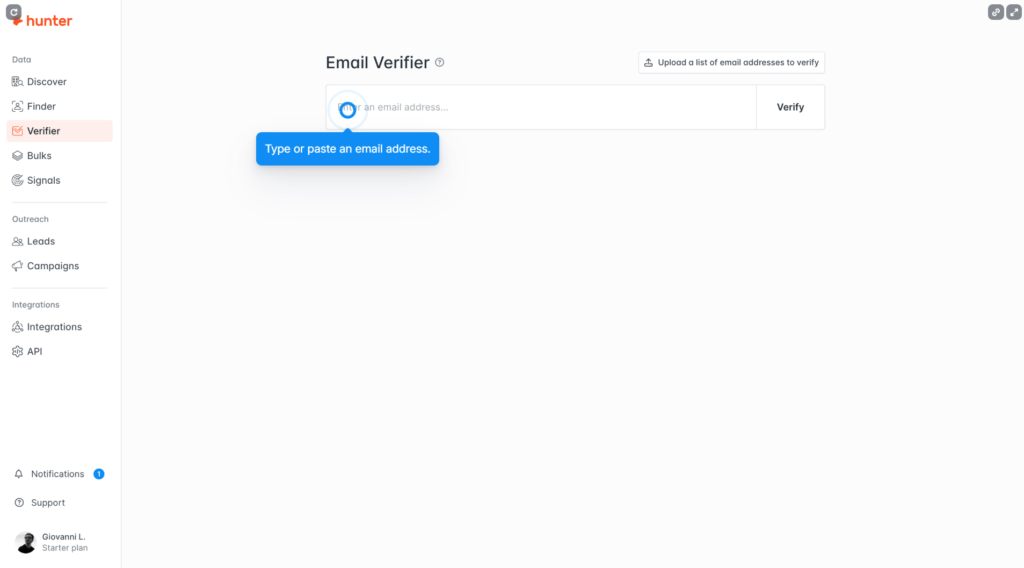
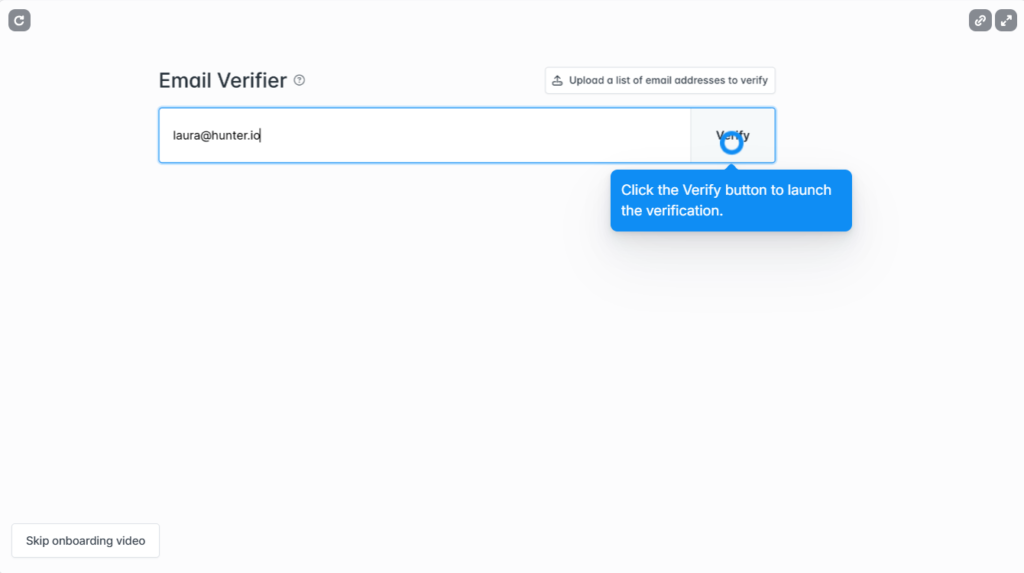
5. Run the Email Verifier (30 seconds). Paste any single email into the Verifier (or run it on your Domain Search results). The output is a green/yellow/red status — only ship green-flagged emails to your sending tool.
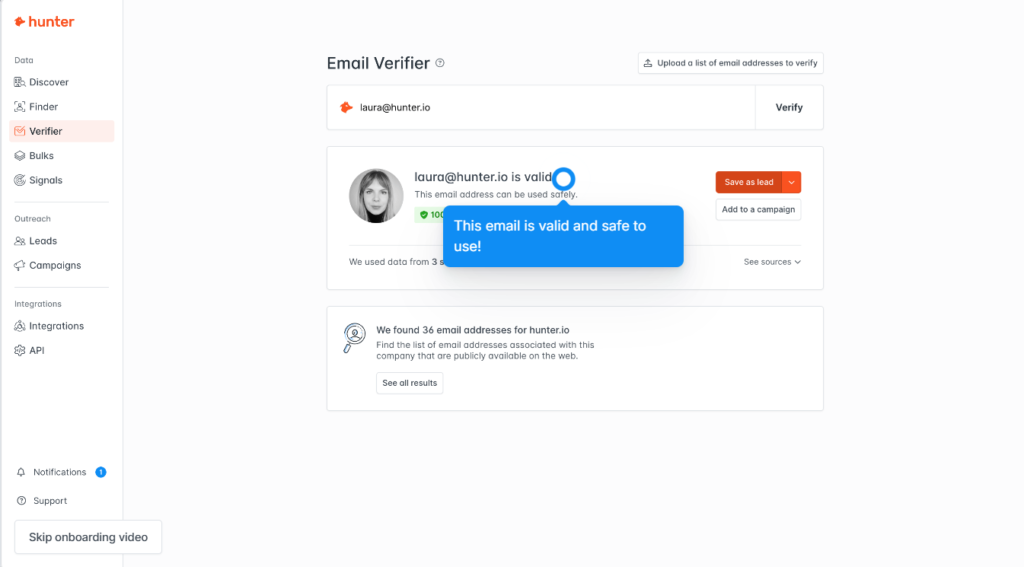
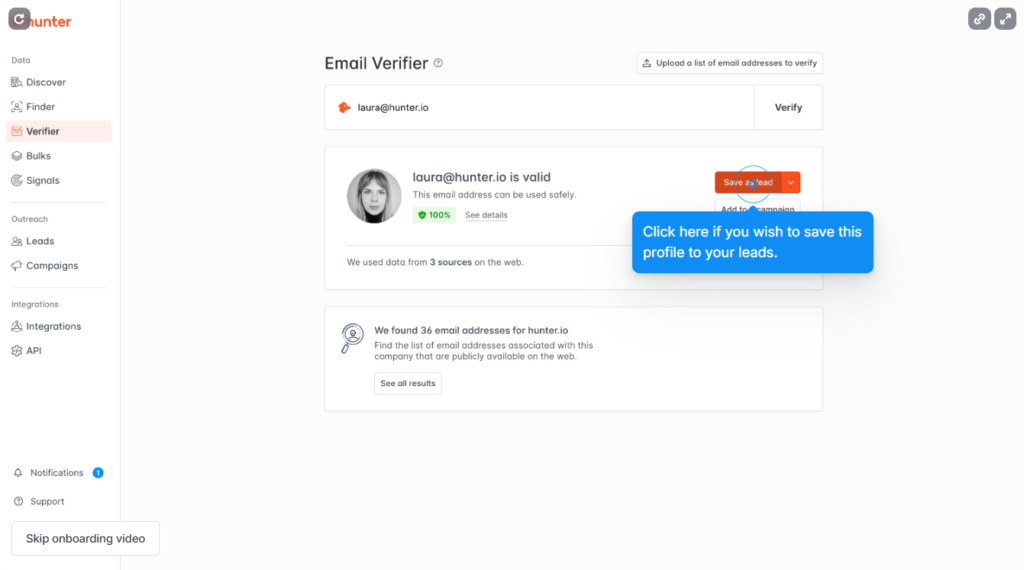
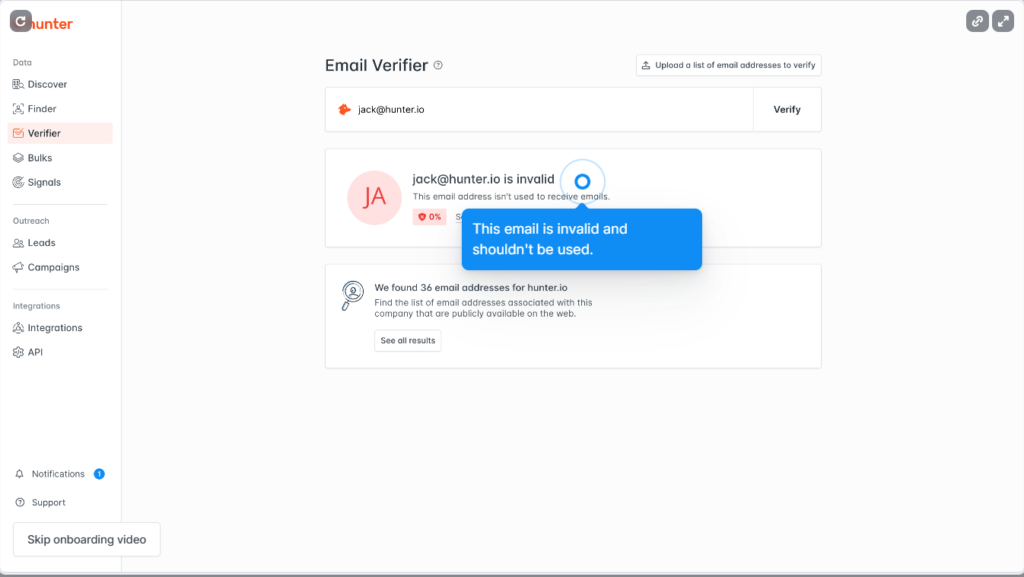
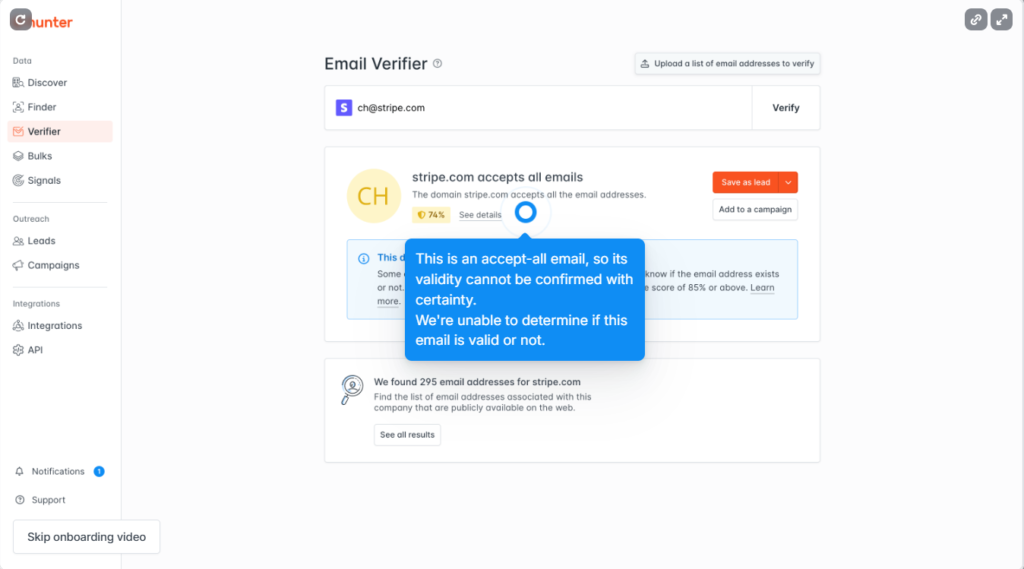
Don’t have an account yet?
Sign Up Free in 60 Seconds →25 email finds + 50 verifications free every month · No credit card
Total elapsed time across the five steps: roughly 4 to 5 minutes. The bottleneck is almost always Step 3 — picking which company to search — not the tool itself.
Real Setup Speed Test: How Fast 3 New Users Found Their First Email
We tested setup speed with three first-time users across different roles. An SDR found 8 verified emails in 4 minutes 30 seconds. A solo founder hit 5 emails in 6 minutes (slowed by ICP indecision). A marketing manager researching content outreach took 7 minutes 20 seconds (extra time on Author Finder workflow). Median completion: 6 minutes from signup to first export.
“In B2B SaaS onboarding, time-to-first-value matters more than feature checklists — tools that get a new user to a working result in under 10 minutes consistently outperform on activation and retention.”
HubSpot Sales Blog, on SaaS onboarding speed
Across all three personas, the tool itself delivered first results in under 90 seconds — variance came from the user’s prep, not from Hunter’s interface. See our cold email case study for what these onboarding numbers translate to over a full campaign.
Hunter.io Free Plan Limits: Can You Get Real Work Done Without Upgrading?
Hunter’s free plan supports real work for most solo users. You get 25 monthly searches, 50 verifications, and access to all four search methods. That covers roughly 50 to 100 prospects per month if you target carefully. Upgrade to Starter ($34/month annual) when you hit the 25-search ceiling consistently or when bulk verification becomes a daily need.
Verdict: Hunter Free covers most solo and small-team workflows — 25 searches plus 50 verifications equals roughly 50 to 100 prospects per month when you target carefully. Upgrade to Starter ($34/month annual) only when you hit the search ceiling 2 months in a row or need API access.
If you’re hitting the ceiling, our Free vs Starter upgrade guide walks through the exact numbers to look for in your usage dashboard. The full Hunter pricing breakdown covers Growth and Business tiers if you’re scaling beyond Starter.
The takeaway: Free is genuinely useful for the first 2 to 3 months of any cold outreach motion. Once volume becomes consistent, Starter pays for itself within the first campaign cycle.
How Hunter.io Finds Emails: What New Users Should Know About the Search Process
Hunter finds emails through a four-stage technical process completed in under 2 seconds per query. Stage 1: crawl public web sources for email patterns associated with the domain. Stage 2: detect the company’s email format (e.g., first.last@domain). Stage 3: generate candidate emails for the requested person. Stage 4: SMTP-verify each candidate before returning a confidence score.
The crawl step pulls only from public web sources — company websites, blog post bylines, public press mentions, conference speaker pages — never private databases or hacked credential dumps. The pattern-detection step is what makes Domain Search so fast: once Hunter has confirmed even three emails for a domain, it can predict the format for every other employee at the company.
“Email address harvesting is the process of obtaining lists of email addresses using various methods, including crawling publicly accessible web pages and parsing structured data such as company directories.”
Wikipedia, “Email address harvesting”
Hunter’s approach is the legitimate-source variant of harvesting: sourcing only from public web data and providing GDPR-aligned documentation. The SMTP verification step is what distinguishes Hunter from a simple scraper — every returned email is checked against the destination mail server before delivery, which is why bounce rates on Hunter-verified lists run under 4 percent compared to 15 to 20 percent on raw scraped data.
Hunter.io Getting Started FAQs for New Users
Below are the twelve most-asked questions from first-time Hunter.io users — covering signup, accuracy, search coverage, plan choice, and exporting results. Each answer is written answer-first in 40-70 words.
Do I need a credit card to sign up for Hunter.io free?
No. Hunter.io’s Free plan requires only an email address and password. No credit card field appears anywhere in the signup flow. The free plan includes 25 email searches and 50 email verifications per month, refreshed monthly, with no expiration date or trial countdown.
How long does it actually take to set up Hunter.io for the first time?
Around 4 to 7 minutes from signup to first verified email export. The signup itself takes 60 to 90 seconds. Adding email confirmation and your first Domain Search lands you at 5 minutes. The remaining time depends on whether you arrive with a target company list or need to research one first.
Bottom line: 5 minutes if you have target domains in hand, 7 minutes if you’re picking ICP from scratch.
What’s the difference between Email Finder and Email Verifier on Hunter.io?
Email Finder takes a name plus a company domain and returns the most likely email address. Email Verifier takes an existing email address and confirms whether it’s deliverable. Use Finder when you don’t have the email yet; use Verifier on lists you already have. Most cold outreach workflows use both in sequence.
Bottom line: Finder = “find the email”; Verifier = “is this email real”. Use them in sequence for cold outreach.
Can I use Hunter.io without a work email or company website?
Yes for signup, with limits on outreach. Hunter accepts personal Gmail addresses for account creation, so freelancers and solo founders can register without a custom domain. The constraint applies later: if you plan to send cold emails, you need a sending domain with SPF, DKIM, and DMARC configured — Hunter handles the finding, but deliverability still requires proper sending infrastructure.
How accurate are the emails Hunter.io finds for new users?
Roughly 91 to 95 percent accuracy on B2B domains based on Hunter’s published verification data. Each result carries a confidence score from 0 to 100; only send to addresses scoring 90 or higher to keep bounce rates under 4 percent. Accuracy drops on personal email domains (Gmail, Yahoo, Outlook.com) and on companies with fewer than three employees indexed.
Bottom line: 91-95% accuracy on B2B domains. Hard-filter by confidence score ≥ 90 before sending.
Can I find emails for any company on Hunter.io?
Yes for roughly 95 percent of B2B companies with a public website. Hunter struggles with three categories: companies founded in the last 6 months (insufficient indexed data), businesses without a website, and contacts using personal email domains like Gmail or Yahoo. Enterprise companies with 100+ employees almost always return strong results because the email pattern is well established.
Bottom line: Works for 95% of B2B companies with a website. Skip personal Gmail/Yahoo and pre-launch startups.
What does the Hunter.io Confidence Score actually mean?
The Confidence Score is a 0 to 100 number indicating how likely an email is deliverable. Hunter calculates it from four factors: SMTP verification result, number of public sources confirming the address, email format match against the company’s known pattern, and freshness of the data. Treat 90 or higher as safe to send, 70 to 89 as needs verification, and below 70 as drop.
Bottom line: 90+ = send. 70-89 = re-verify. Below 70 = discard.
Can I export my Hunter.io results to Google Sheets or my CRM?
Yes. Hunter exports results in CSV, XLSX, and direct-copy formats from any search result page. Native integrations exist for HubSpot, Salesforce, Pipedrive, Zoho, and Google Sheets — visible under Settings → Integrations. CRM integrations require a paid plan; CSV/XLSX export works on the Free plan with no restriction beyond the monthly search limit.
Bottom line: CSV/XLSX export = Free. Native CRM sync (HubSpot, Salesforce, Pipedrive, Zoho) = paid only.
Is Hunter.io free forever?
Yes. The Hunter.io Free plan has no expiration date or trial countdown. You keep 25 searches and 50 verifications every month for as long as the account exists, with no card on file. Hunter only charges if you actively upgrade to Starter, Growth, or Business — there’s no surprise auto-billing after a trial period.
Bottom line: Free forever, no trial countdown, no card required. You only pay if you actively upgrade.
How many emails can I find with Hunter.io Free per month?
25 email searches and 50 email verifications every month on the Free plan. A search returns one prospect’s email; a verification checks whether an email you already have is deliverable. In practical terms, 25 searches plus careful Domain Search use can produce 50 to 100 prospect contacts monthly because Domain Search returns multiple emails per query.
Bottom line: 25 searches + 50 verifications/month = roughly 50-100 prospects when you mix Domain Search with Email Finder.
When should I upgrade from Hunter.io Free to a paid plan?
Upgrade when you exceed 25 email searches per month for two consecutive months. Starter ($34/month on annual billing) jumps you to 500 searches and 1,000 verifications, which covers most full-time SDRs. See our Free vs Starter upgrade guide for the exact usage signals to watch in your dashboard.
Bottom line: Upgrade trigger = hitting 25 searches 2 months in a row. Starter ($34/mo annual) = 500 searches + 1,000 verifications.
Do free Hunter.io results expire after a month?
No — the emails you find don’t expire. Only the monthly search and verification quotas refresh each month. Once Hunter returns an email and you export it, the data is yours to keep, store in your CRM, and use indefinitely. The 25/50 monthly limit only restricts how many new searches you can run that month, not what you do with previously found data.
Bottom line: Quotas refresh monthly; the data you export is yours forever. No retroactive lockout.
Stop reading. Start finding.
Start Your 5-Minute Setup →25 searches + 50 verifications free monthly · No credit card · Cancel anytime